In the competitive landscape of modern hiring, a resume is not merely a document; it is a strategic marketing tool that must perform flawlessly under two distinct conditions: the milliseconds it takes for a recruiter to scan it, and the complex algorithms of an Applicant Tracking System (ATS) that filter candidates before a human ever sees them. A single oversight in formatting, a missing keyword, or a grammatical error can result in an immediate rejection, regardless of a candidate's actual qualifications.
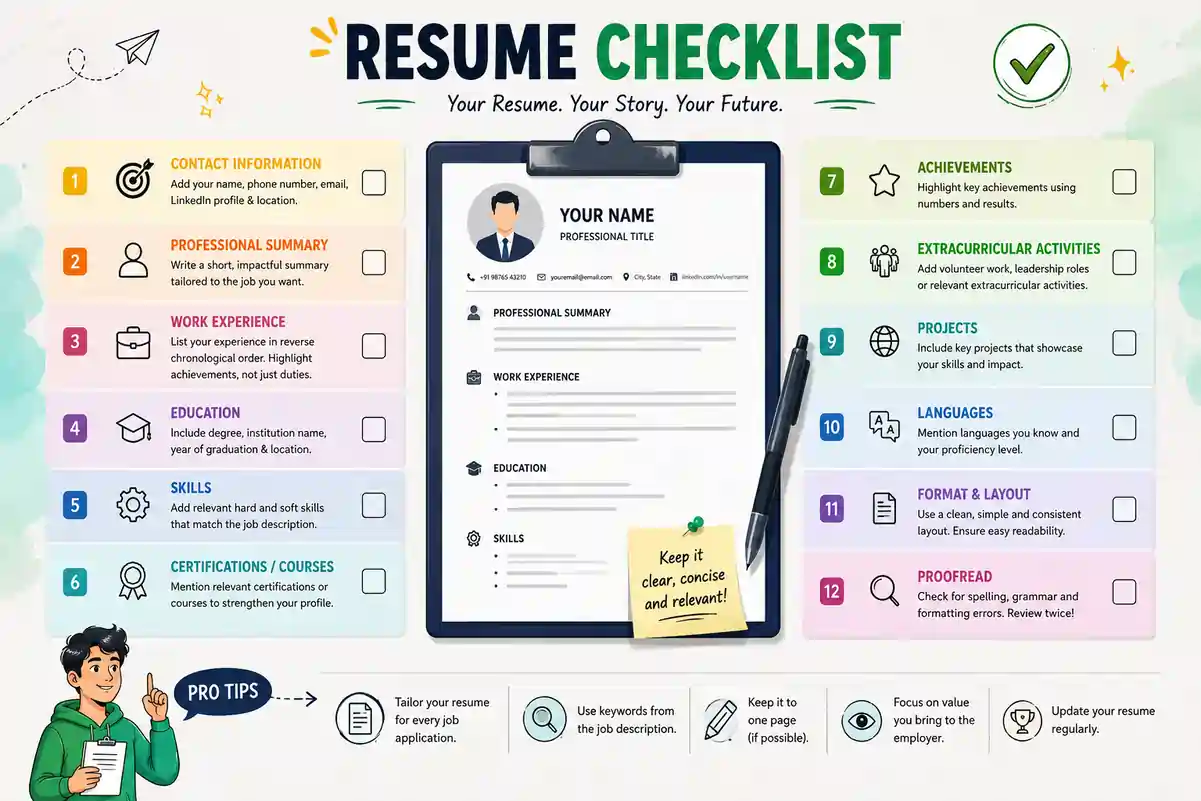
The difference between a candidate who sends out fifty applications and gets five responses, versus a candidate who sends out five and gets five responses, often lies in the rigor of their preparation. This is where a systematic approach becomes non-negotiable. A Resume Checklist serves as the critical quality assurance mechanism that ensures every element of your application is optimized for relevance, readability, and technical compliance.
Whether you are a fresh graduate navigating your first job search, a mid-level professional pivoting industries, or an executive aiming for a leadership role, the fundamental requirements of a high-performing resume remain consistent, even as specific tactics evolve. This guide provides an exhaustive, section-by-section Resume Checklist designed to cover every variable, from the foundational structure to the nuanced details of digital formatting and keyword optimization. By adhering to this framework, you eliminate the guesswork and significantly increase your probability of securing an interview.
Table of Contents
- Why a Resume Checklist Matters in 2026
- Pre-Writing Optimization: Strategy and Research
- Contact Information Review: The First Impression
- Headline and Professional Summary Check
- Work Experience Verification: Impact Over Duties
- Skills Section Optimization: Hard vs. Soft Skills
- Education and Certifications: Accuracy and Relevance
- Formatting and ATS Compliance: The Technical Standard
- Proofreading and Error Checking: The Final Polish
- Download and File Preparation: Technical Execution
- Special Scenarios: Freshers, Career Changers, and Employment Gaps
- People Also Ask
- Frequently Asked Questions
Free Resume Builder
Don’t let a weak resume decide your future.
Thousands of people are getting rejected — not because they’re bad, but because their resume doesn’t speak for them. Make a resume that actually gets shortlisted.
Your next job is closer than you think.
Start in 2 minutes.
No complicated forms. Just pick a template, fill details, And Apply.
Apply Now Your Job →Why a Resume Checklist Matters in 2026
The hiring ecosystem has undergone a radical transformation. In 2026, the average recruiter spends less than seven seconds reviewing a resume during the initial screen. Furthermore, the majority of large and mid-sized organizations utilize automated software to filter out up to 75% of applications before a human eye ever touches them. Without a structured Resume Checklist, candidates are effectively navigating a minefield blindfolded.
A checklist transforms the resume creation process from a creative exercise into a systematic engineering task. It ensures that the document satisfies the dual requirements of the ATS (which looks for specific data points and formatting structures) and the human recruiter (who looks for narrative flow, achievements, and cultural fit).
The primary value of a checklist is risk mitigation. It prevents common, costly errors such as:
- Keyword Mismatch: Failing to include specific terminology found in the job description, causing the ATS to rank the candidate low.
- Formatting Errors: Using columns, graphics, or tables that confuse parsing software, resulting in garbled text or missing data.
- Inconsistency: Switching between date formats, bullet point styles, or font sizes, which signals a lack of attention to detail.
- Information Gaps: Omitting critical contact details or relevant certifications that are mandatory for the role.
By treating the Resume Checklist as a mandatory final step before submission, you ensure that your document is not just "good enough," but optimized for the highest possible conversion rate. It shifts the focus from "what did I do?" to "how did I do it, and does it match what the employer needs?"
ATS-friendly resume best practices are the foundation of this strategy, ensuring your document survives the initial digital gatekeeping.
Pre-Writing Optimization: Strategy and Research
Before typing a single word of your resume, a critical phase of preparation must occur. Many candidates skip this step, leading to generic resumes that fail to resonate with specific employers. The Resume Checklist begins with research and strategic alignment.
1. Job Description Analysis
The job description (JD) is the blueprint for your resume. It contains the exact language, skills, and experience the hiring manager values.
- Action: Highlight all hard skills, soft skills, software tools, and industry-specific certifications mentioned in the JD.
- Action: Identify the "pain points" the role is intended to solve. Is the company looking for someone to increase sales, reduce costs, or lead a team?
- Action: Note the frequency of specific keywords. If "Project Management" appears five times, it is a primary keyword that must be prominent in your document.
2. Competitor and Industry Benchmarking
Understanding what a successful resume looks like in your specific industry is crucial.
- Action: Research top candidates in your field. What skills do they highlight? What format do they use?
- Action: For freshers, understanding the fresher resume format for India or global standards helps in setting realistic expectations for content depth.
3. Selecting the Right Format
Not all resumes are created equal. The structure you choose depends on your career history.
- Chronological: Best for those with a linear career progression and no significant gaps.
- Functional: Best for career changers or those with employment gaps, focusing on skills rather than dates.
- Combination: A hybrid approach that balances skills and chronological work history, often ideal for senior roles.
- Decision: Consult the complete guide to resume formats in 2026 to determine which structure best showcases your specific narrative.
4. Defining Your Unique Value Proposition (UVP)
Before drafting, articulate your UVP. What is the one thing you offer that others do not? This will form the core of your professional summary.
Tailoring your resume to any job description is the single most effective way to pass the initial screening, and it starts with this pre-writing analysis.
Contact Information Review: The First Impression
The header of your resume is the first section a recruiter sees. If this section is flawed, the rest of the document may never be read. The Resume Checklist for contact information is rigorous because it deals with the logistics of getting you an interview.
Essential Elements Checklist
- [ ] Full Name: Must be the legal name or the name you use professionally. Do not use nicknames unless they are your legal professional name.
- [ ] Professional Email Address: Use a format like
firstname.lastname@gmail.com. Avoid unprofessional handles (e.g.,partyanimal99@...). - [ ] Phone Number: Include the country code if applying internationally. Ensure voicemail is set up and professional.
- [ ] LinkedIn URL: Must be customized (e.g.,
linkedin.com/in/yourname). Ensure the profile matches the resume content. - [ ] Portfolio/GitHub/Website: Include only if relevant to the role (e.g., for developers, designers, writers).
- [ ] Location: City and State/Country are sufficient. Full street addresses are outdated and pose privacy risks.
Common Mistakes to Avoid
- Including Photos: In the US, UK, and Canada, photos are generally discouraged to prevent bias. In some other regions, they may be expected, but for international applications, omit them.
- Outdated Links: A broken portfolio link or an inactive LinkedIn profile signals negligence.
- Missing Contact Info: Ensure the phone number and email are spelled correctly. A typo here renders the resume useless.
For a detailed breakdown of what belongs in the header and how to format it for global standards, refer to the resume contact information guide 2026.
Privacy and Security
In an era of data breaches, protecting your personal information is vital.
- Action: Do not include your home address.
- Action: Be cautious with public resume databases.
- Action: Understand the risks associated with resume builder privacy when uploading your data to third-party platforms.
Headline and Professional Summary Check
The headline and summary are your elevator pitch. They must immediately answer the question: "Why should I hire this person?" This section is often the most neglected, yet it holds the highest weight for both ATS algorithms and human recruiters.
The Professional Headline
A headline is a one-line statement below your name that defines your professional identity.
- Checklist Item: Does the headline include the target job title? (e.g., "Senior Digital Marketing Manager" rather than just "Marketing Professional").
- Checklist Item: Does it include a key value proposition? (e.g., "...Specializing in SEO and Content Strategy").
- Checklist Item: Is it concise? Ideally under 10-12 words.
For those unsure about how to position themselves, reviewing the job title in resume guide can provide clarity on how to label your current or target role effectively.
The Professional Summary
The summary (or profile) is a 3-4 sentence paragraph that highlights your years of experience, key achievements, and career goals.
- Checklist Item: Is it tailored to the specific job? A generic summary is a red flag.
- Checklist Item: Does it quantify achievements? (e.g., "Increased sales by 20%" rather than "Responsible for sales").
- Checklist Item: Does it avoid first-person pronouns ("I", "Me")? Resume summaries should be written in an implied first-person style (e.g., "Experienced Manager with...").
- Checklist Item: Does it contain high-value keywords from the job description?
What to Exclude
- Objective Statements: "Seeking a challenging role..." is outdated. Modern summaries focus on what you offer the employer, not what you want from them.
- Clichés: Avoid overused phrases like "hard worker," "team player," or "go-getter" without evidence.
For examples of how to craft these sections for different industries, consult the profile summary resume guide which offers 40+ examples in both Hindi and English contexts.
Work Experience Verification: Impact Over Duties
The work experience section is the core of your resume. It is where you prove your ability to deliver results. The Resume Checklist here focuses on shifting the narrative from "responsibilities" to "achievements."
The Achievement Formula
Every bullet point should ideally follow the Google XYZ formula or a similar structure: "Accomplished as measured by , by doing ."
- Action: Replace generic duties with specific outcomes.
- Weak: "Managed a sales team."
- Strong: "Led a sales team of 12, generating $1.2M in revenue (25% increase YoY) through targeted CRM strategies."
- Action: Use strong action verbs (e.g., Orchestrated, Engineered, Spearheaded, Optimized) rather than passive ones (e.g., Responsible for, Helped, Assisted).
Relevance and Relevance Filtering
- Checklist Item: Are the most recent and relevant roles given the most space? (Ideally the last 10 years).
- Checklist Item: Are older or irrelevant roles condensed? You do not need to list every job you ever held if it is not relevant to the target position.
- Checklist Item: Is the job title accurate? If your official title was obscure, you can use a descriptive title in parentheses, e.g., "Marketing Specialist (SEO Lead)." For more on this, see job title meaning and hierarchy.
Quantifying Impact
Numbers speak louder than words.
- Checklist Item: Do your bullet points include metrics? (Percentages, dollar amounts, time saved, team size, volume handled).
- Checklist Item: If you lack hard numbers, can you estimate them? (e.g., "Processed 50+ client requests daily").
Addressing Employment Gaps
If you have gaps in your employment history:
- Action: Be honest. If the gap was due to upskilling, caregiving, or travel, address it briefly in a cover letter or a "Career Break" section if the format allows.
- Action: Focus on the skills maintained or gained during that time.
- Action: For detailed strategies on handling gaps, review the return to workforce resume guide.
Transferable Skills
For those changing careers, the focus must be on how past skills apply to the new role.
- Action: Identify transferable skills on a resume that bridge the gap between your previous industry and the target industry.
Skills Section Optimization: Hard vs. Soft
The skills section is the primary target for ATS keyword scanning. It is where you explicitly state your capabilities. A balanced and accurate skills section is vital for ranking high in search results within hiring platforms.
Categorizing Skills
- Hard Skills: Technical, teachable abilities specific to the job (e.g., Python, SEO, Financial Modeling, CNC Machining).
- Soft Skills: Interpersonal attributes (e.g., Leadership, Communication, Adaptability).
- Checklist Item: Are hard skills prioritized? They should be listed first and be specific.
- Checklist Item: Are soft skills backed by evidence in the work experience section? Do not just list "Leadership"; prove it in your bullet points.
Keyword Matching
- Checklist Item: Have you extracted the top 10 skills from the job description?
- Checklist Item: Are these exact keywords present in your skills section? (e.g., If the JD says "Project Management," do not write "Managing Projects").
- Checklist Item: Are there industry-specific acronyms included? (e.g., "KPI," "ROI," "Agile," "Scrum").
For a comprehensive list of skills to include based on your industry, consult the key skills for resume guide.
Avoiding "Skill Stacking"
Avoid listing every skill you have ever heard of.
- Action: Be honest about your proficiency levels. If you are a beginner in a tool, do not list it as an expert skill.
- Action: Limit the list to the top 10-15 most relevant skills to avoid clutter.
Personal and Interpersonal Skills
While hard skills get you the interview, soft skills often get you the job.
- Action: Include a mix of personal skills that align with the company culture.
- Action: Refer to the personal skills for resume guide for examples of how to frame these effectively.
Education and Certifications: Accuracy and Relevance
The education section establishes your foundational qualifications. For recent graduates, this section may be prominent; for experienced professionals, it moves to the bottom.
Education Checklist
- Checklist Item: Is the degree name accurate and official? (e.g., "Bachelor of Science in Computer Science" vs. "CS Degree").
- Checklist Item: Is the university name and location correct?
- Checklist Item: Is the graduation year included? (Note: Some candidates omit the year to avoid age discrimination, but this can sometimes raise red flags. Check industry norms).
- Checklist Item: Is your GPA included? Only if you are a recent graduate and your GPA is above 3.5/4.0.
- Checklist Item: Are relevant coursework or projects listed? (Only for freshers or career changers).
Certifications and Licenses
Certifications can be a decisive factor, especially in technical, medical, and financial fields.
- Checklist Item: Are the certification names correct?
- Checklist Item: Is the issuing organization listed?
- Checklist Item: Is the date of expiration included (if applicable)?
- Checklist Item: Is the certification number included if it is verifiable?
For those in specific sectors, such as IT or engineering, ensuring your certifications are up to date is critical. If you are a fresher, the new graduate resume format provides specific guidance on how to highlight education when work experience is limited.
Formatting and ATS Compliance: The Technical Standard
Even the most well-written resume will fail if the formatting confuses the ATS. This section of the Resume Checklist focuses on the technical structure of the document.
ATS-Friendly Structure
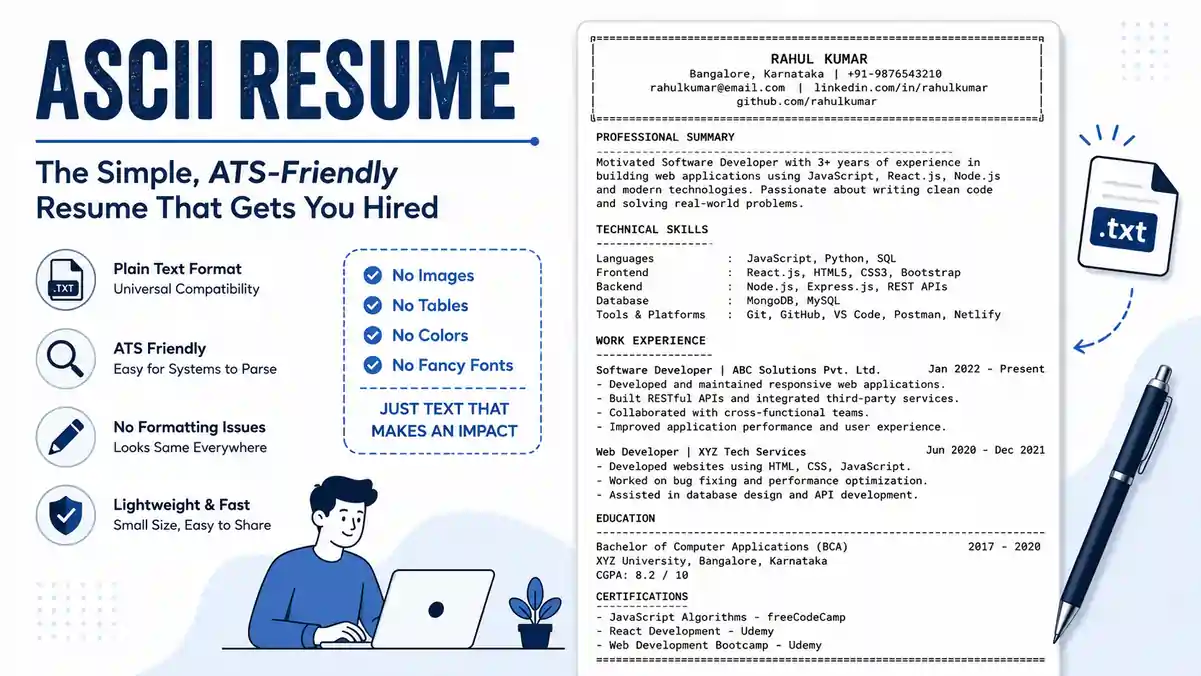
- Checklist Item: Is the file format a PDF or Word Doc? PDF is generally preferred for layout preservation, but Word is sometimes safer for older ATS systems. Check the job posting instructions.
- Checklist Item: Are you using a single-column layout? Two-column layouts often confuse parsers, causing text to be read out of order.
- Checklist Item: Are you avoiding headers and footers for critical information? ATS often ignores these areas.
- Checklist Item: Are you using standard fonts? (e.g., Arial, Calibri, Helvetica, Times New Roman). Avoid decorative fonts.
- Checklist Item: Are you avoiding graphics, charts, and icons? These are invisible to ATS and can corrupt the text parsing.
Visual Design and Readability
While avoiding graphics for ATS, the resume must still look professional to humans.
- Checklist Item: Is there consistent spacing between sections?
- Checklist Item: Are bullet points aligned?
- Checklist Item: Is the font size readable (10-12pt for body, 14-16pt for headers)?
- Checklist Item: Is the document length appropriate? (1 page for <10 years experience, 2 pages for senior roles).
For a deeper dive into the visual aspects that matter to recruiters, read why resume visual design matters.
ATS Specific Pitfalls
- Checklist Item: Have you avoided text boxes? Text boxes are often ignored by parsers.
- Checklist Item: Are tables avoided? Tables can cause text to scramble in an ATS.
- Checklist Item: Is the file name professional? (e.g.,
John_Doe_Resume.pdfrather thanresume_final_v3.pdf).
To ensure your document passes the filter, review the 11 ATS formatting mistakes that can cost you a job.
Proofreading and Error Checking: The Final Polish
The final step before submission is a rigorous proofreading process. Typos and grammatical errors signal a lack of attention to detail and can lead to immediate disqualification.
The Proofreading Checklist
- Checklist Item: Is the spelling of every company name, person name, and technical term correct?
- Checklist Item: Are there any grammatical errors? (Subject-verb agreement, tense consistency).
- Checklist Item: Is the tense consistent? (Use past tense for previous jobs, present tense for current role).
- Checklist Item: Are all dates consistent? (e.g., "Jan 2020 – Dec 2022" vs "01/2020 - 12/2022").
- Checklist Item: Have you read the resume aloud? This helps catch awkward phrasing.
Tools and Techniques
- Action: Use a digital spell checker, but do not rely on it exclusively.
- Action: Ask a peer or mentor to review your resume. Fresh eyes catch errors you miss.
- Action: Use a free resume checker to scan for common errors and ATS compatibility issues.
For a comprehensive guide on catching mistakes, refer to resume proofreading tips.
Common Pitfalls
- Inconsistent Bullet Points: Some start with a verb, others with a noun.
- Redundancy: Repeating the same skill in multiple sections without adding value.
- Typos in Contact Info: A single digit error in your phone number makes the resume useless.
Download and File Preparation: Technical Execution
Once the content is perfect and proofread, the final step is generating the file. This seems simple, but technical errors here can ruin the effort.
File Format Selection
- Checklist Item: Did you save the file in the correct format? (PDF is usually the gold standard unless the application specifically requests Word).
- Checklist Item: Is the file size under the limit? (Usually under 2MB).
- Checklist Item: Is the file name optimized? Include your name and the job title if possible (e.g.,
John_Doe_Senior_Marketer.pdf).
Downloading Without Paywalls
Many online builders trick users into paying for downloads. Ensure you use a platform that allows free, watermark-free downloads.
- Action: Verify that the downloaded file is clean and free of watermarks.
- Action: Check for the free resume builder no sign-up options to avoid creating unnecessary accounts or paying hidden fees.
- Action: Ensure the builder you use does not require a credit card for a "free" download.
Final Verification
- Checklist Item: Open the downloaded file on a different device (phone, tablet) to ensure the formatting holds up.
- Checklist Item: Verify that all hyperlinks (LinkedIn, Portfolio) are clickable.
- Checklist Item: Ensure the text is selectable (not an image).
For more on this, read the truth about free builders and how to avoid paywalls.
Special Scenarios: Freshers, Career Changers, and Gaps
Different career stages require different approaches to the Resume Checklist.
For Freshers and Students
If you have no work experience, the focus shifts to education, projects, and internships.
- Checklist Item: Is the education section prominent?
- Checklist Item: Are academic projects detailed with outcomes?
- Checklist Item: Are extracurricular activities listed if they demonstrate leadership?
- Action: Follow the guide to writing a resume with no work experience.
- Action: Use a teenager resume template if applicable, focusing on potential and soft skills.
For Career Changers
If you are pivoting industries, your previous job titles may not match the new role.
- Checklist Item: Have you used a functional or combination format?
- Checklist Item: Have you translated your past experience into the language of the new industry?
- Action: Review the career change resume tips to learn how to reframe your narrative.
- Action: Focus on career change resume formats that highlight transferable skills over chronological history.
For Employment Gaps
- Checklist Item: Have you addressed the gap honestly?
- Checklist Item: Did you highlight any upskilling or volunteer work done during the gap?
- Action: Use the return to workforce resume guide to frame the gap positively.
People Also Ask
1. What is the most important part of a resume checklist?
The most critical part is the alignment between your resume and the job description, specifically regarding keywords and formatting. If the ATS cannot parse your resume or if you lack the required keywords, the content of your experience becomes irrelevant. Therefore, the Resume Checklist must prioritize ATS compliance and keyword optimization first.
2. How long should a resume be?
For most professionals with under 10 years of experience, a one-page resume is the standard. For senior executives or those with extensive relevant experience, a two-page resume is acceptable. Never extend to three pages unless you are in academia or a highly specialized research field
2. How long should a resume be?
For most professionals with under 10 years of experience, a one-page resume is the standard. For senior executives or those with extensive relevant experience, a two-page resume is acceptable. Never extend to three pages unless you are in academia or a highly specialized research field where publications, patents, or extensive project lists require additional space.
3. What are the most common reasons resumes get rejected by ATS?
ATS rejections often stem from three main issues: keyword mismatch (failing to include the exact terms from the job description), complex formatting (columns, graphics, tables, or text boxes that the parser cannot read), and missing standard headings (using unconventional section titles like "My Journey" instead of "Work Experience"). Other culprits include submitting an image-based PDF, incorrect file type, or keyword stuffing that triggers spam filters. Using a Resume Checklist that explicitly verifies formatting and keyword alignment drastically reduces these risks.
4. Should I include a photo on my resume?
In the United States, Canada, the United Kingdom, and many other countries, including a photo on a resume is strongly discouraged due to anti-discrimination laws and bias concerns. However, in some European countries, Asia, and the Middle East, photos may still be standard practice. If you are applying internationally or to a multinational company, it is safest to omit the photo entirely. Instead, ensure your LinkedIn profile has a professional headshot so recruiters can see you there if they wish.
5. How often should I update my resume?
Ideally, you should update your resume every three to six months, even when you are not actively job hunting. Add new achievements, completed projects, certifications, or promotions while they are fresh in your mind. Regular updates also ensure you are always prepared for unexpected opportunities. Treat your resume as a living document rather than something you scramble to fix the night before an application.
6. Can I use the same resume for every job application?
No, using a generic resume for all applications severely limits your interview chances. Each job description contains specific keywords, skills, and priorities. Tailoring your resume for each role — adjusting the professional summary, reordering skills, and highlighting relevant achievements — demonstrates genuine interest and increases ATS match scores. Even small customizations can dramatically improve your response rate.
7. What is the difference between a CV and a resume?
In North America, a resume is a concise, 1-2 page summary of your work experience and skills, while a CV (Curriculum Vitae) is a comprehensive document used primarily for academic, research, medical, or international applications. A CV includes publications, presentations, grants, and detailed academic history, often running several pages. In Europe and many other regions, the terms are used interchangeably, but for most corporate roles, a resume (or CV in that regional sense) functions as a concise marketing document.
8. How do I address employment gaps on my resume?
Employment gaps can be addressed honestly and strategically. If the gap was used for upskilling, caregiving, travel, or freelancing, you can list a brief "Career Break" section with a short description of skills gained or activities undertaken. Alternatively, use a functional or combination resume format to shift focus toward skills rather than chronology. Never lie about dates or fabricate roles, as this can be easily uncovered during background checks and result in disqualification.
Conclusion
A flawless resume doesn't happen by accident. It is the result of deliberate strategy, rigorous attention to detail, and a methodical review process. The Resume Checklist outlined in this guide transforms an overwhelming, subjective task into a clear, objective roadmap. By verifying each section — from contact information and professional summary to work experience, skills, education, and formatting — you ensure your application meets both the technical demands of ATS software and the storytelling expectations of human recruiters.
The value of a checklist lies not just in catching errors, but in preventing missed opportunities. In a hiring landscape where a single formatting mistake or missing keyword can silence your application, systematic verification is your strongest competitive advantage. Whether you are a fresher starting your career, a professional navigating a transition, or a senior leader aiming for a boardroom, this process ensures your resume opens doors rather than letting them close.
Before you hit submit on your next application, run through every item in this guide one more time. Better yet, bookmark it and return to it each time you update your resume. The job market rewards those who prepare, and a perfectly polished resume is the first — and most critical — proof of that preparation.
Ready to build a resume that passes every check? Download our free, ATS-friendly resume template now and start checking off every box for your dream job.
Thousands of people are getting rejected — not because they’re bad,
but because their resume doesn’t speak for them.
Make a resume that actually gets shortlisted.
Your next job is closer than you think.
No complicated forms. Just pick a template, fill details, And Apply.
Free Resume Builder
Don’t let a weak resume decide your future.
Start in 2 minutes.
Frequently Asked Questions
Do I really need a resume checklist? Can't I just proofread?
Proofreading catches typos, but a Resume Checklist verifies structural integrity — ATS compatibility, keyword density, consistent formatting, and completeness of sections. Many errors that pass a visual check still cause ATS rejection. A checklist ensures you don't rely on memory alone, covering both human and machine evaluation.
Q2. Should I include my full home address?
No, it's outdated and poses a privacy risk. Simply listing your city and state (or country) is sufficient. Full street addresses can also trigger location-based bias or lead to identity theft if your resume is posted publicly.
Q3. How many skills should I list on my resume?
Focus on 10–15 of the most relevant skills that match the job description. Prioritize hard skills (technical abilities) and support them with a few critical soft skills. Avoid long lists of generic skills that aren't backed by examples in your experience section.
Q4. What if my official job title doesn’t match what I actually did?
You can include a descriptive title in parentheses. For example, "Marketing Coordinator (SEO & Content Specialist)" accurately reflects your role without misrepresenting your official designation. Ensure the rest of your bullet points support that description.
Q5. Is it okay to use a resume template?
Yes, templates save time and ensure professional structure. However, avoid overly creative templates with graphics, complex columns, or heavy design elements that can break ATS parsing. Stick to clean, single-column layouts that you can easily tailor.
Q6. How do I list freelance or contract work?
Group freelance or contract roles under a single section like "Freelance & Consulting Experience" if you had multiple short-term projects. For each project, list the client or type of work, dates, and key achievements, just as you would for a full-time role.
Q7. Should I include hobbies and interests?
Only if they are directly relevant to the job or showcase a unique skill. For example, "Marathon runner" demonstrates discipline and goal orientation, while "Gaming" is usually irrelevant unless applying to a game development company. When in doubt, omit them to save space.
Q8. Can I use a resume builder to check ATS compatibility?
Yes, many online resume builders and free resume checkers analyze your document's formatting and keyword usage. They can identify sections that an ATS might miss, saving you from automatic rejection. Always download the final file and open it as a plain text to verify parseability.
Why Trust Resumeera for Resume Checklist 2026: The Ultimate Guide to Landing Your Dream Job?

written by (Sharukh Khan + AI)
Co-Founder & Career Expert
The insights shared here are based on real ATS screening experience, resume shortlisting patterns, and hands-on work with job seekers.
- ✔ Certified expertise in resume & ATS optimization
- ✔ Practical hiring exposure through active consultancy work
- ✔ Resume strategies tested against real job shortlisting
- ✔ Updated with current hiring and ATS trends
![Resume Objective Examples: 100+ Real examples [how to write]](/JobPost/uploads/blog/articles/227/featured_resume-objective-examples_6a36129e674a9.webp)