TABLE OF CONTENTS
- Why a Generic Resume Keeps Getting Ignored
- How Applicant Tracking Systems Filter Before a Human Ever Reads Your Resume
- The Real Cost of Sending the Same Resume Everywhere
- How to Tailor Your Resume to a Job Description: Extracting the Right Keywords
- Where the Most Valuable Keywords Live in a Job Description
- How to Prioritize Keywords So You're Not Chasing All of Them
- Tailor Your Resume to a Job Description: Three Sections to Update Every Time
- Rewriting Your Professional Summary for the Specific Role
- Reordering and Rewriting Your Experience Bullets
- Adjusting Your Skills Section Without Overstuffing It
- Before-and-After Examples of Tailored Resume Bullets
- Tailoring Bullets for Project Management and Software Engineering Roles
- Tailoring Bullets for Marketing and Operations Roles
- When an AI Tool Makes Sense (And Which Ones to Consider)
- What AI Tailoring Tools Actually Do (And Where They Fall Short)
- A Practical Comparison of the Top Tools by Use Case
- Creating and Managing Multiple Tailored Versions Without the Friction
- Why Most Resume Builders Slow Down the Tailoring Process
- How Free Resume Builder Fits Into a Fast Tailoring Workflow
- Put It to Work on Your Next Application
- Conclusion
- faq
To get interviews, you need to tailor your resume to the job description, not send the same version everywhere. Your resume doesn't fail at the interview stage. It fails before a single hiring manager lays eyes on it. Nearly 99% of Fortune 500 companies and roughly 70% of large U.S. employers use an Applicant Tracking System to process applications before any human review, and that software scores your resume against the job posting using keyword matching, not your actual qualifications. If your language doesn't mirror the posting, the system filters you out, and the hiring manager never knows you applied.
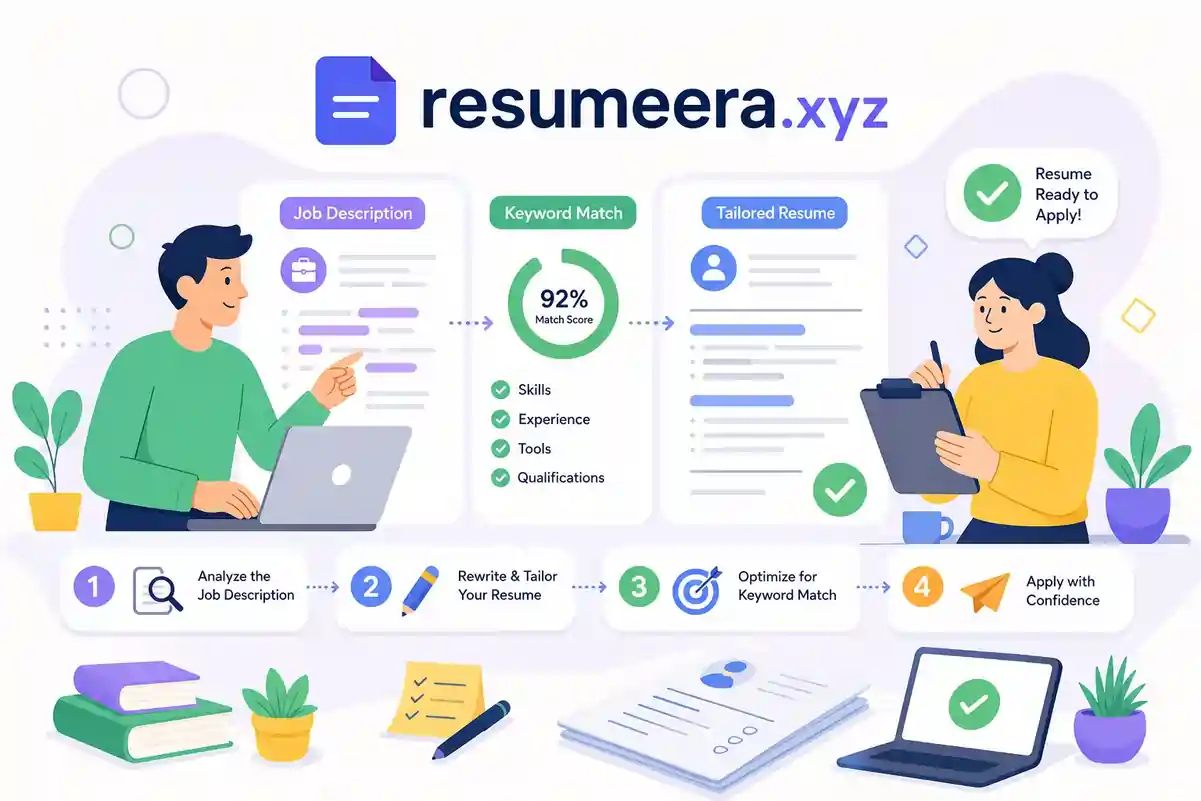
The fix isn't a complete overhaul every time you apply. Customizing a resume for a specific role comes down to three targeted edits: your summary, your experience bullets, and your skills section. Once you understand the pattern, the whole process takes under an hour manually, or a few minutes with the right tool. Platforms like Free Resume Builder make it easy to start from a clean, ATS-friendly template and adjust it on the fly. But first, you need to understand why sending the same version everywhere is costing you interviews.
Free Resume Builder
Don’t let a weak resume decide your future.
Thousands of people are getting rejected — not because they’re bad, but because their resume doesn’t speak for them. Make a resume that actually gets shortlisted.
Your next job is closer than you think.
Start in 2 minutes.
No complicated forms. Just pick a template, fill details, And Apply.
Apply Now Your Job →Why a generic resume keeps getting ignored
How applicant tracking systems filter before a human ever reads your resume
Platforms like Workday, Greenhouse, and Taleo parse your resume and check for keyword overlap with the job description. These systems are especially sensitive to exact phrasing: "project management" scores differently than "project coordination," even when the underlying skill is identical. A candidate with weaker qualifications but language that mirrors the posting can score higher than you if your resume uses different terminology. It's worth noting that ATS configurations vary by employer and platform, some teams still rely on human review at the first pass, but in most mid-to-large hiring environments, keyword matching is the first gate you need to clear. For tactical advice on how to beat these filters, see this guide on how to beat the ATS.
The practical implication is that your resume needs to speak the employer's language, not your own preferred vocabulary. That doesn't mean fabricating experience. It means translating what you've genuinely done into the words the employer is already searching for. For guidance on formatting and other ATS-specific tips, review our ATS Resume Tips 2026: Formatting, Keywords, and Tools to Pass Resume Screening.
The real cost of sending the same resume everywhere
Industry estimates suggest that tailored resumes are 30 to 40 percent more likely to earn an interview than generic ones. Some estimates put generic callback rates between 2 and 4 percent, while a well-matched resume can reach 15 to 25 percent, though these figures vary by industry and role. Beyond the ATS filter, a generic resume signals to the hiring manager that you didn't read the posting carefully, and for roles with dozens of applicants, that impression is enough to move your file to the decline pile. A job-specific resume communicates something a generic one never can: that you want this role, not just any role. For recent adoption and performance figures across ATS platforms, see the applicant tracking system statistics.
How to tailor your resume to a job description: extracting the right keywords
Where the most valuable keywords live in a job description
Not all sections of a job posting carry equal weight. The Responsibilities and Requirements sections contain the core terms applicant tracking systems prioritize most. Focus there first. Pay attention to repeated words and phrases, repetition signals what the employer values most. You're looking for two categories of terms: hard skills (specific tools, software, certifications, and credentials) and action verbs (manage, build, analyze, lead, optimize). Both categories show up in keyword matching. Using keyword mapping tools can speed the extraction process by highlighting repeated and high-value terms across multiple postings.
Once you've pulled your list from one posting, cross-check it against two or three similar job ads. This helps you catch alternate phrasing for the same skill. One company might say "cross-functional collaboration" while another says "stakeholder management." Knowing both versions means you can use whichever appears in the posting you're targeting.
How to prioritize keywords so you're not chasing all of them
Group the keywords you find into three tiers: must-have skills, supporting skills, and outcome terms like metrics and results language. Focus your editing energy on the top 10 to 20 must-have terms first. Supporting terms fill in naturally when you write your bullets with context. Aim for 8 to 15 skills in your skills section and use exact phrasing from the posting wherever possible, since these systems often match on precise strings rather than synonyms. Coverage matters more than repetition: include each important keyword at least once in a natural context rather than forcing the same word into every sentence.
Tailor your resume to a job description, three sections to update every time
Rewriting your professional summary for the specific role
The summary typically sits at the top of your resume, making it among the first text parsed by an ATS and the first thing a recruiter sees. It needs to reflect the posting's job title, key skill areas, and seniority level, not a generic overview of your career. Pull three to five top keywords from the posting and anchor your summary around them. Keep it to two or three sentences and write it as a pitch, not a biography. A summary that reads "Experienced project manager with a background in ERP implementations and cross-functional team leadership" tells the reader immediately that you match what they need.
Reordering and rewriting your experience bullets
Recruiters scan resumes from top to bottom, and placing your most relevant content near the top of each role also helps with how applicant tracking systems parse your experience. Move the bullets that directly reflect the role's core responsibilities to the top of each position. Rewrite them using the action-plus-keyword-plus-result pattern: lead with a strong verb, embed the relevant keyword in context, and close with a measurable outcome. Remove or push down bullets that are irrelevant to this specific role. Irrelevant content doesn't help your score, and it dilutes the focus a hiring manager needs to quickly identify your fit.
Adjusting your skills section without overstuffing it
Match exact tool names and credentials from the posting. "SQL" and "database management" are not interchangeable in ATS matching. If the posting says SQL, your skills section should say SQL. Target eight to fifteen skills total, enough to register the right keywords without looking like a list generated by a bot. Remove skills the posting doesn't ask for, even impressive ones. A skills section loaded with irrelevant credentials sends the message that you didn't customize your resume for this role, which is exactly the impression you're trying to avoid.
Before-and-after examples of tailored resume bullets
Tailoring bullets for project management and software engineering roles
Seeing the pattern in action makes it easier to apply. Here are two common roles, before and after:
- Project Manager (before): "Managed multiple projects and coordinated with different teams."
- Project Manager (after): "Directed a $10M ERP rollout across 4 departments, delivering implementation 3 weeks ahead of schedule and cutting annual licensing costs by 14%."
- Software Engineer (before): "Worked on product features and improved application performance."
- Software Engineer (after): "Built and optimized backend services for a high-traffic product, reducing release cycle time from 8 weeks to 5 by introducing Agile workflows across engineering teams."
The "after" versions work because the keyword is embedded in context, not just listed, and each bullet closes with a measurable result. Career advisors consistently recommend this action-plus-keyword-plus-result format because it satisfies both the parsing logic of most ATS platforms and the pattern recognition of a recruiter skimming dozens of resumes.
Tailoring bullets for marketing and operations roles
The same structure applies across every function:
- Marketing Specialist (before): "Helped with campaigns and social media posts."
- Marketing Specialist (after): "Launched a multi-channel campaign that raised conversion rates by 18% and increased qualified leads by 32% through improved audience targeting."
- Operations Analyst (before): "Analyzed processes and supported reporting."
- Operations Analyst (after): "Streamlined reporting workflows by automating data collection and dashboards, reducing manual reporting time by 40% and improving decision-making speed for leadership."
None of these bullets fabricate experience. They take real work and describe it with precision: a specific verb, relevant context, and a number that proves the impact. That's the standard every bullet should meet before you submit an application.
When an AI tool makes sense (and which ones to consider)
What AI tailoring tools actually do (and where they fall short)
Manual resume customization typically takes 30 to 45 minutes per application when done thoroughly. AI tools can generate a first-pass edit in under a minute by analyzing keyword gaps between your resume and the job posting, then suggesting rewrites. That speed is genuinely useful, especially if you're applying to multiple roles at once. The limitation is that AI output needs human review. The tool doesn't know your actual experience, so suggested bullets can sound plausible but misrepresent what you've done. Accuracy is your responsibility, not the algorithm's.
A practical comparison of the top tools by use case
The strongest AI resume-tailoring tools available in 2026 each serve a different primary need. Here's how they break down:
- Resume Optimizer Pro: Focused on ATS accuracy benchmarking, with reported pass rates across major platforms including Workday, Greenhouse, and Taleo. Starts at $7.50/month.
- Jobscan: Strong on keyword-gap analysis with ATS-specific guidance, particularly for Workday and Greenhouse. $49.95/month for full features.
- Teal: Combines job tracking and resume tailoring in one workflow. Free limited plan available, with paid plans starting at $13/week.
- FastApply:Geared toward high-volume applicants who want per-job tailoring combined with auto-apply across multiple job boards. Pro plan at $29/month.
- Rezi and Kickresume: Useful for users building from scratch alongside tailoring, with pricing ranging from $8 to $29 per month depending on the plan.
These tools work best as a speed layer on top of the manual skills you've already built. Use them to generate a first draft, then apply your own judgment to verify every suggested bullet reflects your real experience before you submit.
Creating and managing multiple tailored versions without the friction
Why most resume builders slow down the tailoring process
Once you know how to adapt your resume for each application, the next problem is logistics. Most resume builder platforms require account creation, limit the number of resumes on a free plan, or lock downloads behind a paywall. When you're applying to ten jobs with ten slightly different versions, login friction and per-download fees add up fast. There's also a privacy consideration worth taking seriously: uploading your personal data to a platform that stores or monetizes it is a real exposure, especially if you're job searching while still employed.
How Free Resume Builder fits into a fast tailoring workflow
Free Resume Builder is designed for exactly this situation. Start from a clean, ATS-friendly template, apply your keywords and rewritten bullets, and download your resume as a PDF or DOCX immediately, no account required. For job seekers managing multiple applications at once, the ability to build a fresh, customized version in a single session without logging in or paying per export removes the biggest practical bottleneck in the process. It's a straightforward tool that keeps the focus where it belongs: on producing the best version of your resume for each role.
Put it to work on your next application
Adapting your resume to a specific job posting is a learnable, repeatable skill. The process has three moving parts: finding the right keywords from the posting, updating your summary and bullets to reflect them, and keeping your skills section tight and relevant. Done consistently, that habit is what separates candidates who hear back from those who don't.
AI tools can accelerate the first-pass edit, but don't skip the manual review. Every suggested bullet needs to accurately represent your experience before your name goes on it. Speed is useful; accuracy is non-negotiable.
Make it a habit to tailor your resume for every job application before you hit submit. Free Resume Builder gives you a clean, ATS-ready starting point with no friction and no cost. Pull the keywords, update the three sections, download, and apply. That's the whole process.
Conclusion
Tailoring your resume to a job description is no longer optional in today's hiring environment. Most employers use Applicant Tracking Systems to filter applications before a recruiter ever reviews them. By analyzing job description keywords, optimizing your resume for ATS, customizing key sections for every application, and ensuring strong alignment with employer requirements, you significantly improve your chances of landing interviews.
The process doesn't require rewriting your entire resume each time. Small but strategic changes to your summary, experience bullets, and skills section can dramatically increase your visibility in both ATS software and recruiter reviews.
Make resume tailoring a standard part of every application. The candidates who consistently match their resumes to job descriptions are the ones most likely to move forward in the hiring process and secure more interviews.
Most people lose jobs before the interview — not because they lack skills,
but because their resume looks average.
Fix that in 5 minutes.
⚡ No signup required • 100% Free • Works on mobile
Pick a template → fill details → download resume.
You’re not failing.
Your resume is.
Get shortlisted faster
