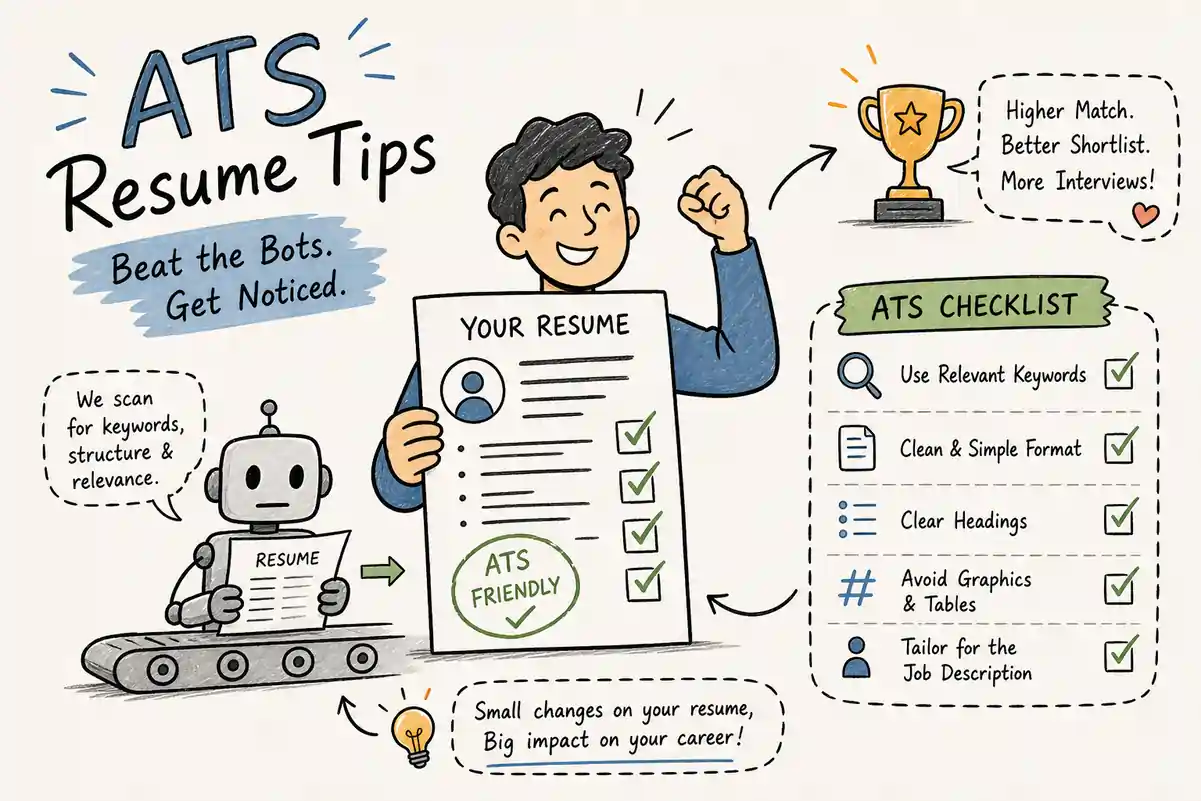
A significant share of applications are filtered, ranked, or deprioritized by applicant tracking systems before a human recruiter ever sees them. This happens not because candidates are unqualified, but because ATS ranking and filtering algorithms sort applications by keyword overlap, section recognition, and parsing accuracy — and a resume built for visual appeal rather than machine readability will consistently lose to a plainer, better-optimized one. These ATS resume tips exist to close that gap.
This guide gives you a practical checklist covering the five areas that determine whether your resume passes ATS screening: formatting, file format, keyword strategy, section structure, and pre-submission testing. Work through each one and you'll have an ATS-friendly resume that parses cleanly, matches job descriptions accurately, and reaches the recruiter's review queue. If you'd rather skip the manual audit entirely,ResumeEra's free resume builderhas ATS optimization built directly into its templates — no sign-up, no fees.
? Table of Contents
-
Why Your Resume Probably Isn't Reaching a Human Recruiter
-
How ATS Software Actually Processes Your Application
-
The Silent Rejection Most Candidates Never Catch
-
-
ATS Resume Tips: Formatting for Parsers
-
Layout Choices That Break Resume Parsing
-
The Formatting Rules That Actually Work
-
-
Choosing the Right File Format Before You Submit
-
DOCX vs PDF: What Actually Works
-
The Practical Rule to Follow
-
-
ATS Resume Tips: Keyword Strategy That Gets You Seen
-
Extracting Keywords from the Job Description
-
Where to Place Keywords for Maximum ATS Recognition
-
-
Section Headings and Resume Structure That ATS Parsers Trust
-
Standard Headings vs. Creative Ones
-
The Resume Order That Works Best for ATS
-
-
Testing Your Resume and Building It Right from the Start
-
Tools That Show You How ATS Reads Your Resume
-
Why Starting with an ATS-Optimized Template Removes Most of These Issues
-
- Conclusion
-
Frequently Asked Questions
Why Your Resume Probably Isn't Reaching a Human Recruiter
How ATS Software Actually Processes Your Application
When you submit a resume, the ATS doesn't read it the way a person does. It parses the document into structured fields: contact information, job titles, employment dates, skills, and education. The system reads your file as a linear stream of text and maps what it finds against the fields it expects to see. From there, it scores your resume against the job description based on keyword overlap, section recognition, and how accurately it extracted your data.
If parsing fails because of formatting issues — or if the keyword match score falls below the recruiter's set threshold — your resume gets ranked low or filtered out before anyone reviews it. Many ATS optimization guides suggest aiming for a keyword match score of roughly 70–75% or higher before you submit, although the exact threshold varies considerably by employer, role, and platform. A weak keyword match on an otherwise strong resume isn't a minor issue — it's often the reason you never hear back.
The Silent Rejection Most Candidates Never Catch
Companies rarely tell you what went wrong. You submit the application, you wait, and eventually you move on. The rejection often has nothing to do with your qualifications. Common technical reasons include parsing failures caused by complex formatting, low keyword match scores, or recruiter-set filters that deprioritize applications before any human review. Once you understand that mechanism, you stop wondering what you said wrong and start focusing on what the system couldn't read.
ATS Resume Tips: Formatting for Parsers
Layout Choices That Break Resume Parsing
Tables are one of the most common formatting mistakes on resumes. ATS parsers read table content row by row or cell by cell, which scrambles job titles, dates, and descriptions into unreadable sequences. What looks organized on screen becomes garbled text to the parser.
Text boxes present a similar problem: the parser may treat them as non-text objects, making the content inside effectively invisible. Multi-column layouts create another trap. ATS reads left to right across the page rather than down each column, so a two-column layout gets merged into a single stream of mismatched lines. Headers and footers are frequently skipped by ATS entirely — meaning contact information placed there may never be captured. These are among the most common reasonsATS parsing failsand understanding them helps you avoid every one before you submit.
The Formatting Rules That Actually Work
Use a single-column layout with clean, consistent spacing. This gives the parser a clear linear path through your content without ambiguity about what comes next. Stick to standard fonts — Arial, Calibri, Garamond, or Times New Roman — at 10 to 12pt for body text. Custom or decorative fonts can render as symbols or blank space in some parsers.
Use standard margins, roughly in the 0.5 to 1 inch range. Skip the graphics, skill bars, headshot photos, icons, and decorative horizontal lines. No color-coded sections, no infographic-style design elements, and no formatting flourishes that a parser can't interpret as text. A resume that looks plain to you is often the one that clears ATS screening most cleanly. You can useResumeEra's free ATS-friendly resume templatesto start with a layout that already follows every one of these rules automatically.
Choosing the Right File Format Before You Submit
DOCX vs PDF: What Actually Works
DOCX is the safest default across the widest range of ATS platforms. Systems like Workday and Taleo — especially older deployments — handle DOCX more reliably than PDF. PDF works comparably well on modern platforms like Greenhouse and Lever, but only when the file contains live, embedded text with standard fonts and no copy protection. A scanned page saved as a PDF is essentially an image — the parser sees nothing.
TXT files are easy for any system to parse, but they strip all formatting and present your application without visual structure, which hurts your chances once a human reviewer does see it. Avoid TXT unless you're submitting through a plain-text portal that explicitly asks for it.
The Practical Rule to Follow
Submit a clean, single-column DOCX unless the job posting or employer explicitly requests PDF. If you do submit PDF, generate it as a text-based export directly from your word processor. Before uploading anything, open your file in a plain text reader and scroll through the output. If the content flows as clean, sequential text with no scrambled lines, the ATS will almost certainly parse it correctly. Resumes created and downloaded fromResumeEraexport as parser-safe files by default — no manual checking required.
ATS Resume Tips: Keyword Strategy That Gets You Seen
Extracting Keywords from the Job Description
Read the posting carefully and look for terms that appear more than once or are listed under "requirements" and "responsibilities." Those are the terms the ATS is most likely scoring against. Focus on three categories: hard skills and tools, the exact job title as written in the posting, and any certifications or licenses mentioned by name.
Aim for 15 to 25 total keywords across your resume. Staying within that range gives you strong keyword coverage without crossing into territory that looks like keyword stuffing. Going past 30 starts to hurt readability for the recruiter who reviews what the ATS passes through — more isn't always better.
Where to Place Keywords for Maximum ATS Recognition
Include your most important keywords once in a dedicated Skills section and once in context inside a bullet point in your experience section. This adds keyword weight without feeling repetitive to either the system or the human reviewer. Use the exact phrasing from the job posting wherever possible. If the posting says "project management" and your resume says "managing projects," some ATS systems won't register a match.
Don't stuff keywords into your summary or skills section without supporting context. ATS scoring rewards relevance, and recruiters notice when a skills list doesn't connect to anything in your actual work history. Every keyword you include should be something you can back up with a specific example or result in your experience section.
Quick tip:After you build your resume, run it throughResumeEra's free ATS Matcherto instantly check your keyword match score against a specific job description — before you submit.
Section Headings and Resume Structure That ATS Parsers Trust
Standard Headings vs. Creative Ones
ATS parsers look for predictable section labels to map your content into the right fields. Creative headings like "My Journey," "What I Bring," or "Career Story" confuse the parser and can cause your experience or skills to go unrecognized entirely. The safest headings are the most conventional:
-
Work Experience (or simply Experience)
-
Education
-
Skills
-
Professional Summary
-
Certifications
-
Projects
-
Volunteer Experience
Use plain text for headings rather than formatted design elements. All-caps headings such as WORK EXPERIENCE and SKILLS are generally fine and can actually help some parsers identify section breaks more reliably. Predictability matters more than creativity in ATS format.
The Resume Order That Works Best for ATS
A widely recommended structure leads with a Professional Summary of two to three sentences, followed by Skills, then Work Experience in reverse-chronological order, then Education, then Certifications or Projects if relevant. Keep in mind this order can vary by role and career stage, but reverse-chronological work experience is the consistently ATS-friendly element regardless of how you arrange other sections.
Functional resumes that bury or downplay work history can confuse parsers and often receive lower match scores — even when the candidate's experience is genuinely strong. Keep your contact information at the very top of the main document body, not in a header or footer. Name, phone number, email address, LinkedIn URL, and location should all appear as regular document text so the parser captures them correctly.
Testing Your Resume and Building It Right from the Start
Tools That Show You How ATS Reads Your Resume
ResumeEra ATS Resume Checker is a free tool that uses programmatic keyword matching to show exactly how your resume parses against a specific job description. It checks both formatting accuracy and keyword match score — and its custom instructions mode gives you stronger accuracy than a generic AI score estimate. You can test any resume version at resumeera.xyz/ats-matcher without signing up.
For paid, deeper analysis, Jobscanoffers direct job-description-to-resume keyword matching with platform-aware recommendations for systems like Workday, Greenhouse, and Taleo — separating hard skills, soft skills, and leadership terms in its analysis.SkillSyncer provides a basic free score and keyword gap overview if you want a second opinion, though its free tier is more limited in depth.
The key is to use a tool that checks both formatting and keyword matching — knowing your score is only useful if you also understandwhythe score is what it is.
Why Starting with an ATS-Optimized Template Removes Most of These Issues
If your resume is built on a clean, ATS-friendly template from the start, you're far less likely to encounter parsing failures or formatting errors later. The right template handles single-column layout, standard section headings, and safe font choices automatically — so you spend your time on content rather than troubleshooting.
ResumeEra's free resume builder provides ATS-optimized templates with those elements already built in. You open the tool, fill in your content, and download a parser-safe resume ready to apply. The full process ends at download — no friction, no paywalls, no sign-up required.
✅ Conclusion
ATS screening is not a barrier to qualified candidates — it is a technical filter that rewards preparation. Every element covered in this guide directly affects whether your resume gets parsed correctly and ranked high enough for a recruiter to open it. A single-column layout, standard fonts, DOCX format, exact keyword matching, conventional section headings, and pre-submission testing are not advanced strategies. They are the baseline your resume must meet before anything else matters.
The good news is that these are all fixable problems. Once you understand how an ATS reads your file, you can audit any resume in under an hour and correct every issue on this checklist. Apply these ATS resume tips consistently and your application will reach the recruiter's queue more often, more cleanly, and better matched to the roles you are actually qualified for.
If you want to skip the audit entirely and start from a resume that already passes these checks,ResumeEra's free resume buildergives you ATS-optimized templates with no sign-up and no fees. Build your resume, run it through thefree ATS Matcher, and submit with confidence.
