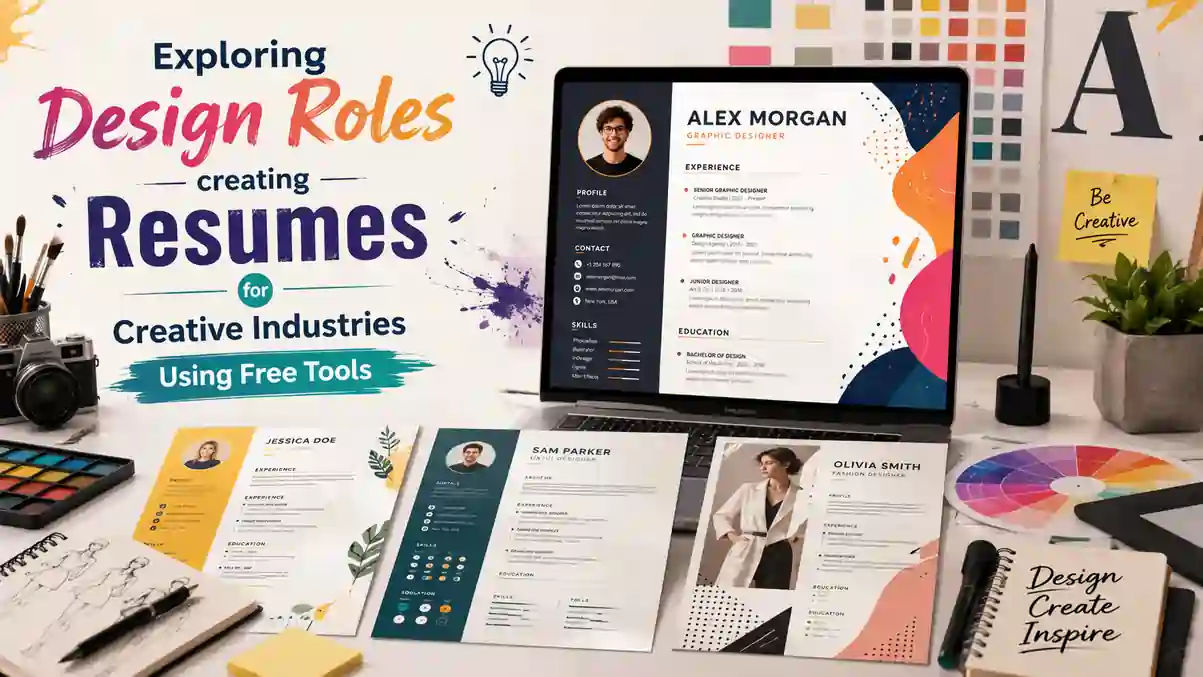
Creative Resume Tools for Design Roles: The Complete 2026 Guide
Design hiring moves fast. You get seconds to prove you can create clarity out of chaos, and the right creative resume tools for design roles help you build a clean document that reads instantly, survives ATS parsing, and still shows taste.
Table of Contents
- What Hiring Managers Scan in Seconds
- Quick Checks Recruiters Make
- The Best Creative Resume Tools: What to Expect
- How to Pick Creative Resume Tools
- Templates and Layout Choices That Work
- Type, Spacing, and Visual Hierarchy
- Role-Specific Advice: Graphic Designers
- Role-Specific Advice: UI/UX Designers
- Workflow and Pitfalls to Avoid
- Quick Setup Checklist
- Frequently Asked Questions
- Conclusion
What Hiring Managers Scan in Seconds (and What ATS Tosses)
If you want an ATS-friendly creative resume, keep structure simple: one column, clear section labels, and body text in a standard font like Inter, Roboto, or Helvetica. Many fancy layouts look slick but confuse parsers, so let the design breathe through spacing, not ornaments.
Creative resume tools for design roles help you check basics like font size, contrast, and export settings fast. This mirrors the structural discipline covered in our ATS-friendly resume format guide, where simple, parseable layouts consistently outperform decorative ones.
Quick Checks Recruiters Make
Your header should show role, location or timezone, portfolio link, and the job title you're targeting — signal, then detail. Use strong verbs and measurable outcomes in bullets so your resume for creative jobs communicates impact.
The Best Creative Resume Tools for Design Roles: What to Expect
If budget is tight, a free resume builder for designers can get you 90% there. Google Docs has frictionless editing and solid PDF exports; Figma community files offer smart, grid-based layouts; Canva's free tier has decent type control if you keep it minimal.
Whatever you pick, test the output through an ATS checker or paste into plain text to see if sections parse cleanly — a habit also recommended in our free ATS resume checker guide.
| Tool | Strength | Best For |
|---|---|---|
| Google Docs | Frictionless editing, clean PDF export | Text-heavy, ATS-safe resumes |
| Figma Community | Grid-based, designer-native layouts | Portfolio-linked resumes |
| Canva (free tier) | Decent type control if kept minimal | Quick visual resumes |
| ResumeEra | Free, ATS-tested templates with no signup friction | Fast, tailored applications |
How to Pick Creative Resume Tools for Design Roles
The best resume builder for creative professionals gives you typographic control (line height, letter spacing), clean DOCX/PDF export, easy hyperlinking, and custom sections like "Selected Work" or "Design Systems." Look for quick duplication so you can tailor versions per role without rebuilding from scratch.
This flexibility matters just as much as it does in general resume building — as explained in our guide to basic resume templates for 2026.
Templates and Layout Choices That Actually Work
Well-made creative resume templates lean on visual hierarchy, not decoration. Use a muted accent color for headings, 12–14 pt body type, and 18–22 pt headers. Keep margins at 0.5–0.75 inches and make sure your contact block and role title are scannable without zooming.
Type, Spacing, and Visual Hierarchy That Hold Up
Avoid heavy multi-column grids in most resume templates for designers; a single column with subtle subhead alignment is safer. Use bold for titles only, keep bullets to 1–2 lines, and place your strongest metrics in the first two bullets of each role.
This restraint-first approach lines up with our broader breakdown of why resume visual design matters.
Role-Specific Advice: Graphic Designer Resume
A strong graphic designer resume highlights deliverables and outcomes: campaign assets, print specs, press checks, or packaging mockups with measurable reach or conversion. Name the tools that matter to the role, like Adobe Illustrator, InDesign, or brand guideline ownership.
Show Process, Not Just Pixels
For a UI/UX designer resume, anchor bullets to product goals: shipped features, usability test results, A/B test lifts, activation or retention gains, accessibility fixes, and collaboration with PM/Eng.
Role-Specific Advice: UI/UX Designer Resume
Reference artifacts — flows, wireframes, prototypes — only as proof of the path to impact, not as the headline itself. Recruiters care more about outcomes than tools used to get there.
For structuring these sections cleanly, see our 10 essential resume sections in 2026 guide.
Build It Step by Step: Workflow and Pitfalls to Avoid
Start with a role-targeted creative industry resume draft: job title under your name, a sharp 2–3 line summary, and a "Selected Work" section if your portfolio is deep. Trim old roles, keep tech stacks current, and mirror the language of the job posting without stuffing.
- Collect 3–5 postings and underline shared skills and responsibilities.
- Draft bullets with numbers first, then polish wording.
- Keep file naming consistent: FirstLast_Role_Resume.pdf.
- Add a short, custom line under your name: "Product designer focused on onboarding and activation."
- Export PDF and run a quick parse test; verify headers and dates read correctly.
- Proofread out loud and ask a non-designer to skim for 10 seconds; adjust what they notice first.
If you favor case-study-driven applications, pick a portfolio resume template that leaves room for a "Selected Projects" line with 2–3 linked titles. Place the portfolio URL in the header and again in your summary to double your odds of a click.
For more on tailoring drafts per role, check our guide to tailoring your resume for every job application.
Creative Resume Tools for Design Roles: Quick Setup Checklist
- Font: Inter, Roboto, or Helvetica; 12–14 pt body; 18–22 pt headers.
- Color: one muted accent for headings; near-black body text.
- Layout: single column; no text boxes or heavy grids.
- Bullets: 1–2 lines, metrics-first, strongest wins up top.
- Export: text-based PDF, parse-tested before sending.
Frequently Asked Questions
1. Are Canva resumes ATS-friendly for design roles?
Canva resumes can be ATS-friendly if you keep the layout minimal, avoid text boxes, and stick to a single column — heavy graphic templates often fail parsing.
2. Should a designer's resume include a portfolio link?
Yes, place the portfolio URL in both the header and summary; this doubles the chance a recruiter clicks through to see your actual work.
3. What fonts work best for creative resumes without hurting ATS parsing?
Inter, Roboto, and Helvetica are the safest choices — they look modern for design roles while remaining fully readable by ATS software.
4. Should I use Figma or a free resume builder for my resume?
Figma works well for portfolio-style resumes with strong visual grids, while a free resume builder like ResumeEra is faster for ATS-safe, text-based exports.
5. How many metrics should be in each work experience bullet?
Aim for one clear metric per bullet, placed in the first two bullets of each role, so the strongest outcomes are visible immediately.
Conclusion
Keep it clear, scannable, and relevant to the role. Use creative resume tools for design roles to build a lean, metrics-first resume, then tailor versions per application. Templates and free builders are great, but your numbers and outcomes do the heavy lifting.
Try a free builder, test the parse, and refresh your bullets with fresh metrics this week.
Explore ResumeEra's Free Templates