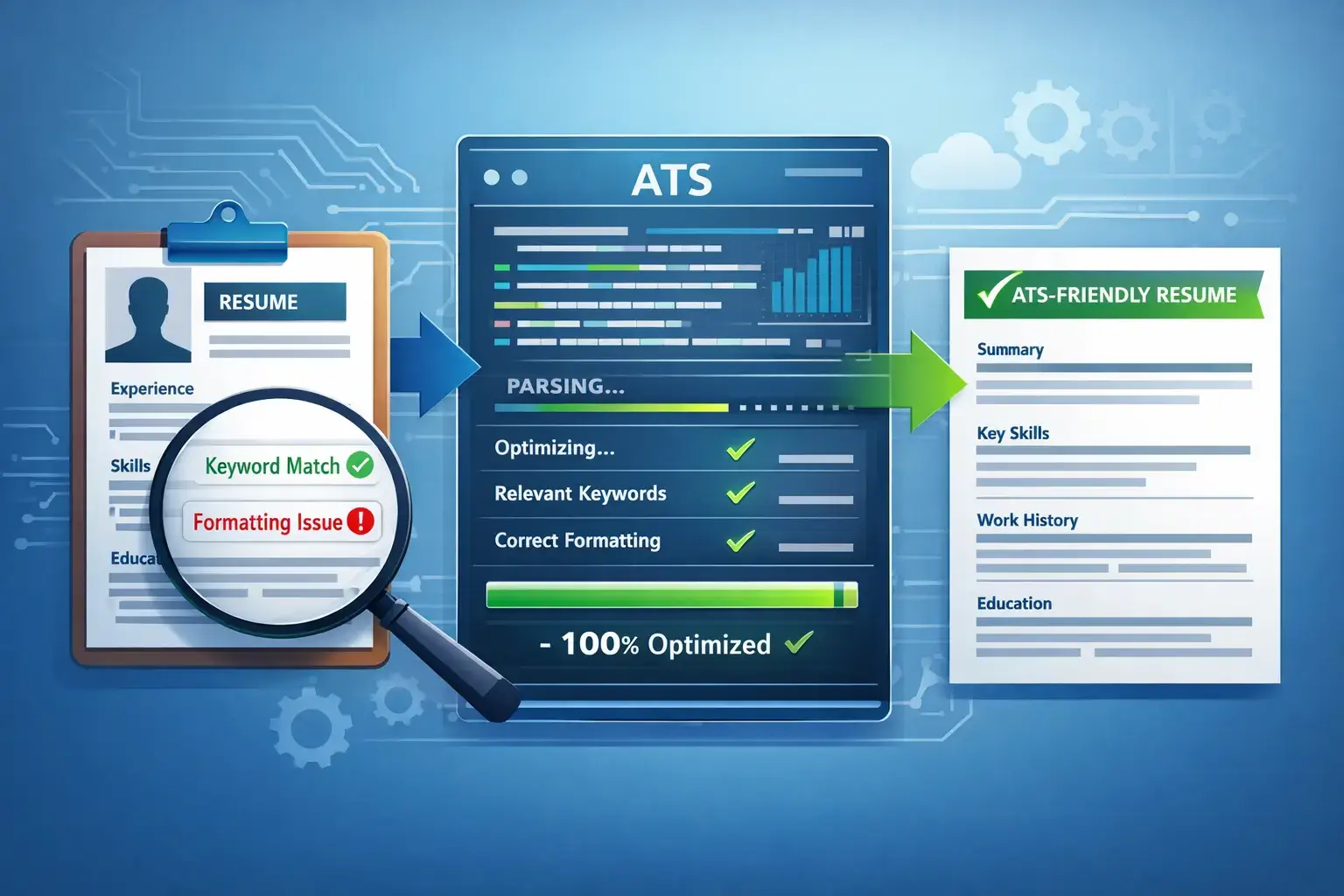
If you are applying for your first job through Naukri, LinkedIn, or a company career portal in India, your resume will almost certainly be checked by software before a human recruiter sees it. This software is called an Applicant Tracking System (ATS). For beginners, freshers, and recent graduates, understanding how to create an ATS-friendly resume format is the difference between getting shortlisted and getting automatically rejected. An ATS-friendly resume is not about fancy design; it is about clear structure, standard headings, readable fonts, and relevant keywords that match the job description. Many talented candidates in India lose opportunities because their resume uses tables, graphics, or unusual headings that the ATS cannot parse. This complete guide explains exactly how to format your resume so it passes ATS scans used by Indian companies, startups, and MNCs, while still looking professional to hiring managers. You will learn the right layout, font choices, section order, keyword strategy, and common errors to avoid, with practical examples for freshers and experienced beginners.
What Is an ATS and Why It Matters for Beginners in India
An Applicant Tracking System is software used by employers to collect, store, scan, and rank resumes. When you click "Apply" on Naukri, LinkedIn Easy Apply, Indeed, or a corporate careers page like TCS NextStep, Infosys Careers, or Wipro Careers, your resume first goes into an ATS database. The system extracts text from your file, identifies sections like education and experience, searches for keywords from the job description, and assigns a match score. Recruiters in India then filter candidates by that score, location, experience, and skills. If your resume is not readable by the ATS, it may never reach a person, even if you are qualified.
For beginners, the impact is bigger. Freshers often have limited work experience, so the ATS relies heavily on education, projects, internships, certifications, and skills to rank you. If those details are hidden inside images, text boxes, or creative headings like "My Journey" instead of "Education," the system will miss them. In competitive fresher hiring for roles like customer support, data entry, business development, software trainee, or graduate engineer trainee, hundreds of applications arrive for one position. Companies like HCL, Accenture, Capgemini, and many Indian startups use ATS to shortlist only the top 20 to 30 percent of resumes for manual review. An ATS-friendly format ensures your content is extracted correctly and you stay in the consideration pool.
How an ATS Reads and Ranks Your Resume
An ATS does not see your resume like a human does. It converts your file into plain text and looks for patterns. It expects standard headings such as Contact Information, Summary, Education, Experience, Skills, Projects, and Certifications. It scans for keywords exactly as written in the job description. For example, if a job post says "Digital Marketing" and "Google Analytics," the ATS will search for those phrases. It also checks for context, such as where you studied, your degree name, company names, job titles, dates, and locations. The system parses dates in formats like MM/YYYY or Month YYYY and expects a reverse-chronological order. If you use headers, footers, or tables for your main content, the parser may read the text out of order or skip it entirely. A clean, single-column layout with left-aligned text and simple bullet points allows the ATS to read from top to bottom without errors.
ATS Platforms Commonly Used by Indian Employers
Indian recruiters use both global and local ATS platforms. Large IT services companies and MNCs often use Taleo, Workday, SuccessFactors, Greenhouse, or Lever. Mid-size companies and recruitment agencies frequently use Naukri RMS (Recruitment Management System), Zoho Recruit, Keka, Darwinbox, and TurboHire, which are popular in India for bulk hiring. Even when you apply via LinkedIn, many employers sync those applications into their internal ATS. Naukri RMS is especially common for fresher drives and campus placements. These systems are keyword-sensitive and prefer .docx and text-based PDF files. Knowing this helps you prepare one master resume that works across all these platforms instead of creating different designs for each portal. A simple, keyword-optimized resume stored as a .docx or a clean PDF will perform consistently across Naukri, LinkedIn, and direct company portals.
Core Rules of an ATS-Friendly Resume Format
An ATS-friendly resume follows a set of formatting and structural rules that make parsing reliable. The goal is to keep the document simple for machines while keeping it professional for humans. The ideal length for beginners and freshers is one page. If you have two to three years of experience, you can extend to two pages, but never exceed that at the beginner stage. Use standard fonts that are pre-installed on most systems, such as Calibri, Arial, Garamond, or Times New Roman, in 10 to 12 point size for body text and 14 to 16 point for your name. Keep margins at 0.5 to 1 inch on all sides to ensure white space without crowding. Avoid using text boxes, shapes, SmartArt, icons, or background graphics, because ATS parsers often cannot read text inside them.
File type also matters. Save your resume as .docx for maximum compatibility, or as a text-based PDF exported directly from MS Word or Google Docs. Do not send a scanned image PDF or a Canva-exported image-heavy PDF, as the ATS will see it as an image and fail to extract text. Name your file professionally, such as "Rahul_Sharma_Resume_Fresher_Marketing.docx" or "Priya_Patel_BCom_Graduate.docx," so recruiters can find it easily in their database. Use standard section headings without creative variations. For example, use "Work Experience" not "Where I Have Worked," "Education" not "Academic Background," and "Skills" not "My Expertise." This helps the ATS correctly categorize your information.
- Use a single-column layout: Two-column designs confuse many ATS parsers and cause content from the right column to be missed or merged incorrectly.
- Stick to standard headings: Use Summary, Education, Experience, Internships, Projects, Skills, Certifications, and Achievements.
- Use simple bullet points: Use solid round or square bullets. Avoid arrows, diamonds, or custom symbols.
- Avoid tables, headers, and footers: Do not place contact details or important content in the header or footer area, as many ATS ignore it.
- Keep formatting minimal: Use bold for headings and job titles, but avoid excessive italics, underlines, or colours. Use black text on a white background.
Formatting Rules That Keep Your Resume Machine-Readable
Consistency is critical for ATS readability. Write dates in a uniform format throughout, such as "June 2023 - May 2024" or "06/2023 - 05/2024." Always include the city and state for your education and work entries, for example, "Bengaluru, Karnataka." For your contact section, place your full name at the top, followed by phone number, professional email address, city, LinkedIn profile URL, and portfolio link if relevant. Do not include a photo, date of birth, gender, marital status, or full postal address, as these are not required for ATS and can distract from relevant data. For skills, list them as simple comma-separated phrases or bullet points under a dedicated Skills section, and also weave them naturally into your experience and project descriptions. Use both the full form and abbreviation for important terms where relevant, such as "Search Engine Optimization (SEO)" or "Bachelor of Commerce (B.Com)," to match different keyword variations recruiters might search for in Naukri RMS or LinkedIn Recruiter.
Choosing the Right ATS-Friendly Layout for Your Experience Level
Beginners should choose a layout based on their background. There are three main formats, but only one is ideal for most beginners. The reverse-chronological format lists your most recent education or experience first and works best for freshers with internships, projects, or part-time work. It is the most ATS-friendly because parsers expect this order. The functional format focuses only on skills and hides employment dates, which often confuses ATS and raises questions for Indian recruiters who want to see your timeline. The combination format mixes both but is better suited for experienced professionals with four or more years of experience. For beginners in India, the reverse-chronological format is the safest choice.
If you are a fresher with no formal job experience, place Education at the top, followed by Internships, Academic Projects, Skills, and Certifications. For example, a BCA fresher applying for a support engineer role should highlight final-year project, internship at a local startup, and certifications like Google IT Support or AWS Cloud Practitioner immediately after education. If you are a beginner with one to two years of experience in roles like sales, BPO, or teaching, place your Summary and Experience at the top, then Education and Skills. A one-page resume is sufficient for most freshers, even if you have multiple projects. Use concise bullet points of 12 to 18 words each, starting with action verbs like developed, managed, assisted, coordinated, or analysed. This structure helps both the ATS and the hiring manager quickly find your most relevant qualifications without scrolling through dense paragraphs.
For the contact and summary placement, keep it simple. Your name should be the largest text on the page, 16 to 18 point, centred or left-aligned. Directly below, list phone, email, LinkedIn, and location on one or two lines. Follow this with a 3 to 4 line professional summary tailored to the job, not a generic objective. For instance, instead of writing "Seeking a challenging position where I can grow," write "B.Com graduate from Delhi University with internship experience in accounts payable, proficient in Tally Prime, MS Excel, and GST filing, seeking an Accounts Executive role." This summary is rich in keywords that ATS will match while giving recruiters a quick snapshot of your fit.
Step-by-Step: Build Your ATS-Friendly Resume From Scratch
Building an ATS-friendly resume is easier when you follow a clear sequence. Use MS Word or Google Docs, not a graphic design tool. Start with a blank document and set margins to 0.7 to 1 inch, font to Calibri or Arial, and line spacing to 1.0 or 1.15. Create your sections in the order that matches your profile. Do not copy a heavily designed template from the internet that uses columns or images. Instead, build a clean structure that you can reuse for every application by only changing keywords and the summary. Save your master copy and then tailor it for each job description in 10 to 15 minutes.
- Set up the document correctly: Open a new Word document, set margins to 0.7 inch, choose Calibri 11 pt, and save as .docx. Ensure the file is text-based, not an image.
- Add your contact header: Write your full name, phone number, professional email, city and state, LinkedIn URL, and portfolio or GitHub link if applicable. Keep it to two lines maximum.
- Write a targeted summary: In 3 to 4 lines, mention your degree, key skills, internship or project experience, and the specific role you are targeting. Include 3 to 5 keywords from the job post.
- List education in reverse order: Include degree, college or university name, location, passing year, and percentage or CGPA. Add relevant coursework if you are a fresher, such as Data Structures, Financial Accounting, or Digital Marketing.
- Detail experience, internships, and projects: For each entry, write the title, organization, location, and dates on one line, then 3 to 5 bullet points with action verbs, tasks, tools used, and measurable results where possible.
- Create a dedicated skills section: Group skills into categories like Technical Skills, Software Tools, and Soft Skills. List exact phrases from the job description, such as MS Excel, Tally Prime, Python, Communication, or Customer Handling.
- Add certifications and achievements, then proof and export: List certifications with issuing organization and year. Check spelling, date consistency, and keyword alignment. Run a spell check, then export as both .docx and PDF and test readability by copying all text into Notepad to see if it appears in correct order.
After completing these steps, tailor your resume for each application. Copy 5 to 8 important keywords from the job description and ensure they appear naturally in your summary, skills, and experience sections. For a customer support role on Naukri that asks for "CRM, ticketing, email support, and fluency in English and Hindi," make sure those exact terms appear if you have that experience. Do not copy the entire job description verbatim, as keyword stuffing can be flagged. Aim for a natural match where 70 to 80 percent of the required skills are reflected honestly.
Keywords and Skills: How to Match the Job Description Without Stuffing
Keywords are the most important factor for ATS ranking. The ATS compares the text in your resume with the text in the job description and gives priority to resumes with the highest relevant matches. For beginners, this means you must mirror the employer's language carefully. If the job post says "MS Excel (VLOOKUP, Pivot Tables)" and you only write "Excel," the ATS may score you lower than a candidate who writes the full phrase. Similarly, if a posting for a fresher marketing role says "Social Media Marketing, Content Creation, Canva, and Meta Ads," you should include those exact phrases in your skills and project bullets if you have used them.
To find the right keywords, read the job description thoroughly and highlight hard skills, tools, qualifications, and soft skills. Hard skills include technical abilities like Python, Java, Tally, GST, or AutoCAD. Tools include software like MS Office, Salesforce, or Adobe Photoshop. Qualifications include degrees like BBA, B.Tech, or MBA. Soft skills include communication, teamwork, or time management, but these should be shown through examples, not just listed. Create a list of 8 to 12 core keywords for each role type and keep them in your master resume. When you apply, adjust the top 5 to 7 keywords to match the specific posting. Use both acronym and full form once, for example, "Customer Relationship Management (CRM)," so you match searches for either term in Naukri RMS or LinkedIn Recruiter.
Place keywords strategically. The ATS gives weight to keywords in your Summary, Skills, and Experience sections. Avoid hiding keywords in a single long paragraph. Instead, distribute them naturally. For example, under a project bullet, write "Created monthly sales reports using MS Excel (Pivot Tables, VLOOKUP) and presented findings to faculty, improving data accuracy by 15%." This shows the skill in context. Do not overuse keywords by repeating the same phrase 10 times; this can look like stuffing and may be penalized. Focus on honest, relevant matches and support each keyword with a brief example of how you used it during your internship, college project, or part-time job.
| Feature | ATS-Friendly Format | ATS-Unfriendly Format |
|---|---|---|
| Layout | Single column, left-aligned, clear white space | Two or three columns, text boxes, heavy graphics |
| Headings | Standard headings: Education, Experience, Skills | Creative headings: My Journey, What I Do, Expertise Zone |
| Fonts | Calibri, Arial, Times New Roman, 10-12 pt | Decorative or script fonts, very small or large sizes |
| File Type | .docx or text-based PDF exported from Word | Image-based PDF, JPG, PNG, or scanned document |
| Skills Section | Simple bullet list with exact job keywords | Skill bars, pie charts, or icons without text |
| Dates and Locations | Consistent format: Month YYYY, City, State | Missing dates, inconsistent formats, no location |
| Parsing Result | ATS extracts all sections correctly and ranks high | ATS skips content, misreads order, ranks low |
Common Mistakes Beginners Make That Get Resumes Rejected by ATS
Many beginners in India create visually appealing resumes that fail ATS checks. The most common error is using a Canva or Photoshop template with multiple columns, icons, and images. While these look good to the eye, the ATS often reads them incorrectly, merging text from different columns or ignoring content inside graphics. Another frequent mistake is placing key information in headers or footers. Many ATS parsers do not read headers and footers at all, so if your phone number or email is there, the recruiter may not be able to contact you.
Using non-standard headings is another reason for rejection. If you label your experience as "My Work Life" or your education as "Learning Path," the ATS will not recognize the section and may categorize that information as miscellaneous text, lowering your score. Spelling errors and inconsistent abbreviations also hurt. For example, writing "M S Excel" with spaces or "TallyPrime" without a space when the job description says "Tally Prime" can cause a mismatch. Beginners also often create one generic resume and send it to all jobs without tailoring keywords. An ATS for a data analyst fresher role will look for "SQL, Excel, Power BI," while an ATS for a content writer role will look for "SEO, WordPress, Content Writing." Sending the same resume to both will result in a low match for at least one.
Other mistakes include using tables for skills or education, which can scramble the reading order, and adding photos, logos, or charts. Photos are not required for most Indian corporate jobs and can cause parsing errors. Long paragraphs without bullet points make it hard for both ATS and recruiters to scan quickly. Finally, many freshers forget to include location and dates, which recruiters filter by. Always include city and state for each entry and use a consistent date format. Before submitting, copy your entire resume text and paste it into a plain text editor like Notepad. If the text appears jumbled, out of order, or with missing sections, fix the formatting until it reads cleanly from top to bottom.
ATS-Friendly Resume Samples and Structure for Indian Job Seekers
A good ATS-friendly resume for a beginner in India follows a predictable structure that works for both software and human reviewers. At the top, your name and contact details should be clearly visible. Below that, a concise summary of 3 to 4 lines tailored to the target role. For a fresher, the next section should be Education, listing your most recent degree first. Follow with Internships or Experience, then Academic Projects, then Skills, then Certifications and Achievements. This order ensures that even if you have limited work history, your strongest academic and practical credentials appear early where both ATS and recruiters focus.
For example, a B.Tech Computer Science fresher applying for a Software Trainee position in Pune should structure the resume as: Summary mentioning programming languages and project experience, Education with B.Tech details and CGPA, Internship at a local IT firm with 3 bullets on tasks and tools, Projects section describing final-year project with technologies used, Skills listing Java, Python, SQL, Git, and problem-solving, and Certifications like NPTEL or Coursera. An experienced beginner, such as a support executive with 1.5 years at a BPO in Hyderabad applying for a senior associate role, should place Experience first, with quantified bullets like "Handled 40+ customer queries daily via email and CRM, achieving 95% CSAT," followed by Education and Skills. In both cases, keep the design plain, use bold for role titles and degrees, and use simple bullets for details.
You can build this structure easily on https://resumeera.xyz by selecting a clean, single-column template labelled ATS-friendly. Avoid templates that advertise heavy infographics or creative layouts. Choose one with clear headings, ample white space, and no text boxes. After building, download as .docx and as PDF, and always check that hyperlinks for LinkedIn and portfolio are clickable and not broken. Keep your resume updated with each new internship, project, or certification, and maintain one master version that you can quickly tailor for Naukri, LinkedIn, and company portals without redesigning the layout each time.
Tip for Indian freshers: Create a master resume with all your projects, internships, and skills, then make a tailored copy for each job by only changing the summary and reordering 5 to 7 keywords to match the specific job description. This saves time and keeps your format ATS-safe.
Frequently Asked Questions
What is the best ATS-friendly resume format for beginners and freshers in India?
The best format is reverse-chronological, single-column, with standard headings and simple formatting. Place your most recent education or experience first, use fonts like Calibri or Arial at 10 to 12 pt, keep margins between 0.5 and 1 inch, and save as .docx or text-based PDF. This format is parsed correctly by Naukri RMS, Workday, Taleo, and other ATS used by Indian employers and is easy for recruiters to scan.
Should I submit my resume as PDF or Word file for ATS?
Both can work if exported correctly, but .docx is the safest for ATS. If you submit a PDF, ensure it is a text-based PDF exported directly from MS Word or Google Docs, not a scanned image or Canva image export. Many Indian companies using Naukri RMS and Zoho Recruit prefer .docx because it guarantees accurate text extraction. When in doubt, submit .docx unless the job post specifically asks for PDF.
How do I add keywords to my resume without keyword stuffing?
Extract 8 to 12 relevant keywords from the job description, including tools, skills, and qualifications, and place them naturally in your Summary, Skills, and Experience or Projects sections. Use each keyword once or twice in context, for example, "Used MS Excel Pivot Tables to analyse sales data," rather than repeating the same phrase many times in a list. Match the exact phrasing from the job post and include both acronym and full form once if applicable, such as SEO (Search Engine Optimization).
Can I use a Canva template for an ATS-friendly resume?
Most Canva templates are not ATS-friendly because they use multiple columns, text boxes, icons, and graphics that ATS parsers cannot read reliably. For beginners applying via Naukri or LinkedIn, it is better to use a clean Word or Google Docs template with a single column and standard headings. If you use Canva, choose the simplest single-column design, remove all graphics and tables, and export as a text-based PDF, then test by pasting the text into Notepad to verify order.
How long should my ATS-friendly resume be as a beginner?
For freshers and beginners with less than two years of experience, keep your resume to one page. Recruiters in India often spend only 6 to 8 seconds on an initial scan, and a concise one-page resume ensures your key details are seen. If you have two to three years of experience with multiple internships or projects, you may extend to two pages, but prioritise relevance and remove older or less relevant details to stay concise.
Do I need to include a photo, date of birth, or full address on my ATS resume?
No. Do not include a photo, date of birth, gender, marital status, or full postal address. These details are not needed for ATS ranking and can cause parsing issues or unconscious bias. Include only your name, phone number, professional email, city and state, and LinkedIn profile URL. For Indian applications, this is sufficient and keeps your resume professional and ATS-compliant.
How can I test if my resume is ATS-friendly before applying?
Copy all text from your resume file and paste it into a plain text editor like Notepad. Check if headings, bullet points, dates, and sections appear in the correct order without jumbled text or missing content. Also check that your contact details, skills, and experience are all visible as plain text. You can also try uploading your resume to a free ATS checker or to https://resumeera.xyz for a quick scan, and ensure the file is .docx or text-based PDF with standard fonts and no tables or images.
Creating an ATS-friendly resume as a beginner does not require complex design or expensive tools. Focus on clarity, structure, and relevance. Use a single-column layout, standard headings, readable fonts, and consistent formatting so that both the ATS and the recruiter can quickly understand your profile. Tailor your summary and keywords for each job you apply to on Naukri, LinkedIn, or company portals, and support every skill with a brief example from your education, internship, or project work. Keep your file as a clean .docx or text-based PDF, test its readability, and update it regularly as you gain new experience. With this approach, your resume will pass the initial ATS scan and give you a stronger chance to be shortlisted for interviews across India. Start building your ATS-optimized resume today on https://resumeera.xyz and apply with confidence.
