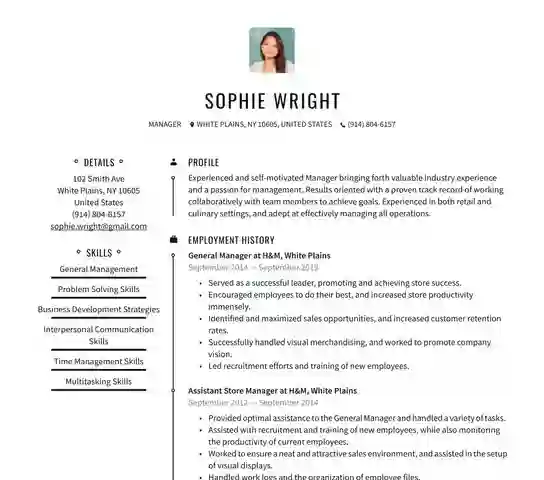
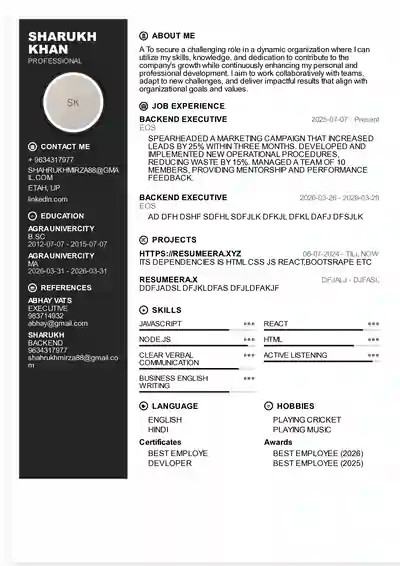
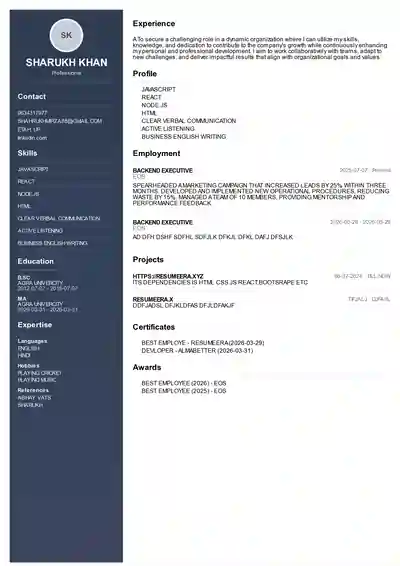
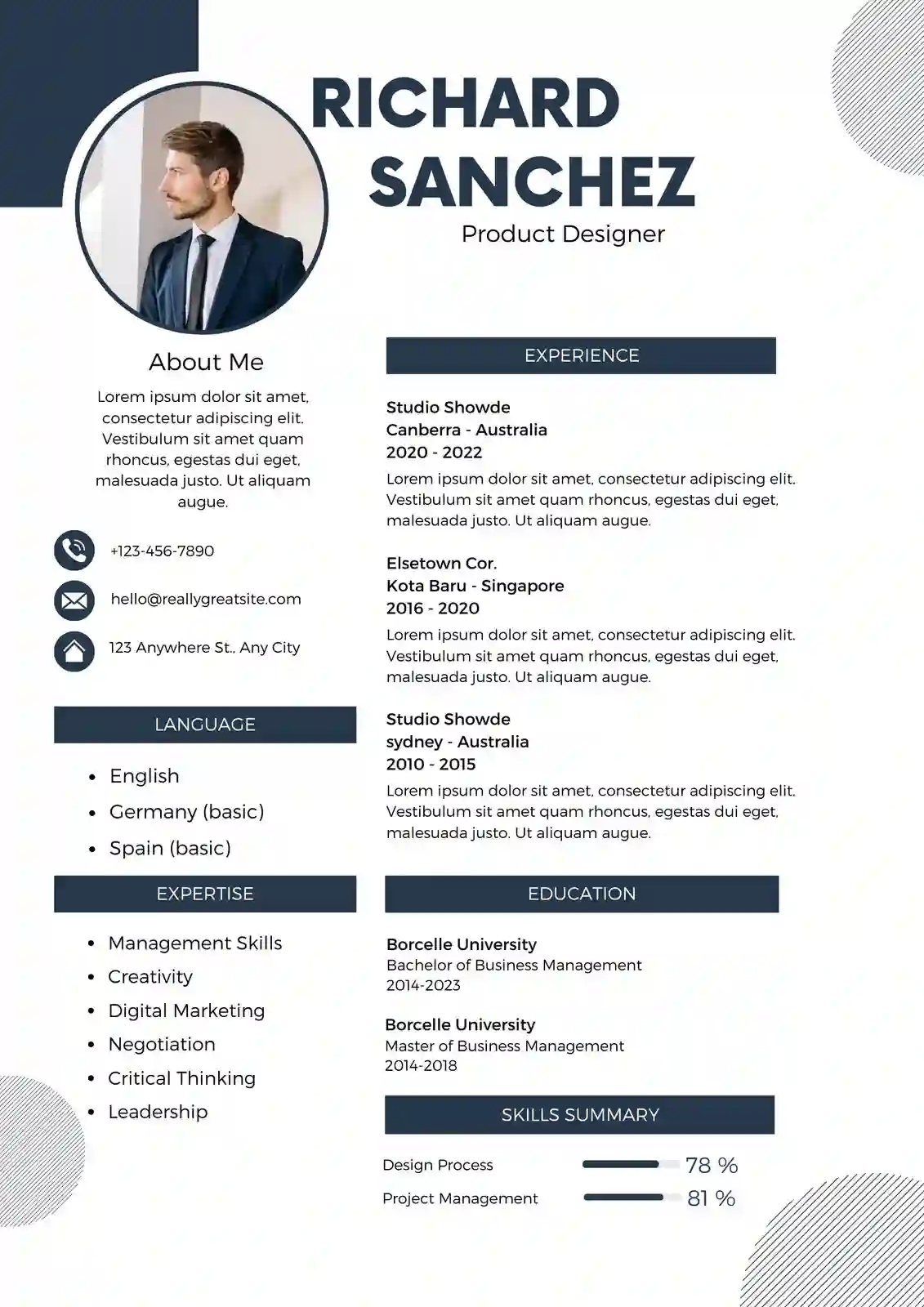

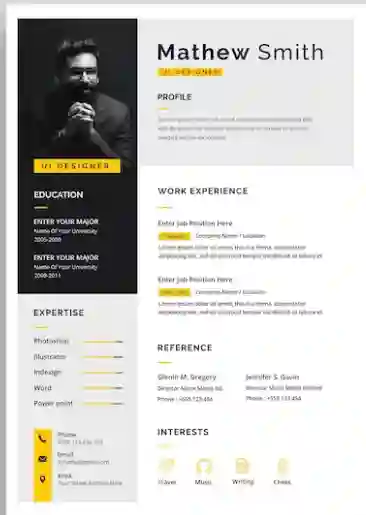
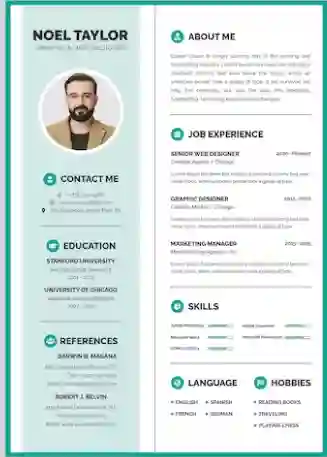
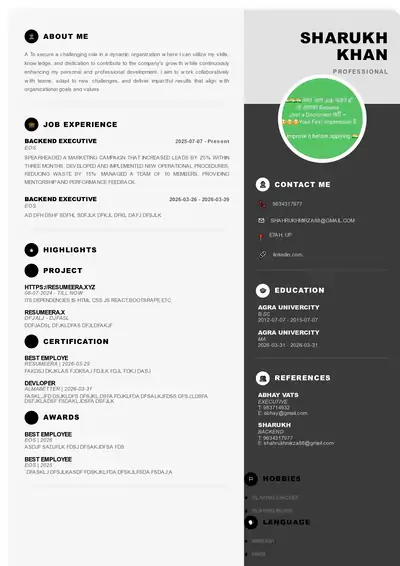
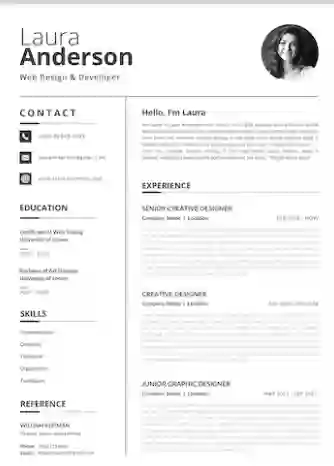
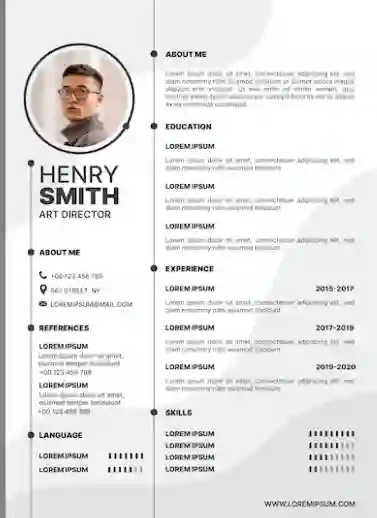
2026 में नौकरी के लिए apply करना पहले से कहीं ज्यादा competitive हो गया है। Naukri, LinkedIn और Indeed पर एक ही position के लिए 500 से 1000 applications आना आम बात है। ऐसे में आपका professional resume ही पहला impression बनता है। Indian recruiters, चाहे वो TCS, Infosys, Wipro जैसी IT कंपनियों के हों या HDFC, ICICI जैसे banks के, औसतन 6 से 8 सेकंड में resume को scan करते हैं। अगर formatting साफ नहीं है, font मुश्किल से पढ़ा जा रहा है या ATS (Applicant Tracking System) आपके resume को read ही नहीं कर पा रहा, तो interview call आना मुश्किल है। Professional resume template का मतलब सिर्फ सुंदर design नहीं, बल्कि ऐसा clean, structured और ATS-friendly layout है जो आपके skills और experience को recruiter तक बिना किसी रुकावट के पहुंचाए। ResumeEra.xyz पर हम इसी को ध्यान में रखकर 2026 के लिए updated, recruiter-tested templates लेकर आए हैं जो PDF और Word दोनों में free download के लिए उपलब्ध हैं।
1. Professional Resume क्या होता है? 2026 में Recruiter क्या देखता है
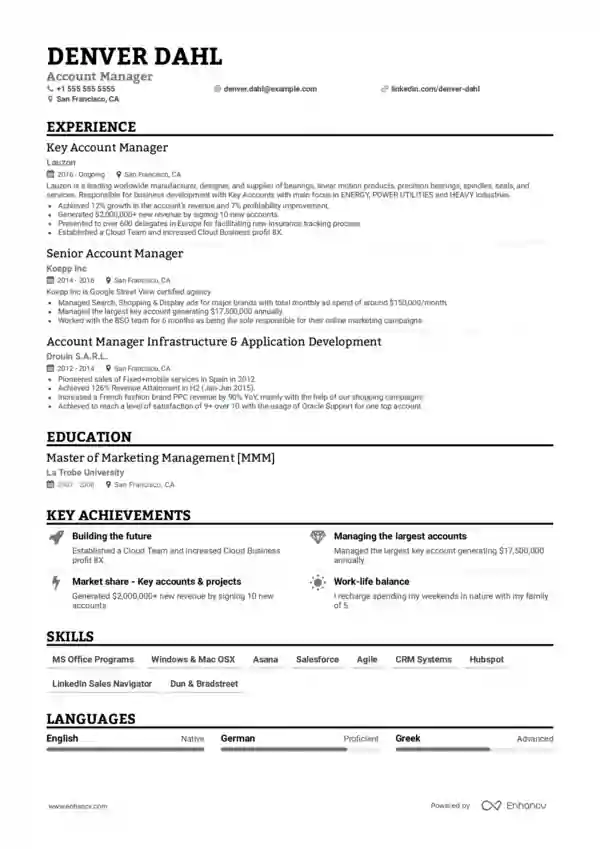
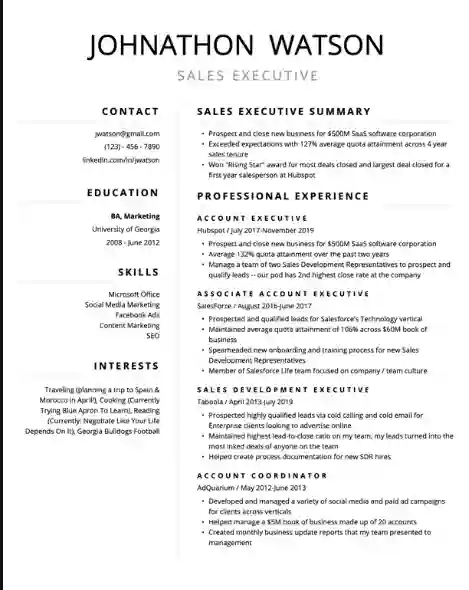
Professional resume एक ऐसा document है जो आपकी education, skills, experience और achievements को एकदम clear, concise और visually balanced तरीके से present करता है। 2026 में Indian job market में design से ज्यादा clarity और relevance को महत्व दिया जा रहा है। Recruiter को fancy graphics नहीं, बल्कि यह देखना है कि आप उस role के लिए fit हैं या नहीं।
एक professional resume में ये 5 चीज़ें जरूर होनी चाहिए:
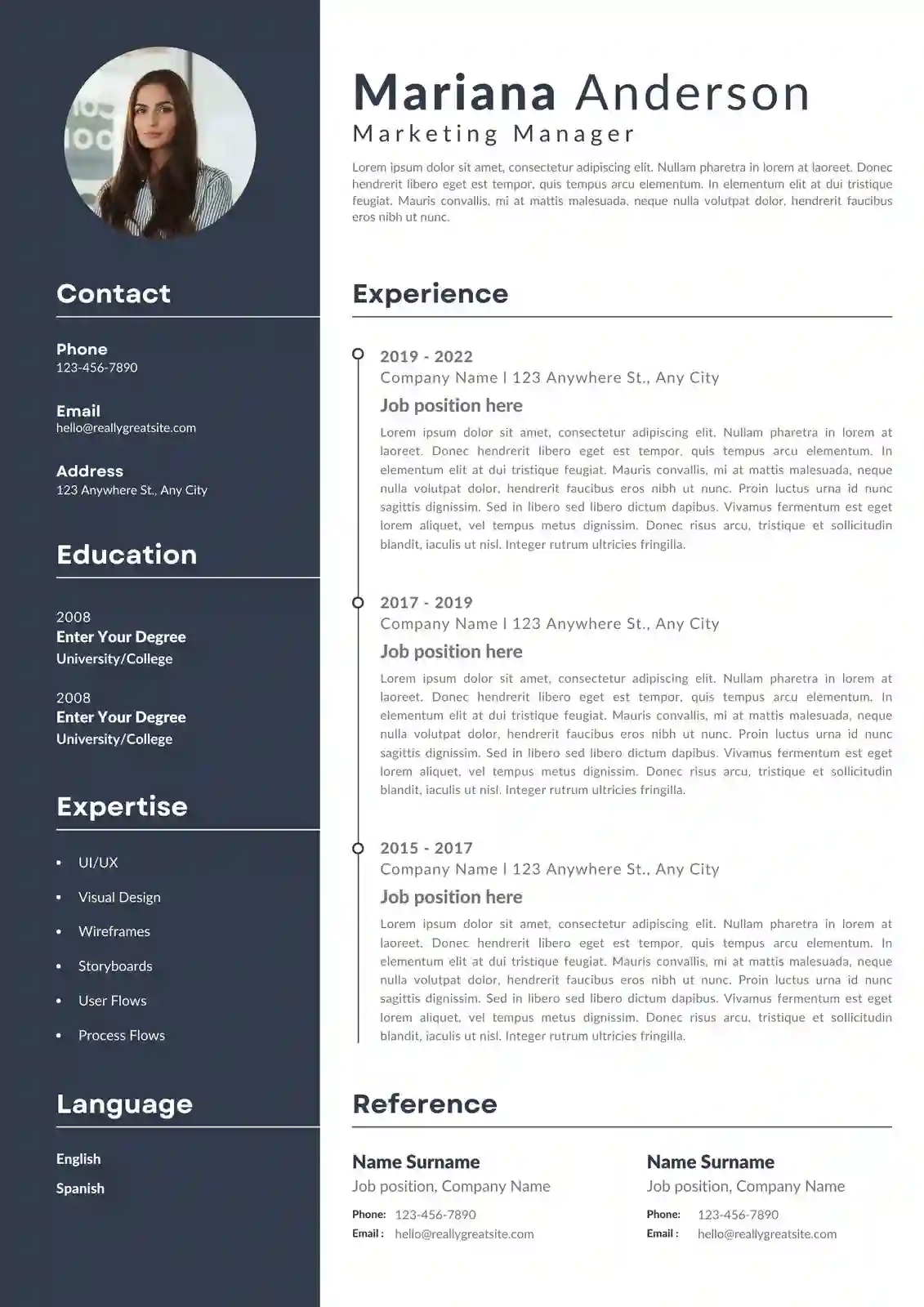
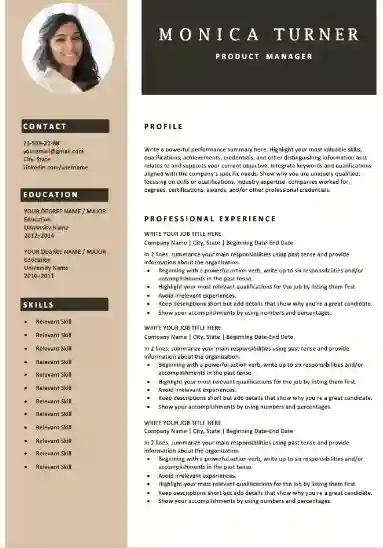
- Single-column layout: ज्यादातर Indian कंपनियों में जो ATS use होते हैं, जैसे Taleo, Greenhouse, Zoho Recruit, वे single-column resume को सबसे अच्छी तरह parse करते हैं। Double-column या heavy infographic वाले resume में data misplace हो जाता है।
- Standard fonts और proper spacing: Calibri, Arial, Garamond जैसे fonts 10.5 से 11.5 pt size में सबसे readable माने जाते हैं। Line spacing 1.0 से 1.15 और section के बीच 8 से 12 pt का gap रखने से resume सांस लेता हुआ लगता है।
- Clear section headings: जैसे Professional Summary, Work Experience, Education, Skills, Certifications, Projects। Heading bold और थोड़ा बड़े font में हो ताकि ATS उसे आसानी से पहचान सके।
- Achievement-based content: सिर्फ duty लिखने से काम नहीं चलेगा। जैसे "Sales team में काम किया" की जगह "3 महीने में sales को 22% बढ़ाया और 15 नए corporate clients जोड़े" ज्यादा impact डालता है।
- Contact info और LinkedIn: ऊपर header में नाम, phone, professional email, city (पूरा address नहीं), LinkedIn profile और portfolio link। Photo, date of birth, या father’s name जैसी outdated जानकारी 2026 में professional resume में नहीं डाली जाती, खासकर MNCs के लिए।
ResumeEra की research के अनुसार, 2026 में 78% Indian recruiters ने कहा कि वे उसी resume को shortlist करते हैं जो 1 से 2 page में, बिना photo और बिना colour blocks के, सिर्फ content पर focus करता है।
Professional का मतलब यह भी है कि resume role के अनुसार tailored हो। एक ही resume से आप Software Developer, Business Analyst और Digital Marketing तीनों के लिए apply करेंगे तो selection chance कम हो जाएगा। हर job description से keywords निकालकर resume में naturally जोड़ना जरूरी है।
2. 2026 के Top 3 Professional Resume Formats – कौन सा कब Use करें
Resume format का चुनाव आपकी career stage पर निर्भर करता है। 2026 में भी तीन formats सबसे ज्यादा accepted हैं। सही format चुनने से recruiter को आपकी सबसे strong बात पहले दिखती है।
2.1 Reverse-Chronological Format – सबसे ज्यादा पसंद किया जाने वाला
इसमें सबसे recent job सबसे ऊपर और फिर पीछे की jobs क्रम में आती हैं। यह format उन लोगों के लिए best है जिनका career gap नहीं है और जो उसी field में आगे बढ़ रहे हैं। जैसे 2 साल experience वाला Software Engineer, या 5 साल का Marketing Executive। Naukri और LinkedIn पर 90% successful resumes इसी format में होते हैं क्योंकि recruiter को growth track तुरंत समझ आता है। अगर आप TCS में 2023 से Developer हैं और अब Infosys में Senior Developer के लिए apply कर रहे हैं, तो यही format आपकी progression को सही दिखाएगा।
2.2 Functional / Skill-Based Format – Career Gap या Switch के लिए
इसमें experience की timeline की जगह skills को highlight किया जाता है। जैसे अगर आपने 1.5 साल का gap लिया है, या आप Mechanical से IT में switch कर रहे हैं, तो यह format आपकी transferable skills जैसे Project Management, Python, Client Communication को आगे लाता है। हालांकि, कई Indian ATS और recruiters इसे कम पसंद करते हैं क्योंकि उन्हें timeline clear नहीं दिखती। इसलिए इसे तभी use करें जब chronological में आपकी कहानी कमजोर पड़ रही हो।
2.3 Combination / Hybrid Format – Experienced और Multi-Skill Professionals के लिए
यह दोनों का mix है। ऊपर एक strong Skills Summary और नीचे chronological work history। यह format 4 से 10 साल experience वाले professionals, team leads, या जिन्होंने कई domains में काम किया है, उनके लिए ideal है। जैसे एक Digital Marketing Manager जिसने SEO, Content और Paid Ads तीनों संभाले हैं, वह ऊपर Core Competencies में ये skills दिखा सकता है और नीचे हर company में क्या achieve किया, वो detail में लिख सकता है। 2026 में hybrid format mid-level hiring में सबसे तेजी से popular हो रहा है।
| Format | Best For | Recruiter Preference (India) | ATS Score |
|---|---|---|---|
| Reverse-Chronological | Freshers with internships, 1-15 साल experience वाले, same field में growth | बहुत ज्यादा – MNCs और startups दोनों पसंद करते हैं | 95/100 – सबसे safe |
| Functional | Career gap, fresher without experience, field switch | कम – कई recruiters timeline न मिलने से doubt करते हैं | 70/100 – parsing में दिक्कत आ सकती है |
| Combination | 4+ साल experience, multiple skills, promotion के लिए apply | ज्यादा – senior roles में preferred | 88/100 – सही headings हों तो excellent |
ResumeEra.xyz पर आपको तीनों formats में ready-made professional templates मिलते हैं। आप अपनी situation के अनुसार चुन सकते हैं और उसी template को Word या PDF में download कर सकते हैं।
3. Professional Resume Template के Design Rules – 2026 Edition
Design का मतलब रंग-बिरंगा बनाना नहीं, बल्कि पढ़ने में आसान और आंखों को सुकून देने वाला layout बनाना है। Indian recruiters दिन में 100 से ज्यादा resume देखते हैं, इसलिए clean design ही आपका resume बचाता है।
3.1 Font, Size और Margins
Font हमेशा professional रखें। Calibri, Arial, Helvetica, Garamond, Cambria best हैं। Decorative fonts जैसे Comic Sans या Script बिल्कुल avoid करें। Body text 10.5 से 11.5 pt, नाम 16 से 18 pt bold, और section headings 12 से 13 pt bold रखें। Margins चारों तरफ 0.6 से 0.8 inch रखें। इससे एक page में ज्यादा content आएगा और print में भी कटेगा नहीं। Line spacing 1.0 से 1.15 ideal है। पूरे resume में एक ही font family use करें, दो से ज्यादा font mix न करें।
3.2 Colour, White Space और Icons
2026 में professional resume में colour का use minimal है। Text का colour 90% black (#222222) रखें। Heading या horizontal line के लिए एक subtle colour जैसे navy blue (#0F2A44) या dark grey use कर सकते हैं, लेकिन पूरा background colour या बड़े colour blocks न लगाएं। White space बहुत जरूरी है – हर section के बाद 10-12 pt की जगह छोड़ें ताकि ATS और human eye दोनों को scan करने में आसानी हो। Icons का use बहुत limited रखें। Phone, email, LinkedIn के छोटे icons चल सकते हैं, लेकिन skills को star rating या progress bar से दिखाना avoid करें क्योंकि ATS उसे read नहीं कर पाता।
3.3 Length और File Format
Fresher या 2-3 साल experience तक 1 page ही रखें। 5 से 10 साल वालों के लिए 2 pages acceptable हैं, लेकिन 2 page तभी भरें जब genuine achievements हों। File हमेशा PDF में भेजें जब तक employer ने Word न मांगा हो। PDF से formatting बिगड़ती नहीं। File का नाम Amit_Sharma_Resume_Marketing_Manager.pdf जैसा रखें, न कि Resume_final_final.pdf। ResumeEra के templates PDF और Word दोनों में export होते हैं और उनका layout ATS-tested है।
4. Fresher vs Experienced के लिए Best Template Selection Guide
एक ही template हर किसी के लिए काम नहीं करता। आपकी profile के अनुसार template चुनना conversion बढ़ाता है।
Fresher (0-1 साल) के लिए: अगर आपके पास full-time experience नहीं है, तो ऐसा template चुनें जिसमें Education, Internships, Projects और Skills ऊपर हों। ResumeEra का Fresher Focused Template इसी logic पर बना है – ऊपर career objective की जगह 2-3 line का professional summary, फिर education, फिर internships/projects जहाँ आपने क्या किया और कौन से tools use किए (जैसे Excel, Python, Figma)। CGPA/Percentage जरूर लिखें अगर 7.5+ या 75%+ है। College fest, volunteering या NCC/NSS जैसी activities को भी एक छोटे section में दिखा सकते हैं, लेकिन 3-4 bullet points से ज्यादा नहीं।
Experienced (2-7 साल) के लिए: यहाँ Work Experience hero है। Template ऐसा हो जहाँ हर company के नीचे Role, Duration, Location और 4-6 bullet points में achievements हों। हर bullet STAR method से लिखें – Situation, Task, Action, Result। जैसे "Led a team of 4 to migrate legacy CRM to Zoho, reducing query resolution time by 30%"। Skills section को categories में बांटें – Technical Skills, Tools, Soft Skills। Certifications जैसे AWS, Google Analytics, PMP को अलग section में डालें।
Senior (8+ साल) के लिए: Executive template में ऊपर Executive Summary (3-4 lines), फिर Core Competencies (8-10 keywords in 2 columns), फिर Professional Experience, फिर Education & Leadership Initiatives। 2 page allowed है। यहाँ leadership, revenue impact, team size जैसे metrics बहुत matter करते हैं। ResumeEra का Executive Professional Template इसी hierarchy को follow करता है और Indian leadership hiring के हिसाब से optimize किया गया है।
5. ATS-Friendly Resume कैसे बनाएं – Indian Companies की हकीकत
India में अब सिर्फ MNCs ही नहीं, बल्कि mid-size startups, banks और even colleges के placement cells भी ATS use करते हैं। Naukri FastForward, Zoho Recruit, Darwinbox, Taleo जैसे systems सबसे पहले resume को scan करते हैं और keyword match के आधार पर rank करते हैं। अगर आपका resume ATS को समझ नहीं आया, तो human recruiter तक पहुंचेगा ही नहीं।
ATS-friendly बनाने के लिए इन बातों का ध्यान रखें:
- Standard headings use करें: "Work Experience" को "My Journey" या "Karm Kshetra" जैसा creative heading न बनाएं। ATS सिर्फ standard keywords पहचानता है।
- Table, text box, header/footer से बचें: कई templates में design के लिए text box या header में contact info डालते हैं, ATS उसे skip कर देता है। सारा content main body में रखें।
- Keywords naturally डालें: Job description को ध्यान से पढ़ें। अगर JD में "Digital Marketing, SEO, Google Ads, Campaign Optimization" लिखा है, तो वही exact phrases आपके skills और experience में आने चाहिए। लेकिन keyword stuffing न करें – हर skill के साथ एक छोटा proof जरूर दें।
- File type और formatting: PDF (text-based, image नहीं) सबसे safe है। Resume को Canva या Photoshop में image के रूप में export न करें। Font को embed रखें और bullet points के लिए simple dot या hyphen use करें।
- Acronyms के साथ full form भी लिखें: जैसे "Search Engine Optimization (SEO)"। ATS कभी full form search करता है, कभी short form।
ResumeEra के सभी professional templates ATS-tested हैं। हमने उन्हें Naukri और LinkedIn Easy Apply पर test किया है ताकि parsing error 0% रहे। आप https://resumeera.xyz पर जाकर कोई भी template चुनें, content भरें और बिना design बिगड़े PDF download करें।
6. ResumeEra पर Free Professional Resume Template Download और Edit कैसे करें – Step-by-Step
ResumeEra.xyz को इसलिए बनाया गया है ताकि Indian job seekers को बिना किसी watermark, बिना payment के, high-quality resume मिल सके। यहाँ process बहुत simple है:
- Website पर जाएं: https://resumeera.xyz खोलें और homepage पर "Resume Templates" या "Professional Templates 2026" पर click करें।
- Template चुनें: Fresher, Experienced, Executive, Creative, Minimal जैसे categories में से अपनी profile के अनुसार template select करें। Preview में देखें कि 1 page और 2 page version कैसा दिखता है।
- Edit Online पर click करें: बिना किसी software download के browser में ही editor खुलेगा। वहाँ नाम, contact, summary, experience, education, skills सब fields में भरें। Editor खुद font, spacing और alignment संभाल लेता है।
- Content को role के अनुसार tailor करें: Job description से 5-7 important keywords copy करें और उन्हें summary और experience bullets में naturally जोड़ें। Editor में real-time ATS score भी दिखता है।
- Design को हल्का customize करें: अगर चाहें तो heading colour (navy, grey, black) और font (Calibri/Arial) बदल सकते हैं, लेकिन layout को single-column ही रहने दें।
- Preview और spell-check करें: Preview में देखें कि कोई line cut तो नहीं रही, dates aligned हैं या नहीं। Grammar और spelling दो बार check करें – छोटी गलती भी negative impression देती है।
- Free Download करें: "Download PDF" या "Download Word" पर click करें। File high-resolution में download होगी, print-ready और ATS-friendly। इसे सीधे Naukri, LinkedIn या company portal पर upload कर सकते हैं।
पूरा process 10 से 15 मिनट में हो जाता है। अगर आप fresher हैं और पहली बार resume बना रहे हैं, तो ResumeEra का guided flow आपको हर section में example suggestions भी देता है, जैसे summary कैसे लिखें या project को कैसे describe करें।
7. Common Mistakes जो आपका Resume Reject करा देते हैं
हमने 5000+ Indian resumes review करने के बाद ये सबसे common गलतियां देखी हैं। इन्हें avoid करना ही half selection है।
- Photo, DOB, Gender, Marital Status डालना: जब तक acting/modeling या कुछ government forms न मांगें, तब तक ये details न डालें। MNCs में bias से बचने के लिए इन्हें avoid किया जाता है।
- एक ही resume हर जगह भेजना: "One size fits all" approach fail होता है। हर application से पहले JD पढ़कर 15-20% content update करें।
- लंबे paragraphs लिखना: Recruiter paragraph नहीं पढ़ता, bullets scan करता है। हर bullet 1 से 1.5 line, action verb से शुरू (Led, Built, Increased, Designed)।
- Personal pronouns और informal language: "I did this" या "Myself Amit" न लिखें। Resume third-person, concise style में होता है।
- Spelling mistakes और inconsistent dates: "Managment" या "Experiance" जैसी गलती ATS और recruiter दोनों को खटकती है। Dates का format पूरे resume में एक जैसा रखें – जैसे "Jan 2023 – Present"।
- Fake information या बढ़ा-चढ़ा कर लिखना: Background verification में पकड़े जाने पर offer cancel हो सकता है। जो किया है, उसे numbers के साथ सच लिखें।
- Heavy design, tables और graphics: Canva के बहुत colourful templates देखने में अच्छे लगते हैं पर ATS में fail हो जाते हैं। Professional template हमेशा clean और text-based होना चाहिए।
- References और Salary details डालना: "Expected CTC" या "References available on request" जैसी lines जगह घेरती हैं। References अलग page पर तभी दें जब मांगा जाए।
इन गलतियों को सुधारते ही आपका resume top 20% में आ जाता है। ResumeEra के templates में ये errors by default avoid किए गए हैं – जैसे photo section optional है, headings standard हैं, और bullet structure पहले से ATS-optimized है।
8. FAQs – Professional Resume Template 2026
Professional resume के लिए ideal length कितनी होनी चाहिए?
Fresher और 3 साल तक experience वालों के लिए 1 page ideal है। 4 से 10 साल वालों के लिए 2 pages चल सकते हैं, लेकिन हर line में value होनी चाहिए। 2 page तभी use करें जब आपके पास 4+ relevant experiences, बड़े projects या leadership achievements हों। Recruiter को 1 page में clarity ज्यादा पसंद आती है।
क्या 2026 में resume में photo लगाना जरूरी है?
नहीं, ज्यादातर Indian MNCs और IT कंपनियों में photo की जरूरत नहीं है और ATS भी photo को ignore करता है। Photo सिर्फ तभी लगाएं जब job में appearance relevant हो, जैसे hospitality, aviation या modeling। Professional resume में photo न होने से bias भी कम होता है।
PDF और Word में से कौन सा format भेजना better है?
अगर employer ने specifically Word नहीं मांगा है, तो हमेशा PDF भेजें। PDF में formatting lock रहती है और हर device पर same दिखता है। Word तभी भेजें जब consultancy या recruiter ने edit के लिए मांगा हो। ResumeEra दोनों formats में free download देता है।
क्या एक ही professional template से Naukri और LinkedIn दोनों पर apply कर सकते हैं?
Template same रह सकता है, लेकिन content हर JD के अनुसार थोड़ा tailor करें। Naukri पर ATS keywords ज्यादा matter करते हैं, LinkedIn पर summary और headline ज्यादा देखे जाते हैं। इसलिए base template ResumeEra से लें और हर application से पहले 5-7 keywords update कर दें।
Fresher के पास experience नहीं है तो resume में क्या लिखें?
Experience की जगह Internships, Academic Projects, Certifications, Workshops, Volunteering और Technical Skills पर focus करें। हर project में objective, tools used (जैसे Python, Excel, Figma) और outcome जरूर लिखें। CGPA, relevant coursework और LinkedIn/GitHub links भी value जोड़ते हैं।
ResumeEra के templates क्या सच में free और ATS-friendly हैं?
हां, ResumeEra.xyz पर सभी professional resume templates 2026 के लिए free हैं, बिना watermark के। सभी templates single-column, standard headings और text-based PDF export के साथ ATS-tested हैं। आप online edit करके तुरंत PDF या Word download कर सकते हैं और सीधे Naukri, LinkedIn या company career portal पर use कर सकते हैं।
Resume में colour use करना safe है या नहीं?
Minimal colour safe है। Heading या line के लिए navy blue या dark grey का हल्का use चल सकता है, लेकिन पूरे page पर background colour, bright red/green blocks या gradient avoid करें। ATS colour को नहीं पढ़ता, लेकिन human eye को ज्यादा colour distract करता है। Professional look के लिए black + एक subtle accent colour best है।
2026 में professional resume का मतलब दिखावा नहीं, बल्कि clarity, relevance और trust है। सही format, clean design और ATS-friendly structure के साथ आपका resume recruiter के 6 सेकंड के scan में भी standout कर सकता है। चाहे आप fresher हों जो पहली internship ढूंढ रहे हैं, या experienced professional जो promotion के लिए apply कर रहे हैं, ResumeEra.xyz के free professional templates आपको बिना किसी design headache के, interview-ready resume बनाने में मदद करेंगे। आज ही https://resumeera.xyz पर जाकर अपना template चुनें, online edit करें और confident होकर अगले opportunity के लिए apply करें। आपका अगला interview, एक सही resume से ही शुरू होता है।