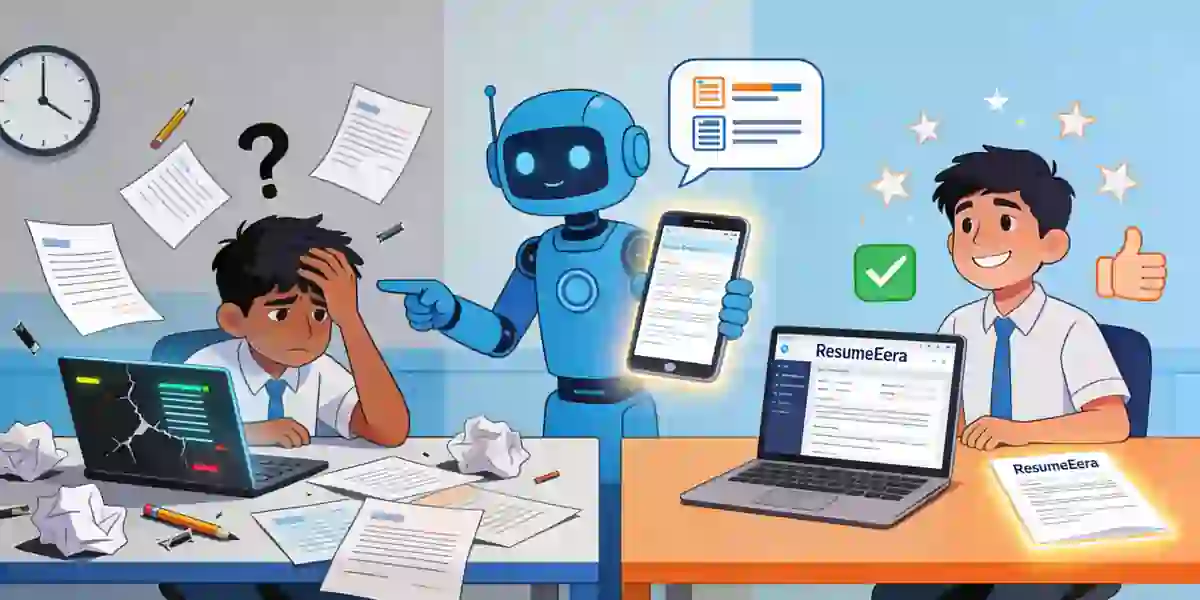
2026 me naukri ka competition pehle se kai zyada tez ho gaya hai. Har vacancy par sau se zyada applications aate hain, aur Indian recruiters ke paas ek resume ko scan karne ke liye sirf 6-8 seconds hote hain. Is kam samay me aapka resume agar sahi format me nahi hai, toh aapka talent aur experience dikhega hi nahi. Resume format sirf design nahi hai, ye aapki kahani batane ka tarika hai — aap kahan se aaye hain, aapne kya seekha hai, aur aap company ke liye kya kar sakte hain. Naukri, LinkedIn, Indeed aur company portals par jab aap apply karte hain, toh sabse pehle aapka resume ATS (Applicant Tracking System) se guzarta hai. Agar format ATS-friendly nahi hai, toh resume hiring manager tak pahunchta hi nahi. Is guide me hum 2026 ke hisaab se har resume format ko detail me samjhenge, unke fayde-nuksan, kaun se profile ke liye kaunsa format best hai, aur kaise aap ResumeEra.xyz par sahi template chun kar ek interview-ready resume bana sakte hain.
Resume Format Kya Hota Hai Aur 2026 Me Ye Itna Important Kyu Hai?
Resume format ka matlab hai aapke resume ka structure — jaankari kis order me aayegi, kaun sa section pehle aayega, aur poora layout kaise dikhega. 2026 me teen cheezein milkar ek successful resume banati hain: visual layout (resume dikhta kaisa hai), content order (kya pehle dikhana hai), aur ATS compatibility (system resume ko sahi se padh paye). Agar inme se ek bhi weak hai, toh resume reject hone ke chances badh jaate hain.
Indian job market me ab zyadatar mid aur badi companies — jaise TCS, Infosys, Wipro, HDFC Bank, Reliance, aur kai startups — ATS ka use karti hain. Naukri.com aur LinkedIn Easy Apply par bhi backend me parsing hota hai. ATS aapke resume ko scan karke skills, job titles, companies, aur education ko alag-alag fields me daalta hai. Agar aapne fancy tables, text boxes, ya images ka zyada use kiya, toh ATS confuse ho jayega aur aapka data galat parse hoga. Isliye 2026 me simple, clean aur standard format sabse zyada effective hai.
Ek aur badlav jo 2026 me dekha ja raha hai, wo hai skills-first hiring. Ab sirf degree aur college ka naam kaafi nahi hai. Recruiter dekhna chahta hai ki aapke paas role se related practical skills hain ya nahi. Isliye format aisa hona chahiye jo aapki sabse strong baat ko sabse pehle highlight kare. Fresher ke liye ye skills aur projects ho sakte hain, jabki 8 saal ke experienced professional ke liye ye career progression aur achievements honge. Sahi format chunne se aap recruiter ko wahi dikhate hain jo wo dekhna chahta hai, bina extra mehnat ke.
- Recruiter ki nazar me clarity: Sahi format se hiring manager ko 6 second me samajh aa jata hai ki aap kis role ke liye fit hain.
- ATS me 100% parsing: Standard headings jaise Work Experience, Education, Skills ka use karne se ATS aapka data sahi se samajhta hai.
- Career gap ya switch ko handle karna: Agar aapne career break liya hai ya field change kiya hai, toh sahi format us gap ko smartly cover kar deta hai.
- Professional impression: Saaf-suthra, consistent font aur spacing wala resume aapki professionalism ko dikhata hai.
2026 Ke 3 Main Resume Formats Ka Detailed Breakdown
Poore world me aur India me 2026 me teen hi main resume formats sabse zyada use ho rahe hain. Har format ka apna purpose hai. Koi bhi format galat nahi hai, bas har profile ke liye alag format kaam karta hai. Inhe samajhne ke baad aap khud decide kar payenge ki aapke liye kaunsa best hai.
1. Reverse-Chronological Format - Sabse Popular Aur ATS ka Favourite
Ye format India me 85% se zyada professionals use karte hain aur Indian recruiters sabse zyada isi ko pasand karte hain. Isme aapka sabse recent job sabse upar hota hai, uske baad usse pehle wala job, aur aise hi reverse order me poora experience likha jata hai. Har job ke neeche company ka naam, location, kaam karne ki dates, aur 3-5 bullet points me aapki responsibilities aur achievements likhe hote hain.
Ye format unke liye best hai jinka career ek hi field me seedha aage badha hai. Jaise ek software engineer jo 2020 me junior developer tha, 2022 me mid-level developer bana, aur 2024 se senior developer hai. Recruiter ko ek nazar me uski growth dikh jayegi. Is format ki sabse badi takat ye hai ki ye ATS ke liye sabse easy hai. ATS ko dates aur job titles samajhne me koi dikkat nahi hoti. Naukri.com par jab recruiter keyword se search karta hai, jaise "Java Developer 5 years", toh reverse-chronological resume sabse upar rank karta hai kyunki uska data structured hota hai.
Lekin is format ki ek kamzori bhi hai. Agar aap fresher hain, ya aapne 2 saal ka career gap liya hai, ya aap teaching se sales me switch kar rahe hain, toh ye format aapki kamzori ko highlight kar dega. Gap seedha dikhega aur recruiter ka dhyan wahi par atak jayega. Isliye gap ya switch wale candidates ko ye format soch-samajh kar use karna chahiye.
2. Functional / Skill-Based Format - Skills Ko Hero Banane Wala Format
Functional format me experience ki jagah skills hero hoti hain. Isme sabse upar ek strong Skills Summary hota hai, uske baad alag-alag skill categories jaise "Digital Marketing Skills", "Project Management", "Technical Skills" ke neeche aapne kya-kya kaam kiya hai, wo likha jata hai. Job history ya toh bahut chhoti hoti hai ya bilkul end me hoti hai, bina detail ke.
Ye format un logon ke liye useful lagta hai jinke paas experience kam hai ya jo ekdum alag field me jana chahte hain. Jaise ek BA English graduate jo content writing me jana chahta hai, wo apne writing, SEO, aur research skills ko upar dikha sakta hai, bina ye bataye ki usne pehle kahan kaam kiya. Freelancers aur jinhone alag-alag short projects kiye hain, unke liye bhi ye format kaam ka lagta hai.
Par 2026 me Indian recruiters aur ATS is format ko zyada pasand nahi karte. Wajah simple hai — recruiter ko ye samajh nahi aata ki aapne ye skill kahan aur kab use ki. ATS bhi confuse ho jata hai kyunki usko job titles aur dates ka clear pattern nahi milta. Kai badi companies toh functional resume ko turant reject bhi kar deti hain kyunki unhe lagta hai candidate kuch chhupa raha hai. Isliye ResumeEra ke career experts ye salah dete hain ki functional format ka use sirf tab karein jab aapke paas koi aur option na ho, aur tab bhi usme thoda chronological touch zaroor add karein.
3. Combination / Hybrid Format - Dono Ka Best Combination
Combination format, jaise naam se hi pata chalta hai, reverse-chronological aur functional dono ka mix hai. Isme shuruat me ek powerful Professional Summary aur Key Skills ka section hota hai, uske baad detailed Work Experience reverse-chronological order me aata hai. Matlab pehle aap recruiter ko apni top skills ka trailer dikhate hain, aur phir poori film — aapka experience — detail me batate hain.
Ye format 2026 me sabse zyada balanced mana ja raha hai. Ye un professionals ke liye perfect hai jinke paas 3-10 saal ka experience hai aur wo apni expertise ko highlight karna chahte hain. Jaise ek 5 saal ka HR professional jo recruitment aur employee engagement dono me expert hai. Wo upar Key Skills me "Talent Acquisition, Payroll Management, HR Analytics" likh kar turant recruiter ka dhyan khinch lega, aur neeche experience me har company me kya achieve kiya, wo detail me bata dega.
Career switch karne walon ke liye bhi ye best hai. Aap upar transferable skills dikha sakte hain aur neeche experience se prove kar sakte hain ki aapne wo skills kahan use ki hain. Indian IT aur consulting companies me jahan ek hi vyakti ko kai roles nibhane hote hain, wahan hybrid format aapko multi-talented dikhata hai. ATS bhi is format ko achhe se padh leta hai kyunki isme dates aur job titles sahi jagah par hote hain. Isliye agar aap confuse hain ki kaunsa format chune, toh hybrid ek safe aur powerful choice hai.
Kaunsa Format Aapke Liye Best Hai? Profile Ke Hisaab Se Chunav
Har kisi ki career journey alag hoti hai, isliye ek hi format sabke liye best nahi ho sakta. Aapko apni current situation dekh kar decide karna hoga. Yahan hum 5 common Indian profiles ke liye clear recommendation de rahe hain.
Fresher / Recent Graduate (0-1 saal experience): Agar aap abhi college se nikle hain, jaise B.Tech, B.Com, MBA fresher, toh aapke paas experience kam hai. Aapke liye combination format best hai jisme education, internships, projects, aur skills upar hon. Reverse-chronological me aapka resume khali lagega. Apne final year project, internship me kiye gaye kaam, aur college events ko achievement ki tarah likhein.
Mid-Level Professional (2-7 saal experience): Aapke liye reverse-chronological sabse best hai. Aapki growth story hi aapki sabse badi takat hai. Har job me aapne kya naya seekha aur kya result diya, usko numbers ke saath likhein. Jaise "Sales ko 22% badhaya" ya "Team ko 15 logon se 30 logon tak expand kiya".
Senior Professional / Manager (8+ saal experience): Aapke liye hybrid format ideal hai. Itne saal ke experience ko sirf dates se nahi, leadership aur strategy se dikhana hota hai. Shuru me Executive Summary aur Core Competencies ka section add karein, phir experience likhein. 10 saal se purane jobs ko detail me likhne ki zarurat nahi, unhe ek line me summarize kar dein.
Career Gap ya Break ke baad Wapas Aa Rahe Hain: Agar aapne family, health ya upskilling ke liye 1-3 saal ka gap liya hai, toh hybrid format gap ko balance kar dega. Gap ko chhupayein nahi, balki cover letter me honestly explain karein. Resume me gap ke dauran kiye gaye freelance work, online courses (jaise Coursera, Udemy), ya volunteer work ko add karein.
Career Switch Kar Rahe Hain: Jaise teacher se corporate trainer, ya mechanical engineer se data analyst. Aapke liye bhi hybrid format best hai. Upar transferable skills par focus karein. Jaise teacher ke liye "Communication, Curriculum Design, Public Speaking" ye skills corporate training me bhi kaam aayengi.
| Format | Best For | ATS Score (India) | Recruiter Pasand |
|---|---|---|---|
| Reverse-Chronological | Steady career growth wale, 2+ saal experience | 95% - Excellent | Bahut Zyada |
| Functional | Fresher, creative field, heavy gap wale (risky) | 50% - Low | Kam |
| Combination / Hybrid | Mid-senior, career switch, skill-heavy roles | 90% - Very Good | Zyada |
2026 Me ATS-Friendly Resume Format Kaise Banaye (Indian Companies Ke Liye)
India me Naukri.com, LinkedIn, aur company career portals par ATS ka use ab normal ho gaya hai. ATS ek software hai jo resume ko pehle filter karta hai. Agar aapka resume ATS ko samajh nahi aaya, toh wo kabhi human recruiter tak pahunchega hi nahi. 2026 me ATS aur bhi smart ho gaye hain, lekin unke kuch basic rules abhi bhi same hain.
Sabse pehla rule hai headings standard rakhna. "Work Experience" ko "Mera Kaam" ya "Career Journey" mat likhein. ATS sirf standard headings hi samajhta hai. Hamesha ye headings use karein: Professional Summary, Work Experience, Education, Skills, Projects, Certifications. Dusra rule hai font simple rakhna. Calibri, Arial, Garamond, ya Poppins jaise clean fonts use karein. Design ke chakkar me alag-alag fancy fonts ka use ATS ko confuse kar deta hai.
Teesra aur sabse important rule hai keywords ka sahi use. Har job description me kuch keywords hote hain. Jaise ek Digital Marketing job me "SEO, Google Ads, Social Media, Content Strategy" keywords honge. Aapko apne resume me wahi keywords naturally add karne hain, agar aapke paas wo skills hain toh. Lekin keyword stuffing mat karein — matlab ek hi keyword ko 10 baar repeat karna. ATS ab keyword stuffing pakad leta hai aur resume ko spam mark kar deta hai. Keywords ko Skills section aur Work Experience ke bullet points me naturally daalein.
- Simple layout rakhein: Do column wala design, text boxes, header/footer me important jaankari, aur images se bachein. Single column layout ATS ke liye best hai.
- Bullet points ka use karein: Paragraph ki jagah bullet points me likhein. Har bullet ki shuruat action verb se karein jaise "Managed", "Developed", "Achieved", "Led".
- File ka naam sahi rakhein: "Resume.pdf" ki jagah "Rahul_Sharma_Marketing_Manager.pdf" jaise naam rakhein. Isse recruiter ko file dhundhne me aasani hoti hai.
- Dates ka format consistent rakhein: Har jagah "Jan 2022 - Dec 2024" ya "01/2022 - 12/2024" me se ek hi format use karein.
ResumeEra Tip: Apna resume banane ke baad usse https://resumeera.xyz par ATS check se scan zaroor karein. Ye aapko batayega ki aapka resume ATS me kaise dikhega aur kahan sudhaar ki zarurat hai.
Resume Design, Layout Aur File Format: PDF vs Word Me Kya Chune?
Format ke saath-saath design aur file type bhi utna hi important hai. 2026 me design ka matlab rang-biranga resume nahi hai. Design ka matlab hai readability — recruiter ko padhne me aasani ho. Indian recruiters ko saaf, professional aur kam rang wala resume sabse zyada pasand aata hai.
Layout ke golden rules: Resume ki length fresher ke liye 1 page aur experienced ke liye 2 page se zyada nahi honi chahiye. Har taraf 0.7 se 1 inch ka margin rakhein. Font size 10.5 se 12 ke beech rakhein. Section ke beech me sahi spacing rakhein taaki resume bhara-bhara na lage. Rang ka use sirf headings ya lines ke liye karein, wo bhi dark blue ya grey jaise professional rang. Laal, peela ya bahut bright rang avoid karein.
PDF vs Word (DOCX) — kya bhejna chahiye? Ye sabse common confusion hai. Microsoft Word ke hisaab se bhi jab aap final resume bhejte hain, toh PDF sabse safe hota hai kyunki uska layout kisi bhi system me nahi bigadta. Lekin India me kuch ATS, khaaskar purane wale, Word file ko zyada achhe se parse karte hain. Isliye best strategy ye hai:
- Agar job description me specifically "PDF only" likha hai, toh sirf PDF bhejein.
- Agar "Word format" ya "DOC/DOCX" likha hai, toh Word me bhejein.
- Agar kuch nahi likha hai, toh dono ready rakhein. Pehle PDF bhejein, aur agar company ka portal Word maang raha hai toh Word upload karein.
- ResumeEra.xyz par aap ek hi resume ko ek click me PDF aur Word dono me download kar sakte hain, bina layout bigde.
Ek aur baat, apne resume me photo, date of birth, ya full home address jaise personal details add karne se bachein, jab tak job me specifically na maanga gaya ho. MNCs aur badi Indian companies ab blind hiring ko promote karti hain, jahan personal details se bias aata hai. Sirf naam, phone number, email, LinkedIn profile, aur city ka naam kaafi hai.
Step-by-Step Guide: Sahi Resume Format Chunne Aur Banane Ke 8 Steps
Ab jab aapko formats ka idea ho gaya hai, toh ye 8 steps follow karke aap 30 minute me apna perfect resume bana sakte hain. Ye process ResumeEra ke hazaron successful users ne follow kiya hai.
- Apni profile ka analysis karein: Ek page par likhein ki aap fresher hain, experienced hain, gap hai ya switch kar rahe hain. Apni 3 sabse strong skills aur 2 sabse badi achievements note karein. Isse format chunna aasan ho jayega.
- Job Description ko dhyan se padhein: Jis job ke liye apply kar rahe hain, uske description me se 8-10 important keywords nikalein. Dekhein ki company skills par zyada focus kar rahi hai ya experience par.
- Format decide karein: Analysis ke basis par format chunein. Fresher aur switch wale Hybrid, steady growth wale Reverse-Chronological. Confusion ho toh Hybrid safe hai.
- Sahi template chunein: https://resumeera.xyz par apne format se milta-julta clean template chunein. Yaad rakhein, template simple aur ATS-friendly hona chahiye, design-heavy nahi.
- Content ko sahi order me likhein: Sabse upar Contact Info, phir Professional Summary (3-4 lines), phir Skills, phir Work Experience (reverse order me), phir Education, aur end me Projects/Certifications. Har section me job description wale keywords naturally add karein.
- Bullet points ko result-oriented banayein: Sirf duty mat likhein, result likhein. Jaise "Customer calls handle kiye" ki jagah "Roz 40+ customer queries solve ki aur satisfaction score 15% badhaya" likhein. Numbers se recruiter ko impact samajh aata hai.
- Formatting ko final touch dein: Font, spacing, aur alignment check karein. Koi spelling mistake na ho. Tenses consistent rakhein — current job ke liye present tense, purane jobs ke liye past tense.
- PDF aur Word dono me save aur test karein: File ko sahi naam se save karein aur kisi dost ya mentor ko 10 second ke liye dikhayein. Poochen ki unhe sabse pehle kya samajh aaya. Agar unhe aapki key skills turant dikh gayi, toh resume ready hai.
Common Mistakes Jo Aapko Interview Se Door Kar Dete Hain
Accha content hone ke baad bhi chhoti-chhoti galtiyon se resume reject ho jata hai. Indian recruiters ne bataya hai ki ye galtiyan sabse zyada hoti hain.
1. Ek hi resume har jagah bhejna: Sabse badi galti. Har job alag hai, toh resume bhi thoda customize hona chahiye. Ek hi generic resume se ATS me keyword match nahi hoga. Har application se pehle 5 minute nikaal kar skills aur summary ko job ke hisaab se badlein.
2. Fancy design aur graphics ka overuse: Canva par bane rang-birange resume dekhne me achhe lagte hain, lekin ATS ke liye zeher hain. Infographics, progress bars (jaise "Communication 90%"), aur tables me likha data ATS padh hi nahi pata. Skills ko percentage me mat dikhayein, unhe bullet me likhein.
3. Bahut lamba ya bahut chhota resume: Fresher ka 2 page ka resume aur 10 saal ke experienced ka half page ka resume dono galat impression dete hain. Length ko experience ke hisaab se rakhein. Extra details jaise school ke saare marks ya har chhota course likhne se bachein.
4. Personal pronouns aur informal language: Resume me "I did this", "My responsibility was" jaise shabdon ka use na karein. Bullet points me subject hatakar direct action verb se shuru karein. Jaise "I managed a team of 5" ki jagah "Managed a team of 5" likhein.
5. Spelling aur grammar ki galtiyan: Ek chhoti si spelling mistake aapko careless dikhati hai. Indian recruiters isko bahut seriously lete hain. Bhejne se pehle 2 baar proofread karein aur Grammarly jaise tool se check karein. Email ID bhi professional rakhein — "coolboy123@gmail.com" ki jagah "rahul.sharma@gmail.com" use karein.
6. Jhoothi jaankari ya exaggeration: Skills ya experience ko badha-chadha kar likhna interview me pakda jata hai. Agar aapne Excel me sirf basic kaam kiya hai, toh "Excel Expert" mat likhein. Background verification me jhooth pakde jaane par offer bhi cancel ho sakta hai.
7. References ko resume me hi daal dena: "References available upon request" likhne ki zarurat nahi hai. Ye purana trend hai aur jagah waste karta hai. References alag se maange jaane par hi dein.
Resume Formats Ke Baare Me Aksar Puche Jaane Wale Sawal (FAQ)
2026 me fresher ke liye kaunsa resume format sabse best hai?
Fresher ke liye Combination ya Hybrid format sabse best hai. Isme aap apni education, internships, college projects, aur skills ko upar highlight kar sakte hain, jabki experience section chhota bhi ho toh chalega. Reverse-chronological fresher ke liye khali lagega aur functional ATS me fail ho sakta hai. Hybrid me aap apne final year project ko bhi achievement ki tarah dikha sakte hain.
Kya functional resume 2026 me bilkul bekar hai?
Bilkul bekar nahi hai, lekin risky hai. Agar aap creative field jaise graphic design ya writing me hain jahan portfolio zyada important hai, toh functional kaam kar sakta hai. Lekin corporate jobs, IT, banking, ya MNCs me isse bachein. Agar use karna hi hai, toh usme Work Experience ka ek chhota section reverse order me zaroor add karein taaki ATS aur recruiter dono ko clarity mile.
Resume PDF me bheju ya Word me?
Dono ka apna fayda hai. PDF ka layout kabhi nahi bigadta aur har device par same dikhta hai, isliye human recruiter ke liye best hai. Word (DOCX) kuch purane ATS ke liye zyada readable hota hai. Best tarika ye hai ki job ad ko dekhein — jo format maanga gaya hai wahi bhejein. Agar kuch nahi likha, toh PDF bhejein aur Word file bhi ready rakhein. ResumeEra.xyz par aap dono format me ek click me download kar sakte hain.
Ek resume kitne page ka hona chahiye?
Fresher ya 3 saal tak ke experience wale ke liye 1 page kaafi hai. 4 se 10 saal ke experience wale 2 page tak ja sakte hain. 10+ saal ke senior professionals ke liye bhi 2 page hi ideal hai, 3 page se zyada recruiter padhta hi nahi. Yaad rakhein, har line ka maksad hona chahiye. Faltu ki jaankari bhar kar page badhane se koi fayda nahi.
Kya mai ek hi resume se 10 alag jobs me apply kar sakta hu?
Kar sakte hain, lekin karna nahi chahiye. Har job ki requirement alag hoti hai. Agar aap ek hi resume har jagah bhejenge, toh ATS keyword match nahi karega aur reject ho jayega. Har job ke liye Professional Summary aur Skills section ko 5-10 minute me us job ke keywords ke hisaab se thoda customize zaroor karein. Isse interview call aane ke chances 3 guna badh jaate hain.
ATS ke liye sabse important cheez kya hai?
ATS ke liye teen cheezein sabse important hain: standard headings, simple formatting, aur sahi keywords. Fancy tables, images, aur text boxes se bachein. Skills aur experience me wahi keywords use karein jo job description me hain. Aur hamesha resume ko single column layout me rakhein. Ye teen rules follow karne se aapka resume 95% ATS ko pass kar lega.
Resume me photo lagana zaroori hai kya India me?
Nahi, 2026 me India me bhi photo lagana zaroori nahi hai, khaaskar MNCs aur IT companies me. Photo se bias ka risk rehta hai, isliye zyadatar badi companies photo-less resume ko prefer karti hain. Sirf tab photo lagayein jab job ad me specifically maanga gaya ho, jaise acting, modelling, ya kuch hospitality roles me. Baaki cases me photo ke bina hi resume zyada professional lagta hai.
Umeed hai is guide se aapko apne liye sahi resume format chunne me poori clarity mil gayi hogi. Yaad rakhein, best resume wo nahi hai jo sabse zyada design wala ho, balki wo hai jo aapki kahani ko sabse saaf aur sahi tarike se recruiter tak pahunchaye. Apni profile ko samjhein, sahi format chunein, aur use ATS-friendly tarike se banayein. Agar aap abhi se shuruat karna chahte hain, toh https://resumeera.xyz par jakar apne profile ke hisaab se ready-made, ATS-approved templates dekh sakte hain aur kuch hi minute me apna professional resume taiyaar kar sakte hain. Sahi format ke saath aapka agla interview zyada door nahi hai.
