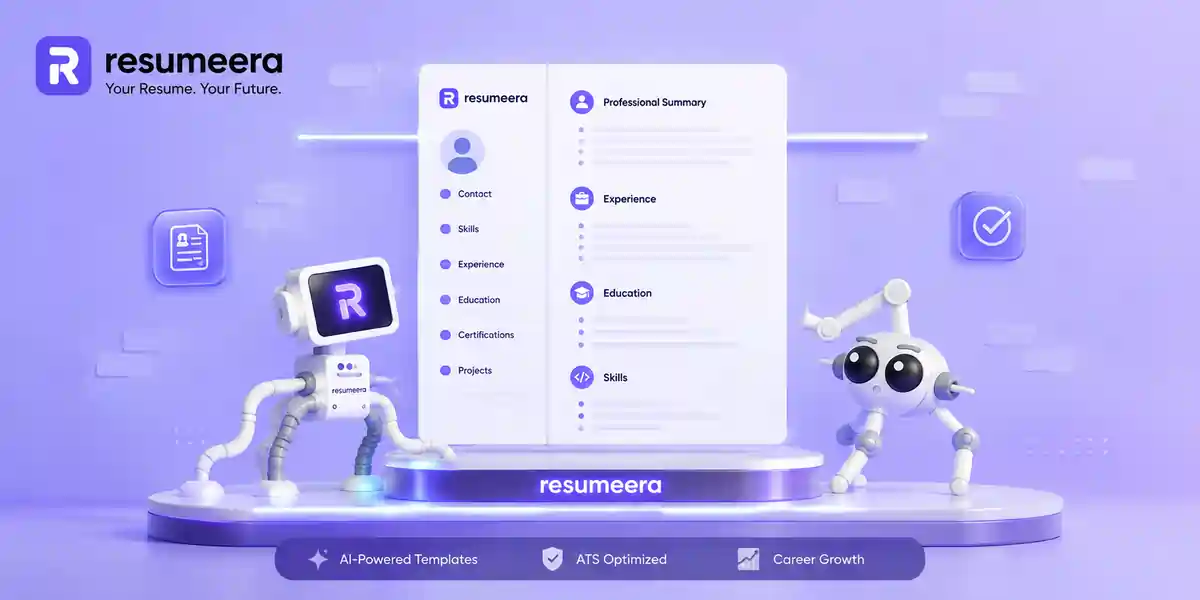
बहुत से लोग resume बनाते वक्त सिर्फ एक चीज़ पर ध्यान देते हैं — content। वो सोचते हैं कि अगर experience अच्छा है, तो design से क्या फर्क पड़ता है?
पर सच यह है —recruiter आपका resume पढ़ता नहीं, scan करता है।पहले कुछ seconds में ही decision हो जाता है कि आगे पढ़ना है या नहीं । और उन seconds में जो impression बनता है, वो आपकी design से बनता है — content से नहीं।
इसके अलावा, ATS (Applicant Tracking System) जैसे software ने modern hiring को और भी complex बना दिया है। एक poorly designed resume पहले software के gate पर ही fail हो जाता है ।
इस article में हम समझेंगे —resume की visual design क्यों matter करती है, कहाँ लोग गलती करते हैं, और एक clean, ATS-ready resume कैसे बनाएं — बिना एक रुपया खर्च किए।
Table of Contents
-
Design का पहला Impression पर असर
-
Visual Hierarchy — आपकी Strengths को Highlight करती है
-
Clean Design ATS को आपका Resume पढ़ने देती है
-
Readable Design Recruiter को ज़्यादा देर Engage रखती है
-
Consistent Layout Cognitive Load कम करता है
-
Visual Appearance आपकी Personal Brand बनाती है
-
एक Good Resume Design Actually कैसी दिखती है?
-
5 Common Visual Mistakes जो Resume को Hurt करती हैं
-
FAQs
-
Conclusion
Thousands of people are getting rejected — not because they’re bad,
but because their resume doesn’t speak for them.
Make a resume that actually gets shortlisted.
Your next job is closer than you think.
No complicated forms. Just pick a template, fill details, And Apply.
Free Resume Builder
Don’t let a weak resume decide your future.
Start in 2 minutes.
1. Design का पहला Impression पर असर {#reason1}
Recruiter आपके resume को देखते ही — पढ़ने से पहले — एक mental judgment बना लेता है। यह judgment professional है या amateur, clean है या cluttered — यह सब visual design decide करती है.
यह सुनने में harsh लग सकता है, लेकिन यही reality है। एक cluttered या outdated layout तुरंत यह signal देता है कि candidate ने effort नहीं लगाया। दूसरी तरफ, एक clean और well-structured resume बिना एक word पढ़े यह बताता है — "यह इंसान professional है।"
Design का पहला काम है trust बनाना। और trust किसी font choice या color से नहीं बनता —clarity और consistency से बनता है।
अगर आप resume बनाने की शुरुआत से सही करना चाहते हैं, तो पहले यह guide पढ़ें:How to Write a Resume in 2026— इसमें structure और content दोनों को step-by-step cover किया गया है।
2. Visual Hierarchy — आपकी Strengths को Highlight करती है {#reason2}
Visual hierarchy का मतलब है — आपके resume पर recruiter की आँखें कहाँ जाती हैं, और किस order में।
अगर hierarchy नहीं है, तो recruiter को आपकी best achievements खुद ढूंढनी पड़ती हैं। और जब वो busy हों और दर्जनों resumes देख रहे हों — वो ढूंढने की कोशिश नहीं करते ।
Smart hierarchy इस तरह काम करती है:
-
Job title बड़े, bold font में — immediately visible
-
Company name और dates clearly aligned
-
Achievements bullet points में — short और scannable
-
Skills section ऊपर, आसानी से spot होने वाला
-
Section headings consistent size में — पूरे resume में
एक अच्छी hierarchy recruiter को वहाँ ले जाती है जहाँ आप उन्हें ले जाना चाहते हैं। बिना किसी confusion के ।
अपने resume में कौन से sections include करने चाहिए, यह समझने के लिए देखें:10 Essential Resume Sections in 2026।
3. Clean Design ATS को आपका Resume पढ़ने देती है {#reason3}
यहाँ वो point है जहाँ design सिर्फ cosmetic नहीं रहती — यह survival का सवाल बन जाती है।
ATS software आपके resume को automatically scan करता है। यह text extract करता है, keywords match करता है, और आपको rank करता है — किसी human के देखने से पहले ।
जो चीज़ें ATS को confuse करती हैं:
-
Text boxes जिनमें contact details या skills हों — ATS इन्हें read नहीं कर पाता
-
Multi-column layouts — ATS lines को horizontally mix कर देता है
-
Tables का layout के लिए use — parsed order scramble हो जाती है
-
Icons और graphics — ATS के लिए ये simply invisible हैं
-
Decorative fonts — extraction में errors आती हैं
इन formatting mistakes को पूरी detail में समझने के लिए पढ़ें:11 ATS Formatting Mistakes— यह guide उन exact errors cover करती है जो applications को silently fail करती हैं।
ATS-safe design rules:
-
Single-column layout
-
Standard headings: Work Experience, Education, Skills
-
Simple bullet points — - या –
-
Clean fonts: Calibri, Arial, Times New Roman (10–12pt)
-
Black text on white background
अगर आपको यह check करना है कि आपका current resume ATS pass कर रहा है या नहीं, तो use करें:Free ATS Resume Checker।
4. Readable Design Recruiter को ज़्यादा देर Engage रखती है {#reason4}
एक resume जो पढ़ने में आसान है, recruiter उसे ज़्यादा देर देखता है। और जितना ज़्यादा देखा जाए, उतनी ज़्यादा आपकी information absorb होती है — और उतने ज़्यादा interview के chances बढ़ते हैं ।
Poor readability के signs:
-
बहुत छोटा font (10pt से कम)
-
Dense paragraphs जो breathe नहीं करते
-
Lines के बीच कम space
-
Section headers और body text में कोई फर्क नहीं
Readable design के elements:
-
Body text: 10–12pt font size
-
Name: 16–20pt
-
Section headings: 13–14pt
-
Sections के बीच proper white space
-
Short, action-oriented bullet points — हर एक maximum 2 lines
-
Left-aligned text — center-aligned body text ATS और humans दोनों के लिए confusing है
White space को "empty space" मत समझिए — यह actually reading speed और comprehension improve करता है।

5. Consistent Formatting Cognitive Load कम करता है {#reason5}
Imagine करें एक recruiter जो 40 resumes देख रहा है। एक resume आता है जहाँ:
-
Dates कहीं MM/YYYY में हैं, कहीं Month, Year में
-
Bullet points कहीं solid dot हैं, कहीं hollow, कहीं dash
-
Headings का font size हर section में अलग है
-
कुछ jobs bold हैं, कुछ नहीं
यह resume पढ़ने में mentally tiring लगता है। Recruiter को हर line पर extra effort लगाना पड़ता है। और जब 39 और resumes wait कर रहे हों — वो effort लगाना बंद कर देता है ।
Consistent formatting checklist:
| Element | Consistent होना चाहिए |
|---|---|
| Date format | पूरे resume में same |
| Bullet style | एक ही type — solid dot preferred |
| Font size | Headings vs body clear pattern |
| Bold/italic use | Rule-based, random नहीं |
| Section spacing | Uniform throughout |
| Company name placement | Always same position |
Consistency यह भी signal करती है कि आप detail-oriented हैं — और यह quality हर role में valuable है।
अपने resume के sections को सही तरीके से format करने के लिए helpful है:Resume Format 2026 Guide।
6. Visual Appearance आपकी Personal Brand बनाती है {#reason6}
आपका resume sirf एक document नहीं है — यह आपकी professional identity का reflection है।
जब कोई recruiter आपका resume देखे, फिर LinkedIn profile open करे, और दोनों में एक cohesive, professional feel हो — तो यह credibility create करता है। यह बताता है कि आप strategic हैं, intentional हैं, और अपनी professional image के बारे में serious हैं ।
Personal branding resume में कैसी दिखती है:
-
एक consistent color — जैसे dark navy, dark teal, या charcoal — headings या borders में
-
Same font family पूरे document में
-
Visual style जो LinkedIn profile के साथ match करे
-
Professional email address और एक working LinkedIn link
यह colorful या fancy होने की ज़रूरत नहीं है।Intentional consistencyही brand है।
एक Good Resume Design Actually कैसी दिखती है? {#gooddesign}
Good design वो नहीं जो "impressive" दिखे। Good design वो है जो functional, clean, और purposeful हो ।
| Good Design Elements | Bad Design Elements |
|---|---|
| Single-column, clean layout | Two-column with sidebars |
| Standard fonts (Calibri, Arial) | Script or decorative fonts |
| White space between sections | Crowded, dense sections |
| Bullet points with outcomes | Long duty paragraphs |
| One accent color max | Multiple bright colors |
| Standard headings | Creative section names |
| Text-based PDF export | Image-based or scanned PDF |
अगर आप templates देखना चाहते हैं जो यह principles follow करते हैं, तो देखें:9 Basic Resume Templates for 2026।
5 Common Visual Mistakes जो Resume को Hurt करती हैं {#mistakes}
यह mistakes इतनी common हैं कि बहुत लोगों को पता ही नहीं चलता जब तक interview नहीं आता ।
Mistake 1: बहुत छोटा या बड़ा font
10pt से छोटा font पढ़ने में तकलीफ़देह है। 13pt से बड़ा body text unprofessional और space-wasting लगता है।
Mistake 2: Zero white space
जब हर inch भरी हुई हो, तो recruiter की आँखें rest नहीं लेतीं और वो quickly skim करके छोड़ देते हैं।
Mistake 3: Graphics और icons का overuse
Skill bar graphs, decorative icons, star ratings — ये सब ATS के लिए invisible हैं और human reviewers को distract करते हैं ।
Mistake 4: Dense text paragraphs
Bullet points नहीं — paragraphs लिखना resume की सबसे बड़ी readability mistake है।
Mistake 5: Inconsistent formatting
जैसा ऊपर discuss किया — mixed styles recruiter को mentally थका देते हैं।
इन mistakes को fix करने के लिए complete guide यहाँ है:How to Fix Your Resume — 51 Tips That Beat ATS।
Conclusion {#conclusion}
Resume design sirf "अच्छा दिखना" नहीं है — यह communicate करना है। यह recruiter को fast और clearly बताना है कि आप कौन हैं, क्या कर सकते हैं, और क्यों आप सही fit हैं।
Visual design का हर element — font choice, white space, section hierarchy, color, bullet structure — एक role play करता है। और जब ये सब सही होते हैं, तो आपका resume ATS भी pass करता है और recruiter की attention भी hold करता है ।
Summary of Key Points:
-
Design पहले 6 seconds में trust बनाती या तोड़ती है
-
Visual hierarchy recruiter को आपकी strengths तक guide करती है
-
Clean design ATS को resume properly read करने देती है
-
Readable formatting recruiter engagement time बढ़ाता है
-
Consistent layout attention to detail signal करता है
-
Professional visual style personal brand बनाती है
अगर आप अभी resume बनाना शुरू करना चाहते हैं — बिना किसी cost के, बिना design skills के, और ATS-ready format में — तो visit करें ResumeEra.xyz । यह India का best free resume builder है जो इन सभी design principles को automatically handle करता है।
You’re not failing.
Your resume is.
Most people lose jobs before the interview — not because they lack skills, but because their resume looks average. Fix that in 5 minutes.
- ✅ ATS-optimized format
- ✅ Recruiter-friendly design
- ✅ Download instantly (PDF)
⚡ No signup required • 100% Free • Works on mobile
Get shortlisted faster
Pick a template → fill details → download resume.
