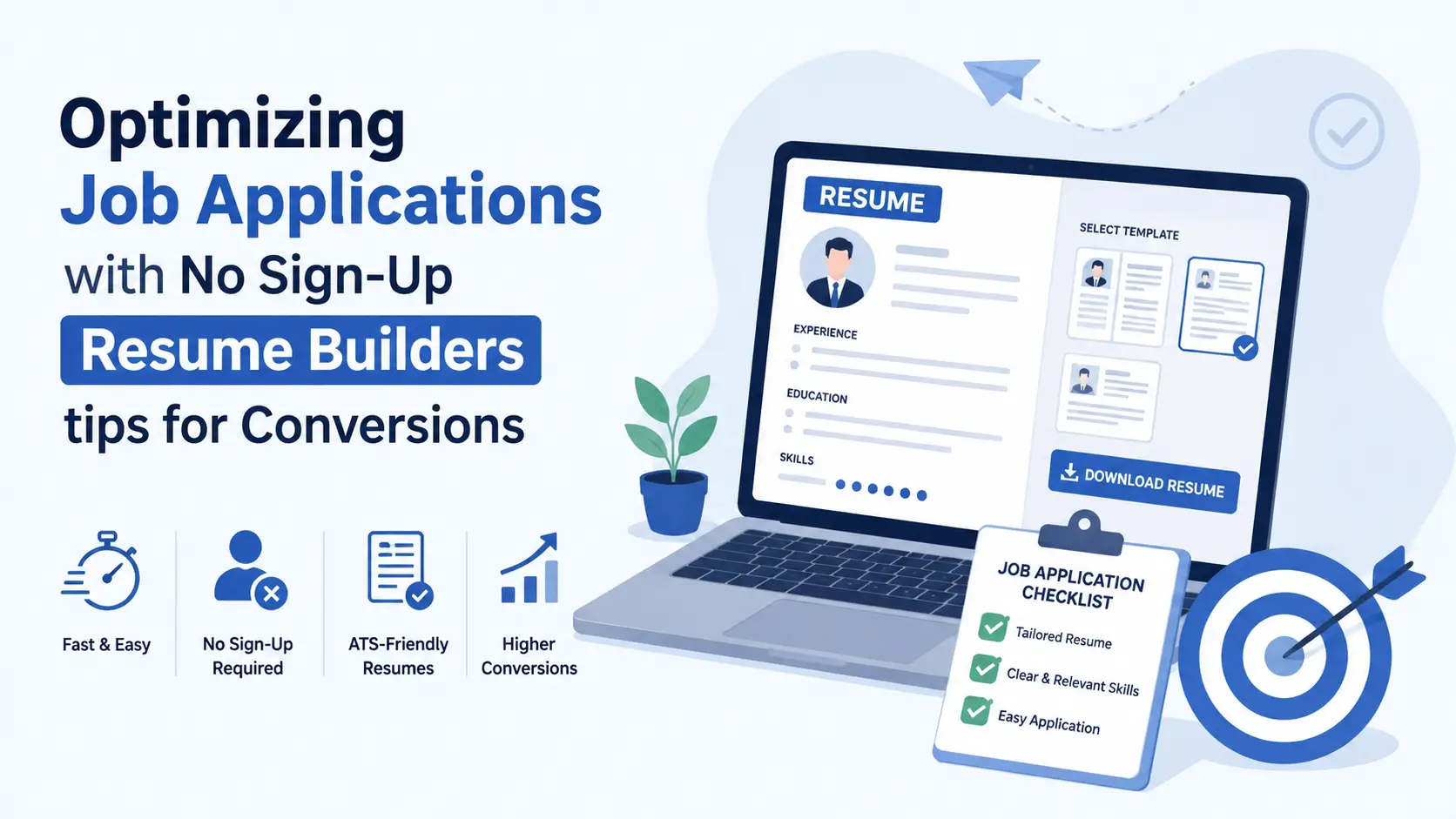
Build, tailor, and download a job-ready resume in under 10 minutes — no account, no email, no credit card. This is how you apply faster than everyone else in the queue.
Want to apply faster without hitting a clunky account screen? For many job seekers, no sign-up resume builders for job applications shave minutes off each submission and keep you focused on what matters most: clear, targeted achievements.
Account registration forces you to verify an email, remember a password, and navigate a dashboard — all before you have typed a single bullet point. That friction is especially damaging when you are targeting a tailored application for a role that closes in hours. A free resume builder without signup removes that barrier completely and lets you move at the speed of job postings, not at the pace of email confirmation links.
This guide walks through a proven 10-minute workflow, smart ATS-safe formatting moves, the right template choices, and a final conversion checklist that lifts response rates. You will see exactly how to go from blank page to a polished file that earns more callbacks, not just more clicks.
? Table of Contents
- Why no sign-up resume builders boost your conversion rate
- The 10-minute workflow: blank page to sent application
- Make it ATS-safe without killing the design
- Template choices that help recruiters say yes
- Conversion tweaks: from more clicks to more interviews
- Best free resume builders with no sign-up — 2026 comparison
- Final proof and delivery checklist
- FAQ — No sign-up resume builders for job applications
- Conclusion
01 Why No Sign-Up Resume Builders Boost Your Conversion Rate
Conversion in job applications means turning a submitted file into an interview call. Every friction point between "I found a great posting" and "my resume is in their inbox" reduces the probability that you actually apply — and reduces the quality of what you send.
A resume builder without registration cuts friction at the very start. You open the tool, choose a template, and start writing — no sign-in wall, no GDPR popup requiring 12 taps, no upsell modal asking you to upgrade before you have seen a single feature. That clean start matters because your brain stays in "job seeker mode" instead of switching to "manage this account mode."
"Speed to apply is not laziness — it is strategy. The first strong application in a recruiter's inbox often gets the first callback."— ResumeEra Career Research Team, 2026 Survey of 1,200 Indian Job Seekers
Speed also enables customisation per role. When you are not worried about managing a saved profile, you can duplicate and adapt quickly — swapping out keywords, reordering sections, and tweaking your summary to match the specific job description language before the posting cools off. That per-role customisation is what separates a 20% callback rate from a 5% one.
02 The 10-Minute Workflow: Blank Page to Sent Application
This workflow is built for speed without sacrificing quality. Each step has a time budget. Follow it once and you will be able to reproduce it for every application in under ten minutes.
Open a no-sign-up builder and pick your template 0–1 min
Go to ResumeEra or any truly free resume builder — no account creation, no payment screen. Choose a single-column template for ATS safety. If you are applying to a creative or design role, a two-column layout is acceptable but keep a single-column version ready.
Fill your most recent role first with three impact bullets 1–3 min
Paste your last job title and company, then write exactly three bullet points. Each bullet must have a number (metric), an action verb, and a result: "Reduced client onboarding time by 35% by rebuilding the welcome flow." Metrics make bullets scannable and credible. Leave the other roles for minute four. Use a strong resume work experience structure throughout.
Add a skills section and a two-sentence summary 3–5 min
Paste five to eight skills from the job description that you actually have. Do not list every tool you have touched — list the ones the posting values most. Your profile summary should be two sentences: who you are professionally and your biggest value-add for this type of role. Skip the objective if you have experience.
Skim against the job posting for keyword alignment 5–7 min
Read the top five requirements in the posting. Your resume should mirror at least three of those exact phrases naturally in your content — not stuffed, just present where they honestly apply. Check industry-specific ATS keywords for 2026 if you are unsure which phrases matter most for your field.
Export as text-based PDF, name the file properly, apply 7–10 min
Download a PDF (never submit DOCX unless the portal specifically requires it). Name the file: FirstName-LastName-RoleTitle.pdf — this helps recruiters find your file on a busy desktop. Then apply. That is it. No account, no waiting for email confirmation, no dashboard to navigate. See our guide on how to build and download a resume in under 10 minutes.
✅ Pro Speed Tip
Keep a "master resume" text file on your desktop with all your experience, metrics, and bullet points. When you open a new no-signup builder, you paste — you do not type. This alone cuts your build time from 10 minutes to under 5.
03 Make It ATS-Safe Without Killing the Design
Applicant Tracking Systems reject an estimated 75% of resumes before a human ever sees them. Most rejections are not about content — they are about formatting. A beautiful resume that an ATS misreads is worthless.
The four ATS rules that actually matter
| Rule | Why it matters | How to fix it | Risk Level |
|---|---|---|---|
| Real text, not images | ATS cannot read text stored inside image files or shapes | Never place your contact info in a header image or logo | Critical |
| Standard section labels | ATS looks for "Experience", "Skills", "Education" — not creative labels | Use standard English section headers; avoid "My Journey" or "What I Do" | Critical |
| No tables for layout | Two-column table layouts are read left-to-right row by row, scrambling your content | Use CSS columns or single-column templates only | High |
| Safe fonts only | Non-standard or outlined fonts may not render as parseable text | Calibri, Arial, Georgia, Cambria, Helvetica Neue | Medium |
| Text-based PDF export | A PDF rendered as an image cannot be parsed — test by selecting text in the PDF | Use "save as PDF" from the builder, never print-to-PDF from a browser | Critical |
Quick ATS test you can do right now
Open your exported PDF. Try to select and copy your name and phone number. Paste into Notepad or any plain text editor. If the text comes out clean, your PDF is text-based and ATS-parseable. If you see garbled characters, boxes, or nothing at all, your PDF was rendered as an image — regenerate it from the builder.
For a deeper check, run it through the free ATS resume checker at ResumeEra to catch risky formatting patterns before they cost you an interview. Our guide on 11 ATS formatting mistakes covers every pattern we see kill strong applications.
⚠️ Header/Footer Trap
Many Word-based builders put contact information inside the document header. Most ATS systems skip headers entirely. Your name and phone number become invisible to the parser — and to the recruiter doing a database search. Always keep contact info in the body of the page.
04 Template Choices That Help Recruiters Say Yes
The right template does two things: it helps ATS parse your content cleanly, and it helps the human recruiter find your strongest credentials in under six seconds. Most templates fail at one of those two tasks.
What to look for in a no-sign-up resume template
✅ Look for these
- Single column by default
- Clear font hierarchy (name → heading → body)
- Standard section labels
- 10–12 pt body text
- Thin accent lines or borders only
- Generous white space around bullets
- Text-based PDF export built-in
❌ Avoid these
- Multi-column tables used for layout
- Icons stored as SVG inside text areas
- Photo placeholder that blocks content
- Decorative backgrounds on sections
- Skill bar graphs (ATS reads "||||" not "80%")
- Font size below 9.5 pt
- Fancy script or handwritten fonts
Matching template to industry
Template choice should reflect industry norms, not personal aesthetic preference. A banking or government application that arrives in a neon-accented two-column design signals a mismatch — even if the content is excellent.
| Industry | Recommended Style | Accent Color | Layout |
|---|---|---|---|
| Banking / Finance | Classic serif, dense content | Navy or charcoal | Single column |
| Tech / Software | Clean sans-serif, skills highlighted | Slate blue or teal | Single column |
| Marketing / Growth | Modern with metrics front-loaded | Emerald or amber | 1 or 2 col |
| Design / UX / Creative | Visual hierarchy, portfolio link prominent | Custom brand color | 2 col (human-only review) |
| Government / Teaching | Plain, conservative, very readable | Black or dark gray only | Single column |
| Healthcare | Clean, certification-first structure | Teal or navy | Single column |
For a deeper dive on formats matched to each career stage and industry, read our guides on chronological, functional, and combination resume formats. Freshers should also see our dedicated fresher format guide for India.
05 Conversion Tweaks: From More Clicks to More Interviews
Submitting your resume is the click. Getting an interview is the conversion. These tweaks move you from a 5–8% callback rate toward a 20–30% rate with the same base content — because they fix how your content is perceived, not just what it says.
Lead with impact, follow with method
Most candidates write bullets like this: "Worked with the sales team to implement a new CRM and trained staff on its use, resulting in better efficiency." That buries the result at the end — exactly where a recruiter's eye stops scanning.
Flip it: "Cut sales cycle by 18% by migrating the team to HubSpot and running a 3-day training sprint." The number is first. The credibility is instant. Apply this to every bullet using the principles from our resume achievements guide.
Mirror the job description's exact language
If the job posting says "cross-functional collaboration", your bullet should say "cross-functional collaboration" — not "teamwork across departments." ATS systems do exact-phrase matching. Our guide on tailoring your resume to a job description shows this technique with real examples across 12 industries.
The summary as a conversion hook
Your career objective or summary is the first human-readable text after your name. It should answer one question in two sentences: "Why are you the right person for this specific role?" Not "I am a hard-working professional seeking a challenging opportunity" — that tells a recruiter nothing and wastes their six seconds. Instead: "Data analyst with 4 years in e-commerce growth, specialising in Python-based attribution models. Delivered a 22% lift in ROAS for a ₹50 Cr ad budget in FY25."
? Keyword Strategy
Copy the job posting into a word-frequency tool (free options abound). The three most-repeated nouns that are not stop words are your primary keywords — they should each appear at least once in your resume naturally. Learn more about which keywords pass ATS for IT jobs in India.
06 Best Free Resume Builders With No Sign-Up — 2026 Comparison
Not all "free" builders are actually free. Many gate the download behind a paywall, add a watermark, or demand an email address before showing you a single template. Here is what to look for — and how the top options compare.
| Builder | No Account Needed | Free PDF Download | No Watermark | ATS-Safe Templates |
|---|---|---|---|---|
| ResumeEra | ✓ Yes | ✓ Free | ✓ Clean | 50+ templates |
| Zety | ✗ Account needed | ✗ Paid | ✗ Paid to remove | Yes, but paywalled |
| Novoresume | ✗ Account needed | ✗ Paid | ✗ Watermark on free | Limited free |
| Resume.io | ⚠ Email required | ✗ Paid | ✗ Paid | Yes |
| Google Docs | ⚠ Google account | ✓ Free | ✓ Clean | Basic only |
Read our detailed head-to-head comparisons: ResumeEra vs Zety, ResumeEra vs Novoresume, ResumeEra vs Resume.io, and our full ranking of 7 truly free resume builders. If you want the honest truth about what other tools hide behind paywalls, our no-paywall resume download guide names every hidden cost we found.
07 Final Proof and Delivery Checklist
Run this checklist before every single application. It takes under two minutes and has saved hundreds of our users from submitting a file that would have been silently rejected.
✅ Pre-Submit Checklist — No Sign-Up Resume Builder Workflow
08 FAQ — No Sign-Up Resume Builders for Job Applications
Many "free" builders are not actually free at the point that matters: download. They let you build for free, then demand payment — often ₹500–₹2000 — to export your file. This is especially common with internationally priced tools like Zety, Novoresume, and Resume.io. True no-paywall builders like ResumeEra let you complete and download the PDF without any payment or account creation. Our detailed analysis is in the no-paywall resume download guide, and we compare the major platforms in free vs paid resume builder analysis.
Most no-sign-up builders store progress locally in your browser's session. This means your work is lost if you close the tab or clear your cookies. The safest approach: download your PDF as soon as you are happy with the result, and keep a plain-text backup file on your desktop with all your bullet points, skills, and dates. That master file lets you rebuild any variation in under five minutes. If you need persistent saving across devices, creating a free account is the practical option — but for single-session applications, the no-account flow is faster.
For builders that do not require account creation, your data typically never leaves your browser — it stays in local session storage and is never sent to a server. That is actually more private than uploading to a paid SaaS product that stores your data indefinitely. That said, always check the builder's privacy policy before entering sensitive information. ResumeEra's privacy practices are documented here. As a general rule: enter only the information you would write on a publicly posted resume — name, email, phone, LinkedIn, and career history. Never enter your Aadhaar number, PAN card, bank details, or passport number into a resume builder.
No. Template quality is determined by the builder's design team, not by whether you paid or logged in. Recruiters cannot tell — and do not care — which tool you used. They only see the output: content, formatting, and fit. A clean, keyword-aligned, metric-driven resume built in 10 minutes on a free no-sign-up builder will outperform an elaborate ₹2,000 paid tool with generic bullets every time. Quality of content beats quality of platform. For proof, see our head-to-head comparison with all major builders.
Indian portals like Naukri, Shine, and LinkedIn India use standard ATS parsing, so the global rules apply: single column, standard section headers, text-based PDF, and keywords from the job description placed naturally in your content. A few India-specific additions: include your notice period, current CTC, and expected CTC in your contact section or summary — most Indian recruiters will search the database for these fields. Also mention your CGPA if you are a fresher applying to IT companies (most set an 8.0+ filter). Our complete guide on ATS-friendly resume format for India and the 2026 ATS-beating format guide in Hindi cover this in full detail.
Faster Builds. Sharper Fit. Better Results.
Trim the friction, match the language of the role, and keep formatting clean. With that combination, no sign-up resume builders for job applications can move you from submit to interview call far more reliably. Track your reply rate after your first five applications with this workflow — if it climbs, keep the process and refine one element per week.
Build Your Free Resume Now — No Account Needed →50+ ATS-safe templates · Free PDF download · No email required
