TABLE OF CONTENTS
- Why Most "Free" Resume Builders Block Your Download
- Can I Download My Resume for Free Without Paying? Here's What Actually Works
- Free Resume Builder: Download Your Resume With No Strings Attached
- What to Do When Your Download Is Locked Behind a Paywall
- Converting Resume Content to a Clean PDF or DOCX for Free
- What to Check Before Trusting Any Free Resume Tool
- The Bottom Line on Free Resume Downloads
- Conclusion
- faq
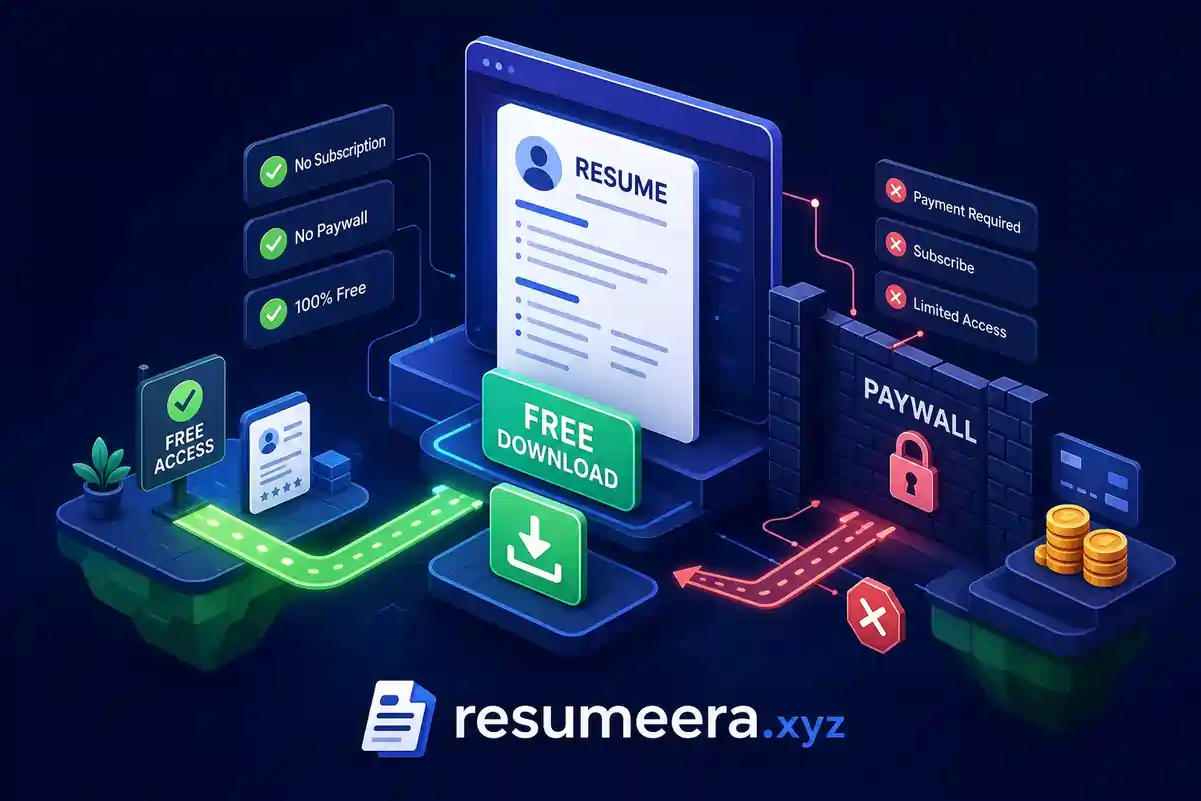
If you've ever asked yourself, "Can I download my resume for free without paying?", you're not alone. You spend 45 minutes building a resume on a site that called itself "free," click the download button, and land on a pricing screen asking for $2.95 a week. That moment of frustration is one of the most common experiences job seekers in the U.S. face right now, and it happens by design. The answer to that question is yes, you absolutely can download your resume for free without paying. The catch is knowing which tools actually deliver on that promise before you invest your time.
A small number of tools skip the games entirely. Free Resume Builder claims to be one of them, offering no account requirement, no subscription, no download fee, and no watermark at any step, according to the service's stated policies. But before getting into specifics, it helps to understand why most builders work the way they do, which ones are genuinely free, and what to do if you're already stuck on a platform that locked your file behind a paywall.
You’re not failing.
Your resume is.
Most people lose jobs before the interview — not because they lack skills, but because their resume looks average. Fix that in 5 minutes.
- ✅ ATS-optimized format
- ✅ Recruiter-friendly design
- ✅ Download instantly (PDF)
⚡ No signup required • 100% Free • Works on mobile
Get shortlisted faster
Pick a template → fill details → download resume.
Why most "free" resume builders block your download
The business model is straightforward once you see it. The builder is technically free to use because that's how they get you in the door. The download, which is the only thing you actually came for, is the product they're selling. You build your resume, get excited about how it looks, and then hit a pricing screen the moment you try to save it. This isn't a technical limitation. It's deliberate UX design meant to capture you at the highest point of investment and motivation.
What "free" actually means on most platforms is narrower than you'd expect. Sites like ResumeBuilder.com and Resume Now only offer TXT downloads on their free plans. Novorésumé and Kickresume let you export a PDF, but it comes with a visible watermark across the page. Neither output works in a real job application. A TXT file loses all formatting, and a watermarked PDF is often perceived as unprofessional by recruiters, no matter how strong the content inside it.
The format of your download matters beyond just aesthetics. PDF preserves your layout exactly so it looks the same on every device. DOCX is sometimes required by employers who want an editable file. ATS systems in the U.S. generally parse DOCX more reliably than PDF, which means a locked or degraded export isn't just inconvenient, it can cost you a screening pass before your resume ever reaches a human reviewer.
Can I download my resume for free without paying? Here's what actually works
The list of tools that allow a clean, free PDF download with no subscription gate is shorter than most people realize. Based on reported behavior in 2026, the tools that deliver include:
- Free Resume Builder , no account or payment required at any step
- OpenResume, open-source builder with free PDF export
- Google Docs, free PDF and DOCX export with a Google account
- Resume.com (powered by Indeed), free PDF download on the base plan
- LinkedIn, profile-to-PDF export at no cost
- FlowCV, free plan with PDF download (verify current plan limits before building)
- Jobscan's builder, free PDF export available on the free tier
Each of these produces a downloadable PDF without asking for payment. For DOCX specifically, Google Docs remains the most reliable free path, since most dedicated resume builders reserve Word-format exports for paid upgrades.
Before you start building on any platform, run a two-minute check that will save you from repeating the 45-minute mistake. Find the pricing page first and look for explicit "free PDF download" language. Then navigate to the export step before you fill in any of your information. If the site won't show you what's behind that button before you commit your time, treat that as a red flag. Also check whether the free plan limits you to one resume or one template, since some builders are free to use but restrict the number of documents you can create.
Free Resume Builder: download your resume with no strings attached
Most tools on the free list still come with some version of a trade-off. LinkedIn requires a profile. Google Docs requires a Google account and some formatting work. FlowCV's free plan caps your document count. Free Resume Builder aims to remove all of those conditions. According to the service, no account creation, login, or email address is required, and there's no payment at any stage. You build your resume, click download, and get a clean, formatted PDF.
The difference between Free Resume Builder and the bait-and-switch platforms isn't just about price, it's structural. The tool doesn't have a "free plan" with a paid plan waiting behind it. The entire tool is presented as free, with no upsell at any step. The service also states that it doesn't collect user data or maintain email lists, which matters for anyone job hunting discreetly while still employed. Always verify these claims against the provider's current privacy policy before use.
The resumes produced are also built to perform in real hiring environments, not just look good on screen. Free Resume Builder is designed with ATS compatibility in mind, which matters because most mid-to-large U.S. employers filter applications through automated systems before a human reviewer ever sees them. A clean, ATS-friendly PDF downloaded for free in under five minutes is the actual goal, and this tool is built around that outcome.
What to do when your download is locked behind a paywall
If you've already built a resume on a platform that won't release it without payment, two practical workarounds can get you out without spending a dollar. The first is the print-to-PDF method. Open the resume in the builder's preview or on-screen mode, press Ctrl+P on Windows or Cmd+P on Mac, select "Save as PDF" as the destination printer, adjust margins and scale if needed, and save the file. This works when the full resume renders visibly on screen and the site doesn't block printing. It won't work if the site deliberately hides the preview behind a subscription wall or renders the content in a way that breaks the layout when printed.
The more reliable option is to copy your resume text out of the builder entirely and start fresh in a tool that allows free exports. Select all the text you can access, paste it into Free Resume Builder Without Sign Up | Instant PDF Download or Google Docs, and reformat it for a clean PDF download. It takes a few extra minutes, but you end up with a fully usable file and you're no longer dependent on the platform that locked your document. This is the most practical path for anyone already committed to a builder that won't release their file, and it works because your resume content belongs to you even when the template design belongs to the builder.
Converting resume content to a clean PDF or DOCX for free
For anyone working from plain text, scattered notes, or a rough draft that needs a clean export, Google Docs handles the full workflow at no cost beyond a standard Google account. Open a blank document, paste your resume content, apply heading styles and bullet point formatting, then go to File → Download and choose PDF or DOCX. No watermark, no paywall, no file size issue for a one-page resume. This is the most reliable free path for DOCX output specifically.
If you already have a formatted document and just need to change the file type, a few converters are worth knowing. Smallpdf handles quick DOCX-to-PDF conversion in the browser with no sign-up required for basic use. Adobe Acrobat Online supports DOC, DOCX, RTF, and TXT files with a straightforward drag-and-drop workflow. PDF24 is worth considering if privacy is a priority, it offers no-registration conversion and an offline desktop version with no watermarks. For step-by-step help converting a resume into PDF specifically from Word, Microsoft's community guidance can be useful: how to change a resume to a PDF. Check each service's current free-tier limits and privacy policy before uploading sensitive documents, since these terms can change.
What to check before trusting any free resume tool
The facts you enter into any resume builder, your job history, skills, and education, belong to you. You can copy that content and use it anywhere. The visual template, layout, and proprietary design are a different matter. Those are typically licensed to you for use on the platform, not transferred to you as property. When you move your resume between tools, take the content and reformat it in the new tool rather than trying to replicate the exact visual design from a paid template. The content is what gets you hired, not the specific font or color scheme.
A few privacy signals should rule out any tool immediately. Any builder that requires an email address to download is building a marketing list, not giving you a free resume. Any service that asks for payment information "just to verify" is not a free service. Vague language around data retention, user tracking, or selling anonymized data is a meaningful risk for anyone conducting a discreet job search. When you're asking whether you can download your resume for free without paying, that question extends beyond price, it includes what you're trading in personal data to get that file.
The bottom line on free resume downloads
Yes, you can download your resume for free without paying. The majority of popular resume builders rely on a model where the download is the paywall, not the builder itself. Knowing that before you start saves time, saves frustration, and occasionally saves real money when people pay out of desperation after investing an hour in a platform that was never going to release the file for free.
The tools that genuinely work without payment include Free Resume Builder, OpenResume, Google Docs, Resume.com, LinkedIn, FlowCV, and Jobscan. Among them, Free Resume Builder stands out as the option designed from the ground up around completely unrestricted access, no account, no data collection, and ATS-compatible output, though you should confirm current policies directly with the provider. If you're ready to build and download a clean resume right now, that's where to start; see How to Download a Resume Instantly Without Paying (2026 Guide) for step-by-step options and comparisons. For a deeper look at hidden costs and ATS behavior across popular builders, review ResumeEra.xyz vs ResumeGenius 2026, Hidden Costs, ATS & Free Features Compared.
Format matters as much as the download itself. A free file only moves the process forward when the resume inside it is structured to clear the automated systems standing between your application and a human recruiter. A clean, ATS-compatible PDF from a tool built with that goal in mind is the combination that actually works. For an independent roundup of truly free builders and how they compare in 2026, see this guide: The Ultimate Guide to Truly Free Resume Builders.
Conclusion
Yes, you can download your resume for free without paying, but choosing the right tool is essential. Many resume builders advertise free resume creation while placing PDF downloads, premium templates, or ATS-friendly features behind subscriptions and paywalls.
Before investing your time, always verify whether a platform offers free PDF exports, watermark-free downloads, ATS-compatible templates, and transparent privacy practices. Doing so can save you from spending valuable time building a resume that you cannot access without payment.
For job seekers who want a faster and more straightforward experience, ResumeEra provides an alternative approach by allowing users to create ATS-friendly resumes and download them without mandatory sign-up requirements, subscription plans, or hidden download fees.
Ultimately, the best resume builder is one that helps you create a professional, ATS-friendly resume quickly while keeping both your costs and personal data under your control. Focus on building a strong resume, downloading it in the right format, and getting it in front of employers as soon as possible.
Free Resume Builder
Don’t let a weak resume decide your future.
Thousands of people are getting rejected — not because they’re bad, but because their resume doesn’t speak for them. Make a resume that actually gets shortlisted.
Your next job is closer than you think.
Start in 2 minutes.
No complicated forms. Just pick a template, fill details, And Apply.
Apply Now Your Job →