Home › Blog › Multimedia Resume Tips
Resume Guide 2026
Multimedia Resume Tips: Build a Standout Digital Resume in 2026
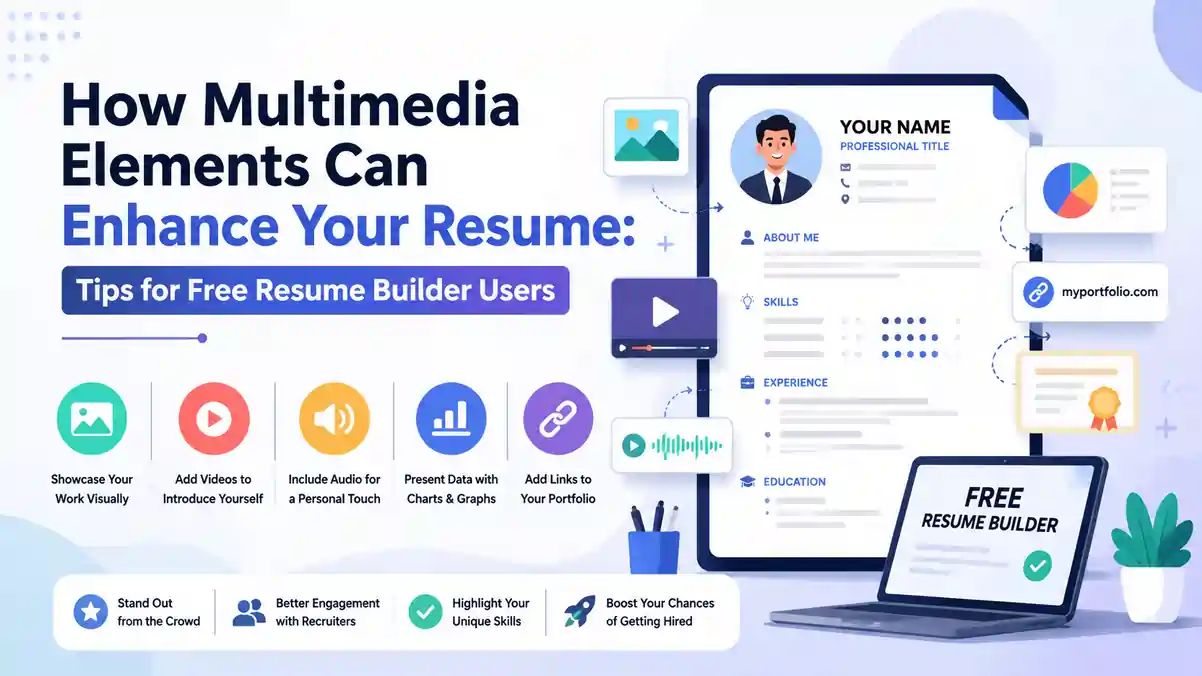
Proof beats adjectives — every single time. Any hiring manager reading "results-driven professional" for the hundredth time will tune out instantly. But a clickable demo, a GitHub repo, or a 30-second UI walkthrough? That makes them stop. These Multimedia Resume Tips show you exactly how to turn your digital resume into an evidence-first document that stands out — while still passing ATS filters and staying easy to skim. Whether you use a free resume builder, an online resume builder, or build your own, this guide has you covered from start to finish.
? Table of Contents
- Why a Multimedia Resume Works in 2026
- What Recruiters Actually Want from a Digital Resume
- How to Stay ATS-Friendly While Adding Multimedia
- Choosing the Right Multimedia Formats for Your Role
- Building a Resume Portfolio Section That Converts
- Video Resume and Audio: When They Help (and When They Backfire)
- Resume Design Tips for High-Impact Multimedia Layouts
- Best Free Resume Builder and Online Resume Builder Options
- 6 Multimedia Resume Mistakes to Avoid
- Final Checklist Before You Hit Send
- FAQs: Multimedia Resume Tips Answered
- Conclusion
1. Why a Multimedia Resume Works in 2026
The job market in 2026 is more competitive than ever. AI-generated applications flood inboxes daily, and a wall of generic bullet points no longer cuts through the noise. A multimedia resume flips the script — instead of claiming you can do something, you show it. One well-placed link to a live product, a case study, or a 45-second demo can communicate what three bullet points never could.
A well-structured digital resume also signals something critical to modern employers: you are comfortable working online, documenting your work for others, and collaborating in shared tools. These are skills most teams now expect by default. If your resume looks like it was built in 2010, that impression carries over — even subconsciously.
The good news: you don't need to rebuild your resume from scratch. Even small changes — a clickable GitHub link after a code achievement, a Notion case study after a growth metric — can dramatically increase recruiter engagement. The key is relevance and restraint.
2. What Recruiters Actually Want from a Digital Resume
Before adding any media, you need to understand the recruiter's mindset. Most hiring managers spend 7–10 seconds on a first pass. They are not watching your video, clicking every link, or reading your full portfolio. They are scanning for three things: your role fit, your impact, and whether the resume is easy to process.
Your digital resume must pass that 10-second test before anything else matters. This means your name, target role, and top 2–3 achievements must be immediately visible. Media comes after that foundation is solid.
What recruiters love in a multimedia resume:
- Short, clearly labelled links right next to the achievement they prove
- One-sentence context for every project or portfolio item
- Links that open instantly (no login required, no broken URLs)
- Files under 2 MB that load fast on any device
- Clean visual hierarchy — no clutter, no decorative noise
The micro-format that works best looks like this:
Redesigned onboarding flow; +12% activation — 60s demo (link)
Built REST API serving 50K req/day — GitHub repo (link)
Notice the pattern: action → result → proof. The link earns its place because it gives the recruiter more if they want it — without forcing them to click.
3. How to Stay ATS-Friendly While Adding Multimedia
Here's the critical tension: the elements that make a resume visually rich — embedded images, QR codes, custom fonts, multi-column layouts — are often the exact things that break an ATS-friendly resume. Applicant Tracking Systems parse plain text. They stumble on tables, text boxes, graphics, and anything embedded inside the PDF that isn't selectable text.
The rule is simple: keep multimedia outside the file, not inside it. Your PDF stays clean, ATS-safe, and text-first. Your rich content lives on a hosted URL that the recruiter can click if they're interested.
| Element | ATS Safe? | What to Do Instead |
|---|---|---|
| Embedded images inside PDF | ✗ No | Host images externally, link to them |
| Clickable hyperlinks (plain text URLs) | ✓ Yes | Use — label them clearly |
| QR codes | ✗ Risky | Only in header/footer, small and optional |
| Video embeds in PDF | ✗ No | Link to hosted video (YouTube unlisted, Loom) |
| Text-based links to GitHub, Behance | ✓ Yes | Ideal — use next to the relevant bullet |
| Infographic resume design | ✗ No | Keep PDF clean; put visual resume on your website |
4. Choosing the Right Multimedia Formats for Your Role
Not all multimedia formats suit every role. The format you choose should match both your industry and what you're trying to prove. Here's how to match format to context when applying these multimedia resume tips:
Design, Product & UX Roles
A Behance or Dribbble portfolio, Figma prototype links, or a 30-second screen recording of a user flow are all excellent. The visual evidence speaks directly to the skill being claimed.
Software Engineering & Data
GitHub repositories, live project links, and Kaggle notebooks let recruiters see actual code and real outputs. Add a README that makes impact clear at a glance.
Marketing, Growth & Content
Link to published articles, a Notion case study showing campaign ROI, or a Google Data Studio dashboard. Numbers paired with a visual proof point are extremely persuasive.
Sales & Business Development
A short video (45–60 seconds) showing your pitch style or presence can set you apart when the role specifically values communication. Keep it professional and captioned.
Finance, Legal & Compliance
Skip multimedia in most cases. These roles value precision and compliance over visual flair. A clean, text-first, ATS-safe resume wins here. Multimedia can actually raise red flags.
5. Building a Resume Portfolio Section That Converts
The best approach for most candidates is a compact resume portfolio section: 2–4 items max, each with a one-line context description, the tool stack or method used, a measurable outcome, and a clean link. That's it. No long descriptions. No walls of project details.
E-Commerce Checkout Redesign | Figma, UserTesting | +22% conversion rate
Live prototype → figma.com/proto/abc123 | Case study → notion.so/checkout-redesign
Internal Dashboard (React + D3) | Reduced ops reporting time by 4hrs/week
GitHub → github.com/username/dashboard
Content Marketing Campaign | SEO + Email | 3× organic traffic in 6 months
Case study → yourname.com/content-case-study
Host your case studies on stable URLs — your personal site, a Notion page with view-only access, Google Drive, GitHub, or Behance. Avoid URLs that expire, require login, or are behind a paywall. Name your hosted files with your name and role for professionalism: john-doe-ux-casestudy-2026.pdf.
6. Video Resume and Audio: When They Help (and When They Backfire)
A video resume — when done right — can be a powerful differentiator. A concise 45–60 second project walkthrough shows presence, communication clarity, and confidence in ways that text never can. It works especially well for sales, product management, design, and content roles.
Best practices for a video resume:
- Keep it under 60 seconds — scripted but conversational in delivery
- Add captions for anyone watching without sound (most people in offices)
- Host unlisted on YouTube or Loom with a clean, professional thumbnail
- Reference the clip right after the bullet it supports in your resume
- Include a one-line summary of what they'll see: "30s teardown of funnel drop-off"
- Always provide a text summary nearby for those who can't watch at work
The guiding principle: media should be additive, not duplicative. If the video just says the same things your resume says in text, it adds no value and wastes the recruiter's time. Show them something the resume can't.
7. Resume Design Tips for High-Impact Multimedia Layouts
Great resume design is invisible — the reader focuses on your achievements, not the layout. These design principles ensure your multimedia elements enhance rather than distract:
- High contrast between text and background — black on white beats every "creative" alternative for ATS
- Clear hierarchy: Name → Role → Sections → Bullets → Links (in that visual order)
- Standard fonts only — Calibri, Arial, Georgia, Garamond. No decorative fonts
- Links in a muted color (dark blue works) — readable but not visually dominant
- Keep file size under 1–2 MB — heavy files signal embedded images, which hurt ATS parsing
- Name your file clearly:
firstname-lastname-role-2026.pdf
For roles where visual design is the product (UI/UX, graphic design, branding), you can maintain a richer interactive resume on your personal website. Your PDF version stays lean and links to it with a single line: "Full interactive portfolio: yourname.com/resume."
8. Best Free Resume Builder and Online Resume Builder Options
You don't need expensive software to build a great multimedia resume. The right free resume builder handles the technical heavy lifting while you focus on content. When evaluating an online resume builder, look for:
- Hyperlink support in the exported PDF (clickable links, not just plain text)
- Clean PDF export with selectable text (not an image of your resume)
- A "Projects" or "Portfolio" section option in the template
- File size control — the builder should not inflate your PDF with embedded assets
- DOCX export option for portals that require it
Always test your exported PDF by opening it and clicking every link before sending. A broken link to your portfolio is worse than no link at all. Keep an editable DOCX backup because some application portals reject PDFs or strip formatting.
9. Six Multimedia Resume Mistakes to Avoid
Even candidates who understand multimedia resume tips in theory make avoidable errors in practice. Here are the six most common:
Mistake 1: Adding media for its own sake
Every link, QR code, and video reference must earn its place by backing up a specific achievement. If it doesn't pair with a bullet point, cut it.
Mistake 2: Including customer PII or internal data in screenshots
Sanitize every screenshot before linking — no customer names, no internal tokens, no confidential dashboards, no NDA-covered material. This is both a legal and professional risk.
Mistake 3: Using unstable or access-restricted URLs
Links that require a login, links behind a paywall, and links that expire (like some Google Drive sharing settings) will frustrate recruiters. Use permanent, view-only public links.
Mistake 4: Embedding media inside the PDF
This inflates file size, breaks ATS parsing, and often renders incorrectly. All rich content goes on hosted URLs — your PDF stays lean and clean.
Mistake 5: Too many links
Three to five links maximum across the entire resume. More than that and you signal that you're outsourcing the evaluation of your skills to external sources rather than making a clear case in the document itself.
Mistake 6: A video that just reads the resume
If your video simply narrates what's already in text, you've wasted everyone's time. A video should show something the resume cannot — your presence, your communication style, or a product in action.
10. Final Checklist Before You Hit Send
- Every link opens without login and resolves to the correct page
- Every linked item is directly paired with the achievement it proves
- All screenshots are sanitized — no PII, no internal tokens, no NDA content
- PDF is under 2 MB and all text is selectable (not an image)
- File is named: firstname-lastname-role-2026.pdf
- Resume passes a 30-second skim test with a friend or colleague
- You have a backup DOCX version for portals that require it
- Your resume was tested in an ATS checker
- Video (if included) is under 60 seconds, captioned, and hosted unlisted
- Portfolio section has 2–4 items max, each with tool stack + outcome + link
FAQs: Multimedia Resume Tips Answered
Conclusion: Make Your Resume Work Harder Than Your Adjectives
The best multimedia resume tips come down to two rules: keep evidence close to the claim, and keep your file ATS-safe. Every link you add should back up a specific bullet point. Every piece of media should show something your text cannot. And the PDF itself should remain clean, fast, and parseable by any screening system.
You don't need to reinvent your resume overnight. Start small — add one portfolio link after your strongest achievement, test the export, click the link, and ask a friend for a 30-second skim test. Then build from there.
The candidates who stand out in 2026 are not the ones with the most colorful resumes or the longest video introductions. They are the ones who make the hiring manager's job easier — with clear proof, fast evidence, and a document that respects their time.
Ready to build your evidence-first digital resume? Start with a clean template on ResumeEra and add your first proof link today.
Build Your Free Resume on ResumeEra →