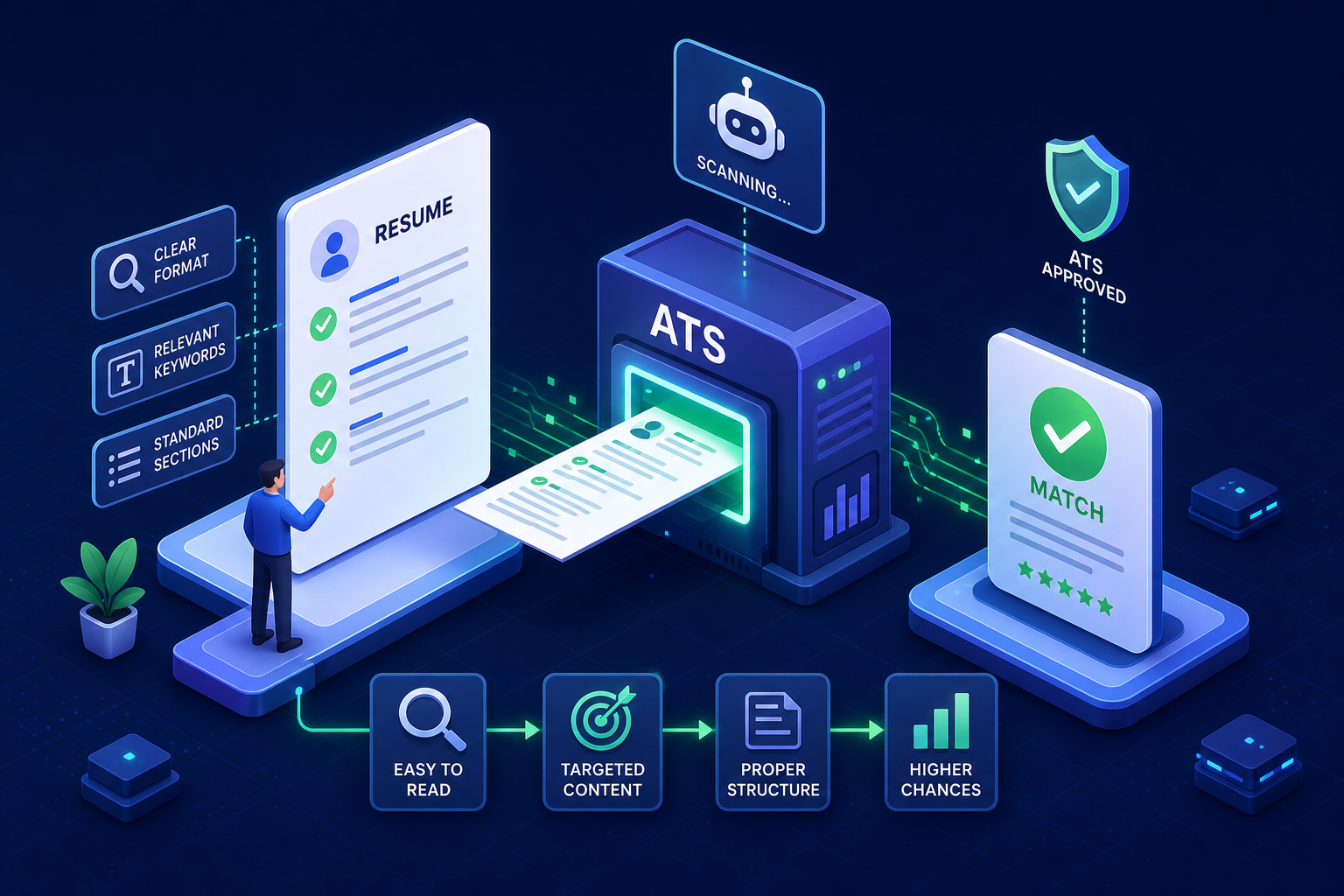
Most job applications are first screened by automated software before a human recruiter ever sees them. That's not a theory or a scare tactic — it reflects how modern hiring actually works. About 98% of Fortune 500 companies run incoming applications through an applicant tracking system as the first step in their review process. Those systems don't evaluate your potential or read between the lines. They parse your document into fields, compare extracted data against job requirements, generate a match score, and filter accordingly. If your resume doesn't parse cleanly, your qualifications don't matter. Building an ATS-friendly resume is no longer optional — it's the baseline for getting your application in front of a person.
Building a resume that clears those automated filters isn't complicated once you understand the rules. This article covers four things: what ATS software actually scans for, which format passes consistently across major platforms, the specific formatting mistakes that silently tank your score, and how to place keywords so both the system and the recruiter approve. Free Resume Builderhas ATS optimization built directly into its templates and export settings, so you don't have to reverse-engineer this yourself. But understanding the underlying logic will make you a sharper applicant regardless of which tool you use.
Table of Contents
-
What ATS Systems Actually Scan For
-
How ATS Reads Your Document
-
Why Qualified Candidates Still Get Filtered Out
-
-
The Only ATS-Friendly Resume Format That Consistently Passes
-
Single-Column, Reverse-Chronological: Why This Wins
-
DOCX vs PDF vs Plain Text
-
-
Formatting Mistakes That Silently Destroy Your ATS Score
-
Elements That Trigger Parsing Failures
-
Quick Fixes Before Your Next Application
-
-
Section Headings and Keyword Placement
-
Standard Section Labels ATS Platforms Recognize
-
Where and How to Place Job-Specific Keywords
-
-
How to Use an ATS Checker Without Over-Relying on the Score
-
Free Resume Builder's Built-In ATS Optimization
-
How the Tool Handles Templates and ATS Readiness
-
Why No Sign-Up and Zero Data Logging Matter
-
-
Putting It All Together
-
FAQ
Thousands of people are getting rejected — not because they’re bad,
but because their resume doesn’t speak for them.
Make a resume that actually gets shortlisted.
Your next job is closer than you think.
No complicated forms. Just pick a template, fill details, And Apply.
Free Resume Builder
Don’t let a weak resume decide your future.
Start in 2 minutes.
What ATS Systems Actually Scan For (and Why Most Resumes Disappear) {#what-ats-scans}
How Applicant Tracking Systems Read Your Document {#how-ats-reads}
ATS software doesn't read a resume the way a recruiter does. It parses the document into discrete fields: job title, employer name, employment dates, skills list, education level, and certifications. The system then compares those extracted fields against the requirements in the job description and generates a match score. If the parser can't extract a field cleanly, that information effectively doesn't exist in the system. Major platforms including Workday, Taleo, iCIMS, and SAP SuccessFactors each use their own parsing logic, but all share the same fundamental requirement: clean, structured, machine-readable text.
The problem is that most resume design advice prioritizes visual presentation over parse accuracy. A resume built with graphic icons, decorative columns, or stylized text boxes may look impressive in a PDF viewer. To an ATS parser, those elements are noise at best and unreadable characters at worst. The parser skips them or misclassifies them, and your match score drops before anyone reads a word. For a complete list of what breaks ATS parsers in predictable ways, see our guide on11 ATS formatting mistakes that can cost you a job.
Why Qualified Candidates Still Get Filtered Out {#why-filtered}
Automated scoring creates a specific kind of failure: a genuinely qualified candidate gets rejected because their resume's structure prevented the system from recognizing their qualifications. The experience is real, but it's stored in a format the parser can't access. Think of it this way — a resume that can't be parsed is like handing a recruiter a document in a language they don't speak. This is why ATS optimization is a baseline requirement for most roles, not a competitive advantage. For the many employer portals that rely on ATS screening, getting the structure right is the entry fee for being considered.
If you're just starting out and building your first ATS-compliant resume, our guide on how to write a resume in 2026 walks through the full process step by step.
The Only ATS-Friendly Resume Format That Consistently Passes Major Platforms {#best-format}
Single-Column, Reverse-Chronological: Why This Wins Every Time {#single-column}
Testing across major platforms consistently shows that a single-column, reverse-chronological layout in .docx format produces the highest parse rates. One published benchmark recorded a 93% average parse rate across six ATS systems, including 97% on Workday and 92% on iCIMS, for this exact format. Reverse-chronological means your most recent role appears first, followed by earlier positions in descending order. Single-column means no sidebars, no two-column skills panels, and no split layouts — even though those designs are visually popular. Two-column formats can score up to 32 percentage points lower on parse rate tests. To understand exactly why single-column layouts outperform split designs, see our detailed breakdown in theResumeera free resume builder review 2026.
Section order also matters. The structure that ATS platforms parse most reliably is:Summary → Skills → Work Experience → Education → Certifications. Deviating from this sequence doesn't guarantee failure, but sticking to it removes one more variable that could cost you a score point. Our guide on10 essential resume sections in 2026covers exactly what each section should contain and where it belongs.
ATS-Friendly Resume File Format: DOCX vs PDF vs Plain Text {#file-format}
File format affects parsing accuracy more than most job seekers realize.DOCX is the safest universal choice, recorded at a 94% parse rate in direct testing. A clean, text-based PDF exported from Word or Google Docs can also work, typically testing around 89%, but that number drops sharply with complex layouts, locked files, or scanned images. A scanned PDF can fall to a 6% parse rate. Plain text (.txt) is technically the most machine-readable format, but it strips all visual formatting, making the document look unprofessional when a recruiter finally opens it.
The practical rule: format safety comes first. A visually impressive PDF that fails to parse is worse than a clean .docx that looks straightforward. If the job posting doesn't specify a format, default to .docx. For a full comparison of resume formats and which one suits your situation, see our guide onresume formats: chronological, functional, and combination.
Formatting Mistakes That Silently Destroy Your ATS Score {#formatting-mistakes}
The Elements That Trigger Parsing Failures {#parsing-failures}
Certain design choices break ATS parsers in predictable ways. Tables used for layout confuse the parser's field-extraction logic, causing text in adjacent cells to merge or disappear. Multi-column designs store text in layout-based chunks rather than a linear flow, which parsers misread or skip entirely. Decorative icons used instead of bullet points get read as symbols or ignored. Text boxes, headers, and footers exist on a separate document layer that many parsers can't access — contact information placed there often vanishes from the system completely.
Non-standard section headings like "My Story" or "What I Bring" cause the ATS to misclassify or miss entire sections because it doesn't recognize the label. Font inconsistency creates its own problems too. Mixing multiple font families or applying ad hoc formatting rather than using document styles can disrupt parsing logic. The safest choices for major platforms including Workday and SAP SuccessFactors are Calibri at 11pt or Arial at 10.5–11pt, both recognized reliably across Windows-based ATS environments. See the full list of design choices that silently kill your match score in our article on 11 ATS formatting mistakes.
Quick Fixes You Can Apply Before Your Next Application {#quick-fixes}
Each of these problems has a straightforward fix:
-
Replace layout tableswith standard paragraphs or simple bullet-point lists
-
Move contact information— name, phone, email, LinkedIn URL — into the main body of the document, not a header or footer
-
Swap decorative iconsfor plain bullet characters (- )
-
Rename creative section headingsto labels ATS systems recognize: Work Experience, Education, Skills, Certifications
-
Standardize your fontto one consistent family throughout the document
-
Export as .docxunless the job posting specifically requires a different format
The goal isn't a beautiful document — it's a readable one. A higher parse rate generally improves your chances of reaching a human reviewer. For guidance on where your contact details should appear specifically, seehow to show contact information on your resume in 2026.
Section Headings and Keyword Placement That Satisfy Both ATS and Recruiters {#keywords}
The Standard Section Labels ATS Platforms Recognize {#section-labels}
ATS systems rely on predictable heading labels to categorize resume content. The safest set is:Summary(or Profile),Work Experience(or Professional Experience),Skills(or Technical Skills),Education, and Certifications. Add Projects or Volunteer Experience only if they're relevant to the target role. Labels like "What I Know," "Key Abilities," "My Journey," or "Things I'm Proud Of" cause systems to either misclassify the section or skip it entirely. Your experience under a section the parser doesn't recognize effectively disappears from your match score.
Use a consistent heading style — either bold title case or all caps — applied uniformly. Place each heading on its own line with clear whitespace before it. If you're writing a resume with limited experience and need help structuring these sections effectively, see our guide onhow to write a teenager resume with no work experience.
Where and How to Place Job-Specific Keywords in an ATS-Friendly Resume {#keyword-zones}
Keyword placement follows a three-zone structure:
-
Summary:Establish your professional identity. Include your target job title and 2–4 high-value terms pulled directly from the job posting.
-
Skills section:List role-relevant keywords in plain form, grouped only if the grouping stays readable for a human recruiter.
-
Experience bullets:Tie keywords to specific achievements, tools, and outcomes rather than listing them in isolation.
Mirror the employer's exact phrasing where possible. If the posting says "Search Engine Optimization (SEO)," use that exact term — including the acronym — rather than a synonym you prefer. ATS systems match against the language in the job description, and close variants don't always score the same as exact matches. That said, don't keyword-stuff. Context and relevance matter because a human recruiter will read whatever passes the filter. For resume writing advice tailored to leadership roles where keyword strategy matters most, see our guide on b7 skills and resume tips to upgrade your resume for a leadership role in 2026.
How to Use an ATS Checker Without Over-Relying on the Score {#ats-checker}
What ATS Checkers Actually Measure (and Where They Disagree)
Tools like Jobscan and similar checkers measure different things, which is why the same resume can score markedly higher on one platform than another. Jobscan is primarily a job-description keyword matcher — it compares your resume against a specific posting and weights hard skills most heavily, followed by education level, job title, and soft skills. Other tools weigh formatting quality, section completeness, and writing quality more broadly. Neither approach is wrong — they're grading different criteria.There is no universal ATS score, and no checker simulates exactly what Workday or Taleo will do with your file.
Treating the Score as a Diagnostic, Not a Grade
Use these tools to surface specific problems, not to chase a number. A score of 75 with the right keywords and a clean parse is more valuable than a 95 achieved by stuffing terms the job description doesn't actually emphasize. When you review a checker result, ask three questions:
-
Are there missing keywords I can honestly and accurately add?
-
Does the tool flag any formatting warnings I should fix?
-
Does the overall match with this job description reflect my genuine qualifications?
If the answer to the last question is no, the right move is to pursue a better-fit role rather than forcing a keyword match that won't hold up in an interview. If you're considering using AI tools to assist with resume writing and keyword optimization, our guide on should you use AI to write your resume in 2026 covers when AI helps and when it hurts your chances.
Free Resume Builder's Built-In ATS Optimization: What It Does and Why It Matters {#resumeera}
How the Tool Handles Templates, Formatting, and ATS Readiness Automatically {#tool-features}
Free Resume Builderis built around the requirements this article covers. Its templates are single-column, use standard section headings, and export in ATS-safe formats by default, applying consistent fonts designed to parse reliably across major ATS platforms including Workday, Taleo, iCIMS, and SAP SuccessFactors. You don't have to audit your resume against a checklist or manually remove text boxes you didn't know were there. The structure already reflects what testing confirms works.
Where many design-first tools prioritize visual polish over parse accuracy, Free Resume Builder treats ATS compatibility as the starting point, not an afterthought — making it a stronger choice for job seekers who need their resume to actually reach a recruiter. For a full analysis of how it compares against other tools, see our complete Resumeera free resume builder review and alternatives for 2026.
Why No Sign-Up and Zero Data Logging Matter for Job Seekers {#privacy}
Many job seekers refine their resume while still employed, meaning they're searching discreetly. Creating an account on a resume platform leaves a data trail: your email address, work history, and target roles — sometimes including your current employer. Free Resume Builder requires no account and lets you download a finished resume immediately, with no paywall at the download stage and no subscription prompt. For someone fine-tuning a resume under time pressure or with privacy concerns, removing that friction is a real practical advantage.
If you're returning to the workforce after a break or switching careers entirely, the same no-friction approach applies — see our guides on 8 steps to write the perfect return-to-workforce resume and how to change careers: a complete guide for Indian professionals.
Putting It All Together {#conclusion}
Passing automated screening comes down to a set of known, controllable variables. Start with a single-column, reverse-chronological format and export as .docx. Use standard section labels and place keywords in your summary, skills section, and experience bullets using the employer's exact phrasing. Run a checker to identify gaps, then treat the result as a diagnostic rather than a verdict. An ATS-friendly resume doesn't require guesswork — once you understand what these systems actually measure, the path to a clean parse is straightforward.
If you want to skip the manual audit and start from a structure that's already optimized,Free Resume Buildergives you ATS-compliant resume templates at no cost, with no account required. Build your resume, download it immediately, and apply knowing the format won't disqualify you before anyone reads your name. For the complete picture of what a strong 2026 resume looks like from start to finish, see our guide on how to write a resume in 2026.
You’re not failing.
Your resume is.
Most people lose jobs before the interview — not because they lack skills, but because their resume looks average. Fix that in 5 minutes.
- ✅ ATS-optimized format
- ✅ Recruiter-friendly design
- ✅ Download instantly (PDF)
⚡ No signup required • 100% Free • Works on mobile
Get shortlisted faster
Pick a template → fill details → download resume.
