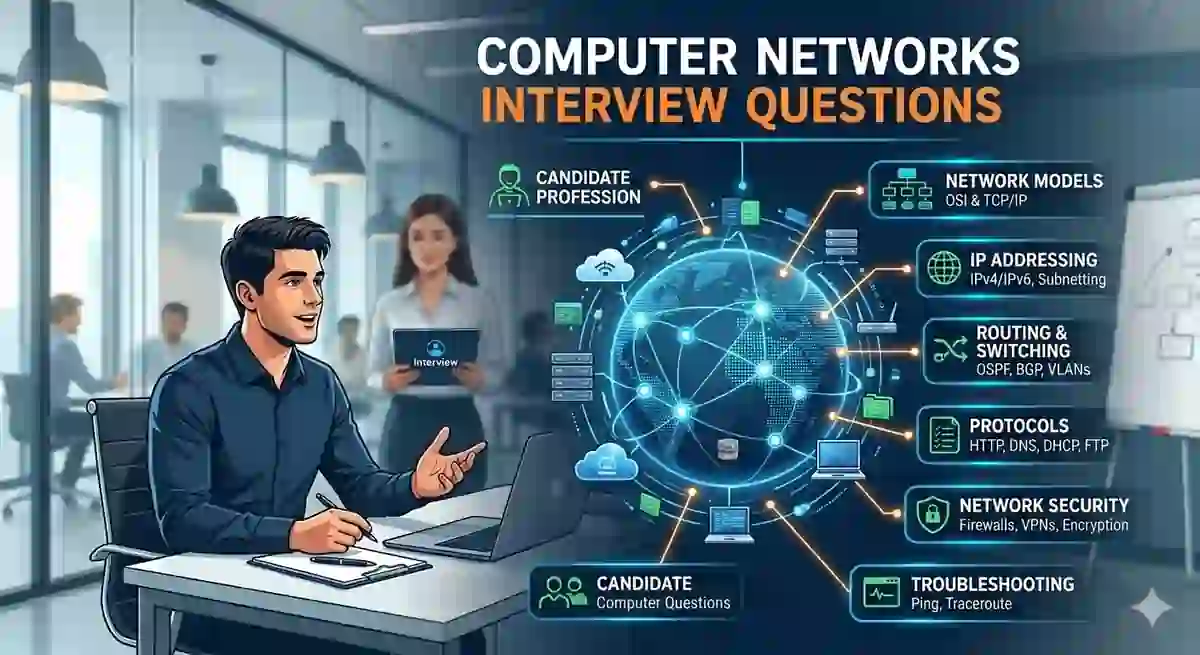
Chahe aap ek fresher ho jo pehli baar IT interview dene ja rahe ho, ya phir ek experienced engineer jo senior network role target kar raha ho —computer networks interview questionstechnical rounds mein sabse zyada pooche jaane wale aur sabse zyada darane wale questions mein se hain.
Interviewer networking questions isliye poochta hai taaki woh samajh sake ki aap data movement, system communication, aur real-world troubleshooting ke baare mein kitna jaante hain.
Yeh guide aapko sab kuch cover karata hai — basic networking interview questions with answers se lekar advanced, scenario-based, aur HR-combination questions tak — taaki aap interview mein confident jao aur offer lekar niklo.
Lekin ek baat pehle — interview mein jaane se pehle yeh bhi ensure karo ki aapka resume sahi se networking skills reflect karta ho. Iske liye padho humara guide:2026 mein Resume Kaise Likhein— taaki pehli screening mein hi aap standout karo.
Table of Contents
-
Basic Computer Networks Interview Questions for Freshers
-
OSI Model Interview Questions
-
TCP/IP Model Interview Questions
-
TCP vs UDP Interview Questions
-
DNS, ARP, NAT, aur Subnetting Questions
-
Congestion Control aur Flow Control Questions
-
Intermediate Networking Interview Questions
-
Advanced Questions — Experienced Professionals ke Liye
-
Scenario-Based Interview Questions
-
Common Mistakes Jo Candidates Karte Hain
-
Networking Questions Confidently Kaise Answer Karein
-
Quick Revision Cheat Sheet
-
FAQs
Basic Computer Networks Interview Questions for Freshers {#basic}
Yeh questions freshers aur entry-level roles ke liye taiyar kiye gaye hain.Computer networks interview questions for freshersmein interviewer aapki conceptual foundation test karta hai — yaani basics kitne clear hain.
Q1. Computer Network kya hota hai?
Computer network ek aisa system hai jisme do ya zyada computing devices ek-doosre se connected hote hain — wired ya wireless medium ke through — resources share karne ke liye, data exchange karne ke liye, aur communicate karne ke liye.
Networks ko teen cheezon ke basis par classify kiya jaata hai:
-
Size ke basis par:LAN, MAN, WAN
-
Topology ke basis par:Star, Ring, Mesh, Bus
-
Connection type ke basis par:Wired, Wireless
Real-world example:Jab aap apna laptop ghar ke Wi-Fi router se connect karte ho aur internet chalate ho — toh aap ek LAN (Local Area Network) ka hissa ho jo WAN (Internet) se connect hai.
Q2. LAN, MAN, aur WAN mein kya difference hai?
| Feature | LAN | MAN | WAN |
|---|---|---|---|
| Full Form | Local Area Network | Metropolitan Area Network | Wide Area Network |
| Coverage | Single building/floor | Poora shahar ya campus | Desh ya puri duniya |
| Speed | High (up to 10 Gbps) | Medium | Variable |
| Example | Office Wi-Fi | City cable TV network | Internet |
| Ownership | Private | Private/Public | Public/Leased |
Q3. Protocol kya hota hai?
Protocol ek set of rules hota hai jo yeh define karta hai ki do devices ke beech data kaise transmit hoga — format kya hoga, timing kya hogi, sequencing kaise hogi, aur errors kaise handle honge.
Common examples:
-
HTTP— Web browsing ke liye
-
FTP— File transfer ke liye
-
SMTP— Email bhejne ke liye
Q4. IP Address kya hota hai? Kitne types hote hain?
IP address ek unique numerical label hota hai jo network mein har device ko assign kiya jaata hai. Yeh do kaam karta hai — device identify karna aur uski location batana.
-
IPv4:32-bit address, four octets mein likha jaata hai (jaise 192.168.1.1). Sirf ~4.3 billion addresses support karta hai.
-
IPv6:128-bit address (jaise 2001:0db8:85a3::8a2e:0370:7334). Practically unlimited devices support karta hai.
-
Private IP:Internal networks ke andar use hota hai (192.168.x.x, 10.x.x.x)
-
Public IP:ISP assign karta hai, globally routable hota hai
Q5. MAC Address kya hota hai?
MAC (Media Access Control) address ek 48-bit hardware identifier hota hai jo manufacturer device ke NIC (Network Interface Card) mein permanently burn karta hai. Yeh hexadecimal format mein hota hai (jaise 00:1A:2B:3C:4D:5E).
IP address ke unlike, MAC address Layer 2 (Data Link Layer) par kaam karta hai aur sirf local network communication ke liye use hota hai.
?Interview Tip:Interviewer aksar poochhta hai — "Kya MAC address change ho sakta hai?" — Answer hai:Haan, software sespoofkiya ja sakta hai, lekin hardware mein burn hua original MAC fix rehta hai. Yeh nuance bata ke aap interviewer ko impress kar sakte ho.
OSI Model Interview Questions {#osi}
OSI model questions sabsepredictable computer networking viva questionshain — campus placement se lekar MNC technical rounds tak, yeh pooche bina interview khatam nahi hota.
Q6. OSI Model ke 7 Layers Explain Karo
OSI (Open Systems Interconnection) model ek conceptual framework hai jo standardize karta hai ki alag-alag network systems kaise communicate karte hain. Isme7 layershoti hain:
| Layer | Naam | Key Function | Example Protocols |
|---|---|---|---|
| 7 | Application | User interface, high-level protocols | HTTP, FTP, SMTP, DNS |
| 6 | Presentation | Data formatting, encryption, compression | SSL/TLS, JPEG, MPEG |
| 5 | Session | Session establish aur manage karna | NetBIOS, RPC |
| 4 | Transport | End-to-end delivery, error recovery | TCP, UDP |
| 3 | Network | Logical addressing, routing | IP, ICMP, ARP |
| 2 | Data Link | MAC addressing, framing | Ethernet, Wi-Fi (802.11) |
| 1 | Physical | Bits physically transmit karna | Cables, Hubs, Repeaters |
Yaad karne ki trick:"All People Seem To Need Data Processing"
(Application → Presentation → Session → Transport → Network → Data Link → Physical)
Q7. Transport Layer par kya hota hai?
Transport Layer (Layer 4) applications ke liye end-to-end communication services provide karta hai. Yeh kaam karta hai:
-
Data ko chote segments mein todna
-
Port numbers assign karna taaki processes identify ho sakein
-
Sliding Window protocol se flow control manage karna
-
Error detection aur retransmission karna (TCP ke case mein)
-
Multiplexing enable karna — ek hi network connection par multiple applications chalana
Q8. OSI Model aur TCP/IP Model mein kya difference hai?
| Feature | OSI Model | TCP/IP Model |
|---|---|---|
| Layers | 7 | 4 (ya 5) |
| Nature | Conceptual/Theoretical | Practical/Implemented |
| Protocols | Protocol-independent | Protocol-specific |
| Session & Presentation | Alag layers | Application mein merge |
| Develop kiya | ISO ne | DARPA ne |
| Use | Reference standard | Actual internet communication |
OSI model kosamajhne aur sikhaneke liye use kiya jaata hai, jabkiinternet actually TCP/IP model par run karta hai.
?Interview Tip:Kabhi mat kaho "OSI outdated hai." Samjhdari se kaho:"OSI conceptual clarity deta hai, aur TCP/IP uski practical implementation hai."— Yeh answer interviewer ko dikhata hai ki aap sirf ratta nahi maarte, sochte bhi ho.
TCP/IP Model Interview Questions {#tcpip}
Q9. TCP 3-Way Handshake kya hota hai? Explain karo.
TCP 3-way handshake woh process hai jiske through TCP client aur server ke beechdata exchange se pehleek reliable connection establish karta hai.
Steps:
-
SYN— Client ek SYN (synchronize) packet bhejta hai server ko — matlab "main connect karna chahta hoon."
-
SYN-ACK— Server SYN-ACK packet se respond karta hai — matlab "theek hai, main ready hoon, tum bhi ready ho?"
-
ACK— Client ek ACK (acknowledgment) packet bhejta hai — matlab "haan, dono ready hain, baat karte hain."
Real-world analogy:Sochho jaise phone call — tum kehte ho "Hello?" (SYN), doosra bolta hai "Hello, sun raha hoon!" (SYN-ACK), aur tum confirm karte ho "Achha, baat karo" (ACK).
Yeh kyun important hai:Yeh ensure karta hai ki dono sides communicate karne ke liye ready hain aur sequence numbers pe agree kar lein — iske baad hi actual data transfer shuru hota hai.
Q10. TCP 4-Way Termination kya hota hai?
Jab TCP connection band karni hoti hai, ek 4-step process hoti hai:
-
FIN— Sender FIN packet bhejta hai — "mera kaam khatam, main band ho raha hoon."
-
ACK— Receiver FIN ko acknowledge karta hai.
-
FIN— Receiver apna FIN bhejta hai jab uska kaam bhi khatam hota hai.
-
ACK— Original sender acknowledge karta hai — connection officially band.
TCP vs UDP Interview Questions {#tcpudp}
Q11. TCP aur UDP mein kya fark hai?
Yeh sabse zyada pooche jaane waaleTCP vs UDP interview questionsmein se ek hai — har level ke candidates se yeh poochha jaata hai.
| Feature | TCP | UDP |
|---|---|---|
| Connection Type | Connection-oriented | Connectionless |
| Reliability | Guaranteed delivery | Koi guarantee nahi |
| Error Checking | Detailed (ACK + retransmit) | Sirf basic checksum |
| Speed | Slow | Fast |
| Header Size | 20 bytes | 8 bytes |
| Packet Order | Maintain hota hai | Koi ordering nahi |
| Use Cases | HTTP, HTTPS, FTP, Email | DNS, VoIP, Live Streaming, Gaming |
| Flow Control | Haan (sliding window) | Nahi |
Kab kya use karein:
-
TCP choose karojab accuracy speed se zyada important ho — jaise financial transactions, file downloads.
-
UDP choose karojab speed zyada matter kare — jaise live video calls, online gaming.
Q12. DNS UDP use kyun karta hai, TCP nahi?
DNS queries bahut chhoti aur time-sensitive hoti hain. UDP ka lower overhead DNS responses ko faster banata hai — ek query aur response typically ek chhote se packet mein fit ho jaate hain.
Lekin DNS TCP use karta hai in cases mein:
-
Zone transfers(bada data transfer)
-
Responses over 512 bytes
-
DNSSEC-enabled responses
DNS, ARP, NAT, aur Subnetting Questions {#protocols}
Q13. DNS kya hota hai aur yeh kaise kaam karta hai?
DNS (Domain Name System) internet ka"phonebook"hai. Yeh human-readable domain names (jaisegoogle.com) ko IP addresses mein translate karta hai taaki computers ek-doosre ko dhundh sakein.
DNS Resolution Process — Step by Step:
-
Tum browser mein
google.comtype karte ho -
Browser pehle apnalocal cachecheck karta hai → phirOS cache→ phirrouter cache
-
Agar cache mein nahi mila → query jaati haiRecursive Resolverko (usually ISP ka)
-
Resolver query karta haiRoot DNS Server→TLD Server (.com)→Authoritative DNS Server
-
IP address wapas aata hai → browser server se connect karta hai
Q14. ARP kya hai? Yeh kaise kaam karta hai?
ARP (Address Resolution Protocol) ek jaane-maaneIP addressko unknownMAC addressse map karta hai — local network ke andar.
Process:
-
Device A
192.168.1.5ko data bhejna chahta hai lekin uska MAC nahi pata. -
Device A ekARP broadcastbhejta hai — "Kiske paas 192.168.1.5 hai?"
-
Jis device ke paas woh IP hai woh apnaMAC address replymein bhejta hai.
-
Device A yeh mapping apniARP tablemein cache kar leta hai.
Security angle — interviewer ko impress karo:ARPARP Poisoning/Spoofingke liye vulnerable hai — jisme koi attacker fake ARP replies bhejke traffic redirect kar sakta hai. Yeh baat mention karo, guaranteed brownie points milenge.
Q15. NAT kya hota hai aur kyun use hota hai?
NAT (Network Address Translation) ek private network ke multiple devices koek single public IP address sharekarne deta hai. NAT-enabled router ek translation table maintain karta hai jo private IP:port combinations ko public IP:port se map karta hai.
NAT ke types:
-
Static NAT:One-to-one mapping — ek private IP ↔ ek public IP
-
Dynamic NAT:Public IPs ka pool private IPs mein share hota hai
-
PAT/Overloading:Bahut saare private IPs ek public IP use karte hain — port numbers se differentiate hota hai (yahi ghar ke router mein hota hai)
Interview mein NAT kyun important hai:IPv4 addresses khatam ho rahe hain — isliye NAT exist karta hai. IPv6 adoption ka goal hai ki NAT ki zarurat hi na rahe.
Q16. Subnetting kya hoti hai? Calculate kaise karte hain?
Subnetting ek bade network ko chote, manageable sub-networks mein divide karna hai — taaki performance better ho, security improve ho, aur address space ka sahi use ho.
Key terms:
-
Subnet Mask:IP address ke network aur host portions define karta hai (jaise 255.255.255.0 = /24)
-
CIDR Notation:Subnet masks ka shorthand (jaise 192.168.1.0/24)
Live Example:
-
Network:
192.168.1.0/26 -
/26 matlab — 26 bits network ke liye, 6 bits hosts ke liye
-
Subnets ki sankhya: 2^(26-24) =4 subnets
-
Hosts per subnet: 2^6 - 2 =62 usable hosts
-
Subnet ranges: .0, .64, .128, .192
?Interview Tip:VLSM (Variable Length Subnet Masking) ki practice karo. Experienced-level interviews mein whiteboard par live subnetting problem dete hain — roz ek problem solve karo jab tak haath se automatically na hone lage.
Congestion Control aur Flow Control Questions {#congestion}
Q17. Flow Control aur Congestion Control mein kya fark hai?
| Aspect | Flow Control | Congestion Control |
|---|---|---|
| Purpose | Receiveroverwhelm na ho | Networkoverwhelm na ho |
| Mechanism | Sliding Window, Stop-and-Wait | Slow Start, Congestion Avoidance, Fast Retransmit |
| Layer | Transport Layer | Transport + Network Layer |
| Scope | End-to-end (sender ↔ receiver) | Network-wide |
Ek simple tarike se samjho: Flow controldono devices ke beechki problem hai, congestion controlpoore networkki problem hai.
Q18. TCP ka Congestion Control Mechanism explain karo.
TCP congestion handle karne ke liye 4 algorithms use karta hai:
-
Slow Start:cwnd (congestion window) = 1 MSS se shuru hota hai, har RTT par double hota hai — jab tak threshold na aa jaaye.
-
Congestion Avoidance:Threshold ke baad cwnd linearly badhta hai (1 MSS per RTT).
-
Fast Retransmit:Agar 3 duplicate ACKs milein, toh timeout ka wait kiye bina turant packet retransmit ho jaata hai.
-
Fast Recovery:Fast retransmit ke baad cwnd half hota hai (1 par reset nahi hota) — aur congestion avoidance resume hoti hai.
Intermediate Networking Interview Questions {#intermediate}
Q19. Hub, Switch, aur Router mein kya fark hai?
| Device | OSI Layer | Intelligence | Broadcast Domain | Use |
|---|---|---|---|---|
| Hub | Layer 1 | Kuch nahi | Sab share karte hain | Legacy — sab ports par flood karta hai |
| Switch | Layer 2 | MAC table | Har port alag | Modern LAN switching |
| Router | Layer 3 | Routing table | Har interface alag | Inter-network routing |
Q20. DHCP kya hai aur kaise kaam karta hai?
DHCP (Dynamic Host Configuration Protocol) automatically IP address, subnet mask, gateway, aur DNS server information network devices ko assign karta hai — manually set karne ki zarurat nahi.
DORA Process — yaad rakhna easy hai:
-
Discover → Client broadcast karta hai "Mujhe IP chahiye"
-
Offer → Server reply karta hai ek available IP ke saath
-
Request → Client formally woh IP maangta hai
-
Acknowledge → Server confirm karta hai ki IP assign ho gayi
Q21. VLAN kya hota hai?
VLAN (Virtual LAN) ek physical network ka Layer 2 par logical segmentation hai. Yeh alag-alag physical locations ke devices ko ek hi broadcast domain mein group karta hai — ya ek hi switch ke devices ko alag domains mein separate karta hai — policy ke basis par.
Benefits kyun matter karte hain:
-
Security improve hoti hai (HR network engineering se alag)
-
Broadcast traffic reduce hota hai
-
Network management easy hoti hai
-
Cost bachta hai — alag physical switches ki zarurat nahi
Q22. IPv4 aur IPv6 mein kya difference hai?
| Feature | IPv4 | IPv6 |
|---|---|---|
| Address Length | 32-bit | 128-bit |
| Address Format | Decimal (192.168.1.1) | Hexadecimal (2001:db8::1) |
| Total Addresses | ~4.3 billion | ~340 undecillion |
| Header Size | 20-60 bytes | Fixed 40 bytes |
| NAT Chahiye? | Haan | Nahi |
| Security | Optional (IPSec) | Built-in IPSec |
| Auto-configuration | DHCP | SLAAC |
Advanced Questions — Experienced Professionals ke Liye {#advanced}
Yehcomputer networks interview questions for experiencedcandidates ke liye hain — jo depth of understanding aur complex systems mein reasoning ability test karte hain.
Q23. BGP kya hai aur kaise kaam karta hai?
BGP (Border Gateway Protocol) internet ka routing protocol hai — yeh manage karta hai ki packets alag-alagAutonomous Systems (AS)ke beech kaise route hote hain.
OSPF ya EIGRP jaise interior protocols ek hi AS ke andar kaam karte hain — jabki BGP ekexterior gateway protocolhai. Yeh path attributes use karta hai — AS path, next-hop, local preference, MED — best route decide karne ke liye.
Real-world mein: Jab aap India se US ke kisi server par jaate ho, BGP decide karta hai ki aapka data kaunse ISPs aur networks se guzreyga.
Q24. OSPF aur RIP mein kya fark hai?
| Feature | OSPF | RIP |
|---|---|---|
| Type | Link-State | Distance-Vector |
| Metric | Cost (bandwidth-based) | Hop count (max 15) |
| Convergence | Fast | Slow |
| Scalability | High (areas use karta hai) | Low |
| Updates | Triggered, incremental | Periodic (har 30 seconds) |
| Algorithm | Dijkstra's SPF | Bellman-Ford |
Simple bhasha mein:OSPFenterprise networks ke liye better hai — fast, scalable, intelligent.RIPsirf small aur simple networks ke liye theek hai.
Q25. Stateful aur Stateless Firewall mein kya fark hai?
-
Stateless Firewall:Sirf packet headers (IP, port, protocol) dekh ke filter karta hai — connection ka state track nahi karta. Fast hai lekin less secure.
-
Stateful Firewall:Poori connection ka state track karta hai (SYN, established, FIN). Spoofed packets aur session hijacking detect kar sakta hai. Modern enterprise environments mein yahi use hota hai.
Q26. MPLS kya hota hai?
MPLS (Multi-Protocol Label Switching) ek high-performance routing technique hai jo data ko long network addresses ke bajaye shortpath labelsse direct karta hai. Isse routers ka lookup time significantly kam hota hai.
ISPs iske beech mein use karte hain:
-
VPN services
-
Traffic engineering
-
QoS (Quality of Service) prioritization
Aur bhi advanced technical interview prep ke liye, padho humara guide:50 Technical Interview Questions and Answers for 2026
Scenario-Based Interview Questions {#scenario}
Scenario questions aapkiapplied problem-solving abilitytest karte hain. Yeh mid-to-senior level interviews mein increasingly common ho rahe hain.
Q27. User kehta hai "Main 8.8.8.8 ping kar sakta hoon lekin google.com nahi khulta." Aap kya check karoge?
Yeh ek classicDNS troubleshooting questionhai — yeh poochha bina networking interview complete nahi hota.
Step-by-step approach:
-
8.8.8.8ping ho raha hai → Internet connectivity theek hai, IP routing kaam kar raha hai ✅ -
google.comnahi khul raha →DNS resolution fail ho rahi hai❌ -
DNS config check karo:
ipconfig /all(Windows) yacat /etc/resolv.conf(Linux) -
Manual DNS lookup try karo:
nslookup google.com -
Alternate DNS (1.1.1.1) se try karo — agar yeh kaam kare toh primary DNS server down/misconfigured hai
-
DNS server ko directly ping karo taaki connectivity confirm ho
Q28. Ek application kal theek kaam kar rahi thi, aaj slow hai. Kaise investigate karoge?
Systematic approach:
-
TCP retransmissions check karo — Wireshark ya
netstatse -
DNS resolution time compare karo — slow DNS se application slow lagti hai
-
MTU issues check karo — packet fragmentation ho sakti hai
-
Bandwidth saturation check karo —
iftopya router monitoring se -
Verify karo ki koi QoS/traffic shaping policy change toh nahi hua
Q29. Aapko do alag sheharon mein offices ko securely connect karna hai. Kya recommend karoge?
Senior-level answer:
Option 1 — Site-to-site VPN(Internet ke upar IPSec ya SSL tunnels ke through) — cost-effective, widely used.
Option 2 — Dedicated MPLS Link— high reliability, guaranteed SLA, lekin expensive.
Key considerations:
-
Bandwidth requirements
-
SLA aur uptime guarantees
-
Security requirements (encryption, authentication)
-
Cost trade-off: MPLS > VPN > SD-WAN
-
Failover strategy kya hogi agar primary link down ho jaaye?
Common Mistakes Jo Candidates Networking Interviews Mein Karte Hain {#mistakes}
Bahut strong candidates bhi avoidable galtiyon ki wajah se points kho dete hain. Dhyan rakhna:
1. Ratta maar ke jaana, samjhe bina
"OSI ke 7 layers hote hain" bolna easy hai — lekin agar interviewer poochhein "website visit karte waqt har layer par kya hota hai?" toh sirf ratta zyada kaam nahi aata. Concepts ko story ki tarah explain karna seekho.
2. Similar protocols mein confuse hona
ARP vs RARP, TCP vs UDP, NAT vs PAT — interviewer deliberately yeh pairs test karta hai. Inhe compare karte hue seekho, alag-alag nahi.
3. "Why" skip karna
"DNS UDP use karta hai" — incomplete answer hai. "DNS UDP use karta hai kyunki queries chhoti aur time-sensitive hoti hain, lekin zone transfers ke liye TCP use hota hai" — yeh hai complete answer.
4. Real-world examples na dena
Abstract definitions impress nahi karti. Aise bolo: "Production mein humne VLAN segmentation use ki thi HR network ko engineering se isolate karne ke liye." Agar koi practical experience nahi hai, toh hypothetical scenario de do.
5. Security aspects ignore karna
Aaj ke interviews mein networking + security overlap bahut common hai. ARP spoofing, DNS poisoning, firewall types — yeh naturally mention karo. Bonus points guaranteed.
6. Subnetting par freeze ho jaana
Subnet ranges, broadcast addresses, CIDR notation — roz ek problem solve karo jab tak instinctive na ho jaaye. Bahut saare interviews mein live subnetting whiteboard par karvate hain.
General interview preparation strategies ke liye padho:Job Interview Ace Karne ke 16 Proven Tips
Networking Questions Confidently Kaise Answer Karein {#tips}
Networking interviews mein confidence memorization se nahi,structurese aata hai. Yeh framework use karo:
C-E-A-E Method
-
Concept — Term ko ek sentence mein define karo
-
Explain — Mechanism samjhao — yeh kaise kaam karta hai?
-
Apply — Real-world ya practical use case do
-
Edge/Exception — Koi nuance, limitation, ya security consideration mention karo
Example — "What is NAT?" ka C-E-A-E se answer:
-
Concept:NAT private IP addresses ko public IP mein translate karta hai.
-
Explain:Router ek translation table maintain karta hai jo internal IP:port pairs ko external IP:port se map karta hai.
-
Apply:Ghar ke network mein sabhi devices ek public IP share karte hain PAT ke through.
-
Edge:NAT end-to-end connectivity tod deta hai aur VoIP aur peer-to-peer applications mein issues create kar sakta hai.
Aur kuch tips:
-
Agar scenario ambiguous ho toh clarifying question poochho — interviewer structured thinking ko respect karta hai
-
Whiteboard available ho toh diagram banao — communication skills dikhti hain
-
Agar kuch nahi pata, honestly kaho: "Maine X directly use nahi kiya, lekin [related concept] ke basis par main aise approach karta..."
-
Port numbers guess mat karo — sirf tab bolo jab pakka pata ho
Interview mein smart questions poochhe bhi jaate hain — last mein kya poochha jaaye? Padho:IT Interview mein Kya Questions Poochhein 2026 mein
Quick Revision Cheat Sheet {#cheatsheet}
Interview se ek din pehle yeh ek baar zaroor dekho:
OSI Layers (Upar se Neeche):
Application → Presentation → Session → Transport → Network → Data Link → Physical
Key Port Numbers (Yaad kar lo):
-
HTTP: 80 | HTTPS: 443 | FTP: 21 | SSH: 22
-
DNS: 53 | SMTP: 25 | RDP: 3389
Protocols by Layer:
-
Layer 7: HTTP, FTP, DNS, SMTP, DHCP
-
Layer 4: TCP, UDP
-
Layer 3: IP, ICMP, OSPF, BGP
-
Layer 2: Ethernet, ARP, STP
Subnet Quick Reference:
| CIDR | Total IPs | Usable Hosts |
|---|---|---|
| /24 | 256 | 254 |
| /25 | 128 | 126 |
| /26 | 64 | 62 |
| /27 | 32 | 30 |
| /28 | 16 | 14 |
TCP vs UDP — Ek line mein:
TCP = Reliable lekin slow | UDP = Fast lekin unreliable
Three-Way Handshake:SYN → SYN-ACK → ACK
NAT ke 3 Types:Static (1:1), Dynamic (pool), PAT/Overloading (many:1 with ports)
DNS Resolution Order:
Browser cache → OS cache → Router cache → Recursive Resolver → Root → TLD → Authoritative
FAQs {#faq}
FAQ 1: Freshers ke liye sabse important computer networks interview questions kaunse hain?
Freshers ke liye focus karo: OSI vs TCP/IP model, TCP vs UDP, DNS ka working mechanism, subnetting basics, hub/switch/router mein difference, aur 3-way handshake. Yeh sab campus placement aur entry-level hiring rounds ki foundation hain.
FAQ 2: Computer networking viva questions ki preparation kaise karein?
OSI model se shuru karo — har layer ke protocols aur devices samjho. Phir practical concepts par jao: IP addressing, subnetting, routing protocols (OSPF, RIP), aur DHCP, DNS, ARP. Concepts apni zubaan mein explain karne ki practice karo — textbook definitions se nahi chalega.
FAQ 3: Experienced professionals ke liye computer networks questions alag hote hain?
Bilkul haan. 3+ years ke experienced candidates ke liye interviewers definitions se aage jaate hain — protocol internals, troubleshooting methodology, BGP/OSPF tuning, VLANs, firewalls, aur real-world design decisions poochhe jaate hain. Scenario-based aur case-study questions main focus bante hain.
FAQ 4: Sabse common TCP vs UDP interview question kaunsa hai?
Sabse common hai: "DNS UDP kyun use karta hai?" — aur uske baad "Aap UDP over TCP kab choose karoge?" Trade-offs jaanna zaroori hai (reliability vs speed, header overhead, use cases) aur real-world examples dena — jaise VoIP, live streaming.
FAQ 5: Interviews mein subnetting kitna test hoti hai?
Most mid-level networking roles mein kam se kam ek subnetting problem zaroor aata hai — subnet ranges calculate karna, broadcast address find karna, ya VLSM problems. CCNA aur network engineer roles ke liye whiteboard par live subnetting ki expect karo. Roz practice karo jab tak haath se automatic na ho jaaye.
Aapka Agla Kadam: Resume bhi Usi Level ka Hona Chahiye
Computer networks interview questionsmaster karna aapko technical round tak le jaata hai — lekin aapkaresumeaapko wahan pahuchata hai.
Resume mein yeh ensure karo:
-
Networking certificationsprominently dikhao (CCNA, CompTIA Network+)
-
Measurable achievementslikho (jaise "VLAN redesign se network downtime 30% reduce ki")
-
ATS keywordsuse karo: TCP/IP, OSI, subnetting, routing protocols, network troubleshooting — tabhi resume screened hoga
Inhe zaroor padho apna profile interview-ready banane ke liye:
-
?ATS-Friendly Resume Format for Beginners— ATS parsers ke liye resume structure optimize karo
-
?Free ATS Resume Checker— Apply karne se pehle resume ka ATS score check karo
-
?Tech Industry Resume Format 2026— IT aur networking roles ke liye tailored resume format
-
?Interview Questions and Answers for Freshers 2026— Pehli baar interview dene walon ke liye broader prep
-
?Key Skills for Resume— Technical skills kaise list karein jo recruiters actually search karte hain
-
?Common Interview Questions 2026— Technical prep ke saath HR round bhi prepare karo
-
?Behavioral Interview Questions— Networking round ke baad behavioral round crack karo
-
?Situational Interview Questions— Real-life scenarios se prepare karo smarter tarike se
Jo candidates hire hote hain woh sirf technically strong nahi hote — woh resume par bhi achhi impression dete hain, interviews mein clearly communicate karte hain, aur structured problem-solving demonstrate karte hain. Yeh guide aapko technical edge deta hai — ab resume bhi usi level ka banao. ?
