Table of Contents
Thousands of people are getting rejected — not because they’re bad,
but because their resume doesn’t speak for them.
Make a resume that actually gets shortlisted.
Your next job is closer than you think.
No complicated forms. Just pick a template, fill details, And Apply.
Free Resume Builder
Don’t let a weak resume decide your future.
Start in 2 minutes.
How ATS Systems Actually Read Your Resume
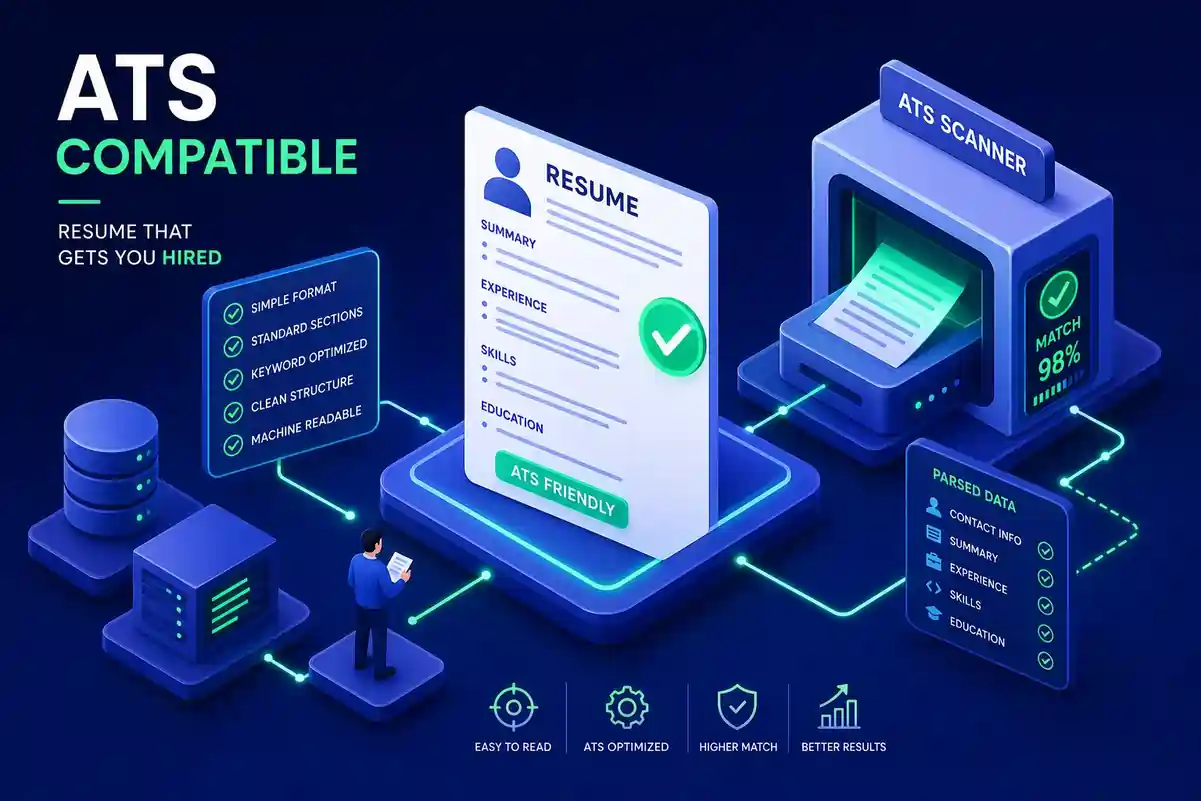
Building an ATS compatible resume is the first real hurdle between you and a recruiter’s desk. Most large employers use applicant tracking systems to filter candidates before a recruiter ever opens a file, which is why format mistakes can cause a good resume to be rejected before a human sees it.
An ATS does not read your resume the way a hiring manager does. It parses the file into data fields such as your name, contact details, job titles, dates, skills, and education, then scores it against the job description. If the parser cannot extract the content cleanly, information gets missed, misfiled, or ignored altogether.
A visually polished resume can still fail if the structure is wrong. Two-column layouts, tables, text boxes, and decorative elements may look good on screen, but they can break parsing and reduce your match score.
If you want a step-by-step walkthrough, link this section to How to Build an ATS-Friendly Resume That Passes the Bots and ATS Resume Tips 2026.
Formatting Rules That Matter
The safest ATS layout is simple: single-column, reverse-chronological, and clean. Multi-column templates often cause text to be read out of order, while tables and text boxes can disappear or get scrambled during parsing.
Common formatting risks
| Formatting choice | ATS risk |
|---|---|
| Two-column layout | Text may read out of order |
| Tables | Information may be skipped |
| Text boxes | Content may become invisible |
| Header/footer contact info | May not be extracted |
| Decorative icons or graphics | Can interrupt parsing |
Use system-safe fonts like Arial, Calibri, or Times New Roman and keep body text between 10 and 12 points. Bold can be used for section headings and job titles, but avoid overusing special formatting, colored text blocks, or visual elements that do not help the parser.
For more support, connect this section to ATS Friendly Resume Format for Beginners and Resume Visual Design Matter.
Section Headings and Resume Order ATS Expects
ATS systems are trained to recognize standard section labels. The headings that work best are: Contact Information, Summary or Professional Summary, Work Experience or Experience, Education, Skills or Core Competencies, and Certifications.
Recommended section order
-
Contact Information.
-
Summary.
-
Work Experience.
-
Education.
-
Skills.
-
Certifications or additional sections.
Creative labels like “Career Journey” or “My Story” can confuse the parser because they do not match expected resume vocabulary. Standard headings are not boring; they are functional. The content inside your sections is where your personality and achievements should stand out.
You can naturally interlink this section with 10 Essential Resume Sections in 2026, Resume Contact Information, and Resume Work Experience.
Keyword Strategy for ATS Resume Optimization
The job description is the ATS scoring rubric. To improve your chances, pull keywords directly from the posting and place them where ATS systems weight them most heavily: the summary, skills section, and experience bullets.
How to find keywords
Use this three-step method:
-
Read Required Qualifications.
-
Read Responsibilities.
-
Read Skills.
Look for repeated phrases, required tools, certifications, and role-specific terminology. If “cross-functional collaboration” appears multiple times, that is a strong signal that the ATS is likely scanning for it.
Where to place keywords
| Section | Best use |
|---|---|
| Summary | High-priority exact matches in natural sentences |
| Skills | Tools, certifications, platforms, and hard skills |
| Experience bullets | Keyword usage tied to real work or results |
Use the employer’s exact phrasing whenever possible. For example, “Salesforce CRM” may score differently from “Salesforce” alone, depending on how the system extracts text. Just make sure every keyword reflects real experience, because keyword stuffing will hurt you after the ATS pass if a human reviewer reads the file.
For stronger internal linking, connect this section to ATS Resume Tips, Key Skills for Resume, and How to Build an ATS-Friendly Resume.
DOCX vs PDF for ATS Submission
For online application portals, DOCX is the safest default because it usually parses more reliably across major ATS platforms. If the job posting does not specify a format, DOCX is usually the better first choice.
PDF is fine when a recruiter explicitly asks for it or when you are emailing a recruiter directly, but only if it is a text-based PDF exported from Word or Google Docs. A scanned PDF behaves like an image and is much harder for an ATS to read.
Simple file rule
-
Use DOCX for most ATS portals.
-
Use PDF only when requested or when emailing directly.
-
Avoid scanned PDFs entirely.
A quick test: if you can highlight and copy the text in the PDF, it is usually safe. If you cannot, it is not ATS-friendly. For a deeper comparison, interlink this section with PDF vs Word Resume Format.
ATS-Friendly Template vs Design Template
A template built for a hiring manager’s eyes is not always built for an ATS parser. General design templates often rely on columns, icons, styled dividers, and decorative headers that look nice in preview mode but fail the plain-text test.
An ATS-friendly template uses:
-
Single-column structure.
-
Standard section headings.
-
System-safe fonts.
-
Clean text formatting.
-
No text boxes or embedded graphics.
That is exactly where Resumeera — the free resume builder gives job seekers an advantage. Its templates are built with ATS compatibility as the baseline, so you are not trying to fix a design-heavy resume after the fact. You start with the right structure from day one.
For natural internal linking, connect this section to Resumeera ATS-Friendly Resume, Resume Formats Guide, and Free Resume Builder No Sign Up Download in Minutes.
Conclusion
An ATS optimized resume has one job before impressing a recruiter: survive the automated screen. The four pillars that matter most are clean formatting, standard section headings, keyword matching, and the right file format.
If you get those four right, your resume reaches a human. Start with a plain-text review of your current resume, then use Resumeera — the free resume builder to create a clean ATS-friendly version without guesswork.
Build your ATS compatible resume today at resumeera.xyz.
Most people lose jobs before the interview — not because they lack skills,
but because their resume looks average.
Fix that in 5 minutes.
⚡ No signup required • 100% Free • Works on mobile
Pick a template → fill details → download resume.
You’re not failing.
Your resume is.
Get shortlisted faster
