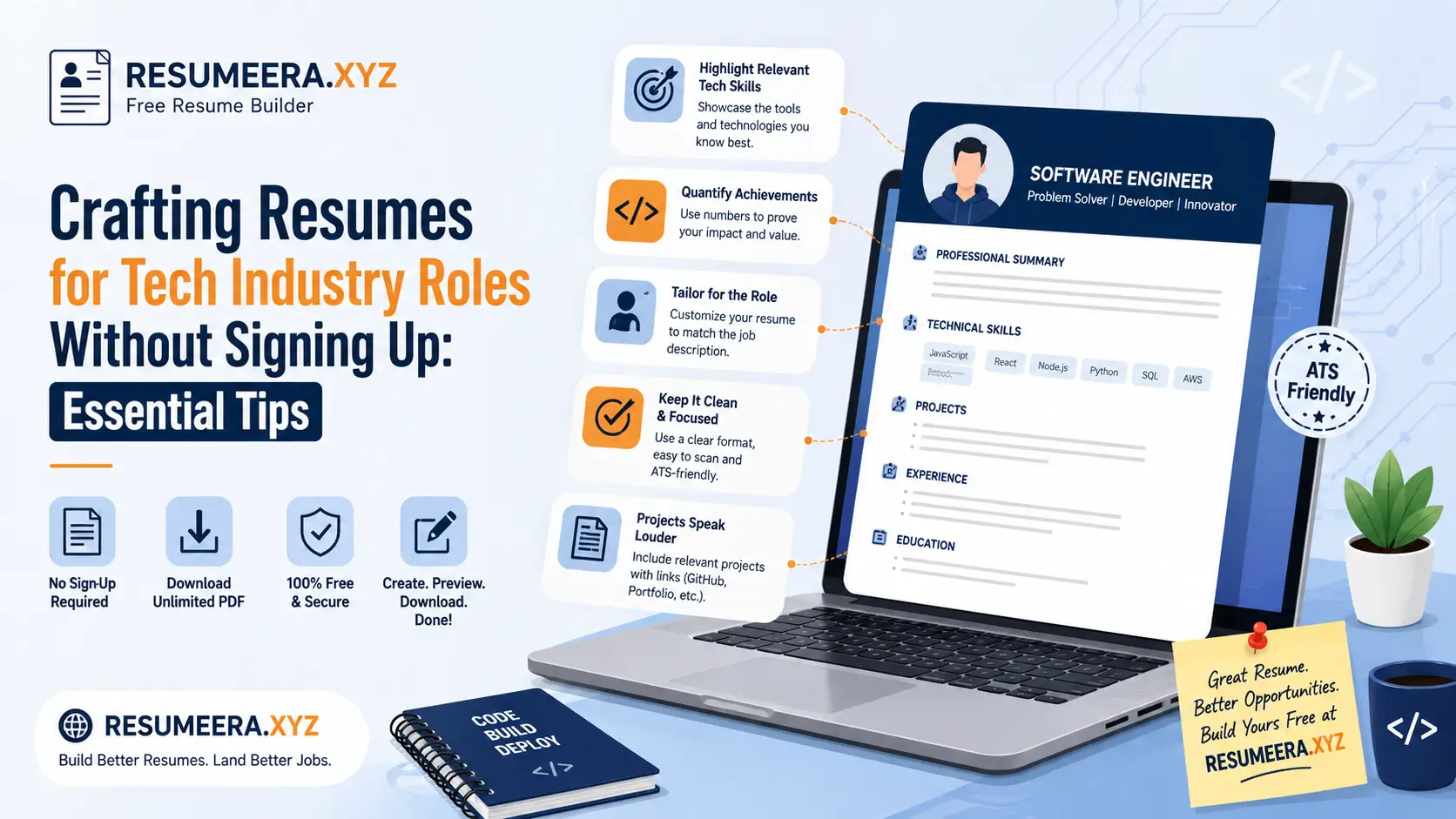
Building a resume for tech roles in India is not the same as creating a general resume for other industries. Recruiters at product companies, service-based giants like TCS, Infosys, and Wipro, and fast-growing startups in Bengaluru, Hyderabad, Pune, and Gurugram scan for very specific signals: your tech stack, hands-on project impact, GitHub contributions, and how quickly you can be deployed on a live project. If your resume looks generic, is cluttered, or hides your core skills on page two, it will be rejected in under seven seconds, even before an ATS parses it. The good news is you can create a sharp, recruiter-ready tech resume without signing up or paying anywhere, using a clean template in PDF or Word format. This guide shows you exactly how to structure, write, and format your tech resume for Indian job portals like Naukri, LinkedIn, and Indeed, while keeping it ATS-friendly and tailored for roles such as Software Developer, Data Analyst, Cloud Engineer, QA Tester, and Support Engineer. You will learn which format to pick, what sections to include, and how to present your skills so that both automated systems and human hiring managers shortlist you faster. All of this can be done directly at https://resumeera.xyz without creating an account.
Why Tech Resumes Need a Different Format in India
Indian tech hiring follows a distinct pattern compared to other sectors. Most companies receive 300 to 800 applications for a single developer opening posted on Naukri or LinkedIn. Recruiters use Applicant Tracking Systems like Taleo, Greenhouse, Zoho Recruit, and Naukri’s own Resdex to filter resumes before a human ever reads them. These systems do not appreciate heavy graphics, text boxes, or infographics. They look for clean headings, standard section titles, and keywords that match the job description. A tech resume that uses a creative, two-column design with icons may look attractive to you, but it often fails ATS parsing and never reaches the hiring manager.
Another reason tech resumes are different is the weightage given to skills and projects over degrees. For a fresher applying for a Java Developer or Python Developer role in India, a B.Tech or MCA degree is expected, but it is not the deciding factor. What matters is whether you have built projects using Spring Boot, Django, React, or Node.js, whether you understand Data Structures and Algorithms, and whether you can show code on GitHub. For experienced professionals with 2 to 8 years of experience, recruiters want to see measurable impact: reduced API latency by 40 percent, migrated on-premise servers to AWS, or automated testing that cut release time by three days. A standard chronological resume that only lists job duties without tech-specific outcomes will not work.
Indian recruiters also expect brevity with depth. For freshers, a single-page resume is ideal. For professionals with more than three years of experience, a two-page resume is acceptable if every line adds value. Hiring managers in service-based companies often scan for client names, domain experience such as BFSI or Healthcare, and shift flexibility, while product companies focus on problem-solving, system design, and open-source contributions. Your format must make these details easy to find in one glance.
- Fresher focus: Emphasize programming languages, coursework, internships, certifications from NPTEL, Coursera, or AWS Training, and academic projects with live links.
- Experienced focus: Emphasize tech stack, architecture decisions, team size handled, client delivery, and quantifiable business results.
- ATS reality in India: Most Naukri and LinkedIn Easy Apply flows require PDF or DOCX. If your file is an image-based PDF or uses tables for layout, the ATS may skip your skills entirely.
Choosing the Right Tech Resume Format for Your Experience Level
The format you choose decides how your story is read. In India, three formats are widely accepted for tech roles, and each suits a different career stage. Picking the wrong one can hide your strengths. For example, a fresher using a chronological format with almost no work experience will leave half the page empty, while an experienced developer using a functional format that hides employment dates will raise suspicion among recruiters.
The chronological format lists your work experience in reverse order, starting with your most recent job. It is the most preferred format for Indian IT recruiters because it clearly shows career progression, stability, and relevant experience. If you have 1.5 years or more of continuous experience in roles like Software Engineer, Support Engineer, or QA Analyst, use this format. It works well for Naukri profiles where recruiters filter by total experience and current company.
The functional or skills-based format groups your abilities under skill headings rather than job titles. It is useful only in specific cases, such as career switchers moving from non-tech to tech, or candidates with long gaps. However, most ATS systems and Indian recruiters are cautious about this format because it can obscure employment history. Use it sparingly and only if you have strong projects to compensate for lack of direct experience.
The hybrid or combination format is the most effective for tech roles in India today. It starts with a strong technical skills summary at the top, followed by reverse-chronological experience and projects. This gives recruiters the keywords they want in the first third of the page while still showing a clear timeline. For full-stack developers, data scientists, and DevOps engineers who work across multiple tools, the hybrid format lets you showcase breadth and depth without confusing the reader.
Tip for Indian job seekers: If you are applying through Naukri, keep your resume headings standard: Professional Summary, Technical Skills, Work Experience, Projects, Education, Certifications. Avoid creative headings like My Tech Arsenal or Coding Journey, as ATS may not recognize them.
Essential Sections Every Tech Resume Must Have
A tech resume without the right sections will be considered incomplete, no matter how good your skills are. Indian recruiters expect a predictable order so they can locate information in seconds. Every section should answer a specific question the recruiter has: Can this candidate code in the required stack, has this person built something real, and can this person work in our environment. Below are the non-negotiable sections and how to write them for maximum impact.
Header and Contact Information That Works on Naukri and LinkedIn
Your header is the first thing an ATS reads. Keep it simple and left-aligned. Include your full name in 16 to 18 point font, your city and state such as Pune, Maharashtra, your phone number with +91, a professional email address, your LinkedIn profile URL, and your GitHub profile URL. For tech roles, GitHub is more valuable than a personal portfolio if you are a developer, while LinkedIn is essential for all roles. Do not include your full home address, date of birth, religion, or photograph, as these are not required for tech hiring in India and can create bias. Ensure your LinkedIn and GitHub links are clickable in the PDF and that your GitHub is updated with at least two pinned repositories with README files, clean commit history, and a short project description.
Example of a clean header: Rahul Sharma | Bengaluru, Karnataka | +91-98XXXXXXXX | rahul.sharma@email.com | https://resumeera.xyz | linkedin.com/in/rahulsharma | github.com/rahulsharma. This single line gives the recruiter everything needed to contact you and verify your work without wasting space.
Technical Skills Matrix That Passes ATS Filters
Do not write your skills as a long comma-separated paragraph. Create a categorized skills matrix that mirrors how job descriptions are written. Group skills under headings like Programming Languages, Web Technologies, Databases, Cloud and DevOps, Tools and Platforms, and Concepts. This helps both ATS and human readers match your profile to the job requirements instantly. Mention versions and proficiency only if you are confident, for example, Python, Java 17, React 18, or AWS EC2 and S3. Avoid listing outdated or irrelevant skills like MS-DOS or basic MS Office unless the job specifically asks for them.
For a fresher targeting a MERN stack role, your matrix could be: Languages: JavaScript, Python, SQL; Frontend: React.js, HTML5, CSS3, Redux; Backend: Node.js, Express.js; Database: MongoDB, MySQL; Tools: Git, GitHub, VS Code, Postman; Concepts: REST APIs, DSA, OOP. For an experienced Cloud Engineer, it could be: Cloud: AWS, Azure, GCP; IaC: Terraform, CloudFormation; Containers: Docker, Kubernetes; CI/CD: Jenkins, GitHub Actions; Monitoring: CloudWatch, Prometheus. This structure increases keyword hits without stuffing and shows depth.
Projects and Portfolio Links With Measurable Outcomes
Projects are the core of any tech resume, especially for freshers and those with less than two years of experience. Indian recruiters give more weight to a well-documented project than to a generic internship certificate. For each project, use this structure: Project Title | Tech Stack | GitHub and Live Link | 2 to 3 bullet points with action verb, technology used, and result. Always quantify where possible, even for academic projects.
- Weak bullet: Made an e-commerce website using React and Node.js.
- Strong bullet: Built a responsive e-commerce platform using React, Node.js, and MongoDB; integrated Razorpay payment gateway and JWT authentication; reduced page load time by 35 percent through lazy loading and image optimization; live at github.com/username/project.
- For experienced professionals: Led migration of monolithic application to microservices using Spring Boot and Docker on AWS ECS, resulting in 45 percent improvement in deployment frequency and 30 percent reduction in infrastructure cost for a banking client.
If you have contributed to open source, mention it under Projects or a separate Open Source Contributions section. Mention the repository, your pull requests merged, and the tech involved. For data roles, link to Kaggle notebooks or dashboards. For QA roles, mention test automation frameworks like Selenium or Cypress and the number of test cases automated.
Tech Resume Templates: PDF vs Word Layouts for Indian Recruiters
One of the most common doubts among Indian job seekers is whether to submit a PDF or Word file. The answer depends on where you are applying. Most ATS systems used by Indian companies, including Naukri’s backend, LinkedIn, and company career portals powered by Taleo or SuccessFactors, can parse both formats correctly if the layout is simple. However, there are practical differences that should guide your choice.
PDF preserves your formatting exactly as you designed it, which is important when you have carefully aligned sections, consistent fonts, and proper spacing. It looks professional on any device and prevents accidental edits. Word DOCX is preferred by some recruitment agencies and consultancies in India because they need to add their logo, remove contact details, or reformat before forwarding to clients. If a consultancy on Naukri asks for a Word file, provide it. Otherwise, PDF is the safer default for direct company applications.
| Feature | PDF Format | Word DOCX Format |
|---|---|---|
| Formatting Stability | Excellent, layout stays fixed on all devices | Good, but may shift if fonts are missing |
| ATS Compatibility | High if text-based, not image-based | Very high, most ATS prefer DOCX |
| Recruiter Preference in India | Preferred for direct company portals and LinkedIn | Preferred by consultancies and staffing firms |
| File Size | Smaller, easy to upload on Naukri | Slightly larger, easy to edit |
| Best For | Freshers and experienced applying directly | Candidates working with external recruiters |
At https://resumeera.xyz you can create your resume and download it in both PDF and Word without signing up, so you can keep both versions ready. Always test your PDF by trying to select and copy text. If you cannot select the text, it is an image-based PDF and will fail ATS. Also keep your file name professional: Rahul_Sharma_Java_Developer_3Yrs.pdf instead of Resume_Final_Final2.pdf. This helps recruiters searching through downloaded files and improves your visibility in email applications.
Step-by-Step Guide to Building Your Tech Resume Without Sign-Up on ResumeEra.xyz
You do not need to create an account, verify an email, or pay to build a professional tech resume. The process at https://resumeera.xyz is designed for Indian job seekers who want speed and privacy. Follow these steps to create a complete, ATS-friendly tech resume in under 20 minutes.
- Select a clean tech template: Open https://resumeera.xyz and choose a single-column template with clear headings. Avoid templates with heavy sidebars, progress bars for skills, or photo placeholders. Look for templates labeled Simple, Professional, or ATS-Friendly.
- Fill in your header correctly: Enter your name, city, phone, email, LinkedIn, and GitHub. Double-check that links are correct and that your email is professional. Use the same name spelling as on your Naukri and LinkedIn profiles.
- Write a tailored professional summary: In 3 to 4 lines, mention your role, years of experience, core stack, and one key achievement. Example for fresher: Computer Science graduate with hands-on experience in Python, SQL, and React through 3 academic projects and a 2-month internship at a Pune startup. Seeking a Junior Software Developer role.
- Add your categorized technical skills: Use the matrix format described earlier. Copy keywords directly from the job description you are targeting, but only if you genuinely know the technology. This improves ATS match without misleading recruiters.
- Enter work experience with impact bullets: For each role, write Company Name, Location, Job Title, and Duration in MM/YYYY format. Use 3 to 5 bullets starting with action verbs like Developed, Deployed, Optimized, Automated. Quantify results with percentages, time saved, or scale handled.
- Showcase projects with links: Add 2 to 3 best projects. Include tech stack, GitHub link, live demo link if available, and outcome-focused bullets. For freshers without experience, projects should take up more space than education.
- Add education and certifications concisely: Mention Degree, Branch, College, University, Year, and CGPA or Percentage only if above 7.0 or 65 percent. Add relevant certifications like AWS Certified Cloud Practitioner, Google Data Analytics, or NPTEL DSA with completion year.
- Preview, proofread, and download: Preview your resume on desktop and mobile. Check for spelling errors, inconsistent date formats, and alignment issues. Download as PDF for direct applications and as DOCX for consultancy sharing. Save both files with a professional name.
After downloading, upload the PDF to Naukri and update your Naukri profile headline to match your resume summary. This consistency helps Naukri’s search algorithm rank you higher when recruiters search for Java Developer in Hyderabad or Data Analyst in Bengaluru.
Optimizing Your Tech Resume for ATS Used by Indian Companies
ATS optimization is not about tricking the system; it is about making your resume readable for software that Indian companies rely on. Most large IT employers in India use an ATS to store, search, and rank resumes. If your resume is not optimized, it may never appear in a recruiter’s search results, even if you are qualified. The optimization starts with keywords, continues with formatting, and ends with file hygiene.
Start by analyzing the job description. If a posting for a Backend Developer asks for Java, Spring Boot, Microservices, MySQL, and REST APIs, those exact phrases must appear in your skills and experience sections. Do not write Springboot as one word or My SQL with a space if the job description writes it as Spring Boot and MySQL. ATS does exact matching, and even small variations can reduce your score. Mirror the terminology used by Indian recruiters, for example, write 2 years experience instead of two years if that is how it appears in filters.
Formatting rules for ATS are strict. Use standard section headings, avoid headers and footers for important information, avoid text boxes, and do not embed skills inside images or charts. Use a single-column layout, left alignment, and standard fonts like Calibri, Arial, or Times New Roman in 10 to 11 point size. Keep margins between 0.5 and 0.7 inches. Save your file as text-based PDF or DOCX, not as a scanned image. At https://resumeera.xyz all templates are already designed to be ATS-friendly, so you do not need to worry about hidden tables or graphic elements that break parsing.
- Use bullet points with simple dots or hyphens, not custom icons.
- Write dates as MM/YYYY to MM/YYYY, for example, 06/2022 to 08/2024, so ATS can calculate experience correctly.
- Place your most important keywords in the top half of page one, where ATS gives more weight.
- Avoid keyword stuffing. Repeating Java 15 times in white text will get you flagged, not shortlisted.
Real example: A fresher applying for a Data Analyst role at a Gurugram startup improved interview calls by 3x after changing his skills from Tools known: Excel, Python to Technical Skills: Python, Pandas, NumPy, SQL, Power BI, Tableau, Advanced Excel, and adding project bullets with metrics like Analyzed 10,000 rows of sales data and built a Power BI dashboard that highlighted a 12 percent drop in regional sales.
Common Mistakes Indian Tech Job Seekers Make
Even skilled candidates lose opportunities because of avoidable resume errors. Indian recruiters often review 50 to 100 resumes in one sitting, and small mistakes create a negative impression quickly. Understanding these common pitfalls will help you avoid automatic rejection and present yourself as a detail-oriented professional, which is a core expectation in tech roles.
- Adding unnecessary personal details: Including father’s name, marital status, full address, or a photograph wastes space and is not expected for tech roles. Recruiters only need city, phone, email, LinkedIn, and GitHub.
- Using a generic objective: Objectives like Seeking a challenging position where I can utilize my skills add no value. Replace it with a tailored professional summary that mentions your stack and career goal.
- Listing every technology you have touched once: Mentioning 20 tools where you have only watched a tutorial dilutes credibility. List only those you can confidently discuss in a technical interview.
- Hiding GitHub or portfolio links: For developers, not linking to GitHub is a missed opportunity. Ensure repositories have proper README, instructions to run the project, and clean code. An empty GitHub is worse than no GitHub.
- Copying job description verbatim without proof: Writing Expert in Kubernetes without any project or certification to support it will be exposed in the interview. Always back claims with evidence.
- Ignoring formatting consistency: Mixing date formats, using different bullet styles, or having uneven spacing makes your resume look careless. Consistency signals professionalism.
- Making the resume too long or too short: A fresher with a three-page resume full of school achievements looks unfocused, while an experienced professional with a half-page resume looks like they are hiding something. Keep it to one page for 0 to 2 years and up to two pages for 3 plus years.
- Not tailoring for each application: Sending the same resume for a Frontend Developer and a Data Analyst role reduces your ATS score for both. Create a base resume at https://resumeera.xyz and quickly tweak the summary and skills order for each role before downloading.
Formatting Tips to Make Your Resume Stand Out Without Overdesigning
Tech recruiters in India appreciate clarity over creativity. Your resume should be easy to scan, not a design portfolio unless you are applying for UI/UX roles. The best tech resumes use white space, hierarchy, and alignment to guide the reader’s eye. Overdesigning with dark backgrounds, colorful charts, or two-column layouts may look modern but often breaks ATS and distracts from your content.
Use font hierarchy to create structure. Your name should be the largest text, followed by section headings in 12 to 14 point bold, and body text in 10 to 11 point. Keep line spacing at 1.0 to 1.15 and add 6 to 8 points of space after each section. Use bold for company names and job titles, and italics sparingly for location and dates. Avoid underlining, as it can be mistaken for hyperlinks. Keep margins uniform so the page looks balanced when printed or viewed on a mobile phone, which many recruiters do while commuting.
For bullet points, start each with a strong action verb and keep them to one or two lines. Use numbers to show scale: Handled support tickets for 500 plus users, or Wrote 120 automated test cases using Selenium that reduced manual testing effort by 60 percent. If you want to add a subtle design element, use a thin horizontal line to separate sections or a very light grey background for the header. Do not use skill progress bars like Java 90 percent, as they are subjective and ATS cannot read them. Instead, mention proficiency in words if needed: Proficient in Java and Python, Familiar with Go.
- Keep your resume to one or two pages, with the most relevant information on page one.
- Use consistent alignment: left-align all text, do not justify, as justification creates uneven gaps.
- Export and check your PDF on a phone screen to ensure headings and bullets do not break.
Finally, always keep an updated master resume that includes every project, certification, and achievement. When you apply for a specific role, create a tailored copy by removing less relevant points and reordering skills. With https://resumeera.xyz you can duplicate and edit your resume quickly without signing up, so maintaining multiple targeted versions for Naukri, LinkedIn, and direct company portals becomes effortless.
Frequently Asked Questions About Tech Resumes Without Sign-Up
What is the best resume format for tech freshers in India?
For freshers, the hybrid format works best. Start with a brief professional summary, followed by a categorized technical skills matrix, then projects with GitHub links, internships, education, and certifications. Keep it to one page and focus on hands-on projects, DSA, and tools like Git. Recruiters on Naukri and LinkedIn shortlist freshers based on project relevance and skill match, not just CGPA, so make your projects the highlight of page one.
Should I submit my tech resume as PDF or Word when applying on Naukri?
Submit as PDF for direct company applications and LinkedIn Easy Apply, as it preserves formatting. Keep a Word DOCX version ready for recruitment consultancies and staffing firms in India who often need to edit and forward your profile to clients. Both formats are ATS-friendly if they are text-based. At https://resumeera.xyz you can download both versions without signing up, so you are prepared for either request.
How do I make my tech resume ATS-friendly for Indian companies?
Use standard headings like Technical Skills, Work Experience, and Projects, avoid text boxes and images, keep a single-column layout, and include exact keywords from the job description such as Java, Spring Boot, or Power BI. Use simple bullet points, write dates as MM/YYYY, and save as a text-based PDF or DOCX. Test your file by copying text from the PDF; if you can select the text, ATS can read it.
Do I need to include my photograph and personal details on a tech resume?
No. For tech roles in India, you should not include a photograph, date of birth, gender, marital status, or full home address. Include only your city and state, phone number, professional email, LinkedIn, and GitHub. This keeps your resume concise, unbiased, and focused on skills, which is what tech recruiters prioritize.
How many pages should a tech resume be for experienced professionals?
If you have 0 to 2 years of experience, keep it to one page. For 3 to 8 years of experience, two pages are acceptable if every line demonstrates impact, such as technologies used, scale handled, and business outcomes. Do not add filler to reach two pages. Place your strongest experience and most relevant skills on page one, as many recruiters may not scroll to page two on the first scan.
Can I create and download a tech resume for free without signing up?
Yes. At https://resumeera.xyz you can select a professional tech template, fill in your details, preview your resume, and download it as PDF or Word instantly without creating an account or entering payment details. This is ideal for quick applications on Naukri and LinkedIn and for maintaining privacy while you prepare multiple tailored versions for different roles.
How important are GitHub and LinkedIn links on a tech resume?
Very important. For developer roles, GitHub is often the first place a technical interviewer checks to assess code quality, documentation, and consistency. Ensure your pinned repositories have README files, clear setup instructions, and recent commits. LinkedIn is essential for all tech roles for networking and background verification. Include both links in your header and ensure they are clickable in the PDF.
Creating a strong tech resume does not require expensive tools, sign-ups, or complex designs. It requires clarity, relevance, and proof of your ability to build and deliver. By choosing a clean hybrid format, organizing your skills into a categorized matrix, showcasing projects with measurable outcomes, and keeping your layout ATS-friendly, you position yourself for more interview calls from both product companies and service-based firms across India. Keep your file names professional, maintain both PDF and Word versions, and tailor your summary and skills for each job description you target on Naukri and LinkedIn. Start with a solid template at https://resumeera.xyz, build your resume without signing up, download it instantly, and apply with confidence. Your next tech role is closer than you think when your resume speaks the language recruiters and ATS expect.
