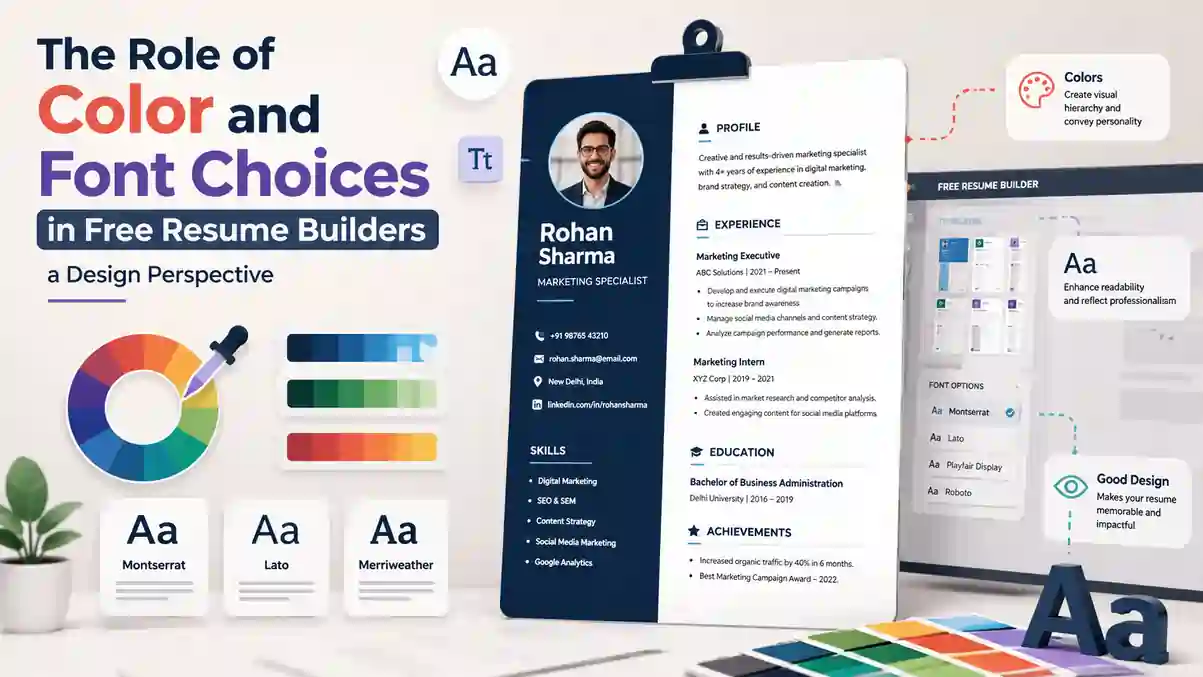
Your resume is not just a list of qualifications. For recruiters in India who review hundreds of profiles daily on Naukri, LinkedIn and company career portals, your resume is a visual document that must communicate clarity, professionalism and relevance in under seven seconds. Two design elements decide whether that first impression works in your favour: colour and font. When used correctly inside a free resume builder, colour guides the reader's eye and font ensures your content is read without strain. When used poorly, they make even strong experience look unprofessional and can cause Applicant Tracking Systems (ATS) used by TCS, Infosys, Wipro, HDFC Bank and thousands of startups to misread your file. This guide explains the design perspective behind colour and font choices in free resume builders like https://resumeera.xyz, with specific advice for freshers, experienced professionals and job seekers targeting the Indian job market.
Why Resume Design Is Not Decoration in the Indian Job Market
In India, most resumes are first seen on a screen, not on paper. A recruiter in Bengaluru or Gurugram opens your PDF on a laptop, often alongside 40 other resumes for the same role. Companies using ATS software such as Taleo, Workday, Zoho Recruit and Naukri's own ResDex first parse your resume before a human ever sees it. Design therefore has two jobs: to help the machine read your information correctly and to help the human reader find what matters quickly. Colour and font are the primary tools for both.
A well-designed resume uses white space, hierarchy and contrast to create a clear reading path. Headings stand out, section breaks are obvious, and the most important details like your current role, key skills and education are easy to locate. A poorly designed resume with cramped text, light grey fonts or multiple bright colours forces the reader to work harder. In a campus placement drive or a walk-in interview where recruiters spend 6 to 8 seconds on initial screening, that extra effort often means rejection, even if your skills match the job description.
How Recruiters on Naukri and LinkedIn Actually Scan Resumes
Recruiters do not read your resume line by line at first. Eye-tracking studies and feedback from Indian hiring managers show a consistent F-pattern or Z-pattern scan. The eye starts at the top left where your name and current title appear, moves across the top, then scans down the left side looking for section headings like Experience, Education and Skills. Colour and font weight create the anchors for this scan. A dark, bold heading in a clean sans-serif font tells the eye where to stop. A subtle colour block for your name or section dividers helps the brain separate one section from the next without confusion.
On platforms like Naukri and LinkedIn, where your resume is often downloaded as a PDF, poor font choices become immediately visible. If you use a decorative font that does not embed properly, it may render as a different font on the recruiter's system or break the layout. If you use colour with low contrast, such as light blue text on white, it becomes hard to read on mobile screens where many recruiters now review profiles. Free resume builders solve this by offering tested combinations where headings, body text and accent colours are already balanced for screen and print readability.
The Psychology and Function of Colour in Resume Design
Colour in a resume is not about making it colourful. It is about creating hierarchy, improving navigation and conveying a professional tone appropriate to your industry. In design terms, colour has three functions on a resume: to attract attention to key information, to organise content into sections and to express personality within professional limits. For the Indian job market, where conservative industries like banking, consulting and IT services dominate fresher hiring, restraint is more effective than creativity.
Most professional resumes use a neutral base of black and dark grey for body text, with one accent colour for headings, lines, icons or sidebars. This accent colour should be used consistently for all headings or all dividers, not randomly for different elements. A resume that uses navy blue for your name, teal for section headings and grey for contact icons looks coordinated. A resume that uses red for one heading, green for another and orange for skill bars looks disorganised and distracts from your content. Free resume builders at https://resumeera.xyz use a dual-tone system for this reason: one primary colour for structure and one neutral for text.
Contrast is the most important technical rule for colour. The Web Content Accessibility Guidelines recommend a contrast ratio of at least 4.5:1 for normal text. For resumes, this means your text colour must be significantly darker than your background. Black text on white background offers the highest contrast and best ATS readability. Dark navy or charcoal on white also works well. Avoid light grey, yellow or pastel text for any important information, and avoid placing text over coloured backgrounds unless the background is very light and the text is very dark.
What Different Colours Signal to Indian Recruiters
Different industries in India have different expectations for colour. Understanding these unwritten rules helps you choose an accent colour that supports your application rather than working against it.
- Navy Blue and Dark Blue: The safest and most versatile choice. Signals trust, stability and professionalism. Ideal for IT, banking, finance, consulting, engineering and government job applications. Most recommended by career counsellors for freshers.
- Charcoal Grey and Slate Grey: Modern and understated. Works well for experienced professionals, senior managers and corporate roles where you want to appear mature and balanced. Pairs well with any font.
- Teal and Deep Green: Suggests growth, calm and analytical thinking. Suitable for healthcare, education, environmental roles and data analytics. Use a dark shade, not bright turquoise.
- Burgundy and Deep Maroon: Conveys confidence and leadership without the aggression of bright red. Can work for marketing, sales, HR and creative management roles when used sparingly for headings only.
- Black Only: Completely acceptable and often preferred for legal, academic and traditional corporate roles. A black and white resume with strong typography can look more premium than a coloured one.
Colours to use with extreme caution are bright red, orange, bright yellow and neon shades. In Indian corporate culture, these are often associated with casual or entry-level design and can make your resume look less serious. If you are applying for graphic design, fashion, advertising or UI/UX roles where visual creativity is part of the job, you have more freedom to use bolder palettes, but even there, limit yourself to two colours and ensure the layout remains clean.
Font Choices: Readability, Personality and ATS Compatibility
Font choice affects three things: how easily your resume can be read, what personality it conveys and whether ATS software can parse it correctly. A good resume font is invisible in the sense that the reader notices your content, not the font itself. A bad font draws attention to itself because it is hard to read, looks outdated or fails to render properly.
Free resume builders typically offer 10 to 15 fonts that have been tested for both screen readability and ATS compatibility. These fall into three categories. Sans-serif fonts like Calibri, Helvetica, Arial, Open Sans and Poppins have clean lines without small projections at the ends of letters. They are the most popular for modern resumes because they look clean on screens and are easy to scan quickly. Serif fonts like Times New Roman, Garamond and Cambria have small strokes at the ends of letters. They convey tradition and formality and are still used in legal and academic resumes. Modern hybrid fonts like Lato, Montserrat and Raleway offer a slightly more distinctive look while retaining excellent readability.
For the Indian market, sans-serif fonts are the best default choice. Most Naukri and LinkedIn recruiters view resumes on screens where sans-serif fonts render more clearly at small sizes. They also work better when your resume is exported to PDF from a builder, as they maintain consistent spacing and line height across devices. If you are a fresher from an engineering or management college applying through campus placements, stick to Calibri, Helvetica or Open Sans in 10 to 11 points for body text and 13 to 16 points for your name.
Serif vs Sans-Serif vs Modern Display Fonts for Indian Applications
Choosing between font categories depends on your experience level and target role. The table below compares the most common options available in free resume builders and their suitability for different scenarios in India.
| Font Category | Examples | Best For | ATS Safety | Readability on Mobile |
|---|---|---|---|---|
| Sans-Serif | Calibri, Arial, Helvetica, Open Sans, Poppins | IT, engineering, freshers, corporate, Naukri applications | Excellent | Excellent |
| Serif | Times New Roman, Garamond, Cambria | Legal, academic, senior government roles, research | Excellent | Good |
| Modern Geometric | Montserrat, Lato, Raleway, Nunito | Marketing, startups, product, business analyst | Very Good | Excellent |
| Display / Decorative | Pacifico, Lobster, Comic Sans, Brush Script | Not recommended for resumes | Poor | Poor |
Font size and spacing matter as much as the font family. Body text should be 10 to 11.5 points. Section headings should be 12 to 14 points and bold. Your name at the top can be 16 to 20 points. Line spacing should be 1.0 to 1.15 for compact resumes and 1.15 to 1.3 for more breathing space. Margins of 0.6 to 0.8 inches on all sides keep the resume printable on A4 paper, which is the standard in India, without looking cramped.
Never use more than two font families on one resume. A common professional pairing is one font for headings and another for body text, for example Montserrat Bold for headings and Calibri for body, or Garamond for headings and Helvetica for body. Using three or more fonts makes the resume look patchy and confuses the visual hierarchy. Free builders like https://resumeera.xyz lock this pairing for you so you cannot accidentally create a mismatch.
How Free Resume Builders Handle Colour and Font Controls
Building a resume in Microsoft Word gives you unlimited colour and font options, which is actually a disadvantage for most job seekers. Without design training, it is easy to choose combinations that look good on your screen but fail in print or ATS. Free resume builders solve this by offering curated choices where every colour palette and font pairing has been tested for contrast, alignment and export quality.
A good builder provides a colour picker limited to professional palettes, typically 12 to 20 themes, each with a primary accent, a secondary accent and a neutral text colour. It also limits fonts to ATS-safe options and automatically applies correct sizes for headings, subheadings and body text. The layout engine ensures that when you change a colour, it updates consistently across all headings, icons and divider lines, maintaining visual consistency without manual formatting.
Another advantage is export fidelity. When you download as PDF from a builder, the fonts are embedded and the layout is locked, so what you see is exactly what the recruiter sees, whether they open it on Windows, Mac or a mobile phone. When you download as Word DOCX, the styles remain editable for recruiters who need to add notes. Builders that offer PDF, DOCX and TXT exports cover all application scenarios in India, from emailing directly to HR to uploading on portals that require .docx or plain text.
- Start with the template structure, not colour. Choose a layout based on your experience level. Freshers should pick a single-column template with education near the top. Experienced professionals can use a two-column layout with a sidebar for skills. Ensure the template has clear white space between sections.
- Select one accent colour based on your industry. For IT, finance and consulting, choose navy or charcoal. For creative roles, you may choose teal or burgundy. Preview the template in both light and dark mode if available to check contrast.
- Set your font pairing. Choose a sans-serif for body text for maximum readability. If the builder offers a heading font option, pick one that is slightly bolder but from the same family. Keep body size at 10.5 to 11 points.
- Apply colour only to structural elements. Use accent colour for your name, section headings, horizontal lines and contact icons. Keep all body text, bullet points and descriptions in dark grey or black. Never use colour for long paragraphs.
- Check hierarchy with a 5-second test. Zoom out to 75% view. Can you still identify your name, current role and three section headings without reading? If not, increase heading weight or adjust colour contrast.
- Test ATS readability. Use the builder's TXT preview or copy your PDF text and paste into Notepad. If the text appears in correct order without broken characters or missing sections, your font and layout are ATS-safe. Avoid text boxes and images for critical information.
- Export and verify on mobile and print. Download the PDF and open it on your phone. Check that fonts are sharp and colours are not too light. Print one copy on A4 to ensure margins and colours look professional on paper, as many Indian companies still take printouts for interviews.
Best Colour and Font Combinations by Industry and Experience Level in India
There is no single best combination for everyone. The right choice depends on where you are in your career and what industry you are targeting. Indian recruiters have different expectations for a fresher applying for an Infosys campus role versus a mid-level manager applying for a product role at a Bengaluru startup.
For Freshers and Recent Graduates: Keep it simple and conservative. Use black or dark grey body text with navy blue accents. Pair Calibri or Open Sans for body with a slightly bolder heading font. Freshers should avoid skill bars or circular charts that use multiple colours, as they add visual noise without adding information. Instead, use simple bullet points with bold subheadings for projects and internships. This approach works well for engineering, BCA, MCA, MBA and commerce graduates applying via Naukri, Indeed and college placement cells.
For Experienced Professionals (3 to 8 Years): You can introduce a second neutral colour for subtle separation. For example, navy for headings, slate grey for subheadings like company names and dates, and black for descriptions. Fonts can be slightly more distinctive, such as Lato or Montserrat for headings paired with Calibri for body. If you have a long work history, use colour-coded divider lines to separate roles clearly so the recruiter can scan your progression quickly.
For Senior Professionals and Managers (8+ Years): Elegance matters more than colour. Use charcoal or deep navy with generous white space. Garamond or Cambria for headings can convey authority, paired with Helvetica for body text. Avoid bright accents. A single thin line in your accent colour under each section heading is enough to create structure without looking flashy.
By Industry:
- IT and Software Services: Navy + Calibri/Helvetica, single column, minimal icons. ATS compatibility is critical due to high volume hiring.
- Banking, Finance and Consulting: Charcoal or navy + Times New Roman or Garamond for a formal tone, black and white is also excellent.
- Marketing, Sales and E-commerce: Teal or burgundy accent + Montserrat/Lato, can use a sidebar for skills and LinkedIn link.
- Design, Media and Advertising: More freedom with colour, but maintain one primary accent and ensure portfolio link is prominent and clickable in PDF.
- Healthcare, Education and Government: Dark blue or deep green + serif or clean sans-serif, very conservative layout.
Common Mistakes Indian Job Seekers Make with Colour and Fonts
Even with a good builder, it is easy to make design errors that reduce your chances. These are the most frequent mistakes seen in resumes submitted on Indian job portals.
- Using too many colours: Applying three or four different colours for headings, skill bars, icons and borders makes the resume look like a school project. Limit to one accent colour plus black/dark grey. The accent should appear in no more than 15% of the page area.
- Low contrast text: Light grey text (below #4A4A4A) on white background or white text on light coloured sidebar is hard to read and fails accessibility checks. Many recruiters review resumes in bright office lighting or on mobile screens where low contrast becomes invisible.
- Decorative or script fonts for body text: Fonts like Comic Sans, Papyrus, Brush Script or any handwriting style are never appropriate for resumes. They signal unprofessionalism and often break ATS parsing.
- Inconsistent font sizes and styles: Using 14 point for one heading and 11 point for another, or mixing bold, italic and underline randomly, destroys hierarchy. All section headings should share the same size, weight and colour.
- Colourful backgrounds and text boxes: Placing your entire resume on a coloured background or inside multiple text boxes may look attractive in the builder preview but causes ATS to read content out of order or skip it entirely. Keep background white and use simple lines or white space for separation.
- Using colour to convey information alone: Relying only on colour to show skill levels, such as green for expert and red for beginner, fails for colour-blind readers and when printed in black and white. Always pair colour with text labels.
- Ignoring font embedding on export: If you design in Word with a rare font and send the .docx without embedding, the recruiter's system may substitute it with a different font that breaks your layout. Builders that export PDF with embedded fonts avoid this risk.
Recruiter insight from India: When we receive 200 applications for a single analyst role, we filter by ATS first. Resumes with unusual fonts, tables with coloured backgrounds or text inside images often get parsed incorrectly and never reach the shortlist. A clean, single-colour accent resume in Calibri or Arial with proper headings always passes through. Design should help us find your skills faster, not hide them. — Hiring Manager, IT Services, Pune
ATS Compatibility: Balancing Design with Machine Readability in India
ATS software does not care how beautiful your resume looks. It cares whether it can extract your name, contact details, education, experience and skills accurately and match them to keywords in the job description. Colour itself does not affect ATS parsing, but how you use colour and fonts does.
ATS reads text in a linear order. It struggles with text inside images, text boxes, headers and footers, and complex tables. If you use a resume builder that places your contact details inside a coloured header box, some older ATS versions used by Indian SMEs may skip that box entirely. The safest approach is to keep all critical text in the main document body, not in floating elements. Use colour for headings and lines, but ensure the text itself is standard selectable text, not an image.
Font choice directly impacts ATS. Stick to common fonts that ATS dictionaries recognise: Calibri, Arial, Helvetica, Times New Roman, Garamond, Cambria, Open Sans and similar. Avoid using font icons alone to represent contact information. For example, do not use only a phone icon without the word Phone or the actual number in text form. The ATS may not read the icon. Always include the text label alongside any icon, even if the icon is coloured.
File format is equally important. Most Indian companies accept PDF and DOCX. PDF is preferred for design fidelity, but ensure it is a text-based PDF, not an image-based scan. DOCX is safest for older ATS. Free builders like https://resumeera.xyz that offer both PDF and DOCX exports with embedded fonts give you the flexibility to send PDF to startups and design-friendly companies and DOCX to large enterprises and consultancies that use strict ATS filters. Always test by uploading your resume to a free ATS checker or by opening the PDF and trying to select and copy the text. If you can select it, the ATS can likely read it.
Finally, remember that white space is a design element too. Dense blocks of text in small fonts may save space but reduce both human readability and ATS accuracy. Use bullet points, short paragraphs of one to two lines, and clear section breaks. A two-page resume with good spacing is better than a cramped one-page resume where fonts are shrunk to 8 points to fit everything.
Frequently Asked Questions
What is the best colour for a resume for jobs in India?
For most jobs in India, navy blue or charcoal grey as a single accent colour with black body text on a white background is the best choice. It looks professional across IT, banking, consulting and engineering roles and maintains high contrast for both screen reading and ATS parsing. Bright colours should be avoided unless you are in a creative field.
Which font is most ATS-friendly for Naukri and LinkedIn applications?
Calibri, Arial, Helvetica and Times New Roman are the most ATS-friendly fonts because they are universally recognised by parsing software used in India. Open Sans, Garamond and Cambria are also safe. Avoid decorative, script or custom display fonts, and do not use more than two font families on one resume.
Does colour affect ATS ranking in Indian companies?
Colour itself does not affect ATS ranking. ATS software reads text, not colour. However, low-contrast colour combinations, text placed inside images or coloured text boxes, and backgrounds that turn text into images can cause parsing errors. Use colour only for headings, lines and icons while keeping all important text in standard black or dark grey.
Should freshers use colourful resume templates from free builders?
Freshers should choose minimal templates with one accent colour and clean sans-serif fonts. Recruiters hiring freshers value clarity and academic details over design flair. A simple navy and white template with Calibri or Open Sans, clear education section and bullet points for projects performs better than a multi-colour creative template for campus placements and entry-level roles.
What font size is ideal for a resume in India?
Use 10 to 11.5 points for body text, 12 to 14 points bold for section headings, and 16 to 20 points for your name at the top. This ensures readability on both A4 printouts and mobile screens. Line spacing of 1.0 to 1.15 and margins of 0.6 to 0.8 inches keep the layout balanced without looking cramped.
Can I use different fonts for headings and body text?
Yes, using two complementary fonts is a professional technique. For example, Montserrat or Garamond for headings paired with Calibri or Helvetica for body text creates hierarchy. Do not use more than two fonts, and ensure both are ATS-safe and have similar x-heights so the resume looks cohesive.
Is it okay to use resume templates with sidebars and colour blocks?
Sidebars with light colour blocks can work if all text remains selectable and not inside images or text boxes. Ensure the sidebar background is very light and text contrast is high. For strict ATS applications, a single-column layout without sidebars is the safest option. Always test by copying text from the exported PDF.
How do I know if my resume design is working?
Do a 5-second test: show your resume to someone for five seconds and ask what they remember. They should recall your name, current role and key skills. Also test ATS readability by pasting your PDF text into Notepad to check order, and view the PDF on your phone to check contrast and font clarity. If both tests pass, your colour and font choices are effective.
A strong resume design does not demand attention for itself. It quietly makes your experience, skills and education easy to find and easy to trust. By choosing one professional accent colour, pairing it with a highly readable ATS-safe font, and using a free resume builder that enforces hierarchy and export quality, you create a document that works equally well for human recruiters on Naukri and LinkedIn and for the ATS systems that filter applications in Indian companies. Keep your palette restrained, your fonts consistent and your layout spacious. Let your achievements provide the colour, and let your design provide the clarity that gets you shortlisted.
