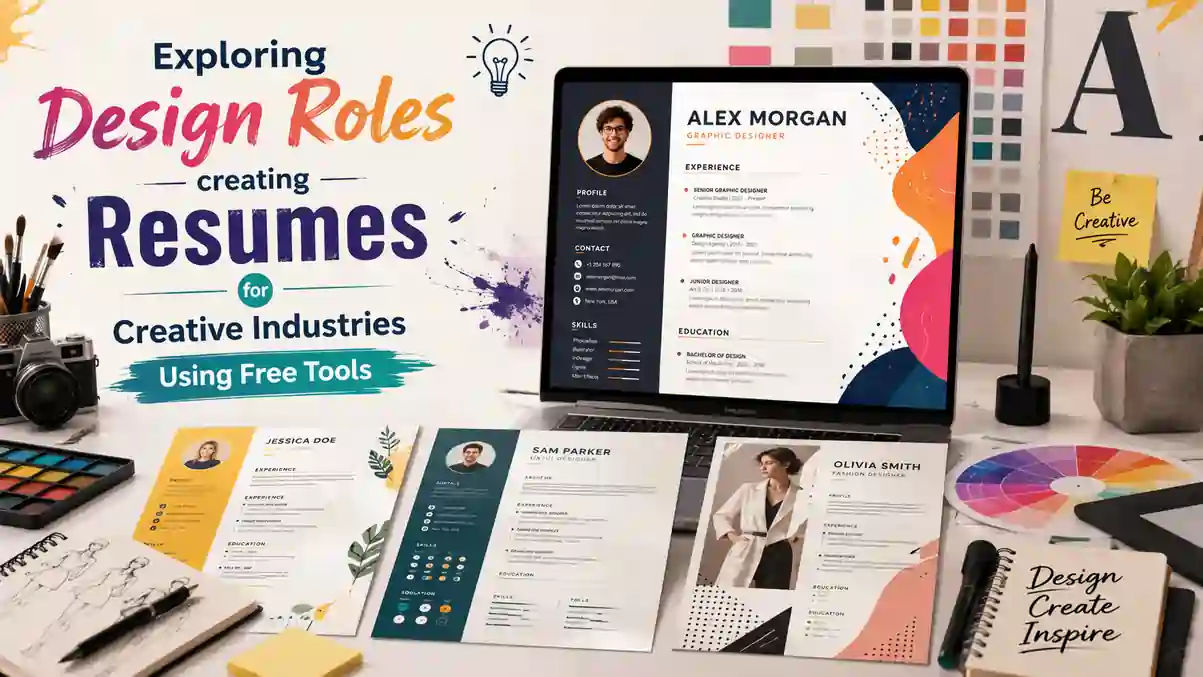
Getting hired for a design role in India is not the same as applying for a corporate or technical job. Whether you are a graphic designer applying to an agency in Bangalore, a UI/UX designer targeting a product startup in Gurgaon, or an illustrator seeking freelance work in Mumbai, your resume is your first design project. Recruiters spend less than eight seconds on an initial scan, and for creative roles they judge both what you say and how you present it. A plain black-and-white resume that works for an accountant will make a designer look uninspired, while an over-designed resume with heavy graphics may get rejected by the Applicant Tracking System used by Naukri, LinkedIn Easy Apply and large company portals. This guide shows you how to strike the right balance using completely free tools, choose templates that match your discipline, and build a resume that impresses both Indian creative directors and ATS software.
Why Design Resumes Need a Different Approach in Creative Industries
In creative industries, your resume does double duty. It is a summary of your skills and a sample of your design sensibility. Hiring managers at design studios, advertising agencies, e-commerce companies and product firms in India do not just read your experience, they evaluate your sense of hierarchy, typography, colour use and spacing. A cluttered layout or inconsistent alignment signals poor attention to detail, which is a red flag for any design role.
Unlike traditional sectors where recruiters expect a standard reverse-chronological format in Times New Roman, creative recruiters are open to visual resumes, but only when the visuals serve a purpose. For example, a UI/UX designer should demonstrate understanding of information architecture through a clean two-column grid, clear section dividers and scannable bullet points. A graphic designer can show colour theory by using a restrained accent colour for headings and dividers instead of flooding the page with bright backgrounds. The goal is to prove you can communicate visually without sacrificing readability.
Another reason design resumes are different is portfolio integration. For most jobs in India, a resume alone is not enough. Recruiters at companies like Swiggy, Flipkart, Infosys Design or boutique agencies in Pune and Hyderabad will immediately look for a link to your Behance, Dribbble, personal website or Google Drive portfolio. Your resume must make that link prominent and clickable in the PDF version, while still keeping the file size under 1 MB for Naukri and LinkedIn uploads. Free tools now allow you to add QR codes, icons and hyperlinks without needing paid software like Adobe InDesign.
Core Elements of a High-Impact Creative Resume for Indian Job Market
A strong creative resume for the Indian market contains the same core information as any professional resume, but presents it with design intent. Every element should be intentional. Start with a header that includes your name in a bold, legible typeface, your designation such as Graphic Designer or Product Designer, phone number, email, city, LinkedIn profile and portfolio link. For freshers from NID, NIFT, Pearl Academy or other design institutes, include your city and willingness to relocate, as many recruiters filter by location on Naukri.
What Recruiters at Design Studios and Agencies Actually Scan For
Indian creative recruiters scan for four things in order: role relevance, tools, impact and personality. First, they check if your most recent role matches the opening. A recruiter hiring for a UI Designer will look for keywords like Figma, Adobe XD, wireframing, prototyping, user research and design systems in the top half of the first page. Second, they check your software stack. List tools in a dedicated skills section with categories such as Design Tools, Prototyping, Illustration and Collaboration. For example, mention Figma, Sketch, Adobe Photoshop, Illustrator, InDesign, After Effects, Blender or Canva precisely, instead of writing generic terms like designing software.
Third, they look for impact, not just duties. Instead of writing Responsible for making social media posts, write Designed 120+ Instagram creatives for a D2C skincare brand, increasing engagement by 34% in three months. Use numbers, client names where permitted, and outcomes. For freshers with no full-time experience, replace work experience with freelance projects, college capstone projects, internships and competition entries. Mention the brief, your role and the result. Finally, recruiters look for personality through small details: a concise profile summary of two lines, a well-chosen accent colour, and consistent iconography show professionalism without gimmicks.
Balancing Creativity with ATS Compatibility
Most large employers in India, including TCS, Wipro, Accenture, and even startups using Zoho Recruit or Darwinbox, use an ATS to parse resumes before a human sees them. An ATS reads text, not images. If you place your entire resume as a single JPG image or use text boxes that the parser cannot read, your application will be auto-rejected even if your portfolio is excellent. The solution is to use a hybrid design that is visually appealing yet machine-readable.
To stay ATS-friendly, keep all important text as selectable text, not outlines or images. Use standard section headings like Work Experience, Education, Skills and Projects so the parser can map them correctly. Avoid placing key information inside headers, footers or tables with merged cells, as many Indian ATS platforms misread them. Save your final file as PDF with embedded fonts, and keep a second simple Word version for portals that specifically ask for .docx. Free builders on https://resumeera.xyz generate both formats with clean underlying code, so you get creativity without breaking ATS parsing. Test your PDF by trying to select and copy the text. If you cannot select it, the ATS cannot read it.
Best Free Tools to Build Creative Resumes Without Paying
You do not need a paid subscription to create a professional creative resume. Several free tools offer drag-and-drop editors, designer-made templates and PDF exports at no cost. For Indian job seekers on a budget, especially students and freshers, these options remove the need for expensive software or hiring a designer. The key is to pick a tool that gives you control over layout while keeping export quality high for print and online applications.
Canva is widely used by Indian designers for its library of free resume templates with modern grids, icons and font pairings. It is ideal for highly visual resumes and allows you to export as PDF Print with crop marks. ResumeEra.xyz is built specifically for the Indian job market and offers free creative templates that are pre-optimised for Naukri and LinkedIn ATS, with one-click PDF and Word downloads and no watermark. Figma, favoured by UI/UX designers, offers free community resume templates that are fully customisable and great for showing your Figma skills directly. Google Docs and MS Word Online provide simpler but 100% ATS-safe templates if you need a backup version for company portals.
Feature Comparison of Popular Free Builders
| Tool | Best For | Key Free Features | Export Options | ATS Friendliness |
|---|---|---|---|---|
| ResumeEra.xyz | All design roles, Indian ATS | Creative and minimal templates, icon sets, portfolio link block, no watermark | PDF, Word (.docx) | Very High |
| Canva Free | Graphic designers, illustrators | 500+ templates, drag-and-drop, free fonts, QR code generator | PDF Print, PDF Standard, JPG | Medium to High |
| Figma Community | UI/UX and product designers | Pixel-perfect control, auto-layout, component system | PDF, PNG | Medium |
| Google Docs | ATS backup version | Simple templates, easy sharing, version history | PDF, DOCX | Very High |
| Adobe Express Free | Quick visual resumes | Creative templates, Adobe Fonts, background remover | PDF, JPG | Medium |
For most Indian design candidates, the smartest approach is to create two versions. Use a visually rich PDF from ResumeEra.xyz or Canva for email applications, portfolio submissions and LinkedIn featured section, and keep a clean text-based Word version for Naukri Quick Apply and corporate career pages. Both should contain identical information, only the presentation differs. Always check file size, keep fonts embedded, and name your file professionally such as Priya_Sharma_UI_Designer_Resume.pdf instead of Resume_Final.pdf.
A great creative resume in India proves you can be imaginative and organised at the same time. If a recruiter can find your Figma link in two seconds and the ATS can parse your skills without error, you have succeeded.
Choosing the Right Template: Layouts That Work for Specific Design Roles
Not every creative template suits every design role. Choosing a layout that aligns with your discipline shows you understand context-appropriate design. A template that works for a fashion illustrator will not work for a UX researcher. Free builders offer multiple categories, and understanding which to pick saves you from redesigning later.
For graphic designers and visual designers, a two-column layout with a narrow left sidebar for skills, tools and contact details and a wider right column for experience and projects works well. Use a subtle accent colour like teal, mustard or maroon for headings and keep body text in dark grey rather than pure black for softer readability. Include small thumbnail placeholders or icons for tools, but avoid large image backgrounds that increase file size and distract from content.
For UI/UX and product designers, prioritise clarity and grid discipline. Choose a single-column or hybrid layout with ample white space, clear hierarchy and a dedicated case study section. Instead of listing duties, add a Projects section with three entries formatted as Project Title | Role | Tools | Link | Outcome. For example, Redesign of Grocery App Checkout Flow - Reduced drop-off by 18% - Figma, Maze. This mirrors how you would present work in an interview and signals product thinking.
For illustrators, animators, motion designers and fashion designers, a portfolio-led template is better. Place a prominent portfolio link and QR code in the header, add a Selected Work section with 3 to 4 project titles and a one-line description, and keep the overall palette minimal so your linked portfolio remains the hero. Freshers should choose templates with an Education and Internships section near the top, while experienced designers with 3+ years should lead with Work Experience and Achievements. All templates on https://resumeera.xyz allow you to reorder sections by drag-and-drop, so you can adapt the same design for fresher and experienced scenarios without starting over.
- Use one accent colour plus black and grey. Two accent colours maximum.
- Stick to two fonts: one for headings and one for body. Pairings like Poppins + Inter or Montserrat + Lora work well.
- Keep margins at 12 to 15 mm and line spacing at 1.15 to 1.3 for print clarity.
- Limit to one page for less than 5 years experience, two pages maximum for senior designers.
Step-by-Step Process to Create Your Creative Resume Using Free Tools
Building a creative resume does not need to be complicated. Follow this structured process using any free builder, especially one optimised for India like https://resumeera.xyz, to complete your resume in under an hour while keeping it both beautiful and functional.
- Gather your content first. Before opening any template, list your contact details, LinkedIn and portfolio links, profile summary, work experience with 3 bullet points per role, education, skills grouped by category, 2 to 3 key projects, certifications and languages. Write achievements with numbers.
- Select a template based on your role. Filter templates by category. UI/UX designers pick minimal grid templates, graphic designers pick sidebar templates, illustrators pick portfolio-focused templates. Preview in both desktop and mobile view.
- Set up your design system. Choose one accent colour that matches your portfolio website, set heading font and body font, and define consistent spacing. Apply the same style to all headings, dividers and icons.
- Fill sections in priority order. Add header with clickable links, then profile summary of 25 to 35 words, then experience or projects depending on your strength, followed by skills and education. Keep bullet points concise and start each with an action verb like Designed, Led, Prototyped, Illustrated.
- Add visual elements sparingly. Insert icons for phone, email and location, use a thin line divider between sections, and add a QR code linking to your portfolio only if it does not crowd the header. Do not add skill bars or pie charts, as ATS cannot read them and recruiters find them vague.
- Optimise for ATS and file size. Replace text inside images with real text, use standard headings, check that hyperlinks work in PDF, and compress images to keep the PDF under 1 MB. Export both PDF and Word versions.
- Proofread and test. Run a spell check, check alignment on all pages, test ATS readability by uploading to a free parser, and send a test email to yourself to see how the PDF appears on mobile. Ask a peer or mentor from your design community for feedback on hierarchy and readability.
Once your master resume is ready, create role-specific variants. For example, keep a UI Designer version that highlights Figma and user research, and a Graphic Designer version that highlights branding and illustration. This targeted approach improves shortlisting on Naukri where recruiters search by exact keywords.
Optimising Your Creative Resume for Naukri, LinkedIn and Company Portals
Even the most beautiful resume fails if it is not discoverable. In India, most design hiring happens through three channels: Naukri.com searches by recruiters, LinkedIn Easy Apply and referrals, and direct applications on company career pages. Each channel has slightly different requirements.
For Naukri, your resume headline and profile summary must contain role-specific keywords. If you are applying for Product Designer roles, your Naukri headline should read Product Designer | UI/UX | Figma | Design Systems | 2 Years Experience rather than just Designer. Upload your ATS-friendly Word version to Naukri, and attach your creative PDF when you apply to specific jobs. Keep your Naukri profile skills section updated with the same tools listed on your resume, as recruiters often filter by skills before opening the PDF.
For LinkedIn, upload your creative PDF to the Featured section and add your portfolio link to the website field. Use the About section to expand on your design philosophy in 3 to 4 lines, mirroring your resume summary. When you use Easy Apply, LinkedIn often auto-fills from your profile, so ensure consistency between profile and resume. For company portals that use Taleo, Workday or Greenhouse, always upload the Word version if the portal warns that formatting may be lost, and paste your portfolio link in the cover letter or additional information field. Name your portfolio link clearly, for example, Portfolio: behance.net/yourname, rather than Click Here.
Common Mistakes That Get Creative Resumes Rejected in India
Indian recruiters review hundreds of design resumes weekly, and certain mistakes lead to instant rejection regardless of talent. Avoiding these errors puts you ahead of many applicants.
- Over-designing and sacrificing readability. Using 4 colours, 3 fonts, background patterns and large illustrations makes the resume hard to scan. Keep decoration minimal and let your portfolio show your artistic range.
- Using images of text. Exporting your resume as a flat JPG or placing all text inside image boxes makes it invisible to ATS. Always keep text selectable.
- Missing portfolio link or broken link. A surprising number of freshers forget to hyperlink their Behance or drive link or leave it as plain text. Test every link in the exported PDF.
- Vague skill ratings. Avoid circular charts that say Photoshop 90% or Creativity 85%. Instead list tools and mention proficiency as Advanced, Intermediate or Certified where relevant.
- Too much personal information. Do not include photo, date of birth, gender, marital status or full home address. Indian companies no longer require these and they waste space.
- Spelling and grammar errors. Errors in a designer resume suggest carelessness. Check for common mistakes like recieve, seperate and inconsistent capitalisation of Figma or Illustrator.
- One resume for all roles. Sending the same resume for a UI/UX role and a graphic design role reduces relevance. Tailor keywords and project order for each application.
- File naming and size issues. Files named Final_Resume.pdf or larger than 2 MB often get ignored or fail to upload on Naukri. Use a clear name and compress to under 1 MB.
Fixing these issues takes minutes with a good free builder. Templates on https://resumeera.xyz are pre-checked for ATS headings, selectable text and proper file naming suggestions, so you avoid the most common technical rejections.
Frequently Asked Questions
Can I use a creative resume for all design jobs in India?
Yes, but adjust the level of creativity to the employer. For agencies, startups and product companies, a well-designed creative resume is expected and helps you stand out. For large IT services companies or government design roles where ATS filtering is strict, use a cleaner version with minimal graphics and standard headings, while still keeping a creative PDF for the interview stage.
Are free resume builders really free for PDF downloads?
Many free builders allow full PDF downloads without watermarks, including https://resumeera.xyz, Canva Free and Google Docs. Some platforms limit premium templates to paid users, but you can build a complete, professional creative resume without paying by choosing free-tagged templates and exporting as PDF Print or Word.
Should freshers include college projects in a creative resume?
Absolutely. If you have less than one year of experience, treat strong academic projects, freelance work, internships and competition entries as experience. Format each as Project Title, Brief, Your Role, Tools Used and Outcome with a link to the case study. This shows practical ability when full-time experience is limited.
How do I add my portfolio to my resume correctly?
Place your portfolio link in the header next to your email and LinkedIn, make it a clickable hyperlink in the PDF, and optionally add a QR code in the corner. Use a custom domain or a clean Behance or Dribbble URL. Test the link after export and ensure the portfolio is public and updated before you apply.
What file format should I upload on Naukri and LinkedIn?
Upload PDF for most applications, as it preserves design. Keep a Word version ready for portals that specifically request .docx or when the ATS warning appears. Always keep file size under 1 MB and use a professional file name with your name and role.
How long should a creative resume be for design roles?
One page is ideal for freshers and designers with up to 5 years of experience. Senior designers with 6+ years, multiple major projects or leadership experience can use two pages. Never exceed two pages, and ensure the first page contains your strongest work and skills.
Do I need to include a photo on my creative resume in India?
No, a photo is not required and most recruiters advise against it to avoid bias. Focus on your work, skills and portfolio link. Only include a photo if you are applying for a role where appearance is relevant, such as fashion modelling, which is rare for design roles.
Building a standout resume for creative industries is about showing you can think like a designer and communicate like a professional. Start with clear content, choose a template that fits your specific role, use free tools that give you both visual control and ATS safety, and always link to a strong portfolio that proves your skills in action. With platforms like https://resumeera.xyz offering free, India-ready templates and instant PDF and Word exports, you can create a resume that looks handcrafted without spending a rupee. Build your master version once, tailor it for each application on Naukri and LinkedIn, and let your resume become the first piece in your portfolio that gets you hired.
