Table of Contents
-
What free resume builders let you download without signing up
-
The criteria that actually matter
-
Why “free plan” doesn’t always mean free download
-
The privacy angle most people miss
-
Free Resume Builder (ResumeEra): a strong pick for instant no-sign-up downloads
-
Zero registration, zero friction
-
Built for ATS and real hiring workflows
-
Who it’s best for
-
-
Other no-sign-up tools worth knowing about
-
OpenResume: open-source and genuinely local
-
Resume.com and others: capable but with caveats
-
What most other “free” builders actually offer
-
-
File formats and download quality: what you actually get
-
PDF vs TXT vs DOCX: which format you actually need
-
Watermarks: how to spot them before you download
-
-
Privacy and your resume data when there’s no account
-
What most builders do with your data
-
Why zero data logging matters more than you think
-
-
How to download your resume without signing up: a step-by-step walkthrough
-
From blank page to PDF
-
What to do right after you download
-
-
The bottom line
- Conclusion
- faq
If you're wondering what free resume builders let you download without signing up, this guide covers exactly that. Most resume builders advertise “free” and then slam a gate in your face the moment you try to download. You spend 30 minutes filling in your work history, pick a clean template, and click the download button, only to get a pop-up asking you to create an account or upgrade to a paid plan. Free Resume Builder skips all of that: open the tool, build your resume, download a clean PDF. No email, no account, no credit card. This article covers what separates a genuine no-sign-up builder from a fake one, which tools actually deliver on that promise, what file formats you're getting, and how to have a polished PDF on your device without the runaround.
The problem is common enough that it's worth naming directly. Resume platforms know that once you've invested time building something, you're less likely to walk away. The account requirement isn't about saving your progress; it's about capturing your contact information and pulling you into a marketing funnel. Once you understand this pattern, you can spot it immediately and choose tools that don't play the game.
Free Resume Builder
Don’t let a weak resume decide your future.
Thousands of people are getting rejected — not because they’re bad, but because their resume doesn’t speak for them. Make a resume that actually gets shortlisted.
Your next job is closer than you think.
Start in 2 minutes.
No complicated forms. Just pick a template, fill details, And Apply.
Apply Now Your Job →What free resume builders let you download without signing up, and what separates them from fakes
The criteria that actually matter
A genuine no-sign-up resume builder has three non-negotiable qualities: no forced account creation (not even an email address), no paywall blocking the download, and no watermark on the final file. These aren't arbitrary standards, they're the exact points where most “free” tools fail. You'll find builders that skip the account requirement but slap a logo across your PDF, and others that let you download freely but only in a format no employer will accept.
Watermarks are a dealbreaker. A resume with a platform's branding stamped across it signals to a hiring manager that you couldn't afford a real tool, which is not the impression you want on your first contact. The download format matters just as much: a clean, professional PDF is the standard, not a fallback option that should cost extra.
Why “free plan” doesn't always mean free download
The bait-and-switch pattern is consistent across many resume platforms: building is free, but downloading in a usable format is not. Some builders limit free-tier exports to TXT files while reserving PDF and DOCX for paid subscribers. TXT strips every piece of formatting from your resume, no columns, no headers, no visual hierarchy. Submitting one to an employer is essentially submitting a plain text document with line breaks. It communicates nothing about your design sense and can actually break the layout a recruiter expects to see.
Some platforms take it further by showing a polished PDF preview, then quietly delivering a TXT file when you click export. Reading the fine print on any “free” resume tool before you build is worth the 60 seconds it takes.
The privacy angle most people miss
When a resume builder asks for your email and ties your data to an account, everything you type into that builder becomes their data. Your name, contact details, job history, and salary trajectory are all valuable for marketing profiling and can be stored indefinitely, used for outbound campaigns, or included in a breach. For professionals who are currently employed and quietly exploring new opportunities, this risk is especially real. Your current employer doesn't need to find your resume floating around in a platform's database.
A no-account builder can eliminate much of this exposure. With tools designed for local-only operation, like OpenResume, there's no profile to build, no data retained on a server, and no email to add to a list. That said, not every no-account builder handles data the same way; some still store session data server-side, so it's worth checking the privacy policy of any tool you use.
Free Resume Builder (ResumeEra): a strong pick for instant no-sign-up downloads
Zero registration, zero friction
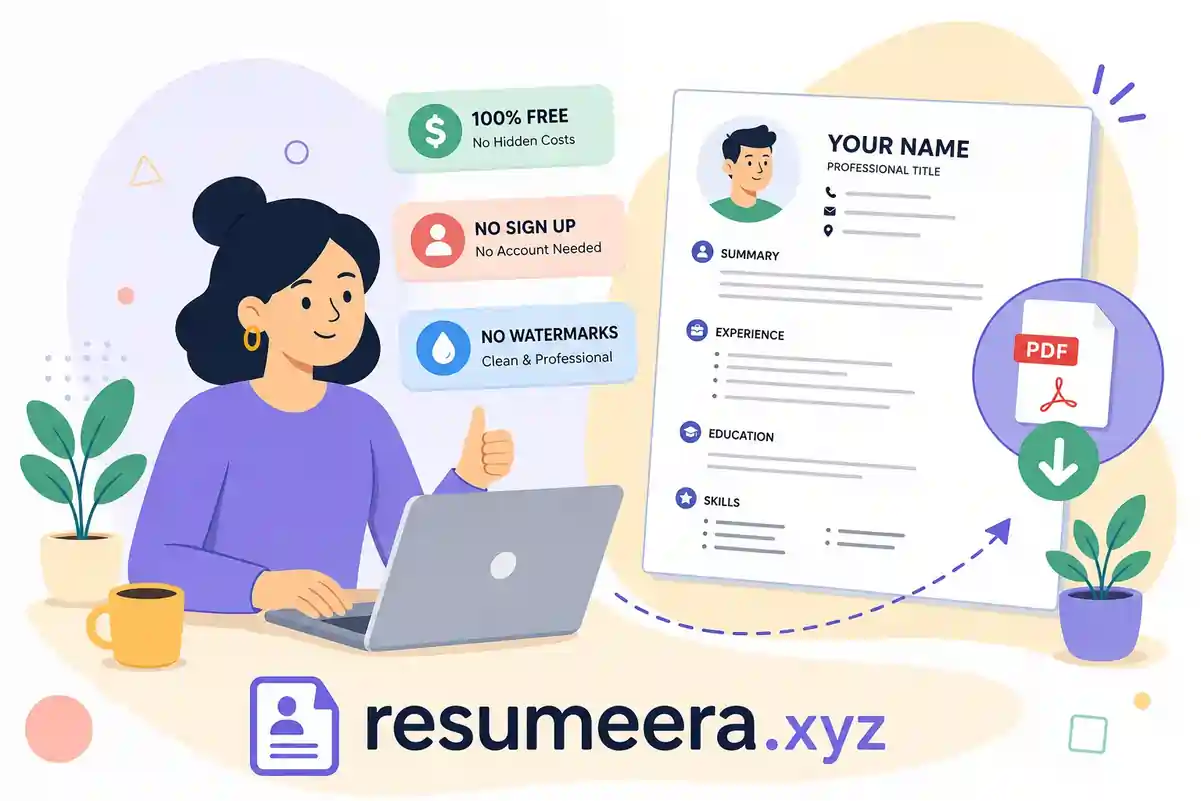
The experience with Free Resume Builder on ResumeEra is straightforward: go to the site, pick a template, fill in your information, and download. There's no email prompt, no password field, no credit card screen. The download delivers a clean PDF with no watermark and no promotional branding, and templates are accessible from the start without requiring a premium tier or account creation.
This matters practically because the download is immediately ready for submission. What you see in the builder is what lands in your downloads folder, no hidden watermarks to discover after the fact.
For a quick walkthrough, see Free Resume Builder No Sign-Up: Download in Minutes.
Built for ATS and real hiring workflows
Free Resume Builder is designed around how modern hiring actually works. ATS optimization is built into the free experience rather than reserved for a paid tier. For readers unfamiliar with the term: an Applicant Tracking System (ATS) is software that many mid-to-large employers use to scan resumes before a human ever reads them. Resumes with non-standard formatting, graphics, or unusual heading structures can get filtered out automatically.
The templates in ResumeEra’s builder use clean layouts, standard section headings, and keyword-compatible formatting that ATS systems are built to parse. The result is a resume that doesn't just look good; it's structured to survive the first automated screening before reaching a recruiter's desk. For more on formatting, see ATS resume format and ATS-compatible resume format 2026.
Who it's best for
Free Resume Builder works well across a range of situations. Recent graduates who need a first resume without paying for a premium tool get the full feature set available immediately. Employed professionals job hunting without leaving a digital trail get a no-account option that limits data exposure. Career changers reformatting their experience for a new industry and laid-off workers who need something polished and ready the same day all get the same tool with no trade-offs based on budget. If you’re changing careers, pair it with the career change resume format guide.
Other no-sign-up tools worth knowing about
OpenResume: open-source and genuinely local
OpenResume is a legitimate option for users comfortable with a minimalist interface. It's open-source, requires no account, and exports a watermark-free PDF. According to its documentation, data stays in your browser and isn't uploaded to a server, a meaningful privacy benefit for anyone handling sensitive career information. The trade-off is limited template variety and fewer customization options compared to dedicated builders. If you need a clean, no-frills output quickly and don't mind a stripped-down design, OpenResume delivers on its promise.
Resume.com and others: capable but with caveats
Resume.com, connected to the Indeed ecosystem, offers a free builder with export options and no obvious watermarks on downloads. The experience does nudge users toward account creation for saving and returning to edits, so users who want a truly zero-registration experience may hit friction there. Other tools like Freesumes or TealHQ also promote no-sign-up or generous free plans, but they are not as ATS-focused as a resume-specific platform that’s designed around hiring workflows.
All of these are usable options, but none offer the same friction-free, ATS-focused experience that ResumeEra’s Free Resume Builder provides from the first click. For a broader look at tools and scoring engines, see Resume Worded alternatives.
What most other “free” builders actually offer
Tools like some AI resume platforms follow the TXT-only free download model: the builder is accessible, but PDF and DOCX exports require a paid subscription. These aren't genuine free download options for job seekers who need a submission-ready file. They're free trials with a conversion goal. If you're comparing options, the format available on the free tier is the single fastest way to filter out tools that aren't actually useful.
File formats and download quality: what you actually get
PDF vs TXT vs DOCX: which format you actually need
PDF is the standard format for job applications in 2026. It preserves your layout across devices and operating systems, renders exactly as designed, and is readable by most ATS systems when properly structured. DOCX is occasionally requested by staffing agencies or employers who want to edit your resume directly, so having access to it is a bonus, but not a daily requirement. TXT strips all formatting and is really only useful for copying content into web-based application forms; it's not a submission document.
On their free tiers: Free Resume Builder on ResumeEra and OpenResume both provide clean PDF downloads. Resume.com offers PDF and plain text. Some platforms limit free users to TXT, with PDF requiring a paid plan. DOCX on a free tier is rare across the board, with meaningful exceptions primarily found in document editors like Microsoft Word for the web rather than dedicated resume builders.
Watermarks: how to spot them before you download
A watermark on a resume PDF typically appears as a platform logo, a promotional message, or semi-transparent text overlaid on your content. It's immediately visible to anyone opening the document and makes a professional resume look like a product sample. Based on available information, OpenResume and Resume.com are confirmed watermark-free, and ResumeEra’s Free Resume Builder delivers unbranded PDFs. Regardless of which tool you use, open the downloaded PDF and scroll through every page before submitting it anywhere. A watermark discovered after submission can't be undone.
Privacy and your resume data when there's no account
What most builders do with your data
Creating an account with a resume platform means handing over your name, email, phone number, employment history, and often your career goals, all tied to a persistent profile. That data can be retained indefinitely, used to target you with marketing emails, shared with third-party partners, or exposed in a security breach. The “free” version of many platforms is essentially a data collection mechanism with a resume builder attached. You're not the customer; you're the product being profiled.
It's the documented business model of many software platforms that monetize user data alongside or instead of subscriptions. Understanding it helps you make an informed choice about where you put your personal information.
Why zero data logging matters more than you think
Free Resume Builder on ResumeEra doesn't require an account, which means there's no data profile to build, store, sell, or breach. For employed professionals quietly exploring new roles, that's not a minor convenience feature, it's the point. Contrast this with platforms that require email verification even for “free” or “anonymous” use: the moment you verify an email, you've created an identity on their system.
OpenResume takes a similar approach, with its open-source documentation confirming that data stays in the browser rather than being uploaded to a server. Both tools represent a minority of resume builders that treat user privacy as a design choice rather than a compliance checkbox. Note that privacy protections vary by tool, always review a builder's privacy policy before entering sensitive personal information.
How to download your resume without signing up: a step-by-step walkthrough
From blank page to PDF
The process with ResumeEra’s Free Resume Builder is direct. Most users can complete a full resume from start to download in a single focused session; for an instant-download walkthrough, see Free Resume Builder No Sign-Up: Download in Minutes.
-
Navigate to ResumeEra’s Free Resume Builder. No account prompt appears, no email field is required.
-
Choose a template that fits your industry and target role. If you need help, see resume formats and 9 basic resume templates for 2026.
-
Fill in your sections: contact information, work experience, skills, and profile summary.
-
Preview your resume in real time to confirm the layout looks right.
-
Click download and save the clean, watermark-free PDF to your device.
The preview step matters. Use it to catch any formatting issues before the file leaves the browser. Once it's downloaded, it's exactly what you're submitting.
What to do right after you download
Open the PDF immediately and read through it top to bottom. Confirm that the layout rendered correctly, all text is legible, and no sections got cut off. Because there's no account storing your work, save the PDF to a folder you control, a local drive or cloud storage you manage personally. There's no auto-save tied to a profile, so the downloaded file is your only copy unless you return to the builder and re-enter your information.
Before submitting to any specific role, take a few minutes to tailor the resume to the job description. Add keywords from the posting into your skills and experience sections. This isn't about gaming the system, it's about making sure the ATS recognizes your qualifications for the specific role rather than filtering you out on a technicality. For help, use guides like how to tailor your resume for every job application in 2026 and ATS resume tips.
The bottom line
Most “free” resume builders aren't actually free once you try to download. The real cost is either your email address, your privacy, or your money. Now you know exactly what free resume builders let you download without signing up, and what criteria separate the ones worth your time from the ones running a bait-and-switch. No sign-up required, a clean PDF output, no watermarks, and minimal data collection: those criteria eliminate most of the market immediately.
Free Resume Builder on ResumeEra meets all of them. It's a clear option for anyone who needs a polished, ATS-ready resume without handing over personal information or sitting through a paywall. If you need a resume today, you can have one downloaded and ready to submit, no email required, no account created, no strings attached. For a short guide focused on instant PDF exports, sets, see Free Resume Builder Without Sign Up | Instant PDF Download.
Conclusion
Most “free” resume builders hide their real cost behind forced sign-ups, limited TXT exports, or watermarked PDFs that you can’t actually use for applications. By focusing on a few clear criteria—no account, no paywall, no watermark—you can quickly identify the small set of tools that genuinely respect your time and privacy.
ResumeEra’s Free Resume Builder fits that short list by offering ATS-ready templates, instant PDF downloads, and a no-account workflow that keeps your data exposure low. If you need a resume today and don’t want to trade your email or card details just to download it, this is one of the simplest ways to go from blank page to submission-ready PDF in a single session.
You’re not failing.
Your resume is.
Most people lose jobs before the interview — not because they lack skills, but because their resume looks average. Fix that in 5 minutes.
- ✅ ATS-optimized format
- ✅ Recruiter-friendly design
- ✅ Download instantly (PDF)
⚡ No signup required • 100% Free • Works on mobile
Get shortlisted faster
Pick a template → fill details → download resume.
