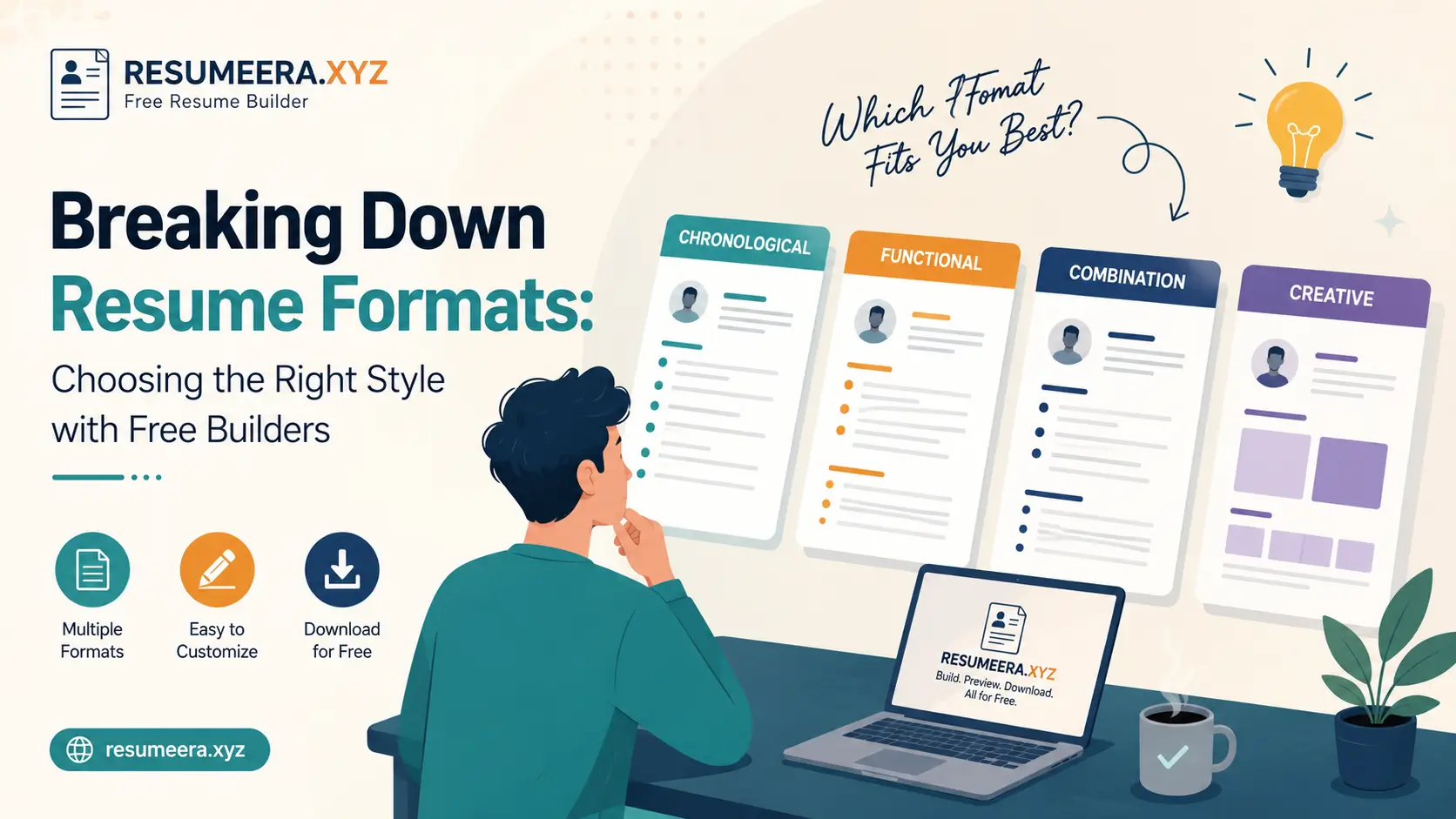
Your resume format decides whether a recruiter on Naukri or LinkedIn reads past the first six seconds. In India, where a single opening at Infosys, TCS, Wipro or a fast-growing startup in Bengaluru can attract 300 to 800 applications, layout is not decoration. It is a screening tool. Most large employers use an Applicant Tracking System such as Taleo, SAP SuccessFactors, Zoho Recruit or Darwinbox to filter resumes before a human sees them. If your headings, dates and sections are not placed where the ATS expects, your profile can be rejected even with the right skills. A fresher from Pune applying through TCS NQT, an experienced software engineer with 5 years at Cognizant targeting product companies, and a career-switcher moving from sales to business analysis in Mumbai need completely different structures to pass both software and human screening. This guide breaks down every major resume format, shows exactly when to use each one, includes a direct comparison table, explains PDF versus Word delivery for Indian portals, and gives you a practical step-by-step method to pick the right style for your experience level, gap history and target role using a free builder at https://resumeera.xyz without paying for templates or struggling with Word alignment.
Why Your Resume Format Decides Shortlisting in India
Indian recruiters spend an average of 6 to 8 seconds on an initial scan. They look for current designation, company, total experience, education and key skills in that order. The format controls that scan path. A chronological layout puts your most recent job at the top, which is exactly what a recruiter hiring for an immediate requirement wants. A functional layout pushes skills to the top but hides employment dates, which often raises questions for Indian hiring managers who are very sensitive to gaps and job stability.
ATS software used by Naukri, LinkedIn Easy Apply and corporate career portals in India parses your resume into fields. It looks for standard headings like Work Experience, Education, Skills and Projects. If you use creative headings like My Journey or What I Bring, the parser may miss the section entirely. Simple formatting also matters. Tables with nested columns, text boxes, header-footer content and images often fail to parse. That is why many candidates who use heavily designed templates never get a call despite being qualified.
- For freshers: Recruiters expect education, internships, projects and technical skills above work history. A format that highlights academic projects, certifications and campus achievements works better than one built for 10 years of experience.
- For experienced professionals (3 to 10 years): Recruiters want to see career progression, company names, tenure, and measurable achievements. A format that shows a clear timeline with promotions and quantified results builds trust.
- For senior professionals (10+ years): Leadership, team size, budgets handled and business impact matter more than daily tasks. A format with an executive summary and a separate leadership highlights section helps.
- For career gaps or switches: Many Indian employers ask for gap explanations. The format must allow you to address gaps without hiding them, for example through a combination layout with a strong skills summary and a transparent timeline.
Choosing the format before writing content saves hours of rework. It determines what you keep, what you cut, and where you place your strongest proof.
The 3 Core Resume Formats Every Indian Job Seeker Must Know
Almost every template you see on free builders at https://resumeera.xyz and other platforms is a variation of three base formats. Understanding these three gives you control over any template you pick. Each has a clear purpose, a specific audience and distinct risks in the Indian hiring context.
1. Chronological Resume Format – Best for Steady Growth
The chronological format lists work experience in reverse chronological order, starting with your current or most recent job. Each entry includes job title, company name, location, employment dates (month and year) and 3 to 5 bullet points of achievements. Education and skills follow experience.
This is the most preferred format by recruiters in India and globally because it is familiar and easy to scan. It works best if you have a stable work history in one domain, such as 2 years as a software developer followed by a promotion to senior developer, or 4 years in digital marketing with increasing responsibilities. It clearly shows growth, loyalty and domain depth.
- Best for: Candidates with 1 to 15 years of continuous experience in the same field, those applying within the same industry, and experienced hires targeting MNCs through Naukri or LinkedIn.
- Strengths: ATS-friendly, recruiter-friendly, highlights promotions and tenure, easy to verify during background checks.
- Limitations: Exposes gaps, frequent switches and unrelated short-term roles very clearly. Not ideal if you have a 1 to 2 year break or are switching from mechanical engineering to data science.
- What to include: Start with a 3-line professional summary, then Work Experience with quantified bullets like Improved API response time by 32 percent, then Education, then Skills grouped by category.
Example structure for an experienced candidate: Header with name and contact, Summary, Work Experience (Company, Role, June 2021 – Present), Education, Technical Skills, Certifications.
2. Functional Resume Format – Skills First, History Second
The functional format, also called skills-based, groups your experience under skill headings rather than job titles. Instead of showing where you worked year by year, it shows what you can do. Sections are typically Professional Skills, with clusters like Project Management, Data Analysis, Client Communication, each supported by 2 to 3 achievement bullets, followed by a brief employment history list at the bottom with only company names and dates.
In India, this format is rarely recommended as a primary choice because many recruiters and ATS systems are trained to look for a detailed timeline. However, it has specific uses. It helps freshers with no formal experience to group college projects, internships and freelance work under relevant skills. It also helps those returning after a long break, such as women restarting careers after maternity leave, or professionals with 2 to 3 years of unrelated jobs who want to highlight transferable skills for a new field.
- Best for: Freshers with strong projects but no full-time jobs, career switchers, candidates with long gaps, and freelancers consolidating varied short gigs into skill themes.
- Strengths: Hides gaps visually, puts relevant skills first, useful when your past job titles do not match your target role.
- Limitations: Often flagged by recruiters as hiding something, low ATS compatibility if skill headings are non-standard, difficult to verify without a clear timeline. Many Indian IT services companies specifically ask for a chronological history.
- How to make it safer: Keep skill headings standard, add a concise Employment History section with month-year dates, and avoid omitting dates entirely. Use it only when you have a strong reason and be ready to explain the timeline in interviews.
If you use this format on https://resumeera.xyz, choose a template that still includes a clear Employment History block at the end so the ATS can parse dates.
3. Combination (Hybrid) Resume Format – Balanced and Flexible
The combination format merges the best of both. It starts with a detailed skills summary or core competencies section at the top, followed by a reverse-chronological work history. You get to showcase relevant strengths immediately while still providing the transparent timeline recruiters expect.
This is the most versatile format for the Indian market in 2026. It works for experienced professionals who want to highlight both domain expertise and progression, for mid-career switchers who need to reframe past experience, and for candidates with 1 to 2 moderate gaps who want to lead with strengths but not hide history. For example, a customer support executive with 4 years of experience applying for a business analyst role can start with skills like Data Visualization, SQL, Stakeholder Communication with proof points, then list support roles chronologically with transferable achievements.
- Best for: Professionals with 3 to 12 years of experience, career switchers with some relevant skills, candidates with minor gaps, and those targeting roles where both skills and stability matter.
- Strengths: ATS-friendly when built with standard headings, recruiter-friendly, allows keyword optimization for Naukri search, balances skills and timeline.
- Limitations: Can become 2 pages quickly if not edited tightly, requires careful prioritization to avoid repetition between skills and experience sections.
- Structure to follow: Header, Professional Summary (3 to 4 lines), Key Skills or Core Competencies (8 to 12 keywords in 2 columns), Work Experience (reverse chronological with quantified bullets), Education, Projects or Certifications.
Most free builders at https://resumeera.xyz offer hybrid templates labeled as Modern or Professional. These are usually the safest default for Indian applications unless you have a clear reason to choose another format.
Other Resume Styles You Will See on Free Builders
Beyond the three core formats, free builders offer style variations that affect visual presentation, not the underlying structure. Knowing the difference prevents you from picking a good format with a bad layout.
- Simple and ATS-Friendly: Single column, standard fonts like Calibri, Arial or Garamond, clear headings, no graphics. Best for applying through Naukri, company ATS portals and LinkedIn Easy Apply. Parsing accuracy is highest.
- Modern with Color Accents: Subtle color for headings, a thin left border or top bar, still single or two-column but with clean spacing. Works well for startups, product companies and design-light roles while remaining ATS-safe if it avoids text boxes.
- Creative: Heavy graphics, icons, progress bars, pie charts for skills, photos. Common for designers and portfolios but risky for ATS. Skill bars like 90 percent in Python mean nothing to a recruiter and are ignored by parsers. Avoid for most corporate roles in India.
- One-Page vs Two-Page: Freshers and those with under 5 years should stay on one page. Experienced professionals with 6+ years, multiple projects and certifications can use two pages, but place the most critical information on page one.
- Infographic and Visual Resumes: Useful only as a LinkedIn featured attachment or portfolio supplement, not as your primary ATS resume.
When browsing templates at https://resumeera.xyz, filter by Simple or Modern for corporate jobs, and reserve Creative only for roles where a portfolio link matters more than ATS parsing.
Resume Format Comparison Table: Which One Fits Your Profile?
Use this table to match your profile to the right base format before you pick a visual template. The recommendation reflects how Indian recruiters and ATS systems actually evaluate resumes.
| Format | Best For | ATS Compatibility | Recruiter Preference in India | Page Length |
|---|---|---|---|---|
| Chronological | Stable career, same domain, 1 to 15 years experience | Very High | Very High – default expectation | 1 to 2 pages |
| Functional | Freshers with projects, long gaps, major career switch | Low to Medium | Low – often questioned | 1 page |
| Combination | Mid-career, switchers with transferable skills, minor gaps | High | High – increasingly preferred | 1 to 2 pages |
| Simple / Minimal | Any profile applying via ATS portals | Very High | High for screening | 1 to 2 pages |
| Creative / Infographic | Designers, artists, portfolio roles | Low | Low for corporate screening | 1 page |
For most Indian job seekers, the decision is between chronological and combination. Choose chronological if your last 2 to 3 roles directly align with the job you want. Choose combination if you need to reframe experience or bring forward skills that are buried in your work history.
How to Choose the Right Resume Format in 8 Practical Steps
Do not pick a template because it looks attractive. Follow this sequence to match format to your actual profile and target role.
- Define your target role precisely. Write the exact job title and 8 to 10 required skills from 3 to 5 real job descriptions on Naukri or LinkedIn. For example, Data Analyst requires SQL, Excel, Power BI, Python, stakeholder reporting.
- Audit your history honestly. List every job, internship, freelance project and gap with month-year dates. Note tenure, promotions and any break longer than 6 months. This audit reveals whether a timeline-first or skills-first approach is safer.
- Map overlap between your proof and target skills. If 70 percent of required skills can be proven through your last two jobs, chronological works. If only 40 percent comes from recent jobs and the rest comes from projects or older roles, combination is better.
- Decide on the lead section. If your current designation is your strongest signal, lead with Work Experience. If your skills or certifications are stronger than your title, lead with a Summary plus Key Skills before Experience.
- Select the base format. Stable history equals chronological. Mixed history or switch equals combination. No formal history or long gap equals functional with a mandatory employment history add-on, or preferably combination with project-based experience.
- Pick a visual template that supports the base format. On https://resumeera.xyz choose a Simple or Modern template for ATS roles. Check that headings are standard, dates are aligned right, and there are no text boxes or skill graphs.
- Optimize for ATS keywords without stuffing. Place exact keywords from the job description naturally in your Summary, Skills and Experience bullets. For example, if the JD says SAP FICO, write SAP FICO, not just SAP.
- Test before you send. Export as PDF and as DOCX, then copy-paste the text into Notepad to see if sections stay in order. Upload to a free ATS parser preview if available, and send a test to a friend to check mobile readability. Recruiters often open resumes on phones.
After these steps, your format choice is evidence-based, not guesswork. You can justify it in an interview and it will survive both software and human screening.
How to Build Your Chosen Format Correctly Using a Free Builder
A free builder removes the manual pain of aligning tables in Word, fixing font sizes and exporting to PDF. The key is to use it with discipline so the output remains ATS-friendly.
Step-by-Step Formatting Without Word Headaches
Start at https://resumeera.xyz and select your base format first, then choose a matching template. Enter your header with full name, phone, email, city, LinkedIn URL and portfolio or GitHub if relevant. Do not add photo, date of birth, gender or marital status unless the employer specifically asks, as these are not needed for most private sector roles in India and can introduce bias.
Write a 3 to 4 line professional summary tailored to the role, not a generic objective. Follow with Key Skills as 8 to 12 keywords in two columns. Then add Work Experience in reverse order with company, role, location and dates on one line, and 3 to 5 bullets per role starting with action verbs and numbers. Add Education with degree, university, year and percentage or CGPA if you are a fresher. Add Projects, Internships or Certifications as separate sections. Keep font size 10.5 to 11.5 for body and 14 to 16 for name. Use consistent date format like Jan 2022 – Present across all entries.
Features to Look for in a Builder for Indian Applications
- ATS-safe templates: Single column or clean two-column without text boxes, standard headings, export to both PDF and DOCX.
- Live preview and spacing control: Ability to adjust margins, line spacing and section order without breaking alignment.
- Keyword suggestions by role: Role-specific skill suggestions for Indian job titles like Java Developer, Business Analyst, HR Executive, Digital Marketing Specialist.
- One-click PDF and Word export: So you can send PDF for email and Word for portals that parse DOCX better.
- No watermark and free download: Essential for professional submission on Naukri and company sites.
After building, download both PDF and DOCX versions from https://resumeera.xyz. Keep the master file editable so you can quickly tailor the top skills and summary for each application in under 10 minutes.
PDF vs Word: Which File Type to Upload on Naukri, LinkedIn and Company Portals
The file type you send affects parsing accuracy and visual consistency. Indian portals handle them differently.
- PDF: Preserves design exactly on any device. Preferred when emailing directly to a hiring manager, sending via LinkedIn message, or uploading where the instruction says PDF. Most modern ATS can parse text-based PDFs, but scanned image PDFs fail completely. Always export as text-based PDF, not as an image.
- Word DOCX: Most ATS systems parse DOCX with slightly higher accuracy because it is a structured text format. Many Naukri and company ATS portals specifically recommend DOCX. If the portal says Upload Resume and accepts both, DOCX is the safer default for parsing. Keep formatting simple to avoid Word reflow issues.
- What Indian recruiters prefer: Recruiters opening on mobile or laptop prefer PDF for readability, while the ATS backend prefers DOCX for data extraction. The practical solution is to keep both ready and follow the portal instruction. If no instruction is given, upload DOCX to ATS portals and send PDF by email.
- File naming: Use FirstName_LastName_Role_Resume.pdf or docx, for example Rohit_Sharma_BusinessAnalyst_Resume.pdf. Avoid Resume_Final_Final.pdf. Keep file size under 500 KB.
At https://resumeera.xyz you can export the same resume in both formats without rebuilding, which lets you A/B test which gets more shortlists on different platforms.
Common Mistakes Indians Make When Choosing a Resume Format
These errors cause immediate rejection or lower visibility on Naukri search, even when skills are strong.
- Using a creative template for a corporate role: Icons, photos, skill bars and dark backgrounds may look good but break ATS parsing and distract recruiters. Save creative layouts for design portfolios only.
- Hiding gaps by removing dates: Recruiters in India verify employment through background checks. Missing months or years raises red flags. Show dates as MMM YYYY and be prepared to explain gaps honestly.
- Choosing functional to hide frequent switches: If you have changed 4 jobs in 3 years, a functional resume does not solve the concern. A combination format with a brief, honest summary and strong achievements is more credible.
- Overloading the first page: Cramming 10 years of experience into one page with 8-point font makes it unreadable on mobile. Use two pages with clear hierarchy if you have more than 5 years of relevant experience.
- Non-standard headings: Headings like My Expertise or Career Story confuse parsers. Use Work Experience, Education, Skills, Projects, Certifications, Internships.
- Inconsistent date and location formatting: Mixing Jan 2021 – Present with 01/2021 to till date looks careless. Pick one format and apply everywhere.
- Putting personal details at the top: Full address, father’s name, religion or salary expectations waste prime space. Keep header to name, phone, email, city, LinkedIn and portfolio.
- Not tailoring the top third: Sending the same resume for a Java Developer and a Data Analyst role without changing the summary and key skills reduces relevance scoring on both ATS and Naukri search.
- Exporting as image PDF: Saving a Canva or Photoshop resume as an image PDF makes it unparsable. Always export as selectable text.
Fixing these mistakes often improves shortlist rate more than adding another certification.
Frequently Asked Questions on Resume Formats
Which resume format is best for freshers in India?
For most freshers, a combination format works best. Start with a concise summary, then Key Skills, then Education, Projects, Internships and Certifications, followed by any work experience. This puts your strongest proof first while keeping a clear structure. If you have no internships, lead with academic projects with technologies used and outcomes. Keep it to one page and export as PDF and DOCX from https://resumeera.xyz for Naukri and LinkedIn uploads.
Which format do recruiters and ATS in India prefer?
Recruiters and most ATS used in India prefer chronological or combination formats with standard headings. They are easiest to scan and parse. Functional formats are least preferred because they hide the timeline. If you apply through an ATS portal, choose a simple single-column template with headings like Work Experience and Education to ensure clean parsing.
Should I use a one-page or two-page resume?
Use one page if you have less than 5 years of experience, or if you are a fresher. Use two pages if you have 6+ years, multiple relevant projects, or senior responsibilities where page two adds real value. Place your current role, key skills and top achievements on page one, because many recruiters may not scroll to page two on the first scan.
Is it okay to use a free builder template for Naukri and LinkedIn?
Yes, if the template is ATS-friendly. Choose Simple or Modern templates at https://resumeera.xyz that avoid text boxes, tables and graphics, use standard fonts, and allow clean PDF and DOCX export. Avoid templates with skill bars, photos or heavy color blocks for corporate roles. Test the export by copying text to Notepad to confirm order is preserved.
PDF or Word – which should I send to Indian employers?
Follow the employer’s instruction. If none is given, upload DOCX to ATS portals and Naukri for better parsing, and send PDF when emailing a recruiter directly for better visual consistency. Always keep both versions ready. Name the file professionally and keep it under 500 KB.
Can I use the same resume format for government and private jobs in India?
Private sector resumes should be concise, achievement-focused and ATS-optimized. Government applications often require a detailed biodata or CV with chronological history, personal details, and sometimes a prescribed format. Check the official notification. For private jobs, use a tailored one to two page resume. For government posts, follow the exact format given in the advertisement.
How do I handle career gaps in my resume format?
Do not hide gaps. Use a combination format that starts with a strong skills summary, then shows work experience with honest month-year dates. You can add a brief Career Break note with 1 line explaining upskilling, family care or health reasons, and list any courses, freelance work or volunteer experience during the gap. Be consistent and be ready to explain the gap positively in interviews.
Picking the right resume format is not about design trends. It is about making your strongest evidence impossible to miss for both software and human reviewers. Start by auditing your history, match it to the role’s required skills, choose between chronological and combination as your base, and build it cleanly with a free builder at https://resumeera.xyz that gives you ATS-safe PDF and Word files. Keep the layout simple, tailor the top third for each application on Naukri and LinkedIn, and test parsing before you apply. With the right structure, your experience speaks clearly in the first six seconds, and that clarity is what turns applications into interview calls.
