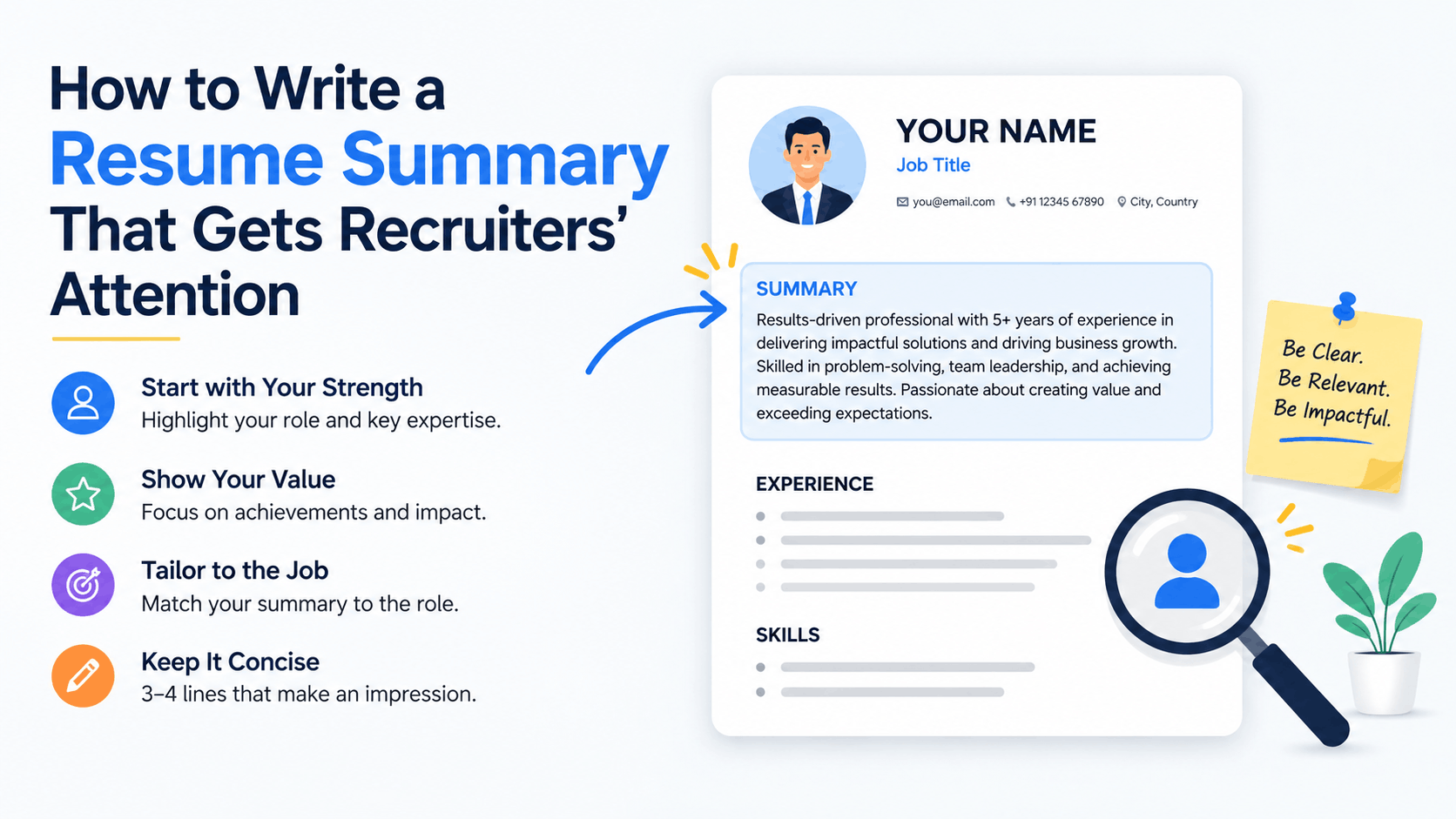
Recruiters in India review hundreds of applications for a single opening on Naukri, LinkedIn and company career portals, and most decide within six to eight seconds whether to read further. Your resume summary sits at the very top, directly under your name and contact details, so it carries more weight than any other section. A sharp, specific summary tells an Indian recruiter who you are, what you bring, and what you have already delivered, without forcing them to hunt through pages. For freshers from Tier 2 and Tier 3 colleges, for experienced professionals switching domains, and for managers targeting MNCs in Bengaluru, Hyderabad, Pune or Gurugram, the summary is the first filter. Applicant Tracking Systems used by TCS, Infosys, Wipro, HDFC Bank and thousands of startups also scan this top section for keywords. Get it right and your resume moves to the shortlist. Get it vague and it gets skipped, even if your experience is strong.
What a Resume Summary Is and Why Recruiters Read It First
A resume summary is a three to four line paragraph at the top of your resume that condenses your professional identity, years of relevant experience, core skills and one measurable achievement. It is not a career objective that talks about what you want. It is a concise pitch about what you offer to the employer. In India, where Naukri alone hosts over 90 million job seekers and recruiters handle 200 to 400 resumes per vacancy, the summary helps them decide in seconds if your profile matches the job description. LinkedIn recruiters use the same logic when they view your profile or download your resume. If the summary mirrors the keywords and outcomes they need, they read the rest. If it is generic, they move on.
How Recruiters on Naukri and LinkedIn Scan Summaries
Most Indian companies use an ATS such as Naukri RMS, Taleo, Workday or Zoho Recruit to parse resumes before a human sees them. The system extracts text from the top third of the first page and matches it against the job description. A summary that contains exact skill phrases like “Advanced Excel”, “GST Filing”, “Java Spring Boot”, “Digital Marketing” or “US Healthcare Billing” ranks higher. After the ATS, a recruiter does a manual scan. They look for role title, total experience, industry, key tools and a number that proves impact. For example, “Reduced month-end closing from 10 days to 4 days” or “Handled 45 member support team across 3 shifts” stands out instantly. On LinkedIn, recruiters searching with filters also see your resume headline and summary first. A summary aligned with the job title and location, such as “Accounts Executive with 4 years in manufacturing, based in Pune”, improves visibility in both portals.
Resume Summary vs Objective vs Profile: Clear Difference
Many Indian freshers confuse these three terms and write an outdated objective. Here is the clear difference with practical use cases:
- Resume Summary: Best for anyone with internships, projects or 1+ year of experience. Focuses on what you have done. Example: “BCA graduate with 8-month internship in front-end development, skilled in React and Figma, built 3 live websites.”
- Career Objective: One line about what you seek. Useful only for absolute freshers with zero experience applying for campus placements. Even then, keep it skill-oriented, not generic like “seeking a challenging position”.
- Resume Profile: Similar to summary but slightly longer, often used in UK and European CVs. In India, recruiters prefer the shorter summary format for Naukri uploads.
For experienced candidates, always choose a summary. For final year students applying through college placement cells, a two-line summary that highlights your degree, major project and internship outcome works better than a vague objective.
The 4-Part Formula for a High-Impact Resume Summary
Every strong resume summary that gets interviews in India contains four elements in 40 to 80 words. Recruiters at firms like Accenture, Deloitte, Capgemini and ICICI Bank look for this exact structure because it answers their four screening questions quickly.
Professional Identity, Experience, Skills and Proof
Use this formula as a fill-in template before you write your own version:
- 1. Professional Identity: Your current or target role in 2 to 4 words. Examples: “Digital Marketing Executive”, “Mechanical Engineer”, “Customer Support Team Lead”, “Commerce Graduate”.
- 2. Years and Context of Experience: Total relevant years plus industry or environment. Examples: “with 5 years in B2B SaaS sales”, “with 2 years in hospital administration in Chennai”, “fresher with 6-month internship at a CA firm in Jaipur”.
- 3. Top 2 to 3 Hard Skills: Tools and domain skills exactly as written in the job description. For an analyst role: “Advanced Excel, SQL and Power BI”. For a teacher: “CBSE curriculum design, classroom management and parent counselling”.
- 4. One Quantified Result: A number that proves value. Examples: “Increased Instagram engagement by 62% in 4 months”, “Processed 300+ invoices monthly with 99.2% accuracy”, “Trained 120 new hires with 95% retention”.
Keep the entire summary between 3 and 4 lines when formatted in 11 point Calibri or Arial. That is roughly 40 to 80 words. Longer summaries get cut off in Naukri’s preview window and on mobile LinkedIn views. Shorter summaries feel incomplete. Write in third person implied style, without pronouns like I or my. Start with your identity, not with “I am”. Use active verbs and numbers.
“Customer Support Team Lead with 4 years in e-commerce operations, skilled in Zendesk, SLA management and team coaching. Led 28 agents in Hyderabad, improved CSAT from 3.8 to 4.6 and reduced average handling time by 22% in 9 months.”
This structure works for freshers too. Replace years with project or internship context and keep the proof. For instance, a fresher mechanical engineer can write: “Mechanical Engineering graduate (2025, VTU Belgaum) with 6-month internship at Bosch Nashik, skilled in AutoCAD, SolidWorks and CNC programming. Designed a jig that cut assembly time by 18% during final year project.” The proof with numbers is what separates a memorable summary from a forgettable one.
Step-by-Step: Write Your Summary in 7 Steps
Follow these seven steps in order. Do not write the summary first. Write it after you complete the rest of your resume, so you can pull the strongest points. Keep the job description open beside you.
- List your target job titles: Open 5 to 7 recent job posts on Naukri and LinkedIn for your target role in your city. Note the exact titles, for example “Business Analyst” or “Associate Business Analyst”. Your summary should use the most common title.
- Extract 8 to 10 keywords: From those posts, copy hard skills and tools that repeat. For HR roles, frequent keywords are “payroll processing”, “statutory compliance”, “PF & ESI”, “HRMS” and “recruitment”.
- Note your strongest proof: Look at your work experience, internships or academic projects. Pick one achievement with a number. Freshers can use internship feedback or project outcomes.
- Draft a 4-part sentence: Combine identity, experience, top 3 keywords and proof into one paragraph. Write two versions: one 45-word version for Naukri and one 75-word version for LinkedIn.
- Match the language to the job description: Replace synonyms with exact phrases from the posting. If the posting says “Tally Prime” do not write just “Tally”. ATS in India matches exact phrases.
- Trim filler and pronouns: Remove “hardworking”, “passionate”, “seeking opportunity” and “responsible for”. Replace with specific verbs like “managed”, “built”, “audited”, “closed”.
- Test readability and ATS parsing: Paste your resume into plain text and upload to https://resumeera.xyz free resume checker or Naukri’s resume quality score. Check that the summary appears cleanly. Read it aloud in 15 seconds.
Repeat this process for each job family. A summary for a “Digital Marketing Executive” role will differ from one for a “Content Writer” role, even if your skills overlap. Save 2 to 3 tailored summaries and swap them before you apply, rather than sending one generic version everywhere.
Resume Summary Examples for Indian Job Seekers
Below are ready-to-adapt examples for common Indian hiring scenarios. Each follows the 4-part formula, stays within 40 to 80 words and uses keywords that Indian ATS and recruiters actually search for. Replace the numbers and tools with your own.
1. Fresher BCom Graduate Applying for Accounts Role in Delhi:
“BCom graduate (Delhi University, 2025) with 6-month internship at a CA firm in Laxmi Nagar, skilled in Tally Prime, GST filing and Advanced Excel. Assisted in monthly GST returns for 18 clients and reconciled ledgers with 98% accuracy during internship.”
2. Software Engineer with 2 Years Experience Targeting Product Companies in Bengaluru:
“Software Engineer with 2 years in fintech product development, skilled in Java, Spring Boot and MySQL. Built REST APIs for payment module serving 1.2 lakh daily transactions and reduced API response time by 35% at current startup.”
3. Digital Marketing Fresher with Freelance Experience:
“Digital Marketing fresher with 9 months freelance experience for 6 local businesses in Indore, skilled in Google Ads, Meta Ads and Canva. Managed Rs. 1.8 lakh monthly ad spend and increased qualified leads by 44% for a coaching institute in 3 months.”
4. HR Executive with 5 Years in Manufacturing, Pune:
“HR Executive with 5 years in automotive manufacturing in Pune, skilled in payroll, PF & ESI compliance and SAP SuccessFactors. Managed end-to-end recruitment for 300+ shop-floor hires and cut time-to-fill from 38 to 21 days.”
5. Teacher with 8 Years Experience Applying to CBSE Schools:
“PGT English with 8 years in CBSE schools in Hyderabad, skilled in curriculum design, board exam preparation and student counselling. Mentored 120 Class 12 students to 100% board pass rate with 32 distinctions in 2024.”
Notice each example starts with identity, adds context, lists three hard skills exactly as recruiters search, and ends with a number. For Naukri, keep city and industry words because recruiters filter by location and sector. For LinkedIn Easy Apply, keep the proof in the first two lines because the preview truncates after 200 characters on mobile.
Formatting Your Summary for Word, PDF and ATS Success in India
Even the best summary fails if the formatting breaks in Word or PDF or if the ATS cannot read it. Most Indian employers accept both .docx and PDF, but Naukri, Indeed and many company portals parse .docx more reliably. Create your master resume in Word (.docx) first, then export to PDF only when the employer specifically asks for PDF. Keep the summary at the top, under your name, phone, email, city and LinkedIn link. Do not place it inside a text box, header, footer or table cell. ATS cannot read text inside those elements.
Use a clean, single-column layout. Choose Calibri, Arial or Aptos at 10.5 to 11.5 point for body text and 14 to 16 point bold for your name. Keep margins 0.6 to 0.8 inches. Left align the summary, do not justify it. Keep line spacing at 1.0 to 1.15. Use a clear heading like “Professional Summary” or “Summary” in 11 to 12 point bold, not decorative headings like “About Me”. Avoid icons, images, skill bars and coloured backgrounds in the summary area. These elements confuse older ATS versions still used by many Indian SMEs.
| Feature | Word (.docx) | |
|---|---|---|
| ATS Parsing Accuracy in India | Highest, preferred by Naukri RMS and most corporate ATS | Good if exported correctly, but text in images fails |
| Best Use Case | Upload to job portals, email to recruiters, campus placements | Send when employer asks for PDF, for LinkedIn attachment |
| Formatting Risk | Low, fonts stay editable | Medium, layout may shift on different devices |
| File Size | Small, easy to upload on mobile data | Slightly larger, keep under 500 KB |
| Editing | Easy to tailor summary for each job | Requires re-export after edits |
When you export to PDF from Word, use File then Save As then PDF, not Print to PDF, to keep text selectable. Test both files by opening in Notepad or uploading to https://resumeera.xyz ATS check. If the summary appears as garbled symbols, fix fonts and re-export. Name your file as “FirstName_LastName_Role.docx”, for example “Amit_Sharma_BusinessAnalyst.docx”, so recruiters can find it quickly.
Common Mistakes That Get Your Summary Ignored
Indian recruiters report the same errors repeatedly, especially in fresher resumes from mass applications. Avoid these mistakes to keep your summary credible and shortlist-ready.
- Writing a generic objective: “Seeking a challenging position where I can grow” says nothing about your skills. Replace with a specific summary that names your degree, tools and proof.
- Stuffing soft skills without proof: “Hardworking, dedicated, team player” without numbers is ignored. Show teamwork through “Collaborated with 4-member team to deliver project 2 weeks early”.
- Copying the same summary for every job: Sending a software developer summary for a data analyst role confuses ATS. Tailor keywords for each family of roles.
- Making it too long: A 120-word paragraph covering your entire career history belongs in work experience, not the summary. Limit to 4 lines.
- Using first person pronouns: “I have 3 years experience” wastes space. Start directly: “Mechanical Engineer with 3 years…”.
- Hiding the summary inside graphics: Text boxes, tables and Canva-style templates with two columns often make the summary invisible to Naukri RMS. Use a single-column Word layout.
- Forgetting location and industry: For roles where location matters, include city or “open to relocate to Bengaluru”. For industry-specific roles, name the sector like “healthcare” or “manufacturing”.
Run a final check: read your summary and ask, could this fit any candidate? If yes, it is too generic. A strong summary could only fit you because it contains your specific tools, context and numbers.
How to Tailor Your Summary for Different Job Applications
Tailoring does not mean rewriting your whole resume. Change only the summary and the top 3 skills to match each job description, which takes 5 minutes per application and doubles your response rate on Naukri and LinkedIn.
For freshers applying to multiple domains: Create two versions. If you are a BTech CSE graduate applying to both “Software Developer” and “Data Analyst” roles, keep two summaries. The developer version highlights “Java, DSA, Spring Boot” and a coding project. The analyst version highlights “Python, SQL, Power BI” and a data visualization project. Upload the right version to each portal filter.
For experienced professionals switching industries: Translate your experience into the new industry’s language. A sales executive moving from telecom to edtech should replace “Achieved 112% of telecom revenue target” with “Achieved 112% of B2C sales target by counselling 400+ customers monthly”, and add edtech keywords like “lead conversion” and “CRM”.
For gaps or career breaks: Do not mention the gap in the summary. Focus on recent upskilling. Example: “Operations Executive with 4 years in logistics, recently certified in Supply Chain Analytics and skilled in Excel and SAP MM. Streamlined dispatch process to cut delivery delays by 19% in last role.” The certification signals you are updated.
Keep a master list of 3 tailored summaries in your Word file on https://resumeera.xyz templates. Before you click Apply, copy the right summary to the top. This small habit helps you pass both ATS filters and the recruiter’s 7-second scan without rewriting the entire resume.
Frequently Asked Questions
How long should a resume summary be for Indian jobs?
Keep it between 40 and 80 words, which is 3 to 4 lines in 11 point Calibri or Arial. This length fits Naukri’s preview, LinkedIn mobile view and most ATS parsers. Shorter than 30 words feels incomplete, longer than 90 words gets skipped.
Should freshers write a resume summary or an objective?
Freshers should write a summary, even with zero full-time experience. Use your degree, internship, major project and one result. Objectives like “seeking challenging role” are outdated and ignored by recruiters on Naukri and LinkedIn.
Where should the summary appear in Word and PDF resumes?
Place it at the very top, immediately below your name, contact details and LinkedIn link. Use the heading “Professional Summary” or “Summary”. Do not put it in a header, footer, text box or sidebar, as ATS cannot read text in those areas.
How do I make my summary ATS-friendly for Naukri RMS and other Indian ATS?
Use exact keywords from the job description, keep formatting simple with single column and standard fonts, and save as .docx first. Avoid images, icons and tables for the summary. Test parsing on https://resumeera.xyz before uploading.
Can I use the same summary for Naukri, LinkedIn and email applications?
You can use the same core summary, but tailor the top 3 skills and proof for each job family. For LinkedIn, keep the strongest achievement in the first 200 characters. For Naukri, include city and industry keywords that recruiters filter by.
What should I avoid in a resume summary?
Avoid generic soft skills without proof, first person pronouns, salary expectations, personal details like date of birth, and long paragraphs. Also avoid copying the same summary for unrelated roles, as it lowers ATS match scores.
How often should I update my resume summary?
Update it for every job family you apply to and whenever you gain a new skill, certification or measurable result. At minimum, review it every 2 to 3 months during your job search to keep keywords aligned with current postings.
A well-written resume summary does not just describe you, it positions you for the specific job you want. Start with the 4-part formula, keep it tight at 40 to 80 words, match the keywords Indian recruiters search for on Naukri and LinkedIn, and format it cleanly in Word before exporting to PDF. Test it with a plain text check on https://resumeera.xyz, tailor it for each application, and let the numbers do the talking. With this approach, your summary will earn those crucial extra seconds from recruiters and move your resume from the pile to the shortlist.
