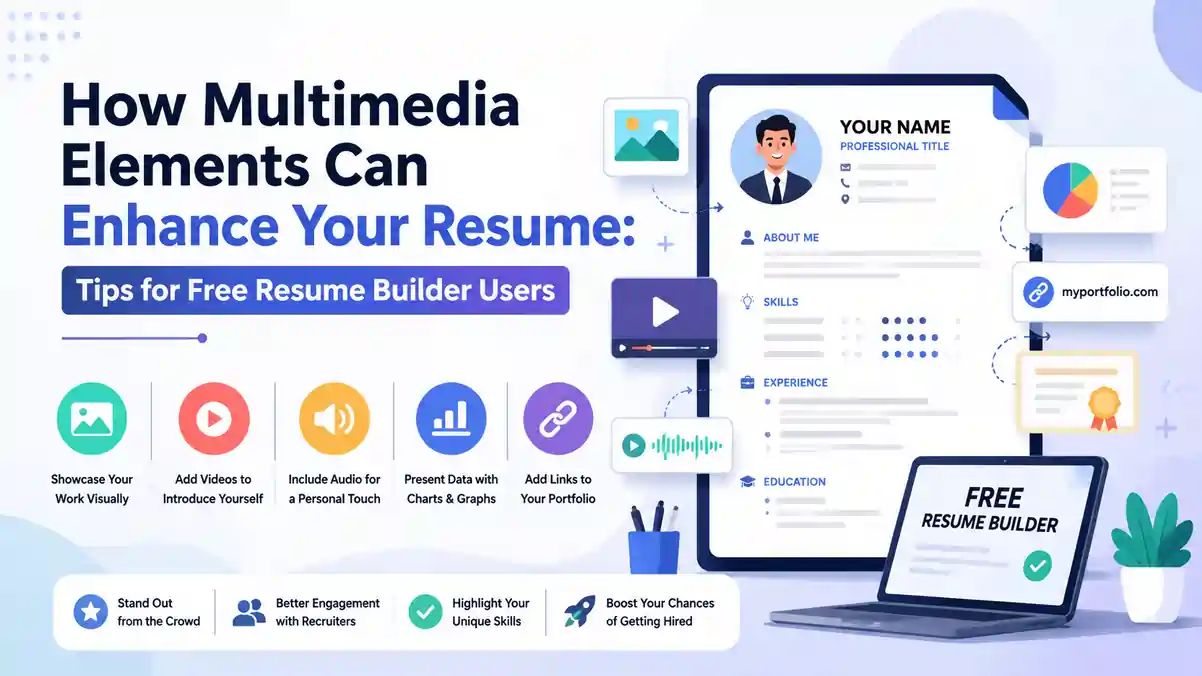
A plain text resume still gets you shortlisted, but for many roles in India, a resume that shows your work visually creates a stronger first impression. Multimedia elements — such as icons, skill charts, timelines, portfolio links, QR codes, and subtle colour blocks — help recruiters on Naukri, LinkedIn, and company career portals understand your profile in seconds. When you use a free resume builder like the one at https://resumeera.xyz, you can add these elements without design skills and still keep your file ATS-friendly and ready to download as PDF or Word. The key is knowing what to add, where to place it, and when to hold back so your resume remains professional for Indian hiring standards.
What Multimedia Elements Mean in a Modern Indian Resume
In the Indian job market, a multimedia resume does not mean a video resume or a heavy graphic poster. It means a standard one or two-page resume that uses visual cues to make information faster to scan. For freshers applying through Naukri or Internshala, and for experienced professionals sending applications to TCS, Infosys, Wipro, HDFC Bank, or startups in Bengaluru and Gurugram, recruiters spend 6 to 8 seconds on the first scan. Visual elements guide the eye to what matters: your contact details, core skills, recent experience, and measurable results.
A free resume builder gives you controlled options. Instead of building graphics from scratch in Photoshop or Canva, you select a template that already places icons for phone and email, a horizontal bar for skills, or a small timeline for education and work history. The builder at https://resumeera.xyz, for example, keeps the underlying text selectable and searchable, which is critical for Applicant Tracking Systems used by large Indian employers and consultancies like Naukri RMS, Taleo, and Darwinbox. You get the visual benefit without losing machine readability.
Types of Multimedia You Can Actually Use Without Hurting ATS
Not every visual element is safe for job applications. The safest and most effective options for Indian resumes are: small monochrome or two-tone icons next to contact information and section headings, horizontal skill bars or dot ratings for technical tools, vertical or horizontal timelines for education and experience, subtle shaded boxes to separate sections, simple bar or pie charts for quantifiable achievements, QR codes linking to a portfolio or LinkedIn profile, and clickable hyperlinks for email, LinkedHunt, GitHub, Behance, or personal website. These elements add clarity without turning your resume into an infographic that an ATS cannot parse.
Elements to use with caution include large background images, full-page colour fills, photographs (unless you are in hospitality, aviation, acting, or modelling where a photo is expected), complex infographics with text embedded inside images, and custom fonts that do not embed properly in PDF. If text is flattened into an image, the ATS reads it as blank. Always keep the actual text live and selectable.
Where Multimedia Fits and Where It Does Not
Multimedia works best in the header, skills section, and summary areas. A clean header with icons for location, phone, email, and LinkedIn makes contact details scannable. A skills section with grouped categories — for example, Programming Languages, Cloud Tools, Marketing Tools — and light visual bars helps a recruiter verify fit quickly. A timeline for your B.Tech, MBA, or work stints at two or three companies helps show progression without long paragraphs.
It fits less well inside long achievement bullets. Your work experience bullets should remain text-first with numbers: Increased sales by 22% in 6 months, Reduced server cost by Rs. 1.8 lakh per quarter, Handled a team of 4 content writers. Do not replace these bullets with only charts. Recruiters want to read the context, action, and result. Use a chart to support the bullet, not replace it. For government jobs, PSU applications, and traditional sectors like banking and manufacturing in India, keep visuals minimal. For design, marketing, content, UI/UX, architecture, and media roles, you can be slightly more visual.
Why Indian Recruiters Pay Attention to Visual Resumes But ATS Still Decides the First Cut
Most mid and large companies in India use an ATS before a human sees your resume. When you upload a resume on Naukri, Indeed, or a company portal, the system extracts text and matches it against keywords from the job description. If your resume uses tables for layout, text boxes, or graphics where the text is part of an image, the extraction fails and you may be auto-rejected even if you are qualified. This is why many candidates in India who use heavily designed Canva resumes complain about not getting calls.
At the same time, once your resume passes the ATS and reaches a recruiter or hiring manager, presentation matters. Recruiters in Mumbai, Pune, Hyderabad, and Delhi NCR often review 80 to 150 resumes for one opening. A resume with clear hierarchy, consistent fonts, and light visual cues is easier to evaluate. Icons reduce the time to find your phone number. Skill bars help compare your proficiency in Python versus Java. A QR code lets a design recruiter open your portfolio in one scan during an interview. The goal is to satisfy both audiences: the software that filters and the human who decides.
Free resume builders solve this balance by offering ATS-friendly templates that look modern. The templates use standard headings like Work Experience, Education, Skills, Projects, and Certifications, which the ATS expects. Visual elements are layered with CSS and not baked into images, so the text remains extractable. You can download as PDF for sending to recruiters and as Word DOCX for portals that require editable files. Always test your PDF by trying to select and copy the text. If you can copy it, the ATS can likely read it.
Best Multimedia Elements to Add Using a Free Resume Builder
Choosing the right elements depends on your experience level and target role. For freshers from Tier 2 and Tier 3 colleges applying for analyst, support, or trainee roles, simple icons and a well-structured education timeline are enough. For experienced professionals with 3 to 8 years of experience, skill visualizations and project links add more value. For freelancers and creatives, portfolio hyperlinks and QR codes are essential.
Below are the most useful multimedia options available in free builders and how to use them effectively for Indian applications.
Icons, Colour Blocks and Section Dividers
Icons for email, phone, location, and LinkedIn save space and make the header compact. Use a single icon style throughout — either line icons or solid icons — and keep them small, around 10 to 12 pt. Colour blocks work well to highlight your name and job title at the top or to shade the left column if you use a two-column layout. Stick to one primary colour plus grey and black. For example, navy blue for headings with light grey dividers is professional for finance and IT. Teal or maroon can work for marketing and design. Avoid bright red, neon green, or multiple competing colours. Section dividers — thin lines between Experience, Education, and Skills — improve readability without adding clutter.
Skill Bars, Dot Ratings and Grouped Skill Clouds
Skill visuals are useful but often misused. Do not rate yourself 5/5 in everything. Indian recruiters see inflated ratings as unreliable. Instead, group skills into categories and use bars or dots to show relative comfort. For example, under Technical Skills, list Python, SQL, Excel, Power BI. Show Python and SQL as 4/5 dots, Excel as 5/5, Power BI as 3/5. Add a small note like Proficient, Intermediate, Basic if space allows. Better still, link the skill to proof: Python — Used for 3 projects including sales forecasting model with 89% accuracy. This combination of visual plus evidence is more convincing than a bar alone.
For non-technical roles, use grouped tags instead of bars. For a digital marketing fresher, group as SEO Tools: Google Analytics, SEMrush, Ahrefs; Content: Canva, WordPress; Ads: Google Ads, Meta Ads. The tag cloud looks clean and avoids the subjectivity of self-rating.
Timelines, Charts and QR Codes for Proof
Timelines are ideal for showing education and career progression without gaps. A vertical line with dots for B.Com 2019, MBA 2021, Analyst at Deloitte 2021-2023, Senior Analyst 2023-Present tells a story quickly. Keep dates in consistent format: May 2021 - Present or 05/2021 - Present.
Charts should be used only when you have real numbers to show. A small bar chart comparing Lead Generation Before and After your campaign, or a pie chart showing cost split you managed, can make an achievement memorable. Do not add charts for soft skills like communication or teamwork. Those cannot be quantified visually and look forced.
QR codes are increasingly accepted in India, especially for creative and tech portfolios. Generate a QR code that links to your LinkedIn profile, GitHub, Behance, or personal site hosted on https://resumeera.xyz portfolio link. Place it in the header or footer, small in size, with a caption like Scan to view portfolio. Test the QR before sending. Make sure the link is public and mobile-friendly. If you apply via Naukri where resumes are often printed in black and white, ensure the QR still scans when printed.
Multimedia vs Traditional Text-Only Resumes: What Works When
Both formats have a place. The right choice depends on where you are applying and who will read your resume first. Use this comparison to decide before you build.
| Feature | Multimedia Resume (Light Visual) | Traditional Text-Only Resume |
|---|---|---|
| Best For | Private sector, startups, design, marketing, IT, product roles | Government jobs, PSUs, banking, manufacturing, ATS-heavy portals |
| ATS Compatibility | High if built with ATS-friendly builder, text remains selectable | Very high, minimal risk of parsing errors |
| Recruiter Scan Time | Faster, visual hierarchy guides eye to skills and results | Slower, relies on bold headings and bullet spacing |
| File Type | PDF preferred, Word as backup | PDF and Word both safe |
| Risk Level | Medium if over-designed, low if kept minimal | Low risk, but can look generic |
| Ideal Length | 1 page for freshers, 1-2 pages for experienced | Same, but can stretch to 2 pages more easily |
| Portfolio Linking | Easy with icons, hyperlinks, QR codes | Only plain hyperlinks |
For most Indian job seekers, a hybrid approach works best. Keep the core resume text-only in structure but enhance it lightly with multimedia. You get the safety of a traditional resume with the appeal of a modern one. If a job posting explicitly says send resume in Word format or mentions ATS screening, lean simpler. If you are emailing directly to a hiring manager or sharing on LinkedIn, a light visual version performs better.
Step-by-Step: Adding Multimedia to Your Resume on ResumeEra.xyz
Follow these steps to build a clean, visual, and ATS-friendly resume using the free builder at https://resumeera.xyz without needing design software.
- Choose the right template: Start with an ATS-friendly template labelled Professional, Minimal, or Modern. Avoid templates with heavy background graphics or photo placeholders unless your industry expects a photo. Preview how it looks in both PDF and Word.
- Fill core content first, visuals later: Enter your name, contact details, summary, work experience, education, skills, projects, and certifications in plain text. Write achievement bullets with numbers before you add any icons or charts. This ensures your story is strong even without visuals.
- Add header icons and links: Enable icons for phone, email, location, and LinkedIn. Add clickable hyperlinks for LinkedIn, GitHub, or portfolio. Keep the header in a single line or two lines to save space. Test each link after adding.
- Visualise skills smartly: Group skills into 2 to 3 categories. Use dot ratings or tag pills instead of percentage bars. Do not exceed 12 to 15 skills total. Link each key skill to a project or certification where possible.
- Insert one supporting chart or timeline: Add a timeline for education or experience, or a single bar chart for your biggest achievement. Keep it small, aligned to the right or below the relevant bullet. Do not add more than one chart per page.
- Generate and place a QR code if needed: Create a QR code for your portfolio or LinkedIn. Place it in the top right or footer with a caption. Ensure it is high contrast and at least 2 x 2 cm for print scanning. Verify it works from a phone camera.
- Check ATS and export settings: Use the builder preview to check heading names, font consistency, and margins. Export as PDF with embedded fonts and also download a DOCX copy. Open the PDF, try to select all text, and copy it into Notepad. If all text copies correctly, your multimedia elements have not broken ATS readability.
After building, send a test email to yourself and open the resume on mobile. Many Indian recruiters first view resumes on phones. Check that icons do not overlap text, charts remain clear on small screens, and hyperlinks are tappable.
Formatting Rules to Keep Your Multimedia Resume ATS-Friendly and PDF-Ready
Visual appeal should never break basic formatting rules that Indian ATS and recruiters expect. Follow these non-negotiable rules when you add multimedia.
Use standard section headings exactly as ATS expects: Summary, Work Experience, Education, Skills, Projects, Certifications, Achievements. Do not rename them to creative titles like My Journey or What I Bring. The ATS looks for exact keywords. Keep fonts to one or two professional families: Poppins, Calibri, Arial, Garamond, or Inter. Font size 10 to 11 pt for body, 14 to 16 pt for your name, 11 to 12 pt for section headings. Maintain margins of 0.6 to 0.8 inches on all sides so nothing gets cut when printed.
Save colour for headings, dividers, and small accents. Use 60-30-10 rule: 60% white background, 30% dark text, 10% accent colour. Ensure contrast ratio is high enough for black-and-white printing, which still happens in many Indian consultancies. Avoid placing important text inside coloured boxes with low contrast. Keep line spacing at 1.0 to 1.15 and add 6 pt spacing between bullets for readability.
For file handling, always keep two versions. Upload DOCX on Naukri and company portals that parse Word files better. Send PDF when emailing directly to recruiters or applying via LinkedIn Easy Apply. Name your file correctly: FirstName_LastName_Resume.pdf or FirstName_LastName_TargetRole.pdf, not Resume_Final.pdf. Keep file size under 1 MB. Compress images and QR codes if needed, but ensure text remains vector, not rasterized.
Recruiters in India often filter resumes by keywords like Excel, Python, GST, Tally, Digital Marketing, or Java. No amount of design can compensate for missing keywords. Add multimedia only after your content matches the job description.
Common Mistakes Indian Job Seekers Make With Multimedia Resumes
Adding visuals without strategy can hurt more than help. These are the most frequent mistakes seen in resumes from freshers and even experienced professionals in India.
- Overloading with graphics: Using icons, charts, progress circles, and background patterns all on one page makes the resume look like a brochure. Recruiters cannot find key details. Limit to 3 to 4 visual types per resume.
- Rating every skill as expert: Showing 100% or 5/5 for 10 different skills signals lack of self-awareness. Be honest and show variation. Freshers should show learning intent rather than fake expertise.
- Embedding text in images: Creating a skill chart in Canva and pasting it as a JPG means the ATS sees no text. Always use the builder native chart or bar that keeps text selectable.
- Using photos inappropriately: Adding a casual selfie or cropped wedding photo for an IT or finance role creates bias and distracts. Use a photo only if the job description asks for it or if you are in a client-facing field where appearance is relevant, and use a formal headshot with plain background.
- Broken links and unscannable QR codes: Linking to a private Google Drive portfolio or a LinkedIn profile with restricted visibility frustrates recruiters. Test every hyperlink and QR code on mobile data, not just WiFi, and ensure permissions are public.
- Inconsistent alignment and fonts: Mixing three font styles, random capitalisation, and misaligned icons makes the resume look unprofessional. Use the builder grid and keep alignment consistent — left-aligned text with icons aligned to the baseline.
- Ignoring print and mobile view: A resume that looks good on a laptop may have overlapping elements when printed or viewed on a phone. Always preview in PDF and test print one copy in black and white before mass applying.
- Forgetting to tailor for each application: Reusing the same visual resume for a data analyst role and a content writer role without changing keywords and skill groups reduces shortlist chances. Update the skills visual and summary for each target role.
Industry-Specific Tips: When to Go Visual and When to Stay Simple
Different sectors in India have different expectations. Match your level of multimedia to the industry.
IT, Software, Data and Product: Keep it minimal and functional. Use icons, skill tags, and hyperlinks to GitHub and LinkedIn. Add a small bar chart only if you can show impact like API response time reduced by 40% or bug resolution improved by 30%. Recruiters here care about tools, certifications, and measurable outcomes more than colours.
Design, UI/UX, Architecture, Fashion: You can be more visual. Use a two-tone template, include a QR code to your Behance or Dribbble, and add a tiny portfolio thumbnail strip with links. Still keep experience bullets text-based. Your portfolio does the visual heavy lifting, not the resume.
Marketing, Content, Social Media, Public Relations: Use timelines for campaign history and simple charts for growth metrics. For example, Instagram followers grew from 5k to 28k in 8 months. Link to published articles or campaign videos. A touch of colour helps show creativity, but avoid clutter.
Finance, Banking, Accounting, Consulting: Stay conservative. Use navy or dark grey accents, clean tables for education, and no photos. Highlight certifications like CA, CFA, NISM, Tally, or Advanced Excel with icons. Charts are rarely needed; numbers in bullets are enough.
Hospitality, Aviation, Acting, Modelling: A professional photo is expected. Place it at the top right, passport size, with good lighting and formal attire. Add icons for languages known and physical attributes if relevant to the role. Keep the rest of the layout clean.
Freshers and Campus Placements: Focus on education timeline, internships, projects, and certifications. Use skill dots for tools learned during B.Tech, BBA, or BCA. Add project links and internship certificates via hyperlink. Avoid fake experience or inflated skill ratings. Recruiters at campus drives value clarity and honesty over decoration.
- How Multimedia Elements Can Enhance Your Resume tips for Free Tools Users
- How to Write a Resume in 2026: Complete Guide with Examples & Templates
- Avoid These Common Mistakes When Building a Resume for a Career Change
- Browse All D FORMAT Templates →
Frequently Asked Questions
Can I use a multimedia resume to apply on Naukri and LinkedIn in India?
Yes, if it is built with an ATS-friendly builder. Use a template where text remains selectable, headings are standard, and visuals are lightweight. Upload the Word version on Naukri for better parsing and send the PDF version when emailing recruiters or applying on LinkedIn. Avoid resumes where text is embedded inside images.
Will icons and skill bars confuse the ATS?
No, when done correctly. Native icons and bars created by a good resume builder do not interfere with text extraction because the underlying text is still present. Problems arise only when you paste graphics as images with text inside them or use text boxes that the ATS cannot read. Always test by copying text from your exported PDF.
Should freshers add QR codes and portfolio links?
Add them only if you have something valuable to show. If you have a GitHub with projects, a Behance portfolio, a personal website, or a LinkedIn profile with detailed work, a QR code helps. If your portfolio is empty or private, skip it. For freshers, a LinkedIn QR is often more useful than a portfolio QR.
Is it okay to add a photo to my resume in India?
For most corporate roles in IT, finance, marketing, and consulting, a photo is not required and can introduce bias. Skip it unless the employer asks for it. For hospitality, aviation, front-office, acting, and modelling roles, include a recent professional headshot with a plain background and formal clothing.
What file format is best for a multimedia resume — PDF or Word?
Keep both. PDF preserves your design, fonts, and layout exactly as you built it, so it is best for email and LinkedIn. Word DOCX is better for ATS parsing on many Indian portals. Export both from https://resumeera.xyz and use the format requested in the job posting. If no format is specified, send PDF and keep Word ready on request.
How much colour is safe for an Indian corporate resume?
Use one accent colour plus black and grey. Navy, dark teal, charcoal, or maroon work well across industries. Use colour for your name, section headings, and dividers. Keep body text black on white. Avoid bright backgrounds, gradient fills, or more than two colours, which look unprofessional and print poorly.
Can I create a multimedia resume for free without Photoshop?
Yes. A free resume builder at https://resumeera.xyz lets you add icons, skill visuals, timelines, and QR codes without any design software. Choose a template, fill your details, toggle visual elements on or off, and download as PDF or Word. You do not need Photoshop, Illustrator, or Canva Pro.
A multimedia resume is not about decoration. It is about making your strengths obvious in the few seconds a recruiter spends on the first scan while still passing the ATS that controls shortlisting in India. Start with strong, keyword-matched content, then add a few purposeful visuals — icons for clarity, skill tags for quick comparison, a single chart or timeline for proof, and a QR code for easy portfolio access. Build it with a free, ATS-friendly builder, keep the design minimal, test the PDF for text selection, and tailor the visuals to the industry you target. Done right, your resume looks modern, reads easily on mobile and print, and gives you an edge on Naukri, LinkedIn, and direct applications without risking rejection by hiring software.
