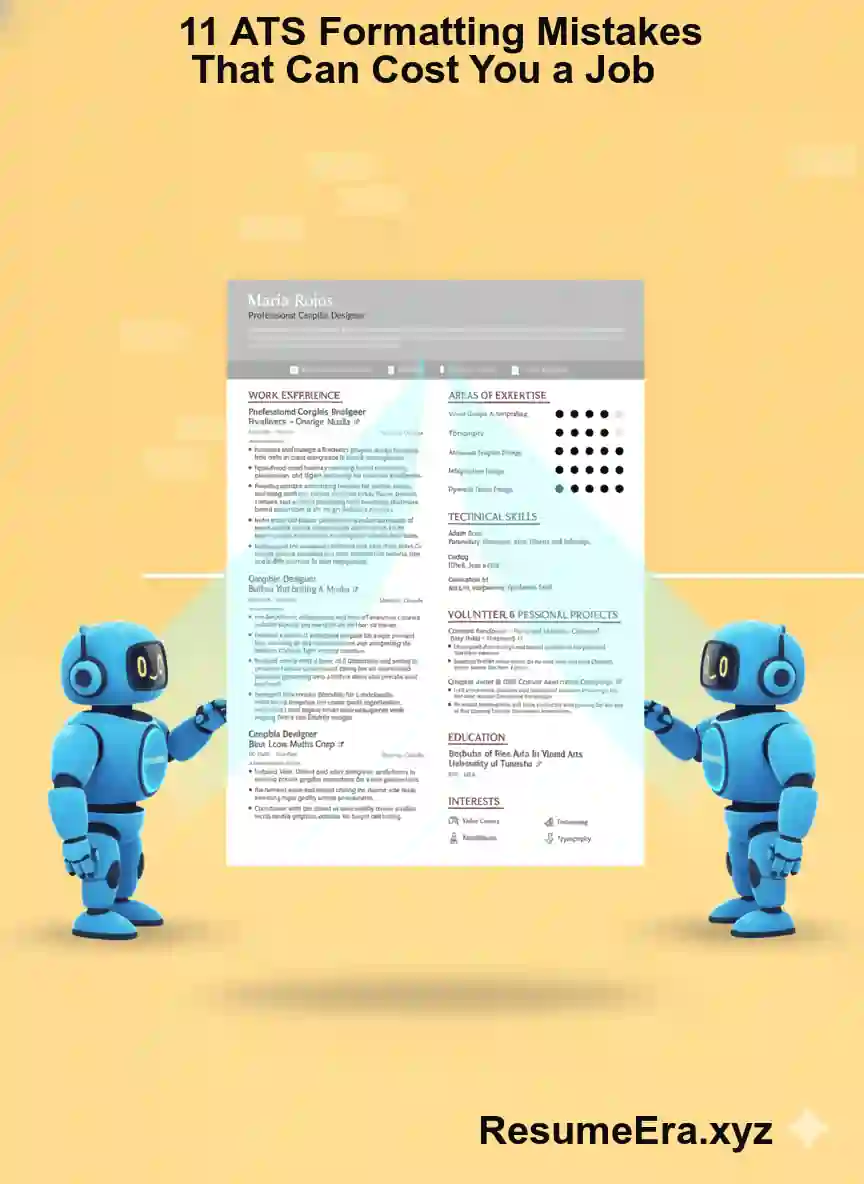
India me job apply karte samay sabse badi problem yahi hoti hai ki aapka resume recruiter tak pahunchne se pehle hi reject ho jata hai, aur aapko pata bhi nahi chalta ki kyun. Chahe aap fresher hon jo Naukri.com par pehli job dhoondh rahe hon, ya 5-8 saal ke experience wale professional hon jo LinkedIn par switch ka try kar rahe hon, ATS yaani Applicant Tracking System aapke resume ka pehla gatekeeper hai. Bahut se talented candidates sirf formatting ki chhoti-chhoti galtiyon ki wajah se interview call miss kar dete hain. Resume me design dikhane ke chakkar me tables, graphics, fancy fonts ka use karna, galat file format me bhejna, ya header-footer me contact details chhupana jaisi galtiyan ATS ko confuse kar deti hain. Is article me hum 11 aisi hi ATS formatting mistakes ke baare me detail me baat karenge jo aapki job cost kara sakti hain, aur saath hi batayenge ki kaise aap ResumeEra.xyz par available simple aur ATS-friendly format se apna resume 100% parseable bana sakte hain taaki aapka resume seedha hiring manager tak pahunche.
ATS Kya Hai aur India Me 90% Companies Iska Use Kyun Karti Hain
ATS ka full form hai Applicant Tracking System. Ye ek software hai jo companies ke HR department ko hazaron resumes ko filter, sort aur rank karne me madad karta hai. Jab aap Naukri, LinkedIn, Indeed ya kisi company ke career portal jaise TCS Careers, Infosys Careers, Wipro ya HDFC Bank ke portal par resume upload karte hain, to sabse pehle ATS hi us resume ko scan karta hai. India me ab sirf badi MNC hi nahi, balki mid-size startups, IT services companies, aur yahan tak ki Tier-2 shaharon ke recruiters bhi Zoho Recruit, Darwinbox, Taleo, Greenhouse aur Naukri ka RMS (Recruitment Management System) jaise ATS ka use kar rahe hain. Ek report ke anusar Fortune 500 ki 99% companies aur India ki top 100 IT aur BFSI companies me se 75% se zyada ATS par depend karti hain.
ATS ka kaam simple hai - resume ko text me todna, usme se naam, mobile number, email, education, work experience, skills aur keywords nikalna, aur phir job description se match karke ek score dena. Agar aapka resume ATS-friendly nahi hai, to system aapke experience ko sahi se padh hi nahi payega aur aapko low score dekar auto-reject kar dega. Iska matlab ye nahi ki aap qualified nahi hain, balki system ne aapki qualification ko samjha hi nahi. Isliye Indian job market me jahan ek opening par 500 se 2000 applications aana normal hai, ATS ko samajhna aur uske hisab se resume banana ab option nahi, zarurat ban gaya hai.
ATS Resume Ko Kaise Scan Karta Hai?
ATS resume ko ek normal human ki tarah design ke nazariye se nahi dekhta. Wo resume ko plain text ke roop me parse karta hai. Sabse pehle wo file ko open karta hai aur usme se text extract karta hai. Phir wo headings ko pehchanta hai jaise Work Experience, Education, Skills. Uske baad wo har section ke andar keywords dhoondhta hai jo job description me diye gaye hain. Jaise agar job description me Python, SQL, Data Analysis, Power BI likha hai, to ATS dekhega ki kya aapke resume me ye keywords sahi spelling aur sahi context me hain. Agar aapne in skills ko image ke andar ya text box me likha hai, to ATS us text ko skip kar dega. Isi tarah agar aapne dates ko alag-alag format me likha hai jaise kabhi May 2021 - Present aur kabhi 05/21 - ab tak, to ATS confuse ho jayega aur aapke experience duration ko galat calculate kar dega. Isliye headings ka standard hona, bullet points ka simple hona aur chronological order ka sahi hona bahut zaruri hai.
India Me Kaun Se ATS Sabse Zyada Use Hote Hain?
Indian recruiters alag-alag ATS ka use karte hain aur har ATS ka parsing logic thoda alag hota hai. Sabse common hain Naukri RMS, jo India ke 80% se zyada recruiters use karte hain, Taleo (Oracle) jo badi IT companies jaise Infosys, Cognizant me use hota hai, SuccessFactors (SAP) jo banking aur manufacturing sector me popular hai, Workday jo product based companies me hai, aur Darwinbox aur Zoho Recruit jo startups aur SMEs me tezi se badh rahe hain. In sabka ek common point hai - ye sab text-based parsing ko priority dete hain aur design-heavy resumes ko penalize karte hain. Jaise Naukri RMS me agar aapne resume ko Canva se banakar PDF me export kiya hai jisme bahut saare icons aur columns hain, to uska parser aapke skills section ko tod nahi payega. Isliye chahe company koi bhi ATS use kare, safe approach yahi hai ki aap ek simple, single-column, text-based resume banayen jo har system me sahi se khule.
11 ATS Formatting Mistakes Jo Aapka Resume Reject Kara Deti Hain
Ab hum un 11 sabse common formatting mistakes ke baare me detail me samjhenge jo Indian candidates aksar karte hain. In me se ek bhi galti aapke resume ka ATS score 30-40% tak gira sakti hai. Har mistake ke saath uska sahi solution bhi diya gaya hai taaki aap turant correction kar saken.
Mistake 1: Tables, Text Boxes aur Multiple Columns Ka Use Karna
Bahut se log resume ko attractive banane ke liye do columns me banate hain - ek taraf skills aur dusri taraf experience. Ya phir poora data table ke andar daal dete hain. Kuch log important points ko text box me highlight karte hain. Ye design human aankhon ko achha lag sakta hai, lekin ATS ke liye ye sabse badi rukawat hai. Zyadatar ATS tables aur text boxes ke andar ke text ko ya to galat order me padhte hain ya bilkul skip kar dete hain. Jaise agar aapne left column me Skills aur right column me Experience likha hai, to ATS usko line-by-line padhega aur dono columns ka text mix ho jayega. Result - aapka Python skill aapke Company Name ke saath jud jayega aur system kuch bhi sahi se match nahi kar payega. Solution simple hai - hamesha single-column layout use karen. Resume ko upar se neeche tak ek hi flow me rakhen. Agar aapko sections alag dikhane hain to horizontal line ya bold headings ka use karen, table ka nahi.
Mistake 2: Header aur Footer Me Important Information Dalna
Microsoft Word me header aur footer section me aksar log naam, phone number, email ya LinkedIn link daal dete hain taaki har page par dikhe. Ye professional lagta hai lekin ATS ke liye ye invisible hota hai. Kai purane ATS header aur footer ke content ko bilkul parse nahi karte. Iska matlab agar aapka contact number sirf header me hai, to recruiter aapko contact hi nahi kar payega chahe aap shortlist bhi ho jayen. Ek fresher ne apna mobile number header me daala aur 3 mahine tak sochta raha ki call kyun nahi aa rahi, jabki company ne use shortlist kiya tha par number hi system ne capture nahi kiya tha. Sahi tarika ye hai ki saari important information jaise naam, phone, email, city, LinkedIn URL ko resume ke main body me, sabse upar, normal text ke roop me likhen. Header-footer ko bilkul khali chhod den.
Mistake 3: Images, Icons, Graphs aur Infographics Ka Use
Canva aur anya design tools par bane resumes me aksar skill level dikhane ke liye progress bar, pie chart, ya star rating ka use hota hai. Jaise Communication Skills - 5 stars ya Excel - 90% bar. Ye dekhne me modern lagta hai par ATS in images ko padh hi nahi sakta. Wo in graphics ko blank space samajh kar ignore kar deta hai. Iska matlab aapne jo skills graph me dikhayi hain, wo ATS ke liye exist hi nahi karti. Isi tarah profile photo lagana bhi ATS ke liye koi value nahi rakhta, balki kuch systems me photo ki wajah se parsing error aa jata hai. Indian context me to photo lagana aur bhi risky hai kyunki kai companies bias se bachne ke liye photo wale resumes ko alag se filter karti hain. Solution - saare skills ko plain text me, bullet points me likhen. Jaise Skills: Python, SQL, Advanced Excel (VLOOKUP, Pivot Table), Power BI. Numbers aur proficiency ko text me likhen, graph me nahi.
Mistake 4: Fancy Fonts aur Creative Headings Ka Use
Kuch candidates alag dikhne ke liye Calligraphy, Comic Sans, Poppins Extra Bold jaise fancy fonts use karte hain. Ya headings ko creative banane ke liye My Journey, Where I Worked, What I Know jaise shabd likhte hain. ATS ko standard fonts aur standard headings hi samajh aate hain. Agar aapne Work Experience ki jagah My Professional Story likh diya, to ATS us section ko pehchan hi nahi payega aur aapka pura experience hi miss ho jayega. Best practice ye hai ki fonts me Calibri, Arial, Garamond, Times New Roman, Verdana me se kisi ek ka use karen, size 10.5 se 12 ke beech rakhen. Headings hamesha standard rakhen - Summary, Work Experience, Education, Skills, Certifications, Projects. Inhi shabdon ko ATS dhoondhta hai.
Mistake 5: Galat File Format Me Resume Bhejna
India me abhi bhi bahut se log resume ko .jpg, .png, .pages ya design file me bhej dete hain. Kuch log Canva se seedha image ke roop me download karke Naukri par upload kar dete hain. ATS sirf .docx aur text-based PDF ko hi sahi se parse kar pata hai. Agar aapne image-based PDF bheja jisme text actually image ke roop me hai, to ATS usko blank samjhega. Naukri aur LinkedIn par hamesha .docx ya selectable text wala PDF hi upload karen. Ek tip - apna PDF khol kar dekhen ki kya aap usme se text ko copy-paste kar pa rahe hain. Agar nahi kar pa rahe, to wo image-based PDF hai aur ATS usko reject kar dega. ResumeEra.xyz par banaye gaye resumes by default ATS-readable PDF aur DOCX dono me milte hain, isliye aapko format ki tension lene ki zarurat nahi.
Mistake 6: Keywords Ko Stuff Karna Ya Bilkul Na Dalna
Do extremes dekhe jate hain. Ek taraf kuch log job description ke saare keywords ko bina context ke ek jagah bhar dete hain jaise Python Python SQL SQL Java Java - ise keyword stuffing kehte hain. ATS ab itna smart ho gaya hai ki wo isko spam samajh kar negative score deta hai aur human recruiter ko bhi ye bahut unprofessional lagta hai. Dusri taraf kuch log bilkul generic resume bhejte hain jisme job-specific keywords hote hi nahi. Jaise Data Analyst ki job ke liye resume me Excel, SQL, Tableau ka zikr hi nahi hai. Sahi approach ye hai ki job description ko dhyan se padhen, usme se 8-10 core skills aur tools nikalen, aur unko naturally apne experience aur skills section me shamil karen. Jaise Achieved 20% sales growth by analyzing data using Advanced Excel and SQL - yahan keyword bhi aa gaya aur context bhi.
Mistake 7: Abbreviations aur Full Forms Me Confusion
Indian resumes me aksar abbreviations ka bahut use hota hai jaise BPO, KPO, NDA, UPSC, MBA. ATS kabhi-kabhi sirf full form dhoondhta hai aur kabhi sirf abbreviation. Agar aapne sirf MBA likha aur ATS Master of Business Administration search kar raha hai, to match miss ho sakta hai. Isliye best practice ye hai ki pehli baar dono likhen - jaise Master of Business Administration (MBA) ya Search Engine Optimization (SEO). Isse chahe ATS full form search kare ya short form, aapka resume dono me capture ho jayega. Ye khaas taur par technical roles jaise UI/UX, QA, API, AWS (Amazon Web Services) ke liye bahut zaruri hai.
Mistake 8: Dates aur Locations Ka Inconsistent Format
ATS aapke experience ko calculate karne ke liye dates par bahut depend karta hai. Agar aapne ek jagah Jan 2022 - Dec 2023, dusri jagah 01/22 - 12/23 aur teesri jagah 2022 se 2023 tak likha hai, to system confuse ho jayega aur aapka total experience galat nikalega. Isi tarah location me kabhi Bengaluru kabhi Bangalore likhne se bhi mismatch hota hai. Hamesha ek hi format follow karen - jaise Month Year - Month Year (e.g., June 2021 - Present) aur location me City, State (e.g., Pune, Maharashtra). Fresher candidates ke liye ye aur bhi important hai kyunki unka internship duration sahi se parse hona chahiye.
Mistake 9: Spelling Mistakes aur Grammar Errors
ATS keywords ko exact match karta hai. Agar job description me Management likha hai aur aapne galti se Managment likh diya, to ATS usko alag shabd samjhega aur aapka score girega. Isi tarah Photoshop ki jagah Photo Shop likhna bhi keyword miss kara dega. Indian candidates me ye galti aksar jaldbazi me hoti hai. Ek experienced recruiter ne bataya ki 10 me se 3 resumes me aisi chhoti spelling mistakes hoti hain jo ATS me filter ho jati hain. Resume final karne se pehle hamesha spell check karen aur kisi senior ya mentor se proofread karwayen. Tools ka use karen lekin blindly trust na karen.
Mistake 10: Bahut Zyada Design Elements aur Colors
Colorful background, dark theme, border, shadow, aur bahut saare icons se bhara resume ATS ke liye mushkil ban jata hai. Kuch ATS colorful PDFs ko sahi se extract nahi kar pate aur text ka color background me ghul jata hai. Saath hi, agar aapne light gray color me text likha hai jo human ko dikhai de raha hai, to ATS usko low contrast ki wajah se ignore kar sakta hai. Indian corporate culture me abhi bhi simple aur professional resume ko hi preference di jati hai. Ek safed background, kaale text, aur ek hi accent color (jaise dark blue headings ke liye) kaafi hai. Yaad rakhen, aapka resume pehle robot ko impress karna hai, phir human ko.
Mistake 11: Ek Hi Generic Resume Har Job Par Bhejna
Ye sabse common aur sabse mehngi galti hai. Ek hi resume ko bina badle har job par bhejna ATS me fail hone ka sabse bada reason hai. Har job description alag hoti hai, usme alag keywords, alag skills aur alag experience ki demand hoti hai. Agar aap Software Engineer ki job aur Data Analyst ki job dono ke liye same resume bhej rahe hain, to dono jagah ATS score low rahega. Har application se pehle 5-10 minute nikal kar resume ko tailor karen. Job description me se top keywords nikalen aur unko apne summary, skills aur experience me naturally joden. Jaise agar ek job me Customer Support aur dusri me Client Relationship Management likha hai, to usi hisab se apne bullet points ke shabd badlen. ResumeEra.xyz par aap ek master resume bana kar har job ke hisab se uska targeted version 2 minute me bana sakte hain.
ATS-Friendly vs ATS-Unfriendly Resume: Side-by-Side Comparison
Ye table aapko ek nazar me samjhayega ki kaun si cheez ATS ko pasand hai aur kaun si nahi. Is comparison ko samajh kar aap apne purane resume ka audit khud kar sakte hain.
| Feature | ATS-Friendly Resume | ATS-Unfriendly Resume |
|---|---|---|
| Layout | Single column, upar se neeche flow | Do ya teen columns, tables, text boxes |
| Font | Calibri, Arial, Times New Roman - size 11 | Fancy, script ya decorative fonts |
| Headings | Standard - Work Experience, Education, Skills | Creative - My Journey, What I Do |
| File Type | .docx ya text-based PDF | Image PDF, JPG, PNG |
| Graphics | Koi image, icon, chart nahi - sirf text | Progress bars, icons, photos, graphs |
| Keywords | Job description se naturally jude hue | Ya to bilkul nahi, ya bhar-bhar ke stuff kiye hue |
| Header/Footer | Khali - saari info main body me | Contact details header/footer me |
| Dates Format | June 2020 - Aug 2023 jaise consistent | Alag-alag tarah ke date formats |
Is table se ek baat clear hoti hai ki ATS-friendly resume ka matlab boring resume nahi hota. Aap abhi bhi bold, italics, bullet points aur horizontal lines ka use karke apne resume ko professional aur readable bana sakte hain. Bas dhyan rahe ki har element text-based ho aur system use aasani se padh sake. Indian recruiters bhi ab simple aur clean resumes ko hi shortlist karte hain kyunki unhe bhi ATS ke baad human review me aasani hoti hai.
ATS-Friendly Resume Banane Ka Step-by-Step Process
Agar aap shuru se ek naya ATS-optimized resume banana chahte hain, to in 8 steps ko follow karen. Ye process fresher aur experienced dono ke liye kaam karta hai aur Naukri, LinkedIn aur company portals par test kiya hua hai.
- Step 1 - Sahi Template Chunen: ResumeEra.xyz par se ek simple, single-column ATS template select karen. Template me pehle se hi sahi headings aur spacing set hoti hai, isliye aapko formatting ki chinta nahi karni padti.
- Step 2 - Contact Info Sahi Jagah Likhen: Sabse upar apna pura naam bade font me, uske neeche mobile number, professional email, city aur LinkedIn URL normal text me likhen. Header ya footer me kuch bhi na daalen.
- Step 3 - Professional Summary Tailor Karen: 3-4 lines ka summary likhen jo us job ke keywords ko cover kare jiske liye aap apply kar rahe hain. Jaise Commerce graduate with 1 year experience in Tally and GST filing, seeking Accounts Executive role.
- Step 4 - Work Experience Ko Bullet Points Me Likhen: Har job ke liye Company Name, Job Title, Location aur Dates ek line me likhen. Uske neeche 3-5 bullet points me achievements ko numbers ke saath likhen. Jaise Increased customer retention by 15% by handling 50+ queries daily.
- Step 5 - Skills Section Ko Job Description Se Align Karen: Job description me se 10-12 relevant skills nikalen aur unko comma se alag karke likhen. Technical aur soft skills ko alag-alag group kar sakte hain lekin dono ko plain text me hi rakhen.
- Step 6 - Education aur Certifications Sahi Format Me Dalein: Degree ka pura naam, University ka naam, Year aur CGPA/Percentage likhen. Jaise Bachelor of Technology in Computer Science, Mumbai University, 2021 - 8.2 CGPA. Abbreviation ke saath full form bhi likhen.
- Step 7 - File Ko Sahi Naam Se Save Karen: File ka naam Amit_Sharma_Resume_Data_Analyst.docx jaise rakhen. Resume_final_final.pdf jaise naam se ATS aur recruiter dono confuse hote hain.
- Step 8 - Final ATS Test Karen: Resume ko PDF me save karke ek baar text copy-paste karke dekhen ki koi text missing to nahi hai. Saath hi free ATS checker ya ResumeEra ke ATS scan feature se ek baar score check kar len.
Yaad rakhen - ATS aapko reject nahi karta, aapka formatting ATS ko aapko samajhne se rokta hai. Simple rakhen, relevant rakhen, aur har job ke liye thoda customize zarur karen.
Indian Job Seekers Dwara Ki Jane Wali Common Galtiyan
ATS mistakes ke alawa kuch aisi common galtiyan bhi hain jo Indian candidates aksar karte hain aur jo indirectly ATS score ko affect karti hain. Inhe sudhar kar aap apne interview calls 2x tak badha sakte hain.
- Poora Resume Ek Hi Paragraph Me Likhna: Bina bullet points ke lamba paragraph likhne se ATS aur human dono ko padhne me mushkil hoti hai. Hamesha bullet points aur chhote vakya ka use karen.
- Personal Details Zyada Dalna: Father's name, religion, marital status, ya poora ghar ka pata likhna ab zaruri nahi hai aur ATS inhe irrelevant data samajhta hai. Sirf city aur contact details kaafi hain.
- Salary Expectations Resume Me Likhna: Resume me current ya expected salary likhne se ATS usko galat field me map kar sakta hai aur recruiter bhi bias ho sakta hai. Ye baat interview ke liye chhod den.
- Grammatical Tense Ka Galat Use: Present job ke liye present tense aur past jobs ke liye past tense ka use karen. Mixed tense se ATS ko samajhne me dikkat hoti hai.
- LinkedIn URL Ko Hyperlink Na Banana: Bahut se log LinkedIn ka link plain text me likh dete hain jo clickable nahi hota. Hamesha pura URL likhen jaise linkedin.com/in/amitsharma aur use hyperlink karen taaki recruiter seedha click kar sake.
- Resume Ko Bahut Lamba Banana: Fresher ke liye 1 page aur experienced (5+ years) ke liye maximum 2 pages kaafi hain. 3-4 pages ka resume ATS me bhi slow parse hota hai aur recruiter bhi poora nahi padhta.
In galtiyon ko sudharna bahut aasan hai aur isse aapka resume turant zyada professional lagega. Ek senior HR manager ke anusar, jo resumes in basic hygiene ko follow karte hain, unka ATS pass rate 60% tak zyada hota hai.
Naukri, LinkedIn aur Company Portal Ke Liye ATS Optimization Tips
Har platform ka ATS thoda alag behave karta hai, isliye upload karte samay kuch extra baaton ka dhyan rakhna chahiye. Naukri.com par jab aap resume upload karte hain, to Naukri ka parser aapke resume se skills ko auto-extract karke aapki profile me dikhata hai. Agar aapke resume me skills sahi se parse nahi hui, to aapki profile search me kam ayegi. Isliye Naukri par hamesha .docx file upload karen aur apni profile ke Key Skills section ko resume se match karke rakhen.
LinkedIn Easy Apply me bhi ATS ka role hota hai. LinkedIn aapke resume ke saath-saath aapke LinkedIn profile ke keywords ko bhi match karta hai. Isliye apne LinkedIn headline aur About section me bhi wahi keywords rakhen jo aapke resume me hain. Company portals jaise Taleo ya SuccessFactors par apply karte samay aksar aapko resume ke alawa manual form bhi bharna padta hai. Koshish karen ki form me jo information bharen, wo resume se 100% match kare, warna ATS mismatch flag kar dega. Ek aur tip - kabhi bhi Naukri ya LinkedIn par resume ko image ke roop me update na karen, hamesha text-based file hi use karen. Agar aap ResumeEra.xyz se resume banate hain, to aapko har platform ke liye optimized file mil jati hai, isliye aapko alag-alag format banane ki zarurat nahi padti.
FAQ - ATS Formatting Se Jude Sawal
Kya ATS ke liye PDF ya DOCX behtar hai?
Dono ATS-friendly hain agar wo text-based hon. Lekin India me Naukri RMS aur kai purane ATS DOCX ko thoda zyada accurately parse karte hain. Agar company ne specifically PDF manga hai to text-based PDF bhejen, warna DOCX sabse safe option hai. ResumeEra.xyz dono format me download ka option deta hai.
Kya Canva se bana resume ATS-friendly hota hai?
Zyadatar Canva templates ATS-friendly nahi hote kyunki unme tables, graphics, multiple columns aur text boxes ka bahut use hota hai. Agar aap Canva use kar rahe hain to sabse simple, single-column wala template chun kar saare graphic elements hata den. Behtar hai ki aap ATS ke liye specially design kiye gaye ResumeEra ke templates ka use karen.
Kya resume me photo lagana ATS me problem karta hai?
Haan, photo ATS ke liye koi value nahi rakhti aur kuch systems me parsing error ka reason ban sakti hai. India me IT, BFSI aur MNC jobs ke liye photo ki zarurat nahi hoti. Sirf modeling, hospitality ya kuch specific roles me hi photo mange jane par lagayen, warna avoid karen.
ATS ke liye resume kitne pages ka hona chahiye?
Fresher ya 2-3 saal ke experience wale ke liye 1 page ideal hai. 5-10 saal ke experience wale 2 pages tak ja sakte hain. 2 pages se zyada ka resume ATS me bhi heavy hota hai aur recruiter bhi detail me nahi padhta. Har shabd relevant aur concise rakhen.
Kya ATS keywords ko samajhta hai ya sirf dhoondhta hai?
Modern ATS jaise Taleo aur Darwinbox ab context bhi samajhne lage hain, lekin abhi bhi exact keyword match ko hi sabse zyada weight milta hai. Isliye keywords ko naturally apne experience ke bullet points me shamil karen, alag se list me bharne ki bajaye. Spelling ka bahut dhyan rakhen.
Ek hi resume se alag-alag jobs par apply kar sakte hain?
Kar to sakte hain lekin karna nahi chahiye. Har job description me alag keywords hote hain. Har apply se pehle 5 minute nikal kar resume ke summary aur skills section ko us job ke hisab se update karen. Isse ATS score 30-50% tak badh jata hai.
ATS-friendly resume ka matlab kya boring design hota hai?
Bilkul nahi. ATS-friendly ka matlab clean aur professional design hota hai. Aap bold, italics, bullet points aur ek subtle color ka use karke bhi resume ko attractive bana sakte hain. Bas images, charts aur fancy layout se bachen.
Aakhir me yaad rakhen ki ATS aapka dushman nahi, balki ek filter hai jo sahi formatting wale resumes ko aage bhejta hai. In 11 mistakes se bach kar, simple single-column layout, standard headings, sahi file format aur job-specific keywords ka use karke aap apne resume ko ATS ke liye 100% ready bana sakte hain. Indian job market me jahan competition bahut zyada hai, ek ATS-optimized resume hi aapko bheed se alag nikal kar recruiter ki nazar me la sakta hai. Aaj hi apne purane resume ka audit karen, in points ko check karen aur zarurat ho to ResumeEra.xyz par ek naya ATS-friendly resume banakar apne interview calls badhana shuru karen.
