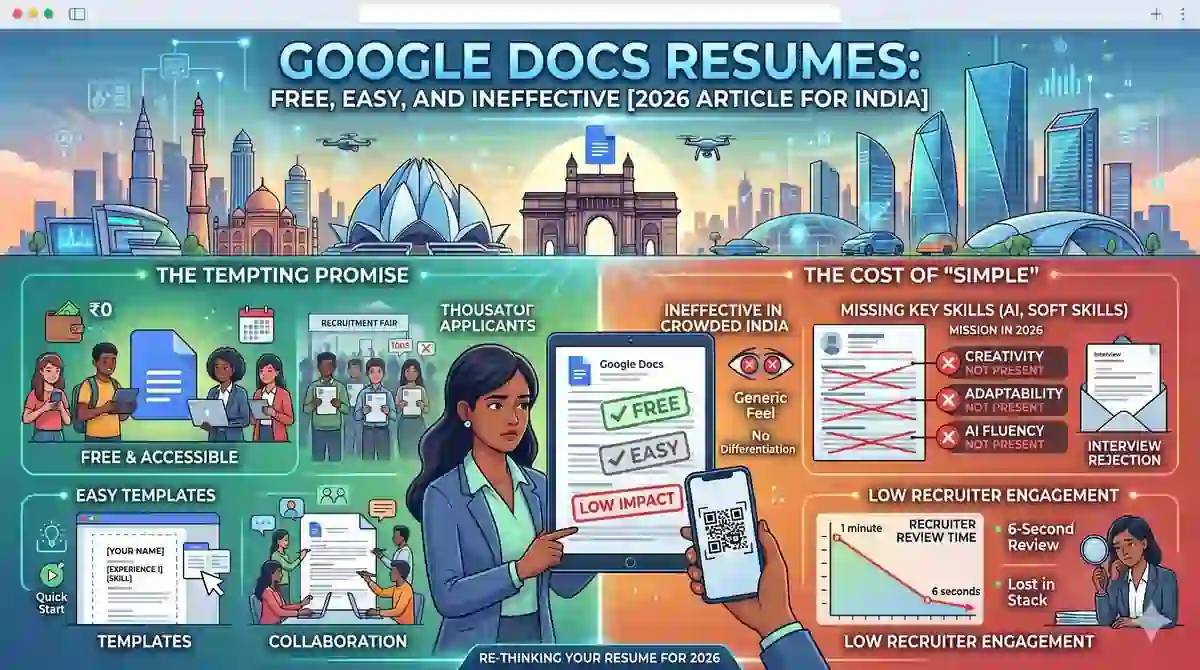
Google Docs par resume banana free aur simple lag sakta hai, lekin professional job applications ke liye yeh aksar weak option sabit hota hai. Agar aapko ek resume chahiye jo polished, ATS-friendly, aur hiring managers ko impress kare, to Google Docs ki convenience se aage dekhna zaroori hai.
Table of Contents
-
Google Docs Resume Popular Kyun Hain
-
Free Aur Easy Hone Ka Dhokha
-
Google Docs Resumes Kahan Fail Hote Hain
-
ATS Compatibility Problem
-
Hiring Managers Kya Dekhte Hain
-
Better Alternative Kya Hai
-
FAQ
-
Conclusion
Thousands of people are getting rejected — not because they’re bad,
but because their resume doesn’t speak for them.
Make a resume that actually gets shortlisted.
Your next job is closer than you think.
No complicated forms. Just pick a template, fill details, And Apply.
Free Resume Builder
Don’t let a weak resume decide your future.
Start in 2 minutes.
Google Docs Resume Popular Kyun Hain
Google Docs resumes isliye popular hain kyunki yeh free hain, sabko accessible hain, aur quickly edit kiye ja sakte hain. New job seekers, students, aur freshers aksar isi wajah se Google Docs templates choose karte hain.
Lekin popularity aur effectiveness same cheez nahi hoti. Jo cheez easy lagti hai, woh zaroori nahi ki hiring ke liye best bhi ho.
Free Aur Easy Hone Ka Dhokha
Free template ka biggest attraction yeh hota hai ki aap bina design skills ke resume bana sakte hain. Bas template open karo, details भरो, aur file download kar lo.
Problem yeh hai ki easy setup aksar generic output deta hai. Aapka resume thousands of aur candidates jaisa dikh sakta hai, aur usme differentiation kam ho jati hai.

Google Docs Resumes Kahan Fail Hote Hain
Google Docs resumes ka sabse bada issue yeh hai ki woh structure aur branding mein limited hote hain. Aap spacing, alignment, section hierarchy, aur visual flow par utna control nahi le paate jitna aapko ek proper resume builder mein milta hai.
Dusra issue yeh hai ki templates often overused hote hain. Hiring managers aur recruiters ne same style ke resumes baar-baar dekhe hote hain, isliye aapka application easily blend in kar sakta hai.
ATS Compatibility Problem
Bahut log sochte hain ki Google Docs template automatically ATS-friendly hoga, lekin yeh hamesha true nahi hota. Hidden formatting, tables, unusual section placement, ya broken export layout ATS parsing ko affect kar sakte hain.
Simple dikhnay wala resume bhi technically weak ho sakta hai agar uska structure clean nahi hai. Isliye ATS compatibility sirf file banane se nahi, resume ke design aur logic se aati hai.
Hiring Managers Kya Dekhte Hain
Hiring managers sirf neat appearance nahi dekhte; woh clarity, relevance, aur impact dekhte hain. Aapke achievements measurable hone chahiye, keywords job description se match hone chahiye, aur overall presentation professional lagni chahiye.
Google Docs mein aisa resume banana possible hai, lekin usually time-consuming aur inconsistent hota hai. Isliye jo log serious job search kar rahe hain, unke liye dedicated resume tools zyada practical hote hain.
Better Alternative Kya Hai
Aapko ek aisa platform chahiye jo design, ATS optimization, aur content structure ko ek saath handle kare. Yahi wajah hai ki Resumeera jaise free resume builder zyada useful option ban jate hain.
Resumeera aapko better layout, cleaner formatting, aur job-focused presentation deta hai, taaki aapka resume sirf ban nahi jaye, balki genuinely perform kare. Agar aap resume ko stronger banana chahte hain, to How to Write a Resume in 2026 aur 10 Essential Resume Sections in 2026 helpful rahenge.
Conclusion
Google Docs resumes free aur easy hain, lekin har baar effective nahi hote. Agar aap chahte hain ki aapka resume recruiters ke saamne standout kare, to aapko convenience se aage jaakar quality, ATS readiness, aur presentation ko priority deni hogi.
Professional job search ke liye Resumeera ek smarter choice hai, especially jab aapko simple, fast, aur polished resume chahiye.
You’re not failing.
Your resume is.
Most people lose jobs before the interview — not because they lack skills, but because their resume looks average. Fix that in 5 minutes.
- ✅ ATS-optimized format
- ✅ Recruiter-friendly design
- ✅ Download instantly (PDF)
⚡ No signup required • 100% Free • Works on mobile
Get shortlisted faster
Pick a template → fill details → download resume.
