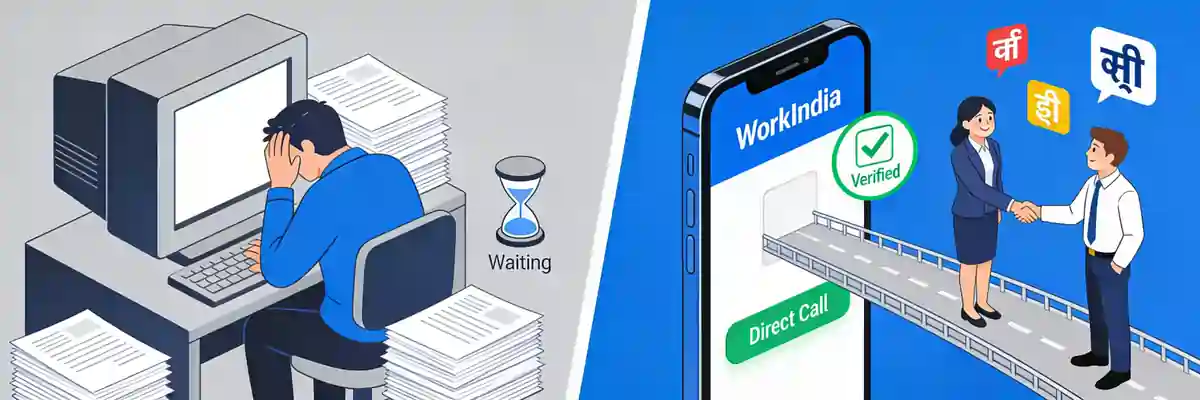
Choosing the right job portal in India is not just about where you find vacancies, it is also about how your resume is presented, parsed and shortlisted. WorkIndia operates very differently from portals like Naukri, LinkedIn, Indeed and Foundit, especially in how it handles candidate profiles and resume formats. While WorkIndia focuses on quick hiring for blue-collar, grey-collar and entry-level roles through chat and phone-based interaction, traditional portals rely heavily on detailed, ATS-optimized resumes in PDF or Word format. Understanding these differences helps you prepare a resume that actually gets seen by recruiters instead of getting rejected by the system before a human ever reads it. This guide compares WorkIndia with other major job portals from a resume format and application perspective, so you can decide where to apply and how to tailor your CV for each platform.
What is WorkIndia and How It Stands Apart from Naukri, LinkedIn and Indeed
WorkIndia is a Mumbai-based job portal built primarily for blue-collar, grey-collar and frontline jobs across India. It connects candidates for roles such as delivery executive, telecaller, field sales executive, receptionist, data entry operator, driver, warehouse staff, security guard, and retail associate. Unlike Naukri or LinkedIn, where recruiters search through detailed resumes and filter by keywords, WorkIndia emphasizes speed, location proximity and direct telephonic interviews. Candidates often apply without uploading a traditional one-page resume. Instead, they create a profile with basic details, experience, expected salary, preferred location and language skills, and then chat directly with HR or receive interview calls within hours.
Other job portals in India serve a broader or more white-collar audience. Naukri.com is the largest portal for experienced professionals, IT jobs, banking, marketing and management roles. LinkedIn functions as both a professional network and a job board, where your profile acts as a dynamic resume. Indeed and Foundit (formerly Monster India) aggregate listings from multiple sources and allow direct resume uploads. Shine.com and Apna are also popular, with Apna competing directly with WorkIndia in the blue-collar segment. The key difference is the weight given to your resume document. On WorkIndia, a simple profile often suffices, while on Naukri, LinkedIn and Indeed, a well-formatted, keyword-rich PDF or DOCX resume is essential to pass the Applicant Tracking System and impress hiring managers.
Who Typically Uses WorkIndia in India
WorkIndia is widely used by candidates who have completed 10th, 12th, ITI, diploma or graduation and are looking for jobs with monthly salaries between Rs. 12,000 and Rs. 35,000. Freshers seeking their first job, candidates with 0-3 years of experience, and those looking for jobs near their home locality are its primary users. Recruiters on WorkIndia are often small to mid-sized businesses, retail chains, BPOs, logistics companies, and startups that need to hire quickly and in bulk. The platform supports multiple Indian languages including Hindi, Marathi, Gujarati, Tamil and Bengali, which makes it accessible for candidates who are not comfortable with English-heavy resumes. For many of these roles, recruiters do not expect a designer resume template. They want clear information about availability, shift preference, and ability to join immediately. If you are applying for a delivery or customer support role in Pune or Indore, a one-page simple resume or even a profile without an attachment can be enough on WorkIndia.
Who Uses Naukri, LinkedIn, Indeed and Foundit
Naukri, LinkedIn, Indeed and Foundit cater largely to white-collar, skilled and mid-to-senior level hiring. IT professionals, engineers, MBA graduates, accountants, digital marketers, HR managers and consultants rely heavily on these platforms. Recruiters here are corporate HR teams, hiring agencies and large enterprises that use an ATS to scan resumes for specific skills, tools and qualifications. For example, an IT recruiter in Bengaluru hiring a Java developer will filter Naukri resumes for keywords like Spring Boot, Microservices, AWS and Agile. On LinkedIn, recruiters review both your uploaded resume and your profile summary, work history and recommendations. These portals demand a polished resume format with proper headings, bullet points, and consistent fonts. Freshers applying for graduate engineer trainee or management trainee roles also need a professional resume for these portals, even if they have limited experience, because the competition is high and the ATS is strict.
Resume Format Expectations: WorkIndia vs Other Major Job Portals
Your resume format can determine whether your application is viewed at all. On WorkIndia, the system is built for low friction. You can register with your mobile number, fill in your job preferences, and start applying within minutes. Uploading a resume is optional for many categories. When you do upload, a simple one-page PDF created from a basic template is sufficient. Recruiters rarely download the file; they first see your structured profile data. In contrast, portals like Naukri and Indeed require you to upload a resume file, and that file becomes the core of your application. Naukri parses your PDF or DOCX to auto-fill your profile, extract skills, experience and education, and rank you in recruiter searches. If the parsing fails due to images, tables or text boxes, your profile may remain incomplete and invisible to recruiters.
The cluster of resume formats, templates and layouts matters most on traditional portals. Indian recruiters on Naukri and Foundit typically prefer reverse-chronological format for experienced candidates, functional or hybrid format for freshers with projects and internships, and a clean, single-column layout that is easy for both humans and machines to read. Creative templates with double columns, infographics or heavy colour may look attractive but often break during ATS parsing. For WorkIndia, a creative layout adds no advantage. A plain, text-based resume with your name, phone number, location, education and any work experience is more effective.
PDF vs DOCX: Which File Type Works Best on Each Portal
For 2026 hiring in India, PDF is the safest default for most portals because it preserves formatting across devices and is now accepted by over 95% of ATS systems. A text-based PDF, not an image-based scanned PDF, ensures your content remains selectable and searchable. DOCX is the required alternative when a portal specifically asks for Word or uses an older ATS like Taleo, which some large Indian IT services companies still use. On Naukri, both PDF and DOCX work well, but PDF is recommended for final submission to recruiters. LinkedIn accepts PDF, DOCX and allows you to apply with your LinkedIn profile itself. Indeed parses both formats efficiently. Foundit and Shine also accept both, but DOCX sometimes parses more accurately for auto-filling fields.
On WorkIndia, if you choose to upload a resume, keep the file size under 1 MB and use a simple PDF named correctly, such as Rahul_Sharma_Resume.pdf. Avoid JPG, PNG, Pages or ODT files, as they are often rejected or unreadable. Many candidates in India make the mistake of uploading a photo of a handwritten resume or a Canva design exported as an image inside a PDF. These files cannot be parsed and are ignored by Naukri's ATS. Always export your resume as a text-based PDF from MS Word or Google Docs. If a recruiter on WorkIndia asks for your resume on WhatsApp after initial contact, a PDF that opens clearly on a mobile phone is ideal.
| Feature | WorkIndia | Naukri / Foundit / Shine | LinkedIn / Indeed |
|---|---|---|---|
| Primary Hiring Focus | Blue-collar, grey-collar, frontline, entry-level | White-collar, IT, management, experienced roles | All levels, especially professional and corporate |
| Resume Upload | Optional, profile-based hiring | Mandatory, core to ranking | Mandatory but profile also matters |
| Preferred File Format | Simple PDF if uploaded | Text-based PDF, DOCX accepted | PDF preferred, DOCX accepted |
| ATS Strictness | Low, manual screening via chat/call | High, keyword and parsing based | Medium to high |
| Ideal Resume Template | Single column, basic, 1 page | ATS-friendly, reverse-chronological | Modern professional, keyword optimized |
| Best For | Quick local jobs, immediate joining | Career growth, higher salary roles | Networking plus job applications |
Use this comparison to decide your approach. If you are targeting both types of portals, maintain two versions of your resume. Keep a very simple one-page PDF for WorkIndia and Apna, and a detailed ATS-optimized version for Naukri and LinkedIn that includes a professional summary, skills section, work experience with metrics, and education details. Both should be text-based and free from images, charts or text boxes.
ATS and Resume Parsing: How Your Resume Is Read Differently
Applicant Tracking Systems used by Indian companies vary by portal. Naukri's internal search engine acts like an ATS, ranking resumes based on keyword matches, recency of update, profile completeness and relevance. Large employers who post on Naukri, Indeed and LinkedIn often use external ATS such as Taleo, SAP SuccessFactors, Workday or Zoho Recruit. These systems scan your resume for headings like Work Experience, Education, Skills and extract information into structured fields. If your resume uses unusual headings like My Journey instead of Work Experience, or places content inside tables and headers/footers, the ATS may skip it entirely.
On WorkIndia, there is minimal ATS parsing. The platform's algorithm matches candidates based on location, salary expectation, job role preference and availability. When a candidate in Nagpur searches for telecaller jobs within 5 km, WorkIndia shows nearby openings and allows instant calling. The resume, if uploaded, is secondary. This is why many candidates get interview calls on WorkIndia even with a minimal profile, while the same profile would be invisible on Naukri without an optimized resume. For Indian job seekers, this means you should not rely on a single resume strategy. For blue-collar applications on WorkIndia, focus on profile completeness and quick response to interview calls. For white-collar applications on Naukri and LinkedIn, invest time in keyword optimization. Include tools, certifications and domain skills exactly as mentioned in the job description. For example, if a job post says Tally ERP 9, write Tally ERP 9, not just Tally. If it says Digital Marketing, include SEO, SEM, Google Analytics as separate bullet points rather than hiding them in a paragraph.
Recruiters in India spend an average of 6 to 8 seconds on initial resume screening. On Naukri and LinkedIn, that screening is often done by software before a human sees your file. A clean, text-based resume with clear headings and bullet points increases your chance of passing that first filter.
Another difference is file handling. Naukri and Indeed will often convert your DOCX or PDF into plain text for searching. If your PDF was created by exporting a Photoshop or Canva image, the text is not selectable and the conversion produces blank output. Always test your resume by opening the PDF, trying to select the text with your cursor, and copying it into Notepad. If you can copy the text cleanly, the ATS can read it. This test is critical for candidates applying through Naukri, but less important for WorkIndia where human chat review dominates.
Step-by-Step Process to Create a Resume That Works on WorkIndia and All Other Portals
Instead of creating separate resumes from scratch for each portal, build one master resume and then adapt it. This saves time and keeps your information consistent across platforms, which is important because many Indian recruiters cross-check Naukri, LinkedIn and Indeed profiles before shortlisting.
- Start with a master resume in Word or Google Docs. Use a single-column layout with standard fonts like Calibri, Arial or Garamond at 10.5 to 11.5 points. Set margins to 0.7 inches and use clear headings: Contact Information, Summary, Skills, Work Experience, Education, Certifications.
- Write a targeted summary for each portal type. For WorkIndia, keep it to 2 lines focusing on job role and availability, for example: Seeking a full-time telecaller role in Thane with immediate joining, fluent in Hindi, Marathi and English. For Naukri and LinkedIn, write a 3-4 line professional summary with years of experience, key skills and career goal.
- Add keywords from real job descriptions. Search Naukri and Indeed for your target role, copy 5-6 relevant job posts, and note repeated skills. Add those exact phrases to your Skills and Experience sections without keyword stuffing. For a data entry role, include typing speed, MS Excel, and data accuracy.
- Format experience with bullet points and numbers. Write each job as: Job Title | Company Name | Location | Dates. Follow with 3-4 bullets starting with action verbs and including metrics. Example: Handled 80+ customer calls daily and resolved queries within 4 minutes average. This works on all portals.
- Save as text-based PDF and DOCX. In Word, use Save As PDF and ensure the option for best for electronic distribution is selected. Keep a DOCX copy for portals that request Word. Name both files as FirstName_LastName_Role.pdf, for example Priya_Patel_Telecaller_Resume.pdf.
- Test ATS readability. Upload your PDF to a free ATS checker or simply copy text from PDF to Notepad. Check that headings, bullets and dates appear correctly. Remove any text boxes, headers, footers or images that break the flow.
- Upload strategically. On WorkIndia, complete your profile fully, add your PDF if you have one, and keep your phone active for calls. On Naukri, upload the PDF, fill all profile fields manually to correct any parsing errors, and update your resume every 7-10 days to stay high in search results. On LinkedIn, upload the same PDF to the Featured section and align your profile experience with the resume content.
Following these steps ensures your resume is readable on mobile phones for WorkIndia recruiters who often view profiles on their handsets, and also passes the strict ATS filters used by corporate recruiters on Naukri and LinkedIn. Keep your master file updated and export fresh PDFs whenever you add a new skill or project.
Template Design and Layout: Choosing Between Simple, Modern and Creative Formats
Template choice should match the portal and the role. For WorkIndia and similar blue-collar portals like Apna, the simplest template wins. Use a plain white background, black text, and minimal formatting. No need for colour bars, icons or photos. Recruiters want to see your contact details, location, education and whether you can join quickly. A creative template with two columns or a sidebar will not add value and may appear cluttered on a mobile screen. One page is more than enough. If you are a fresher with no experience, include your 10th and 12th details, any vocational training, and language proficiency.
For Naukri, Indeed and Foundit, an ATS-friendly modern template is ideal. This means a single column, clear section dividers, bold headings, and bullet points. Modern templates may use a subtle colour for headings, such as dark blue or grey, but avoid bright colours or graphics. Templates labelled as ATS Resume Format or Professional Resume Format on ResumeEra.xyz are designed for this purpose. They keep all text in a linear flow that parsers can read top to bottom. Avoid templates that place your skills in a separate text box on the right side, as many ATS read left to right and may miss that content.
Creative templates with infographics, skill bars, or circular charts should be avoided for online portal submissions in India. While they may be useful for sending a resume directly to a startup founder via email or for design roles, they fail on Naukri and Indeed. Indian recruiters for IT, finance and marketing roles have repeatedly reported that resumes with skill percentages like Excel 90% are not taken seriously. Instead, list skills plainly and support them with experience bullets. For LinkedIn, you can be slightly more visual because humans review your profile, but the uploaded PDF should still remain ATS-compliant. The safest approach is to choose a simple or modern template from https://resumeera.xyz that offers both Word and PDF versions, so you can edit easily and export without formatting loss.
Common Mistakes Indian Job Seekers Make When Uploading Resumes Across Portals
Many candidates use the same file everywhere without understanding portal-specific requirements, which leads to fewer interview calls. Correcting these common errors can immediately improve your response rate on both WorkIndia and other portals.
- Uploading an image-based or scanned resume. A photo of a resume taken from a mobile phone or a Canva export saved as an image inside PDF cannot be parsed by Naukri or Indeed. Always create your resume in Word or Google Docs and export as text-based PDF.
- Using one generic resume for all job roles. Applying for a delivery executive role on WorkIndia and a customer support role on Naukri with the identical resume reduces relevance. Tailor your summary and skills to each role. Mention bike and license for delivery jobs, and mention CRM and communication skills for support jobs.
- Adding unnecessary personal details. Indian candidates often add father’s name, marital status, or full address with landmark. On Naukri and LinkedIn, only city and state are needed. On WorkIndia, precise locality helps for nearby job matching, but avoid sharing sensitive details like Aadhaar number.
- Ignoring file name and size. Files named Resume_final_final.pdf or MyCV.docx look unprofessional and are hard for recruiters to track. Use FirstName_LastName_Role.pdf and keep size under 500 KB for Naukri and under 1 MB for WorkIndia. Compress images if needed.
- Not updating Naukri profile after upload. Naukri auto-fills fields but often makes errors in experience dates or skills. If you do not correct these manually, recruiters searching with filters will not find you. WorkIndia profiles also need regular updates to stay active in search.
- Using tables, text boxes and headers for critical information. Placing your phone number or email in the header section may cause the ATS to skip it. Keep contact details in the main body at the top. Avoid tables for listing skills, use comma-separated bullet lines instead.
- Applying with an outdated or overly long resume. A 3-page resume for a fresher applying on WorkIndia or Naukri is excessive. Keep freshers to one page, experienced candidates to one or two pages. Remove outdated roles older than 10 years unless highly relevant.
Avoiding these mistakes ensures your resume works smoothly across all platforms. A quick checklist before uploading is to verify text selectability, file name, length, and keyword relevance for the specific portal.
Which Portal and Resume Strategy Is Right for You: Fresher, Experienced, and Blue-Collar Roles
Your choice of portal should align with your qualification, experience and salary expectation. If you are a 12th pass or graduate seeking immediate employment in your city for roles like retail sales, delivery, BPO voice process or office assistant, WorkIndia and Apna should be your primary focus. Create a complete profile, upload a simple one-page PDF, and be responsive to chat and calls. You can get interview calls within 24 hours without needing a heavily optimized resume. Many candidates in Tier 2 and Tier 3 cities like Lucknow, Jaipur and Coimbatore find WorkIndia more effective for quick placement than Naukri.
If you are a fresher with a professional degree such as B.Tech, BCA, B.Com or MBA seeking trainee or analyst roles, prioritize Naukri, LinkedIn and Indeed. Here, your resume is your first impression. Use a modern ATS-friendly template, highlight internships, academic projects, certifications and technical skills. For example, a BCA fresher should detail projects with technologies used, such as Developed a Library Management System using Java and MySQL, managed 500+ book records. Upload your resume to Naukri, build a matching LinkedIn profile, and apply with a tailored PDF. Foundit and Shine can be secondary portals for additional reach.
Experienced professionals with 3+ years of experience should maintain a strong presence on Naukri and LinkedIn, with Indeed as a supplement. WorkIndia is generally not relevant for mid-level corporate roles. Your resume should be two pages, reverse-chronological, with quantifiable achievements. For instance, a sales executive should mention Achieved 120% of quarterly target, generating Rs. 18 lakhs revenue. Keep your Naukri profile updated, add key skills, and set job alerts. Use the PDF version for applications and keep the DOCX ready for recruiters who request Word format. By matching your portal choice to your profile and adapting your resume format accordingly, you maximize visibility where it matters most and avoid wasting effort on platforms not suited to your career stage.
Frequently Asked Questions
Is WorkIndia better than Naukri for freshers in India?
It depends on the type of job you seek. WorkIndia is better for freshers looking for blue-collar, frontline or immediate-joining roles like telecaller, delivery executive or retail associate, especially in their home city. Naukri is better for freshers with professional degrees seeking white-collar trainee, IT or management roles where a detailed resume and ATS optimization matter. Many freshers use both to increase opportunities.
Do I need a resume to apply on WorkIndia?
No, a resume is optional on WorkIndia for many job categories. You can apply by creating a profile with your education, experience, location and salary expectation. However, uploading a simple one-page PDF resume can increase trust and help when a recruiter asks for it on WhatsApp or chat. Keep it basic and text-based.
Which resume format is best for Naukri and Indeed in 2026?
A single-column, reverse-chronological format saved as a text-based PDF is best for Naukri and Indeed in 2026. Use clear headings, bullet points, standard fonts and relevant keywords from the job description. Avoid double columns, images, tables and graphics. Keep a DOCX copy ready if the portal or recruiter specifically requests Word format.
Should I upload my resume as PDF or Word on Indian job portals?
Upload as PDF by default, as it preserves formatting and is accepted by most ATS in India. Use DOCX only when the portal explicitly asks for Word or when applying to companies known to use older ATS like Taleo. Never upload JPG, PNG or scanned image PDFs, as they cannot be parsed and are often rejected.
Can I use the same resume for WorkIndia and LinkedIn?
You can use the same core content, but tailor the presentation. For WorkIndia, keep the resume very simple, one page, focusing on availability, location and basic skills. For LinkedIn, use a more detailed, keyword-rich version with a strong summary, skills section and achievements, and ensure your LinkedIn profile matches the resume. This dual approach works best.
Why am I not getting calls from Naukri even after uploading my resume?
Common reasons include an image-based PDF that the ATS cannot read, missing keywords, incomplete Naukri profile fields, outdated resume, or applying to irrelevant roles. Test if your PDF text is selectable, manually correct auto-filled fields on Naukri, add relevant skills, and update your resume every 7 to 10 days to improve search ranking.
Are free resume templates from ResumeEra.xyz ATS-friendly for these portals?
Yes, templates from https://resumeera.xyz are designed to be ATS-friendly with single-column layouts, standard fonts and proper heading structure. They are available in both Word and PDF formats, making them suitable for WorkIndia, Naukri, LinkedIn and Indeed. Choose a simple template for blue-collar roles and a modern professional template for corporate roles.
Selecting between WorkIndia and other job portals is not about which platform is universally better, but which one aligns with your job type, experience level and resume readiness. WorkIndia offers speed and local relevance for frontline and entry-level hiring with minimal resume dependency, while Naukri, LinkedIn, Indeed and Foundit reward candidates who invest in a polished, ATS-optimized resume in the right file format. Maintain a simple PDF for quick-apply portals and a detailed, keyword-rich version for corporate portals, keep both files text-based and properly named, and keep your profiles updated. With the right format for the right portal, your resume will reach recruiters instead of getting lost in the system, and your job search across India will become faster and more effective.
