Table of content:-
-
Introduction: Why Your Resume Needs Fixing
-
Understanding ATS-Friendly Resumes in 2026
-
What is an Applicant Tracking System?
-
Why ATS Compatibility Matters in India
-
How ATS Systems Scan Resumes
-
-
How to Optimize Your Resume for ATS
-
Keyword Optimization Strategies
-
File Format and Structure
-
ATS-Friendly Formatting Rules
-
-
Resume Keywords for ATS Success
-
How to Find the Right Keywords
-
Where to Place Keywords
-
Keyword Density and Natural Integration
-
-
Common ATS Resume Mistakes to Avoid
-
Formatting Errors That Kill Your Chances
-
Content Mistakes That Trigger Rejection
-
Technical Issues That Break ATS Systems
-
-
Why Your Resume is Not Passing ATS
-
Top Reasons for ATS Rejection
-
How to Diagnose ATS Issues
-
Testing Your Resume's ATS Score
-
-
ATS Resume Format 2026: Best Practices
-
Optimal Resume Structure
-
Section Organization
-
Typography and Design Guidelines
-
-
ATS Resume Tips for Freshers
-
Highlighting Academic Projects
-
Showcasing Transferable Skills
-
Entry-Level Keyword Strategies
-
-
ATS Resume Score Improvement Strategies
-
Quantifying Achievements
-
Action Verbs and Power Words
-
Continuous Optimization Techniques
-
-
Key Takeaways
-
Frequently Asked Questions
-
Conclusion
Introduction: Why Your Resume Needs Fixing
Over 75% of resumes never reach human eyes—they're filtered out by Applicant Tracking Systems (ATS) before recruiters even see them. If you're applying to jobs but hearing nothing back, your resume likely has issues that prevent it from passing ATS screening.
In India's competitive 2026 job market, where 82% of professionals are actively seeking new opportunities, having an optimized, ATS-friendly resume isn't optional—it's essential. Whether you're a fresher entering the job market or an experienced professional looking to advance your career, knowing how to fix your resume can dramatically improve your interview callback rate.
This comprehensive guide provides 51 essential tips to transform your resume from ATS-rejected to interview-ready. You'll learn how to optimize every section, avoid common mistakes, and implement strategies that work specifically for Indian job seekers in 2026.
"Creating a resume that works for both ATS and recruiters is about clarity, relevance, and demonstrating your abilities. The goal is to make your skills and achievements immediately visible while ensuring the system recognizes key information."
Understanding ATS-Friendly Resumes in 2026
What is an Applicant Tracking System?
An Applicant Tracking System (ATS) is software that automates the initial screening of job applications by scanning resumes for specific keywords, qualifications, and formatting. Companies use ATS to manage large volumes of applications efficiently, ranking candidates based on how well their resumes match job requirements.
Tip #1: Understand that ATS isn't trying to reject you—it's filtering for the best matches. Your goal is to speak the system's language while remaining compelling to human readers.
Why ATS Compatibility Matters in India
In 2026, most large companies and multinational corporations in India use ATS software to manage hiring. Even mid-sized companies are increasingly adopting these systems.
-
Tip #2: Your resume must pass ATS screening before any recruiter sees it
-
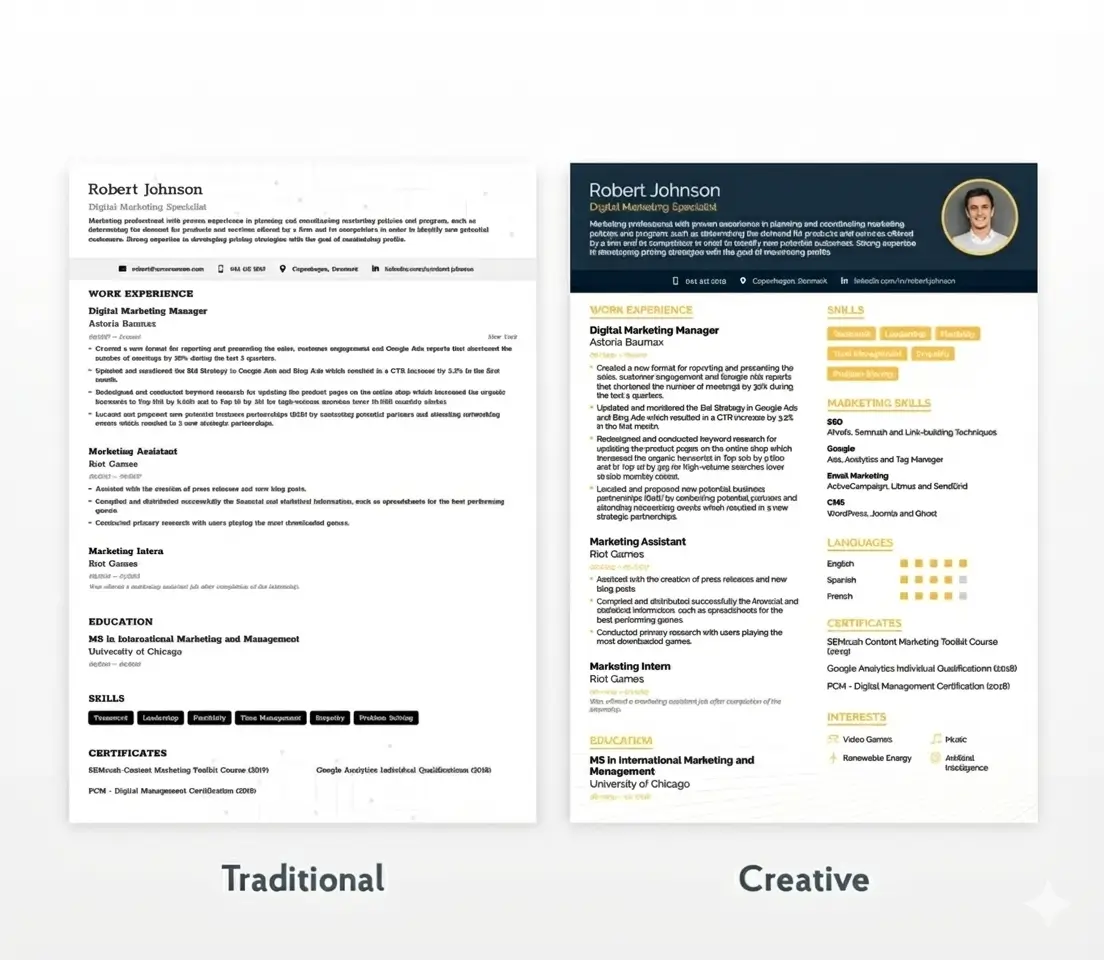
Tip #3: Traditional resume formats that look beautiful may fail miserably in ATS systems
-
Tip #4: Customizing your resume for each application significantly increases pass rates
How ATS Systems Scan Resumes
ATS systems follow a specific process:
-
Parse your resume: Extract text and organize it into categories (contact info, education, experience, skills)
-
Match keywords: Compare your resume content against job description requirements
-
Rank candidates: Assign scores based on keyword matches, qualifications, and experience
-
Filter results: Present top-ranked candidates to recruiters
Tip #5: ATS prioritizes resumes with dedicated skills sections near the top
Tip #6: The system looks for exact keyword matches from job descriptions
How to Optimize Your Resume for ATS
Keyword Optimization Strategies
Keywords are the most critical factor for ATS success. Here's how to fix your resume's keyword strategy:
Tip #7: Match keywords from job descriptions exactly. If the job posting says "Project Management," don't write
Tip #8: Use the exact job title from the posting prominently in your resume headline or summary
Tip #9: Incorporate both acronyms and full terms (e.g., "Search Engine Optimization (SEO)") since ATS may search for either
Tip #10: Analyze 5-10 similar job postings to identify the most frequently repeated keywords
Tip #11: Place keywords throughout your resume, not just in one section. Include them in your professional summary, skills section, and experience descriptions.
Tip #12: Avoid keyword stuffing—use keywords naturally within context. ATS evaluates both frequency AND placement quality.
File Format and Structure
Tip #13: Save your resume as .docx format unless the job specifically requests PDF. Some ATS systems struggle to parse PDFs correctly.
Tip #14: Use a chronological or hybrid format—these work best with ATS because they organize experience clearly
Tip #15: Name your file professionally: "YourName_Resume_JobTitle.docx" rather than "Resume.docx"
Tip #16: Keep your resume to 1-2 pages. For freshers, one page is ideal; experienced professionals can use two pages.
ATS-Friendly Formatting Rules
Tip #17: Use standard fonts like Arial, Calibri, Times New Roman, or Lato (size 10-12)
Tip #18: Avoid headers and footers for critical information like your name, phone number, and email—some ATS can't read them
Tip #19: Never use images, graphics, charts, or photos in your resume. ATS cannot parse visual elements.
Tip #20: Skip tables, text boxes, and columns for main content—stick to simple, single-column layouts
Tip #21: Use standard section headings like "Work Experience," "Education," "Skills," and "Professional Summary"
Tip #22: Maintain consistent formatting throughout—same date format, same bullet style, same spacing
Explore more formatting guidance in our article: 11 ATS Formatting Mistakes to Avoid
Resume Keywords for ATS Success
How to Find the Right Keywords
Tip #23: Study job descriptions carefully and identify repeated terms, required skills, and qualifications
Tip #24: Search "[your industry] resume keywords" online to discover commonly valued terms
Tip #25: Use AI tools like ChatGPT to extract keywords from job descriptions
Tip #26: Include industry-specific terminology that proves you understand the field
Where to Place Keywords
Tip #27: Start with your professional summary—include 3-5 high-priority keywords that align with the job
Tip #28: Create a dedicated skills section with a clean, bulleted list of technical and soft skills
Tip #29: Weave keywords into experience bullet points that highlight actual accomplishments
Tip #30: Use keywords in job titles when appropriate and accurate
For example, instead of just listing "Python, SQL, Tableau," write:
"Created SQL queries to analyze customer behavior, leading to a 15% increase in retention. Employed Python scripts to automate reporting processes, cutting manual tasks by 40%."
Keyword Density and Natural Integration
Tip #31: Combine keywords with action verbs and quantifiable results. Don't just list keywords—show how you've applied them.
Tip #32: Place keywords in context, not as random lists. ATS evaluates relevance, not just presence.
Tip #33: Customize your resume for each application using aligned keywords and achievements
Common ATS Resume Mistakes to Avoid
Formatting Errors That Kill Your Chances
Tip #34: Never use creative or unclear job titles like "Chief Happiness Officer" instead of "HR Manager". Use industry-standard titles.
Tip #35: Avoid inconsistent date formatting—stick to one format like "Jan 2023 - Present" throughout
Tip #36: Always include complete employment dates (month/year) and locations (city/country) for each role
Tip #37: Don't use special characters or symbols (★, ➤, ✓) for bullets or decorations
Tip #38: Skip fancy resume templates from Canva or similar platforms—they often break ATS parsing
Learn more about format issues in: ATS-Friendly Resume Format for Beginners: Complete SEO Guide
Content Mistakes That Trigger Rejection
Tip #39: Never leave out a professional summary—ATS may downgrade resumes without one
Tip #40: Don't omit a skills section—ATS often prioritizes resumes with dedicated skills blocks
Tip #41: Avoid overusing buzzwords like "go-getter," "synergy," or "team player" without context or metrics
Tip #42: Don't list only responsibilities—focus on quantifiable achievements instead
Tip #43: Remove irrelevant or outdated information that doesn't support your candidacy for the specific position
Technical Issues That Break ATS Systems
Tip #44: Check for spelling and grammatical errors—typos can trigger ATS rejection
Tip #45: Ensure consistent spacing and alignment throughout your document
Tip #46: Test your resume using free ATS checkers before submitting
Why Your Resume is Not Passing ATS
Top Reasons for ATS Rejection
If you're applying to jobs but hearing nothing back, your resume likely suffers from these issues:
Tip #47: Missing critical keywords from job descriptions—the #1 reason for rejection
Tip #48: Poor formatting that ATS can't parse correctly (tables, graphics, unusual fonts)
Tip #49: Using the same generic resume for all applications instead of customizing
Tip #50: Lack of quantified achievements—ATS favors resumes with measurable results
Tip #51: Incomplete work history—missing dates, locations, or job details
How to Diagnose ATS Issues
To identify why your resume isn't passing:
-
Use free ATS resume checkers to scan for 30+ common issues
-
Compare your resume against job descriptions to identify keyword gaps
-
Test different versions to see which performs better
-
Ask for feedback from recruiters or career coaches
Testing Your Resume's ATS Score
ResumeEra.xyz offers powerful tools to help you create and optimize ATS-friendly resumes. Unlike generic templates, our platform ensures your resume follows best practices for ATS compatibility while remaining visually appealing to human readers.
Check out: Should You Use AI to Write Your Resume? Complete Guide for 2026
ATS Resume Format 2026: Best Practices
Optimal Resume Structure
The best ATS-friendly resume structure for 2026 includes these sections in order:
-
Header: Name and contact information (in main body, not header/footer)
-
Professional Summary/Objective: 2-3 lines highlighting key qualifications
-
Skills: Bulleted list of relevant technical and soft skills
-
Work Experience: Reverse chronological order with quantified achievements
-
Education: Degrees, institutions, dates, relevant coursework
-
Additional Sections: Certifications, projects, languages, publications
Section Organization
Professional Summary Example:
"Business analyst with 4+ years of experience in data analysis, process optimization, and cross-functional collaboration. Seeking a Business Analyst role in the fintech industry to support digital transformation and data-driven innovation."
Technical Skills: Python, SQL, Tableau, Power BI, Advanced Excel, R Programming
Soft Skills: Data Analysis, Problem Solving, Cross-Functional Collaboration, Stakeholder Management
❌ Bad: "Handled customer calls"
✅ Good: "Resolved 95% of queries within 24 hours, improving CSAT score by 12%"
Typography and Design Guidelines
-
Margins: 0.5-1 inch on all sides
-
Line spacing: 1.15-1.5 for readability
-
Bullet points: Simple round bullets or dashes
-
Emphasis: Bold for section headers and company names; avoid excessive formatting
Learn more: How to Write a Resume in 2026
ATS Resume Tips for Freshers
Highlighting Academic Projects
Freshers should focus on academic projects, internships, and certifications since work experience is limited:
-
Detail your academic projects with technologies used and measurable outcomes
-
Include relevant coursework that aligns with target job requirements
-
Highlight internship experiences with specific contributions and learnings
-
Showcase certifications from recognized platforms (Coursera, Google, AWS, etc.)
Showcasing Transferable Skills
Emphasize transferable skills like communication, teamwork, problem-solving, and adaptability:
-
Leadership roles in college clubs or organizations
-
Volunteer work demonstrating initiative and social responsibility
-
Competitions or hackathons showing practical skill application
-
Group projects highlighting collaboration abilities
Read our detailed guide: How to Write a Teenager Resume with No Work Experience
Entry-Level Keyword Strategies
For freshers targeting entry-level positions:
-
Use entry-level role keywords to boost ATS visibility
-
Include technical skills learned through coursework or self-study
-
Mention tools and software you're proficient in
-
Add soft skills frequently mentioned in job descriptions
Explore: 9 Basic Resume Templates for 2026: Expert Tips & Examples
ATS Resume Score Improvement Strategies
Quantifying Achievements
Transform duties into achievements by adding numbers, percentages, and measurable outcomes:
| Before (Weak) | After (Strong) |
|---|---|
| Managed social media accounts | Grew Instagram following by 40% (5K to 7K) in 6 months, increasing engagement rate from 2.1% to 3.8% |
| Led project team | Directed cross-functional team of 8 to deliver $1.2M project 3 weeks ahead of schedule |
| Improved customer satisfaction | Implemented new support system that reduced response time by 35% and increased CSAT from 78% to 91% |
| Responsible for sales | Exceeded quarterly sales targets by 23%, generating ₹45L in revenue across 15 enterprise accounts |
Action Verbs and Power Words
Start bullet points with strong action verbs:
-
Leadership: Led, Directed, Managed, Supervised, Coordinated, Mentored
-
Achievement: Achieved, Exceeded, Delivered, Generated, Increased, Improved
-
Creation: Developed, Created, Designed, Built, Established, Launched
-
Analysis: Analyzed, Evaluated, Assessed, Investigated, Researched, Identified
-
Communication: Presented, Negotiated, Collaborated, Facilitated, Communicated
Continuous Optimization Techniques
Treat your resume as a living document:
-
Update regularly with new skills, achievements, and experiences
-
Test different versions to see which generates more callbacks
-
Seek feedback from recruiters, mentors, or career coaches
-
Stay current with industry trends and in-demand skills
-
Refresh keywords as job descriptions evolve
Use AI assistance: 6 Ways to Use ChatGPT to Review Your Resume with Prompts
Key Takeaways
"A modern ATS-ready resume prioritizes clear structure, job-specific keywords, and .docx formatting to pass filters and reach hiring managers."
Essential principles for fixing your resume in 2026:
-
ATS compatibility is non-negotiable—over 75% of resumes are screened by ATS before human review
-
Keywords are critical—match exact terms from job descriptions throughout your resume
-
Format matters immensely—use .docx files, standard fonts, and avoid graphics/tables
-
Quantify everything—replace duties with measurable achievements using numbers and percentages
-
Customize for each application—generic resumes have significantly lower pass rates
-
Test and iterate—use ATS checkers to identify issues before applying
-
Focus on clarity—both ATS and human readers need to quickly understand your value
-
Include all essentials—professional summary, dedicated skills section, complete dates/locations
-
Proofread meticulously—spelling and grammar errors trigger rejections
-
Keep it current—regularly update with new skills and achievements
For Indian job seekers specifically:
-
Consider part-time resume strategies if applicable: How to Write a Resume for a Part-Time Job in 2026
Conclusion
Fixing your resume for 2026's ATS-dominated hiring landscape is essential for job search success in India. With over 75% of resumes filtered by ATS before reaching human reviewers, optimizing your resume isn't optional—it's the difference between landing interviews and being invisibly rejected.
The 51 essential tips in this guide cover every aspect of how to fix your resume: from understanding ATS systems and optimizing keywords, to avoiding common mistakes and implementing proven formatting strategies. Whether you're a fresher entering the job market or an experienced professional seeking new opportunities, these principles apply universally.
Remember the core principles:
-
Use ATS-friendly formatting with .docx files, standard fonts, and simple layouts
-
Match keywords exactly from job descriptions throughout your resume
-
Quantify achievements with numbers, percentages, and measurable outcomes
-
Customize for each application rather than using generic resumes
ResumeEra.xyz empowers Indian job seekers with tools and resources to create professional, ATS-optimized resumes that pass screening systems and impress hiring managers. Our platform combines ease of use with technical sophistication, ensuring your resume meets 2026 standards for both technology and human evaluation.
Start fixing your resume today by implementing these 51 tips, and watch your interview callback rate improve dramatically. Your dream job is waiting—make sure your resume gets you in the door.
Ready to create your ATS-optimized resume? Visit ResumeEra.xyz and explore our comprehensive career resources:
-
ResumeEra.xyz Review 2026: Complete Free Resume Builder Analysis & Alternatives
-
16 Proven Tips to Ace Your Job Interview and Land Your Dream Role in 2025
-
10 Best Free Career Aptitude Tests in 2026: Discover Your Ideal Career Path
-
Is a Degree Necessary for a High-Paying Job? Complete Guide for 2026
Your career transformation starts with a single step: fixing your resume. Take that step today with ResumeEra.xyz.
Frequently Asked Questions
Q1: What is an ATS-friendly resume?
An ATS-friendly resume is formatted and structured to be easily read by Applicant Tracking System software. It uses standard fonts, simple formatting, relevant keywords, and avoids graphics, tables, or unusual layouts that confuse ATS parsers.
Q2: How do I know if my resume is ATS-compatible?
Test your resume using free ATS checkers available online. These tools scan for common issues like formatting problems, missing keywords, parsing errors, and provide scores with improvement suggestions. You can also save your resume as plain text (.txt) to see if all information appears correctly.
Q3: Should I use PDF or Word format for ATS resumes?
Use .docx (Microsoft Word) format unless the job posting specifically requests PDF. Some ATS systems struggle to parse PDF files correctly, potentially causing your information to be misread or lost. Word documents generally have better ATS compatibility rates.
Q4: How many keywords should I include in my resume?
There's no magic number, but focus on quality over quantity. Include 10-15 highly relevant keywords naturally distributed throughout your resume—in your professional summary, skills section, and experience descriptions. Avoid keyword stuffing, which can trigger red flags.
Q5: Can I use resume templates from Canva or similar platforms?
Avoid creative templates from Canva or graphic design platforms. While they may look beautiful, they typically include graphics, unusual formatting, and complex layouts that break ATS parsing. Stick to simple, text-based templates designed specifically for ATS compatibility.
Q6: How do I optimize my resume for different job applications?
Customize your resume for each application by:
Analyzing the job description for keywords
Adjusting your professional summary to match the role
Reordering skills to prioritize relevant ones
Emphasizing experiences most applicable to the position
Using the exact job title when appropriate
Q7: What are the most common ATS resume mistakes?
The top ATS mistakes include:
Missing keywords from job descriptions
Using graphics, images, or photos
Incorrect file format (PDF when .docx is better)
Inconsistent date formatting
Missing professional summary or skills section
Creative job titles instead of standard ones
Spelling and grammar errors
Q8: How can freshers optimize resumes for ATS?
Freshers should:
Focus on academic projects with measurable outcomes
Highlight internships and volunteer experiences
Showcase transferable skills like teamwork and communication
Include relevant certifications and coursework
Use entry-level keywords from job descriptions
Emphasize technical skills and tools learned
Read more: 10 Essential Resume Sections in 2026
Q9: Should I include a photo on my resume?
In India, skip the photo unless the job specifically requests one. Photos can invite unconscious bias and take up valuable space. Additionally, some ATS systems cannot process images, which may cause parsing errors.
Q10: How often should I update my resume?
Update your resume regularly—ideally every 3-6 months or whenever you:
Complete a significant project or achieve a milestone
Learn new skills or earn certifications
Change roles or responsibilities
Notice changes in industry keyword trends
Prepare to apply for new positions
Why Trust Resumeera for How to Fix Your Resume in 2026: 51 Tips That Beat ATS & Get Interviews?

written by (Sharukh Khan + AI)
Co-Founder & Career Expert
The insights shared here are based on real ATS screening experience, resume shortlisting patterns, and hands-on work with job seekers.
- ✔ Certified expertise in resume & ATS optimization
- ✔ Practical hiring exposure through active consultancy work
- ✔ Resume strategies tested against real job shortlisting
- ✔ Updated with current hiring and ATS trends