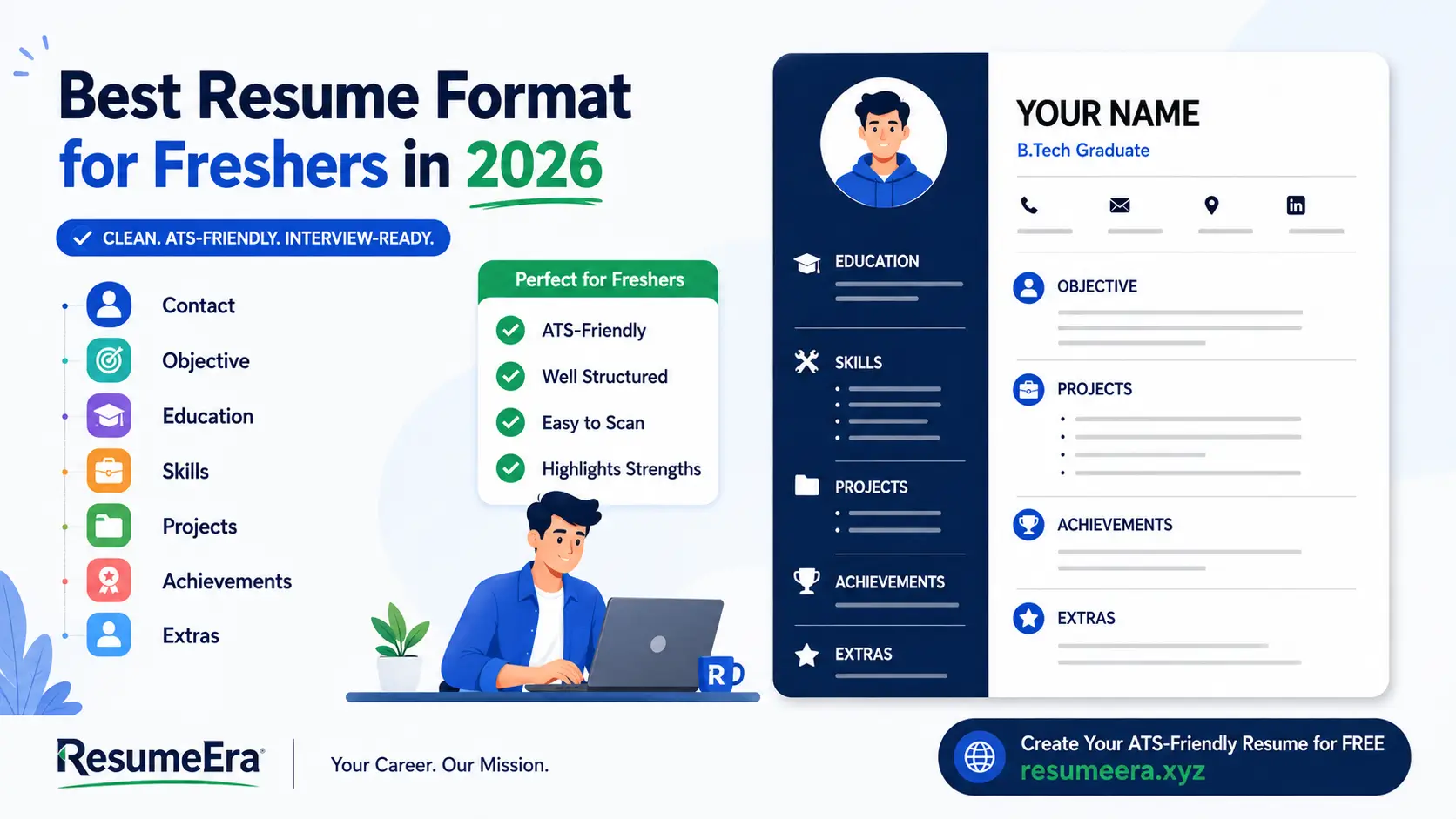
As a fresher applying for your first job in India in 2026, your resume has one job: get you shortlisted in under 7 seconds. Recruiters on Naukri, LinkedIn and company career portals receive 300 to 800 applications for every entry-level opening, and most use an Applicant Tracking System (ATS) like Naukri Maestro, Zoho Recruit, Darwinbox or Taleo to filter resumes before a human reads them. Without work experience to lean on, the format you choose decides whether your education, projects, internships and skills stand out or get buried. The right fresher resume format is clean, single-column, ATS-friendly and puts your strengths first. This guide breaks down exactly which format works best for Indian freshers in 2026, with section-wise instructions, a comparison table, Word and PDF advice, and templates you can use for IT, engineering, MBA, commerce, arts and government job applications.
Why Resume Format Matters More for Freshers Than Experienced Candidates
For experienced professionals, work history speaks for itself. For freshers, the format is the strategy. Since you cannot show 3 years of relevant experience, you must guide the recruiter's eye to what you do have: education, technical skills, internships, academic projects, certifications and extracurricular achievements. A poor format hides these in dense paragraphs or fancy graphics, while a strong format places them where recruiters expect to find them.
In India, most campus placements and off-campus drives follow a two-stage screening. First, the ATS parses your resume for keywords, section headings and chronological order. If your resume uses tables within tables, text boxes, icons without text, or double columns, the parser often misreads it and rejects it automatically. Second, a recruiter or hiring manager spends 6 to 8 seconds scanning the top half of the first page. Companies like TCS, Infosys, Wipro, Accenture, HDFC Bank and startups hiring through Naukri and LinkedIn all follow this pattern. They look for degree, college, year of passing, relevant skills and any internship or project proof.
A fresher-specific format also solves the blank space problem. Many freshers stretch a half-page of content to fill two pages with large fonts and decorative borders, or they cram everything into a single cluttered page with 8-point font. Both hurt readability. The ideal fresher resume in 2026 is strictly one page, with 0.7 to 1 inch margins, 10.5 to 11.5 point professional font like Calibri, Arial or Garamond, and clear section dividers. It uses bullet points, not paragraphs, and keeps the file size under 500 KB for easy upload on Naukri, Internshala and company portals.
Recruiters in India do not expect freshers to have long experience sections. They expect a well-structured, honest and scannable one-page resume that proves you are trainable, skilled and serious.
Choosing the correct format also helps you tailor quickly. When you apply for a software developer role, you can move programming languages and GitHub projects higher. For an HR or marketing role, you can prioritize internships, communication skills and case competitions. A flexible, ATS-compatible base template saves hours during mass applications.
The 3 Main Resume Formats Explained for Freshers
There are three standard resume formats used globally. For freshers in India, their effectiveness varies significantly. Understanding each helps you avoid the common mistake of copying an experienced professional's resume.
1. Chronological Resume Format
The chronological format lists your experience in reverse chronological order, starting with the most recent job. It begins with a header and summary, followed by work experience, education and skills. This is the most common format for professionals with 2+ years of experience because it highlights career progression. For freshers, it is usually the weakest option. Since you have little or no formal work experience, the experience section looks empty and pushes your stronger sections like education and projects to the bottom where recruiters may not see them. ATS systems prefer this format for experienced hires, but for campus placements it often undersells you. Use it only if you have at least one year of full-time experience, such as a gap year job or a long-term apprenticeship.
2. Functional (Skills-Based) Resume Format
The functional format focuses entirely on skills and groups achievements under skill headings like Technical Skills, Communication Skills or Leadership Skills, with little emphasis on when or where you learned them. While it seems attractive for freshers who want to hide lack of experience, Indian recruiters and ATS software are cautious about it. Many Naukri and LinkedIn recruiters view functional resumes as vague because they do not show context — where you applied the skill, in which project or internship. ATS parsers also struggle to map functional headings to standard fields. In 2026, most large Indian employers specifically advise against purely functional resumes for freshers. It can work for career changes or freelance portfolios, but not for first-time job seekers applying through portals.
3. Combination (Hybrid) Resume Format
The combination format merges the best of both. It starts with a strong header, a 2 to 3 line career objective or summary, followed by education, skills, projects and internships grouped logically, and then any experience in chronological order. This is the best resume format for freshers in 2026 for the Indian job market. It is ATS-friendly because it retains standard headings, recruiter-friendly because it puts education and skills in the top half, and flexible because you can reorder skill and project sections based on the job description. It allows a B.Tech student to highlight final-year projects and coding skills, an MBA fresher to highlight specialisation, internships and case studies, and a B.Com fresher to highlight Tally, Excel and accounting internships without leaving empty space.
Best Resume Format for Freshers in 2026: The Education-First Combination Layout
After reviewing shortlisting patterns for 2025-2026 campus drives, Naukri database searches and LinkedIn Recruiter filters, the education-first combination format consistently performs best for freshers with 0 to 1 year of experience. It places Education right after the summary, followed by Skills, Projects and Internships, before certifications and achievements. This order matches what Indian ATS and recruiters search for: degree, branch, CGPA or percentage, year of passing, and relevant skills.
Here is how the three formats compare for fresher applications in India:
| Feature | Chronological | Functional | Combination (Recommended) |
|---|---|---|---|
| Best For | Experienced professionals | Career switchers, freelancers | Freshers, recent graduates, 0-1 year experience |
| Top Half Focus | Work Experience | Skill Groups | Education, Skills, Projects |
| ATS Compatibility in India | High for experienced roles | Low, often misparsed | Very High, standard headings |
| Recruiter Preference (Naukri/LinkedIn) | Low for freshers | Very Low, seen as vague | High, scannable in 7 seconds |
| Handles No Experience? | Poorly, leaves gap | Hides gap but lacks proof | Well, shows projects as proof |
| Length for Freshers | Often looks empty | Can look inflated | Perfect one page |
| Customization Ease | Hard to tailor | Moderate | Easy, reorder sections per job |
The winning structure for 2026 is: Header with Contact Info → Career Objective (2-3 lines) → Education → Skills (Technical + Soft) → Academic Projects → Internships / Training → Certifications → Achievements / Extracurriculars → Languages / Hobbies (optional). This keeps your resume to one page, uses a single column, avoids graphics and text boxes, and uses standard headings that ATS can read without errors. For design, use bold for headings, consistent date format (e.g., May 2024 – Apr 2025), and bullet points starting with action verbs.
Section-by-Section Breakdown of the Ideal Fresher Resume (2026 Standard)
Build your resume in this exact order. Each section has a specific purpose and ideal length for fresher applications.
Header and Contact Information
Keep the header clean and professional. Include full name in 16-18 pt bold, followed by phone number, professional email (firstname.lastname@gmail.com), city and state (full address not needed), LinkedIn profile URL and GitHub or portfolio link if relevant for IT, design or writing roles. Do not add photo, date of birth, gender, marital status or father’s name unless the employer specifically asks — Indian MNCs and ATS systems do not require them and they waste space. Ensure your LinkedIn URL is customised and your email is checked daily. Place this at the very top with a thin line separator below.
Career Objective or Summary (2-3 Lines)
For freshers, a career objective works better than a summary. Write 2 to 3 lines tailored to the role, mentioning degree, key skill and what you offer. Avoid generic lines like “Seeking a challenging position where I can grow”. Instead, be specific. Example for IT: “B.Tech Computer Science fresher (2025) with strong Python, SQL and DSA fundamentals, seeking a Software Developer role to build scalable applications. Completed 3 academic projects including a library management system with 500+ test records.” For MBA Marketing: “MBA Marketing fresher from Pune University with internship in digital campaign management and skills in SEO, Google Analytics and content strategy, seeking an Associate Marketing role.” Change this line for every application to match keywords in the job description.
Education, Projects, Skills and Internships
Education: List in reverse chronological order. Include Degree, Branch/Specialisation, College/University, Location, Year of Passing, and CGPA or Percentage. Example: B.Tech in Electronics and Communication — VIT Vellore — 2021-2025 — CGPA 8.2/10. Add 12th and 10th only if you are a 2024-2026 passout and have strong scores; otherwise keep only graduation. Do not add every semester mark.
Skills: Split into Technical Skills and Soft Skills. Technical skills should be specific: Languages: Python, Java, C++ | Web: HTML, CSS, React | Tools: Excel (Advanced), Tally Prime, Power BI | Databases: MySQL. Soft skills: Communication, Team Collaboration, Problem Solving. Match skills exactly to the job description — if the JD says “MS Excel” write “MS Excel”, not just “Excel”.
Academic Projects: This is your experience substitute. Add 2 to 3 projects with Title, Duration, Team Size, Tools Used and 2 to 3 bullet points with outcome. Use the STAR method briefly. Example: “E-Commerce Website — Jan 2025 – Mar 2025 — Tools: React, Node.js, MongoDB — Built responsive store with cart and payment integration; tested with 100 dummy users; reduced page load time by 30%.” Add GitHub or live link if available.
Internships and Training: Even a 4-week virtual internship counts. Write Company, Role, Duration, Location (Remote/On-site) and 2 to 3 achievement bullets with numbers. Example: “Digital Marketing Intern — UpGrad — Jun 2024 – Jul 2024 — Assisted in 3 campaigns, wrote 15 SEO blogs, increased Instagram engagement by 18%.” If you have no internship, add relevant coursework, workshops or volunteer work under this heading.
Certifications, Achievements and Extras: Add only relevant certifications with issuing authority and year: “Google Data Analytics Certificate — Coursera — 2024”. Achievements can include hackathon ranks, paper presentations, college fest leadership or NCC/NSS. Keep hobbies minimal and only if they add value or are conversation starters.
Step-by-Step: How to Create Your Fresher Resume in 30 Minutes
Follow this exact workflow to build an ATS-ready resume without design errors:
- Pick the right base template: Download a single-column, Word (.docx) ATS template with no tables, text boxes or images. Ensure headings are plain text like “Education”, “Skills”, “Projects”. You can start from a clean template on https://resumeera.xyz and keep it in Word for easy editing.
- Set formatting rules first: Set margins to 0.7 inch, font to Calibri or Arial 10.5-11 pt, line spacing 1.0-1.15, and heading size 12-13 pt bold. Use consistent date format and align all dates to the right. This prevents rework later.
- Fill education and skills before experience: Enter your degree, college, year and CGPA first. Then list 10-14 targeted skills copied from 3 to 4 job descriptions you want to apply for. This ensures keyword match for ATS.
- Add projects with numbers: Write 2 to 3 academic or personal projects. For each, add 2 bullets with action verbs (Built, Developed, Analysed, Managed) and a measurable result (e.g., “Automated report generation, saving 5 hours weekly”). Link to GitHub or portfolio if possible.
- Write internships and certifications: Add internships, training or virtual programmes with company, role and duration. Add 1 to 2 certifications most relevant to the target role, not every certificate you own.
- Craft a tailored objective: Write a 2-line objective that includes your degree, top 2-3 skills and the exact role title you are applying for. Update this for each application — it is the first keyword check for ATS.
- Proofread and ATS-test: Run spell check, check tenses, and ensure no first-person pronouns (I, me). Save as .docx for Naukri and company portals, and as PDF only when emailing or uploading to LinkedIn Easy Apply. Test by copying text to Notepad — if it appears in correct order, ATS can read it.
- Name and save correctly: Save file as FirstName_LastName_Resume_Role.pdf (e.g., Rohan_Sharma_Resume_SoftwareDeveloper.pdf), not Resume_final.pdf. Keep file under 500 KB and maintain one master Word file to tailor quickly.
Word vs PDF: Which File Type to Use for Naukri, LinkedIn and Email Applications
Indian job platforms handle files differently, and choosing the wrong format can break your layout or make your resume unreadable. For Naukri, Internshala, Indeed India and most company ATS portals (Darwinbox, Zoho Recruit, Greenhouse), upload your resume in Word (.docx). These systems parse .docx more accurately, especially for section headings, bullet points and tables. A .docx also lets recruiters quickly search and forward your profile.
Use PDF when you email the resume directly to a hiring manager, apply via LinkedIn Easy Apply, or submit to a design or creative role where layout must stay fixed. Always export PDF as “Print to PDF” from Word, not as an image, so text remains selectable and ATS-readable. Never send both formats together unless asked. Keep two final files ready: a master .docx for portal uploads and a polished PDF for emails and LinkedIn. Both should be one page, under 500 KB, and named professionally. If you use https://resumeera.xyz templates, you can download both versions instantly and keep formatting intact.
Common Mistakes Freshers Make in Resume Formatting (And How to Fix Them)
Most fresher resumes get rejected not for lack of talent, but for avoidable formatting errors that confuse ATS and recruiters.
- Using double-column or graphic templates: Canva-style two-column designs with skill bars, pie charts and icons look attractive but ATS reads them left-to-right incorrectly, mixing your education with skills. Fix: Use a single-column, text-only layout with standard headings.
- Adding unnecessary personal details: Photo, full home address, date of birth, religion, father’s name and marital status are not required for Indian private sector jobs and can trigger bias filters. Fix: Keep only name, phone, email, city, LinkedIn and portfolio.
- Writing a long, generic objective: A 5-line paragraph full of adjectives like “hardworking and passionate fresher seeking growth” adds no keywords. Fix: Write a 2-3 line role-specific objective with degree, skills and value.
- Making the resume two pages with filler: Stretching with large fonts, repeated information or listing every school activity dilutes impact. Fix: Stay on one page. If you have less content, use 11 pt font and proper spacing, not filler.
- Copying the job description word-for-word: Stuffing keywords without proof looks dishonest and fails interviews. Fix: Include only skills you can demonstrate through projects or internships, and add proof bullets.
- Grammatical errors and inconsistent formatting: Mixing date formats (Jan 2024 vs 01/2024), inconsistent bullet styles, or spelling mistakes signal carelessness. Fix: Use one date format, one bullet style (• or -), and proofread twice or use spell check.
- Saving with unprofessional file names: Files named “Resume_final_final.pdf” or “My CV.docx” get lost in recruiter downloads. Fix: Use “Name_Role_Resume.docx” and update the title before each application.
- Listing skills without context: Writing “Python, Communication, Leadership” without showing where you used them. Fix: Pair every key skill with a project or internship bullet that proves it.
Fixing these eight issues alone can double your shortlist rate, especially for mass applications on Naukri and LinkedIn where you compete with thousands of freshers from similar colleges.
Frequently Asked Questions
What is the best resume format for freshers in India in 2026?
The best format for freshers in 2026 is the education-first combination (hybrid) format. It starts with header and objective, then education, skills, academic projects and internships, followed by certifications and achievements. It is single-column, one page and uses standard headings so it is ATS-friendly for Naukri, LinkedIn and company portals, and it highlights your strengths when you have no full-time experience.
Should freshers use a one-page or two-page resume?
Freshers should always use a one-page resume. Recruiters spend only seconds on fresher resumes and expect a concise summary. A single page forces you to keep only relevant skills, 2-3 projects and key internships. Only candidates with 5+ years of experience or extensive publications should go to two pages.
Is the chronological format good for freshers with no experience?
No, chronological format is not ideal for freshers with no experience because it emphasizes work history in reverse order, leaving the top half empty. It pushes education and projects to the bottom. Freshers should use the combination format that brings education and projects to the top where recruiters look first.
Which file type is better for ATS — Word or PDF?
For most Indian ATS including Naukri Maestro, Zoho Recruit and Darwinbox, Word (.docx) is safer because it parses headings and bullets more accurately. Use PDF only for direct email applications and LinkedIn Easy Apply where layout needs to stay fixed. Always ensure the PDF has selectable text, not an image, so ATS can still read it.
What should I put in my fresher resume if I have no internships?
If you have no internships, focus on academic projects, final-year major project, mini-projects, certifications, workshops, volunteer work, college club leadership and freelance or competition work. Describe 2-3 projects with tools used and measurable outcomes. You can also add relevant coursework like “Data Structures, DBMS, Operating Systems” under education.
Do I need to add my photo, date of birth and address in a fresher resume?
No, you do not need to add photo, date of birth, gender, marital status or full address for private sector jobs in India in 2026. Include only name, phone, email, city and state, LinkedIn and portfolio link. Government job formats may ask for more details, but for Naukri and LinkedIn applications, keep it minimal and professional.
How do I make my fresher resume ATS-friendly for Naukri and LinkedIn?
Use a single-column Word template, standard headings (Education, Skills, Projects, Internships), bullet points, and keywords exactly as written in the job description. Avoid tables, text boxes, images, headers/footers and skill graphs. Save as .docx for portals, keep file under 500 KB, and test by copying resume text to Notepad to check reading order.
Your first resume does not need to show years of experience — it needs to show readiness. The education-first combination format does exactly that by placing your degree, skills and projects where recruiters and ATS look first, while keeping the design clean and professional. Build your one-page master resume in Word, tailor the objective and skills for each role, and keep both Word and PDF versions ready for Naukri, LinkedIn and email applications. Start with a proven template from https://resumeera.xyz, update it with your latest project or internship every month, and apply consistently. With the right format, even as a fresher, you can stand out in 2026’s competitive Indian job market and move from application to interview faster.
