Master the perfect resumes format with our comprehensive guide. Learn ATS-friendly tips, template styles, formatting rules, and proven strategies to land interviews.
Table of Contents
- Why resumes format Matters
- Types of resumes formats
- Best resumes format Styles
- What Makes Great Format
- ATS-Friendly Tips
- resumes format by Industry
- Common Mistakes
- FAQ Section
- Summary
Why resumes format Matters
The First Impression Factor
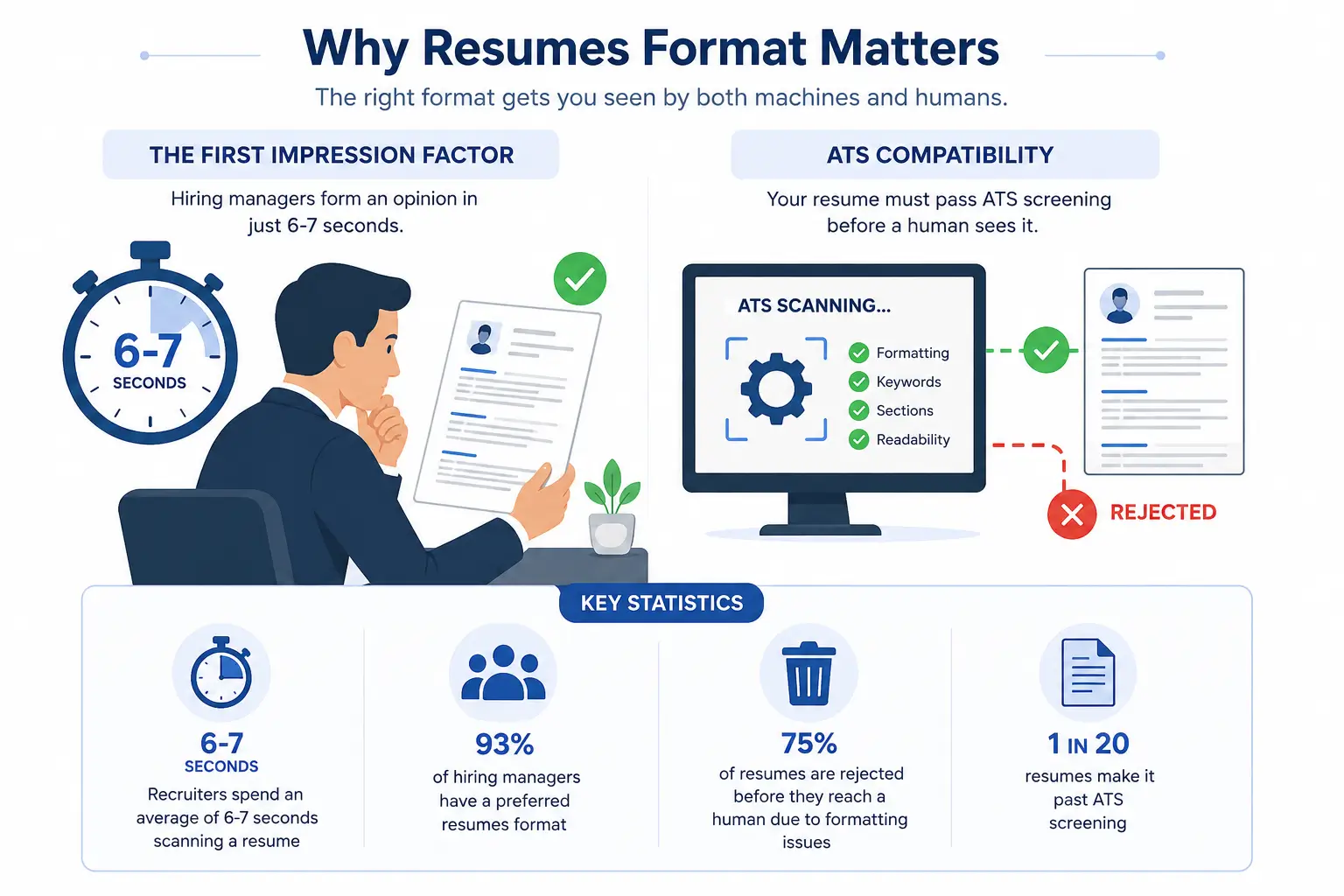
Your resumes format is your first impression. Before a hiring manager reads a single word about your experience, they make a judgment about your professionalism based on how your resume looks. In just 6-7 seconds, recruiters make critical decisions that can make or break your chances.
- Recruiters spend an average of 6-7 seconds scanning a resume
- 93% of hiring managers have a preferred resumes format
- 75% of resumes are rejected before they reach a human due to formatting issues
- 1 in 20 resumes make it past ATS screening
ATS Compatibility: The Hidden Gatekeeper
Most applicants don't realize that their resume must pass through an Applicant Tracking System before a human ever sees it. These systems scan for proper formatting, clear section headers, readable fonts, spacing, and relevant keywords. A beautifully designed resume that looks great on screen might fail completely when scanned by ATS software, automatically disqualifying you from consideration.
Understanding resumes format is crucial because it directly impacts whether your qualifications reach the right person. The perfect format isn't just about aesthetics—it's about strategic positioning for both human and machine evaluation.
Types of resumes formats
1. Chronological resumes format
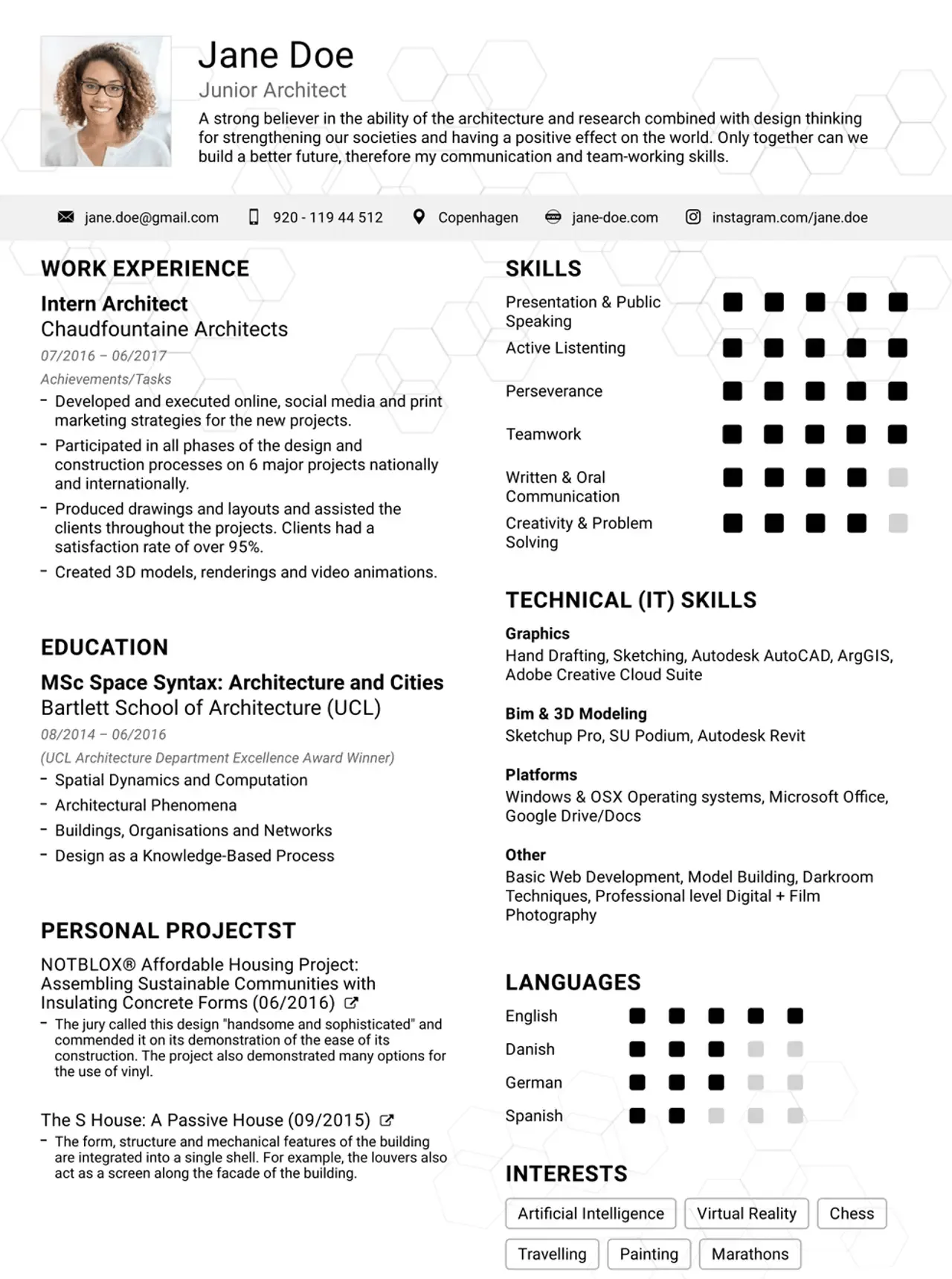
The chronological resumes format lists your work experience in reverse order, starting with your most recent position. This is the most common and widely accepted resumes format.
✓ Advantages
- Easy to read and understand
- Shows clear career progression
- ATS-friendly and widely accepted
- Works for most industries
✗ Disadvantages
- Exposes employment gaps
- Not ideal for career changers
- May emphasize job-hopping
- Requires consistent employment history
2. Functional resumes format
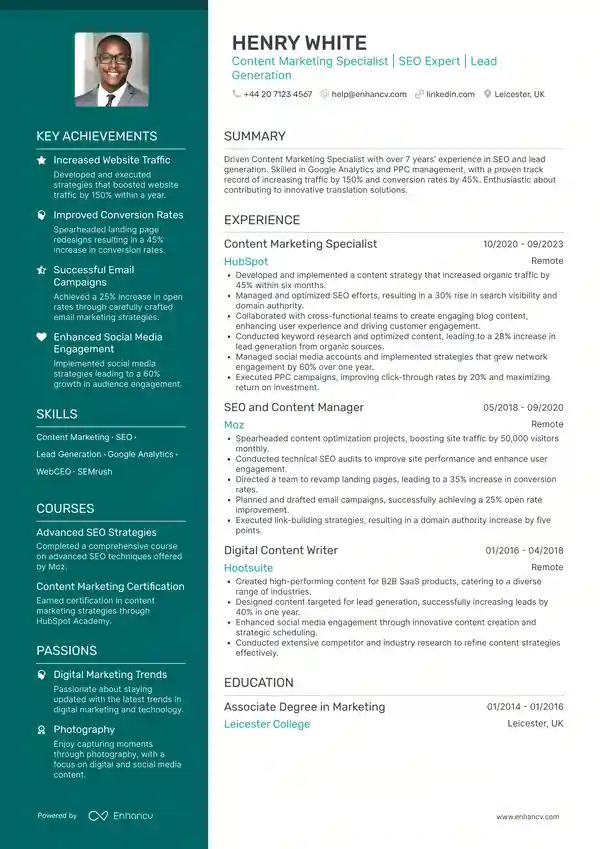
The functional resumes format emphasizes skills and achievements rather than chronological work history. It organizes content by competencies and highlights transferable skills—ideal for career changers or those with employment gaps.
✓ Advantages
- Focuses on skills over experience
- Good for career changers
- Minimizes employment gaps
- Emphasizes achievements
✗ Disadvantages
- Less favored by recruiters
- Can raise red flags with ATS
- May appear like hiding something
- Requires excellent formatting
3. Hybrid/Combination resumes format
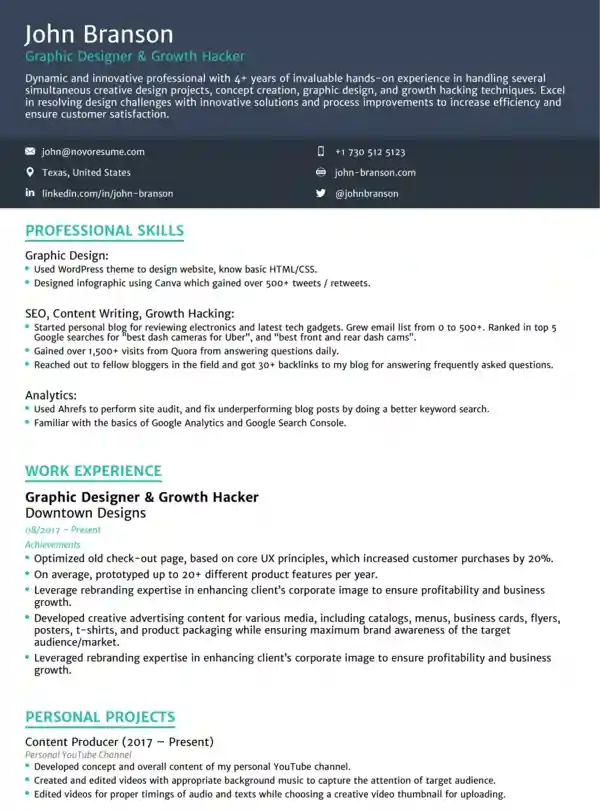
The hybrid format resumes combines the best of both chronological and functional formats. It leads with a strong skills section followed by detailed work history, making it ideal for well-rounded candidates.
Best resumes format Styles
Professional resumes formats
Characteristics: Classic design, traditional fonts, minimal color, business-appropriate. Professional resumes formats are the gold standard for traditional industries, featuring clean layouts and subtle color schemes that convey expertise and reliability.
Best for: Law, Finance, Healthcare, Education, Government, Corporate Management, Real Estate.
Modern resumes formats
Characteristics: Contemporary design, minimalist layout, strategic color use, innovative formatting. Modern templates refresh the traditional approach with clean minimalism and subtle design choices.
Best for: Technology, Engineering, Marketing, HR, Sales, Startups, Administration.
Creative resumes formats
Characteristics: Bold design, eye-catching elements, color palettes, patterned backgrounds. Creative templates are designed for professionals who need to showcase visual thinking and design sense.
Best for: Graphic Design, Web Design, Photography, Creative Direction, Animation, Advertising, Entertainment.
Simple resumes formats
Characteristics: Clean design, attractive but minimal, readable, professional. Simple templates focus on content over design and work across all industries.
Best for: Hospitality, Retail, Transportation, Students, Interns, Entry-level, Healthcare roles, Administration.
What Makes a Great resumes format
1. Attractive, Functional Header
The resume header is arguably the most important design element. It should prominently display your full name, include clear contact information, contain links to LinkedIn and portfolio, use adequate spacing, and be visually distinct yet professional.
2. Professional Summary
A brief 2-3 line summary highlighting years of experience, key skills, notable achievements, and career goals. This section gives recruiters an immediate understanding of your value proposition.
3. Clear Work Experience Section
Format work history as: Job Title | Company Name, Location | Month Year – Month Year with 3-5 achievement-focused bullets using action verbs and quantifiable results.
4. Education Section
Include degree name, institution, graduation date, GPA (if 3.5+), and relevant coursework or honors.
5. Skills Section
Organize skills into categories: Technical Skills, Tools/Software, Languages, and Soft Skills for maximum clarity.
6. Optimal Readability
Choose clean, professional fonts (Calibri, Arial, Helvetica), use 10-12pt font size, maintain 1.15-1.5 line spacing, include adequate white space, and use single column layout for ATS compatibility.
| Element | Recommendation | Why It Matters |
|---|---|---|
| Font Choice | Calibri, Arial, Helvetica | ATS-readable, professional appearance |
| Font Size | 10-12pt body, 14-16pt headers | Readable on screen and print |
| Line Spacing | 1.15-1.5 | Comfortable reading without crowding |
| Colors | 1-2 accent colors max | Professional appearance, ATS compatibility |
| Layout | Single column | ATS-friendly, easy to read |
ATS-Friendly resumes formatting Tips
ATS Optimization Rules
✓ DO's
- Use single column layout
- Use standard fonts
- Save as PDF or Word
- Use clear section headers
- Include job description keywords
- Use standard bullet points
- Keep formatting simple
- Use standard spacing
✗ DON'Ts
- Use text boxes or tables
- Include graphics or images
- Use two-column layouts
- Use decorative fonts
- Save in unusual formats
- Use excessive colors
- Put info in headers/footers
- Use complex formatting
Keywords and Optimization
ATS software searches for specific keywords related to the job. To optimize, read the job description carefully, identify key skills and qualifications, incorporate these keywords naturally into your resume, use both full terms and acronyms (e.g., "Search Engine Optimization (SEO)"), match job titles when possible, and include industry-specific terminology.
resumes format by Job Industry
Technology & IT
Use modern templates with clean design. Place technical skills section front and center. Include GitHub or portfolio links. Emphasize technical keywords and highlight relevant certifications.
Finance & Accounting
Use professional, traditional formats. Emphasize metrics and numbers. List accounting software skills. Highlight relevant certifications (CPA, CFA). Use conservative color scheme.
Healthcare
Use professional templates. Make licenses and certifications prominent. Detail clinical experience and patient care metrics. Use conservative design with medical terminology.
Marketing
Use modern or professional templates. Highlight campaign results and metrics. List marketing tools and software. Include digital marketing keywords. Strategic use of color acceptable.
Creative & Design
Use creative templates with visual elements. Make portfolio link prominent. Highlight design skills and software. Use visual hierarchy effectively. Include subtle color and design elements.
Sales
Use modern templates. Emphasize achievement and numbers. Feature revenue and quota metrics. Highlight customer-facing skills. Use dynamic but professional design.
Common resumes format Mistakes to Avoid
Mistake #1: Poor Font Choices
❌ Wrong: Comic Sans, Brush Script, decorative fonts
✅ Right: Calibri, Arial, Helvetica, Garamond
Mistake #2: Inconsistent Formatting
❌ Wrong: Different date formats, spacing, alignment throughout
✅ Right: Consistent formatting in every section
Mistake #3: Too Much Information
❌ Wrong: Multiple pages, irrelevant details, old experience
✅ Right: 1 page for entry-level, 1-2 pages for experienced
Mistake #4: Vague Bullet Points
❌ Wrong: "Responsible for marketing," "Helped with sales"
✅ Right: "Increased sales by 25% through targeted email campaigns"
Mistake #5: No Keywords
❌ Wrong: Generic resume with few industry terms
✅ Right: Resume optimized with relevant keywords from job posting
Mistake #6: Weak Formatting
❌ Wrong: Cramped text, tiny fonts, no white space
✅ Right: Proper spacing, readable fonts, adequate margins
Mistake #7: Including Unnecessary Information
❌ Wrong: Photo, age, marital status, personal interests
✅ Right: Professional info only (unless specifically requested)
Mistake #8: Saving in Wrong Format
❌ Wrong: .pages, .pub, Google Docs, images
✅ Right: PDF or Word (.docx) format
Frequently Asked Questions
The best resumes format for 2026 is ATS-friendly, professionally designed, and optimized for your industry. Most job seekers should use a modern or professional template in either chronological or hybrid format. The key is balancing attractive design with ATS compatibility. Choose based on your experience level: chronological for stable careers, functional for career changers, and hybrid for diverse backgrounds.
Professional resumes formats are highly recommended. They save significant time, ensure ATS compatibility, provide proven layouts, are easily customizable, and most professionals lack graphic design expertise. Unless you have design experience, using a professional template is the smarter choice. Templates also offer multiple style options to match your industry.
PDF is generally better, but it depends on the situation. Choose PDF when emailing, uploading to online portals, printing required, or formatting preservation is important. Choose Word (.docx) when explicitly requested, employer wants to edit, or job posting specifically asks for it. When in doubt, PDF is the safest choice because it preserves your carefully formatted layout.
Follow these guidelines by experience level: Entry-level/Students (1 page), Junior 0-3 years (1 page), Mid-level 3-8 years (1-2 pages), Senior 8+ years (2 pages maximum). Quality is more important than quantity. Every bullet point should add value to your candidacy.
Use color strategically with 1-2 accent colors maximum. Conservative industries should use black/gray with minimal color. Creative fields can use up to 3 colors in a professional palette. Modern industries allow strategic color accents. Always avoid bright neons, too many colors, and distracting patterns. Test your resume in grayscale to ensure readability if color fails.
Generally, NO unless specifically requested in the job posting, traditional industry expectations apply, you have a professional headshot available, or it's required in your country. In most cases, leave photos off your resume. They can introduce unconscious bias in the screening process.
Use these font sizes: Body text (10-12 points, ideally 11pt), Section headers (12-14 points), Name/title (14-18 points). Never go below 10pt minimum and 12pt for body text is standard. Ensure readability on screen and in print. Consistency across your entire resume is essential for professional appearance.
Avoid putting important information in headers/footers. ATS software often can't read headers and footers, so put contact info in the main body instead. Include name and phone on every page if multi-page. Avoid page numbers in header/footer and use headers/footers minimally if at all.
Use consistent, standard date formatting: Best: "January 2020 – Present" or "Jan 2020 – Present". Also acceptable: "01/2020 – Present". Avoid mixing formats throughout your resume. Be consistent throughout your entire document for a professional appearance.
Follow these ATS optimization tips: 1) Use single column layout, 2) Save as PDF or Word, 3) Use standard fonts, 4) Avoid graphics, tables, text boxes, 5) Use clear section headers, 6) Include relevant keywords, 7) Use standard bullet points, 8) Keep formatting simple, 9) Use consistent spacing, 10) Avoid unusual formatting. Test your resume in ATS parsers like free "Resume Parser" tools available online.
Summary & Key Takeaways
Why resumes format Matters
Your resumes format is critical because it's your first impression on hiring managers, it must pass through ATS software first, it determines readability and professionalism, and it affects whether you land interviews.
The Ideal resumes format Includes:
- ✓ Attractive, functional header with contact information
- ✓ Professional summary highlighting experience and achievements
- ✓ Clear work experience organized chronologically with quantifiable results
- ✓ Education section with relevant details
- ✓ Skills section organized by category
- ✓ Optimal readability with proper fonts, spacing, and white space
- ✓ Professional color scheme appropriate to your industry
- ✓ ATS-compatible formatting that works with scanning software
Action Plan: Create Your Perfect Resume
Step 1: Choose Your Format
Chronological (if stable work history), Functional (if career changer), or Hybrid (if diverse experience)
Step 2: Select a Template Style
Professional (traditional industries), Modern (tech, marketing), Creative (design, media), or Simple (entry-level, all industries)
Step 3: Optimize for ATS
Use single column layout, standard fonts, clear section headers, relevant keywords, and PDF or Word format
Step 4: Fill in Your Information
Add compelling professional summary, detailed work experience with metrics, education and certifications, and organized skills by category
Step 5: Review and Polish
Check consistency, verify formatting, proofread, test in grayscale, get peer feedback, and download in both PDF and Word
Step 6: Customize by Job
Tailor to job description, match keywords to posting, emphasize relevant experience, and adjust summary for each application
Final Thoughts
The perfect resumes format is achievable with the right template and attention to detail. By understanding what makes an effective format, optimizing for ATS compatibility, and customizing for each opportunity, you'll significantly increase your chances of landing interviews.
Remember: Your resumes format is just as important as your content. A beautifully designed resume with strong achievements will get you noticed. A poorly formatted resume—even with great experience—might never reach a human recruiter.
Take time to get your resumes format right. It's one of the most important investments you'll make in your career. Your next opportunity is just one great resume away.
